


Blog #10 created a timeline containing several tweens. Now one stored timeline can control that full sequence.
tl.play(); tl.pause(); tl.resume();
tl.reverse(); tl.restart();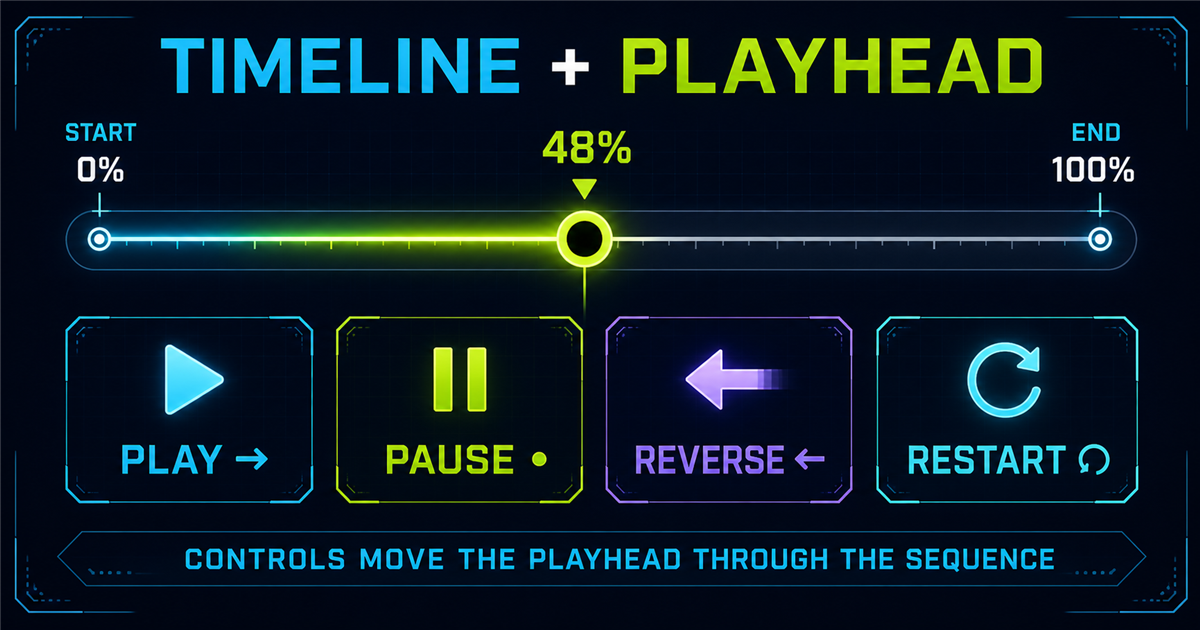
1. Why control a timeline?
Menus, hero replays, onboarding, modals, presentations and debugging all benefit when one action can control a complete animation sequence.
2. Start with paused: true
gsap.timeline({ paused: true }) builds a sequence that waits for interaction instead of immediately playing.
3. play()
tl.play() moves forward from the current playhead position.
4. pause()
tl.pause() stops at the current position; it does not reset the sequence.
5. resume()
tl.resume() continues in the direction active before the pause.
6. reverse()
tl.reverse() plays backward from the current position.
7. Why reverse is powerful
An isolated menu can use menuTl.play() to open and menuTl.reverse() to close—one sequence, two directions.
8. restart()
tl.restart() returns to the beginning and immediately plays again.
9. Play vs resume vs restart
| Method | Behavior |
|---|---|
| play() | Forward from current position |
| resume() | Continue after pause in existing direction |
| restart() | Return to beginning and play |
10. Main playback control demo
Controlled presentation
One timeline manages every step below.
11. Understanding timeline progress
progress() uses 0–1: 0 is the beginning, .5 is halfway and 1 is complete.
12. Interactive progress buttons
The main player includes 0%, 25%, 50%, 75% and 100% buttons. Setting progress moves the playhead but does not automatically play.
13. Progress slider
The labeled range input converts its 0–100 value into normalized timeline progress and supports keyboard scrubbing.
14. seek()
tl.seek(1.5) moves the playhead to 1.5 seconds. Labels and advanced positioning are reserved for later.
15. time()
progress(.5) means halfway; time(1.5) means 1.5 seconds into the timeline.
16. duration()
duration() returns the timeline’s base duration. We keep repeat-related duration details outside this beginner lesson.
17. Build a time display
Cache display elements before onUpdate rather than repeatedly querying the DOM.
18. timeScale()
The logical sequence remains unchanged; only playback rate changes.
19. Interactive speed controls
The players offer 0.5x, 1x, 1.5x and 2x. Changing speed does not restart playback.
20. Timeline callbacks
onStart, onUpdate, onComplete and onReverseComplete can synchronize readable UI state with playback.
21. Timeline status UI
Useful text states include READY, PLAYING, PAUSED, REVERSING, COMPLETE and START. Text keeps the state understandable without relying on color.
22. Build a playback controller
23. Practical menu open and close
This isolated component never targets the real site navigation.
24. Practical hero replay
Build Modern Digital Experiences
Create fast and interactive web experiences.
25. Practical card presentation
A heading, description, staggered cards and CTA can be played, paused, reversed or restarted as one section.
26. Building a timeline debugger
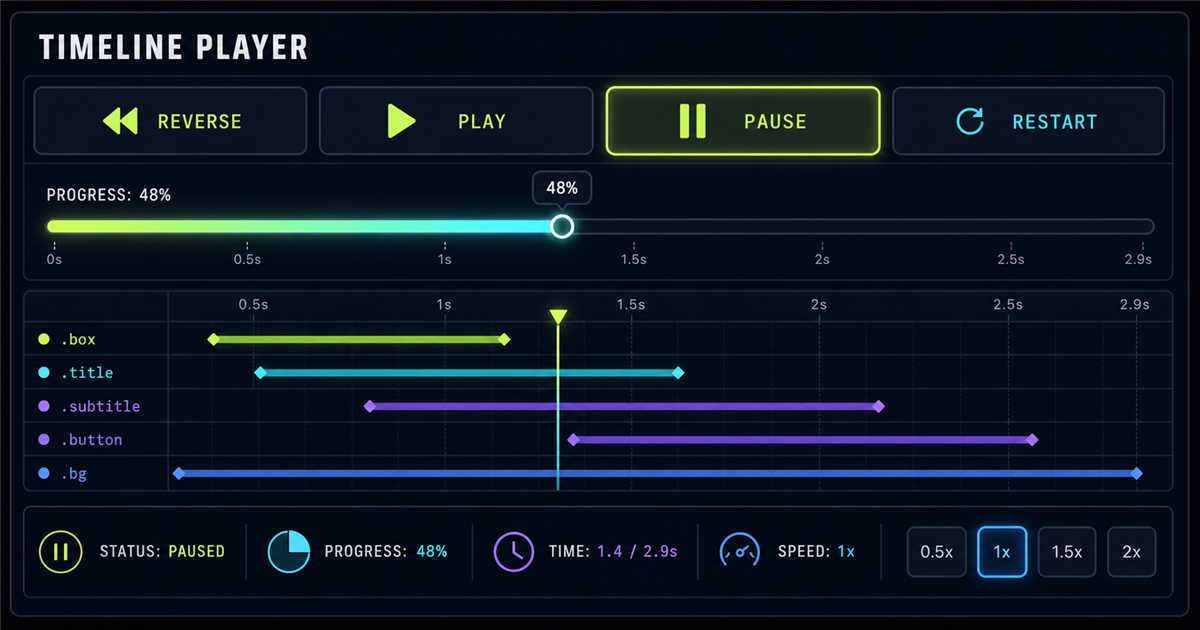
A compact debugger displays status, progress, current time, duration and speed while exposing playback and scrub controls.
27. Control timeline with keyboard
Optional scoped shortcuts can map Space to play/pause and R to restart. Never intercept keystrokes inside inputs, textareas, selects or editable content.
28. Timeline controls + stagger
Controls affect the entire sequence, including a child tween that uses stagger.
29. Timeline controls + easing
Shared Power easing and an individual Back ease remain part of their tweens while controls affect the container.
30. play() vs reverse()
31. pause() vs resume()
Pause stops at the playhead; resume continues in the previously active direction.
32. play() vs restart()
Play continues forward from here. Restart jumps to zero, then plays.
33. progress() vs seek()
Progress uses a normalized proportion; seek uses timeline seconds.
34. timeScale() mental model
0.5x stretches playback time, 1x keeps the normal rate and 2x compresses playback time.
35. Combining multiple controls
tl.play(); tl.pause(); tl.resume(); tl.reverse();
tl.restart(); tl.progress(0.5); tl.seek(1); tl.timeScale(2);
Every call addresses one stored timeline instance.
36. Common timeline-control mistakes
- Forgetting
paused: true. - Calling methods on an undefined timeline.
- Recreating a timeline on every click.
- Using restart when resume is intended.
- Assuming pause resets.
- Assuming progress starts playback.
- Expecting timeScale to restart.
- Ignoring the reverse start position.
- Stacking competing timelines.
- Not updating UI state.
- Ignoring reduced motion.
- Hijacking global keyboard controls.
37. Accessibility
Every control uses a real labeled button; sliders have labels and status remains textual. Reduced-motion users get near-instant sequences with final content available.
38. Performance
Cache frequently updated elements, keep onUpdate light and prefer transforms and opacity over unnecessary layout-heavy animation.
39. Main interactive timeline lab
GSAP Timeline Control Lab
Scrub, reverse and change speed without rebuilding the timeline.
40. Timeline lab implementation
The lab caches its targets and readouts, builds one paused timeline, uses an isScrubbing flag, and synchronizes the slider only while the user is not dragging it.
41. Mini challenge
Build a player for a heading, paragraph and button with Play, Pause, Reverse and Restart. Store the timeline once and attach each control to that instance.
42. Quick reference
| Method | Purpose | Example |
|---|---|---|
| play() | Play forward | tl.play() |
| pause() | Pause here | tl.pause() |
| resume() | Continue | tl.resume() |
| reverse() | Play backward | tl.reverse() |
| restart() | Start again | tl.restart() |
| progress() | Read/set 0–1 | tl.progress(.5) |
| seek() | Move to time | tl.seek(1.5) |
| time() | Read/set time | tl.time() |
| duration() | Get duration | tl.duration() |
| timeScale() | Change speed | tl.timeScale(2) |
43. Control cheat sheet
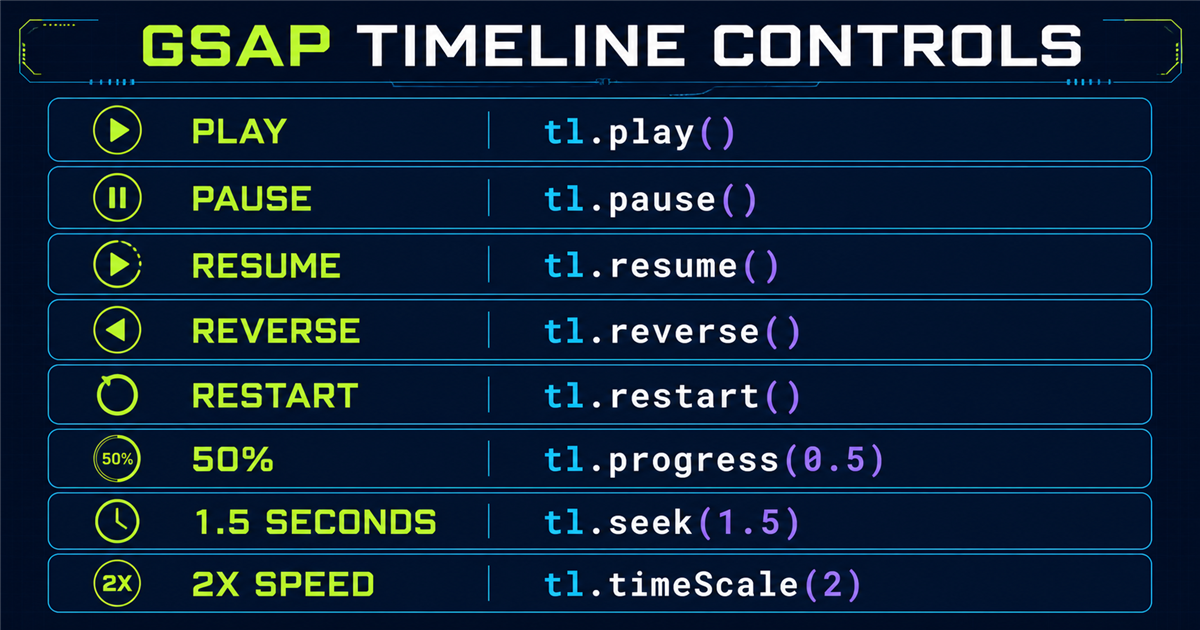
44. Mental model
The timeline stores the sequence. The playhead represents the current location. Control methods move, stop or reposition that playhead.
45. Preview: timeline position parameter
The next lesson explains how tweens overlap, begin together or start relative to another child. It remains unlinked until created.
Review the series foundations: getting started, targeting, to(), from(), fromTo() and Power and Sine.
Frequently asked questions
How do I play a GSAP timeline?
Call timeline.play() to move forward from the current playhead position.
How do I pause a GSAP timeline?
Call timeline.pause(); the playhead stays at its current position.
What is the difference between pause() and resume()?
pause() stops playback; resume() continues in the direction active before the pause.
How do I reverse a GSAP timeline?
Call timeline.reverse() to play backward from the current position.
What is the difference between play() and restart()?
play() continues from the current position; restart() returns to the beginning and plays.
How do I jump to 50% of a GSAP timeline?
Call timeline.progress(0.5). Setting progress does not automatically start playback.
What does seek() do in GSAP?
seek() moves the playhead to a timeline time measured in seconds.
How do I change GSAP timeline speed?
Use timeline.timeScale(), such as timeScale(0.5) or timeScale(2).
How do I create a timeline progress slider?
Convert the slider’s 0–100 value to 0–1 and pass it to timeline.progress().
Can I control a GSAP timeline on a PHP website?
Yes. PHP renders the HTML and GSAP controls it in the browser.
