


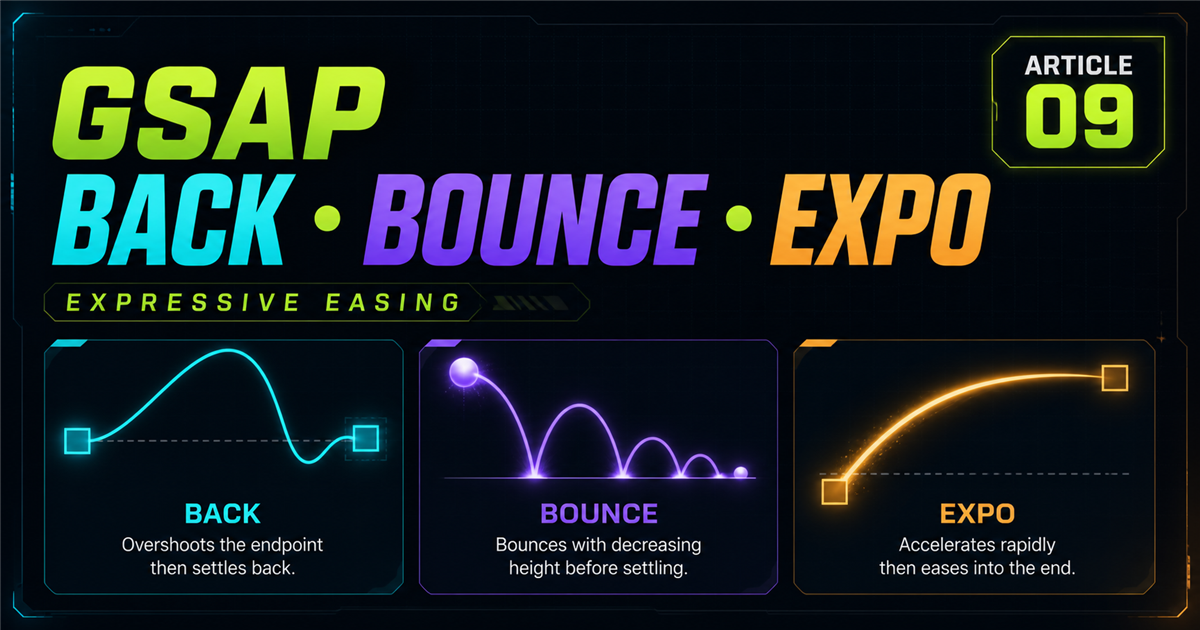
Power and Sine easing cover many everyday interface transitions. Back, Bounce and Expo add a more expressive character.
gsap.to(".box",  { x: 250, duration: 1, ease: "back.out(1.7)" });
gsap.to(".ball", { y: 150, duration: 1.2, ease: "bounce.out" });
gsap.to(".panel",{ x: 250, duration: 1, ease: "expo.out" });
1. Quick easing refresher
bounce.out bounces near the destination. expo.out starts strongly and decelerates dramatically.
2. What is Back easing?
Back easing passes slightly beyond an expected boundary before settling, creating a lively spring-like impression without being a physics simulation.
3. Understanding back.out()
gsap.from(".back-card", {
  scale: 0.7, opacity: 0, duration: 0.8, ease: "back.out(1.4)"
});
The element enters, crosses its endpoint slightly and returns. It can suit cards, badges, icons and playful feedback.
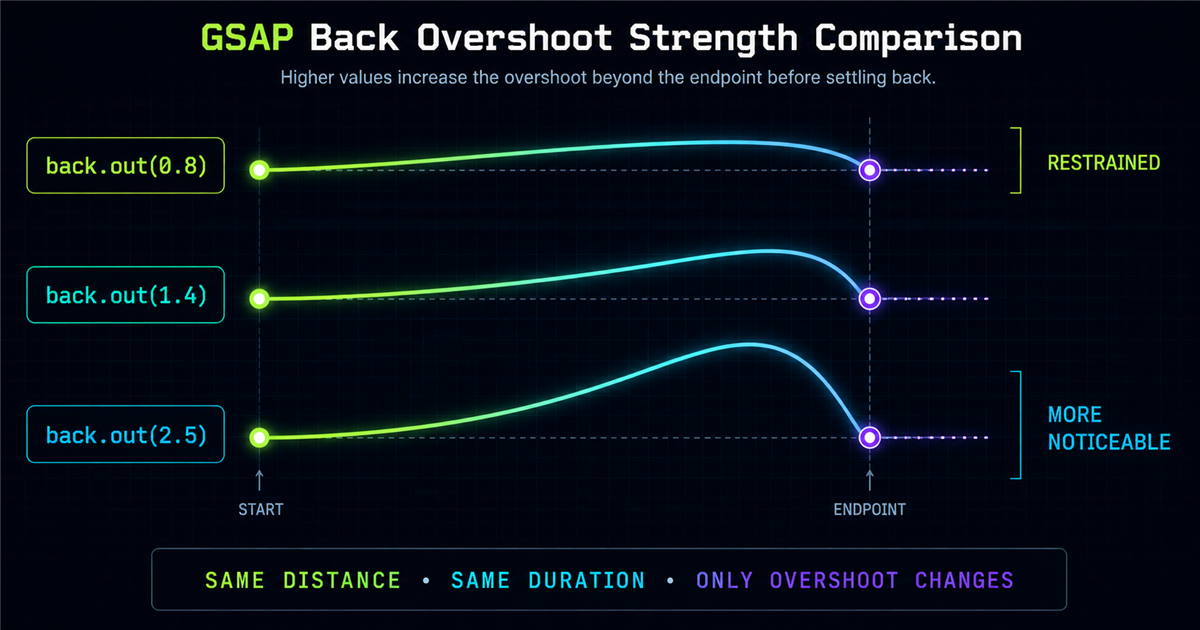
4. Back overshoot strength
5. back.in
back.in(1.4) places overshoot-like behavior around the beginning side of the journey and can add emphasis to an exit.
6. back.out
back.out(1.4) places the overshoot near the destination, making it easy to notice during an entrance.
7. back.inOut
back.inOut(1.4) applies expressive behavior around both ends.
8. Practical Back card entrance
Web Development
Fast, responsive websites with thoughtful interactions.
A moderate overshoot adds personality without dominating the content.
9. Practical Back button interaction
This isolated control uses back.out(1.8); it does not change the website’s real CTAs.
10. What is Bounce easing?
Bounce creates a bounce-like motion near an endpoint. It is an easing pattern, not a physics engine.
11. bounce.out
The ball remains inside its stage and settles near the bottom.
12. bounce.in
bounce.in puts bounce-like behavior near the start before movement accelerates toward the destination.
13. bounce.inOut
14. Where Bounce works well
Game-like UI, achievements, notification indicators, success feedback and small decorative elements can benefit from intentional Bounce.
15. Where Bounce can be distracting
Avoid bouncing every navigation link, paragraph, section or frequently repeated action. Expressive motion loses value when everything competes for attention.
16. Practical notification Bounce
17. What is Expo easing?
Expo creates strong speed contrast. expo.out starts with forceful-looking movement and settles dramatically—without requiring a physical interpretation.
18. expo.in
expo.in begins gradually and accelerates strongly toward the destination, which can suit a deliberate exit.
19. expo.out
gsap.from(".expo-panel", {
  x: 100, opacity: 0, duration: 0.9, ease: "expo.out"
});
Try it for panels, overlays, hero content and larger entrances, with restraint.
20. expo.inOut
expo.inOut creates strong acceleration and deceleration around the complete transition.
21. Interactive Expo comparison
22. Power vs Expo
Power2.out is a balanced everyday option; Expo.out has more dramatic speed contrast. These are guidelines, not rules.
23. Back vs Bounce vs Expo
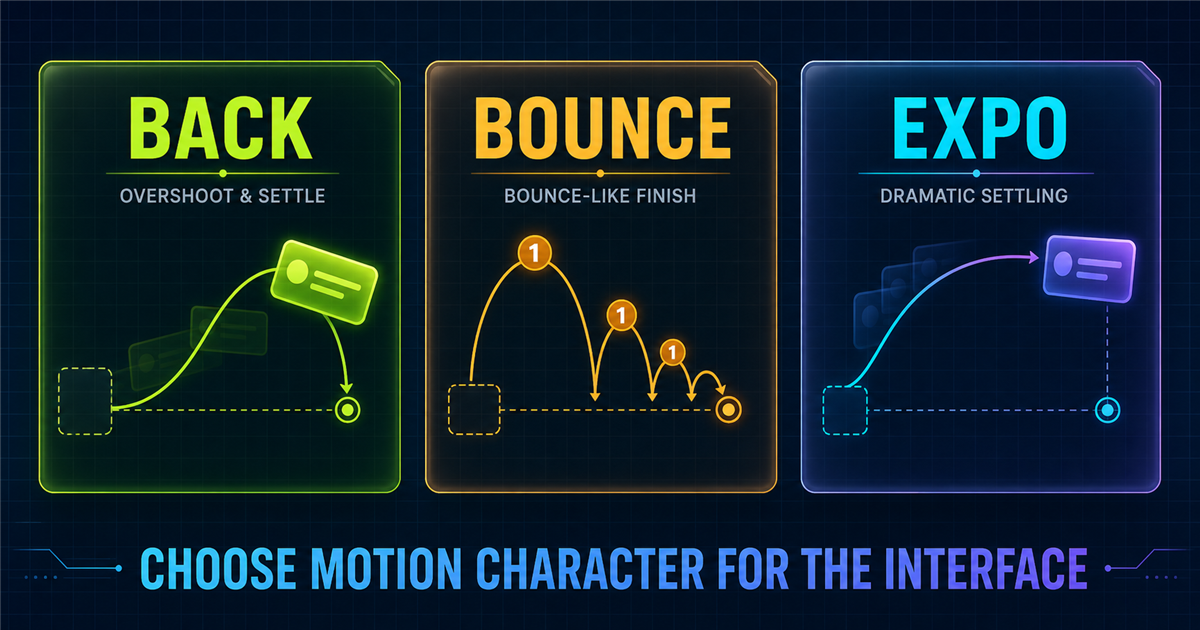
| Ease | Motion character | Example use |
|---|---|---|
| back.out | Overshoot | Card entrance |
| bounce.out | Bouncing finish | Notification |
| expo.out | Dramatic settling | Panel entrance |
24. Main interactive easing playground
Selected ease: back.out(1.4)
25. Easing race
This is not a speed race: every tween uses the same duration. Compare how speed changes.
26. Back with gsap.from()
gsap.from(".card", { y: 50, opacity: 0, scale: 0.8,
  duration: 0.8, ease: "back.out(1.4)" });
gsap.from() defines the temporary entrance state.
27. Bounce with gsap.to()
gsap.to(".ball", { y: 120, duration: 1, ease: "bounce.out" });gsap.to() animates toward the destination.
28. Expo with gsap.fromTo()
gsap.fromTo(".panel", { x: 100, opacity: 0 },
  { x: 0, opacity: 1, duration: 0.9, ease: "expo.out" });
gsap.fromTo() makes both states explicit.
29. Expressive easing with stagger
Stagger controls when targets begin; Back controls how each target moves.
30. Hero entrance with Expo
Build Better Digital Experiences
Modern web development with purposeful motion.
31. Card grid with Back
32. Notification with Bounce
The compact notification in section 16 uses Bounce only for its entrance, keeps status text visible and offers a controlled replay.
33. Choosing the right expressive ease
34. When not to use expressive easing
Avoid applying it automatically to body text, every scroll reveal, forms, frequent actions or accessibility-sensitive experiences. Motion should support the interface.
35. Common Back easing mistakes
- Overshoot is too strong.
- Every element uses Back.
- Large components cross the viewport.
- Back is confused with Bounce.
- Strengths are random.
- Replay state is not reset.
36. Common Bounce easing mistakes
- Serious UI bounces everywhere.
- Too many elements bounce together.
- Whole page sections bounce.
- Essential content moves continuously.
- The container does not constrain travel.
- Reduced motion is ignored.
37. Common Expo easing mistakes
- Tiny interactions use dramatic Expo.
- Travel distance is excessive.
- Very short durations go untested.
- Dramatic eases are inconsistent.
- Comparisons use different durations.
38. Building a motion language
power2.outsine.inOutback.out(1.3)bounce.outexpo.outThis is an example system, not a universal rule. Consistency is the goal.
39. Accessibility
Reduced-motion mode removes bounce and large overshoot, limits dramatic travel and shows final content immediately. Never communicate success or error through motion alone.
40. Performance
Prefer suitable properties such as x, y, scale, rotation and opacity. Keep demo targets reasonable and avoid unnecessary layout-heavy animation.
41. Mini challenge
Build three entrances: Back from y 40/scale .8, Bounce from y -50, and Expo from x 60. Keep opacity at zero initially.
gsap.from(".back", { y:40, opacity:0, scale:.8, duration:.8, ease:"back.out(1.4)" });
gsap.from(".bounce", { y:-50, opacity:0, duration:1, ease:"bounce.out" });
gsap.from(".expo", { x:60, opacity:0, duration:.8, ease:"expo.out" });
42. Quick reference
| Ease | Character | Example |
|---|---|---|
| back.in(1.4) | Overshoot near start | ease: "back.in(1.4)" |
| back.out(1.4) | Overshoot near destination | ease: "back.out(1.4)" |
| back.inOut(1.4) | Expressive at both ends | ease: "back.inOut(1.4)" |
| bounce.in | Bounce near start | ease: "bounce.in" |
| bounce.out | Bounce-like finish | ease: "bounce.out" |
| bounce.inOut | Bounce around both ends | ease: "bounce.inOut" |
| expo.in | Strong acceleration | ease: "expo.in" |
| expo.out | Strong deceleration | ease: "expo.out" |
| expo.inOut | Strong both ends | ease: "expo.inOut" |
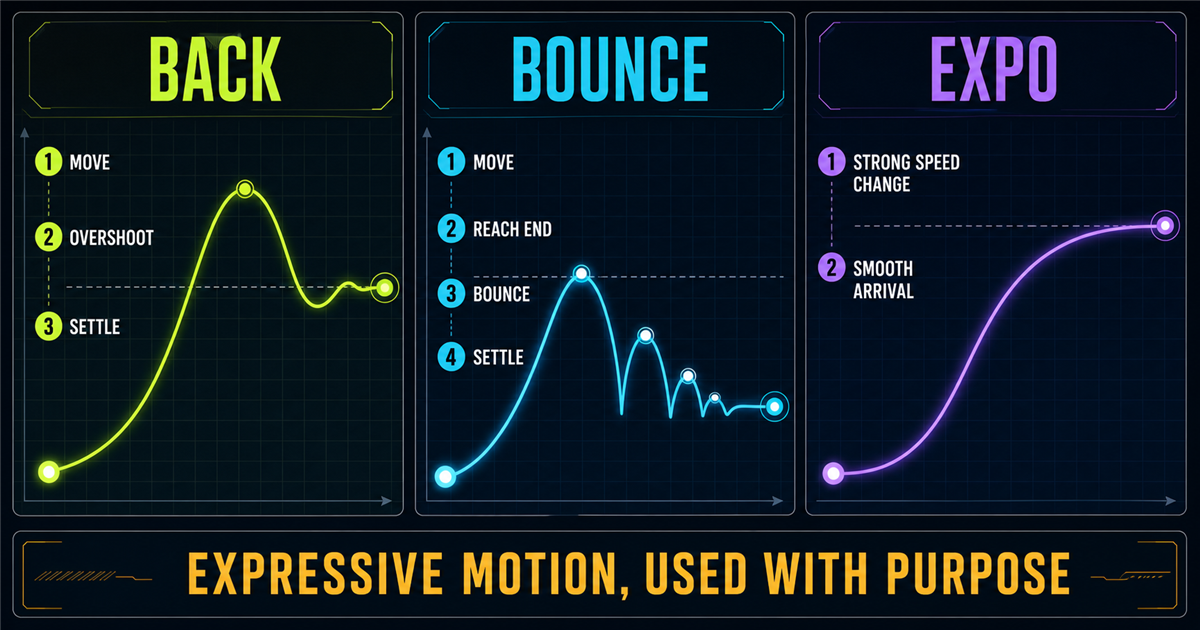
43. Mental model
44. Preview: GSAP timelines
Individual tweens become hard to coordinate when a heading, paragraph, button and cards must enter in sequence. The next lesson introduces gsap.timeline()—but does not link that page until it exists.
Review the series foundations: getting started, targeting, easing basics and Power and Sine.
Frequently asked questions
What is Back easing in GSAP?
Back easing lets motion pass slightly beyond an expected boundary before settling.
What does back.out(1.7) mean?
Back is the family, out places the overshoot near the destination, and 1.7 configures its strength.
What is Bounce easing in GSAP?
Bounce easing creates a bounce-like speed pattern near one or both endpoints.
What does bounce.out do?
It moves toward the destination and adds a visible bounce-like finish.
What is Expo easing in GSAP?
Expo easing creates a strong contrast in speed, producing dramatic acceleration or deceleration.
What is the difference between Back and Bounce?
Back overshoots a boundary and returns; Bounce creates repeated bounce-like settling near an endpoint.
What is the difference between Power and Expo?
Power is often more balanced for everyday UI, while Expo produces a stronger contrast in speed.
Which easing should I use for UI entrances?
Power or Sine suits restrained motion; Back, Bounce or Expo can add intentional emphasis where appropriate.
Can Back, Bounce and Expo work with stagger?
Yes. Stagger offsets target start times while easing shapes each target’s movement.
Can I use GSAP easing on a PHP website?
Yes. PHP renders HTML and GSAP animates the rendered elements in the browser.
