


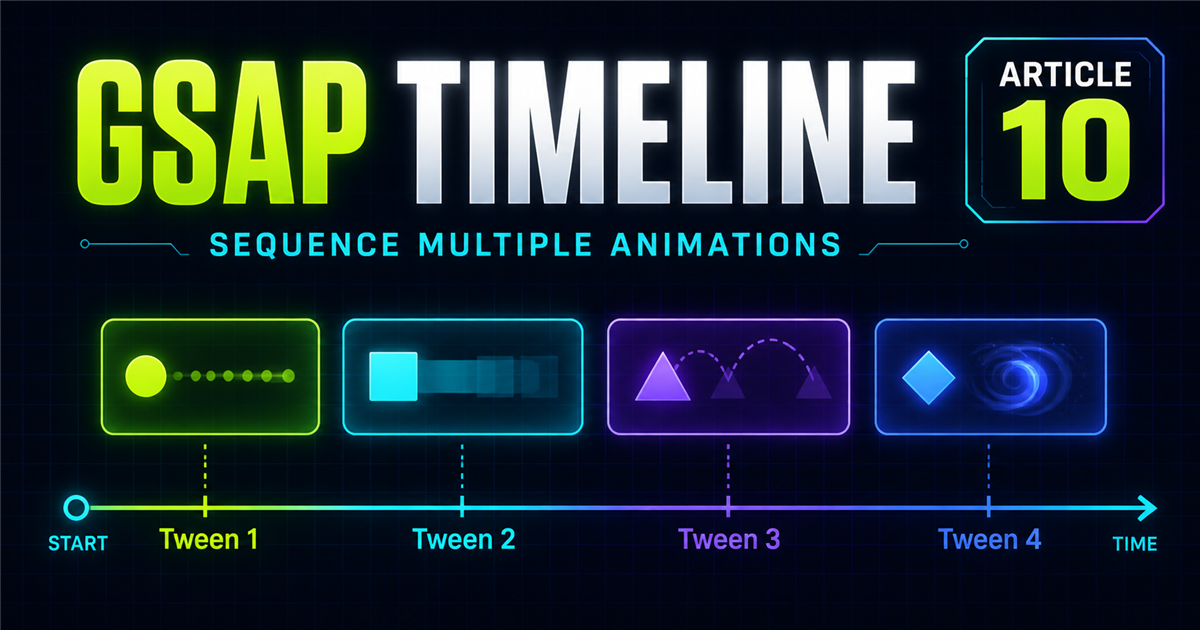
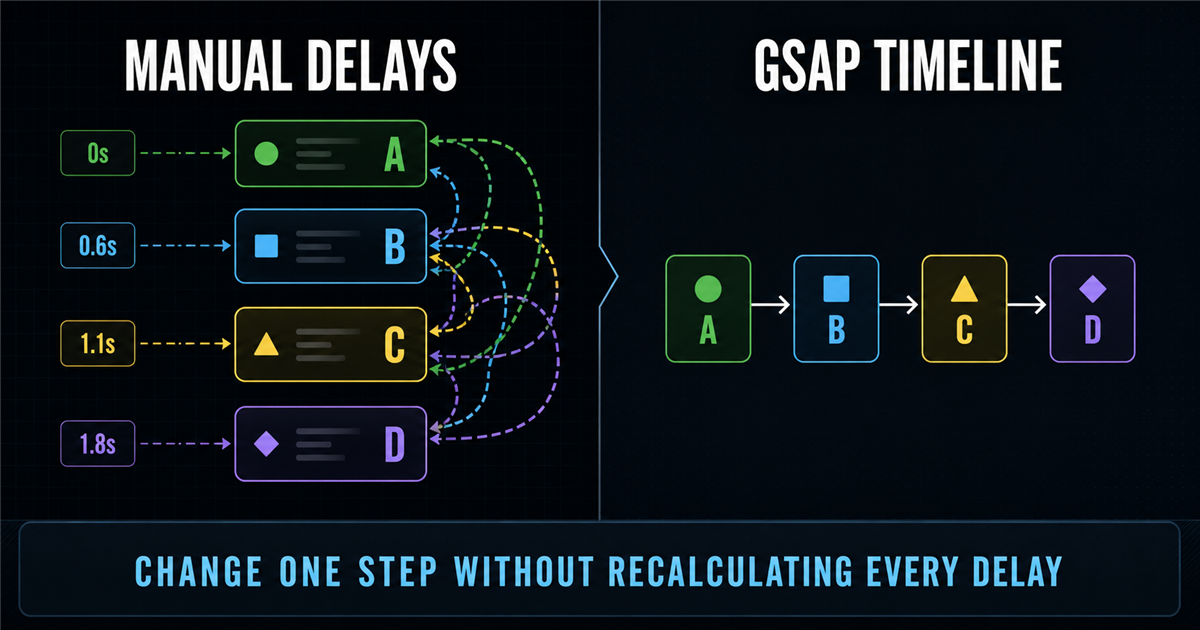
A hero often needs its label, heading, paragraph and CTA to appear in order. Separate delays work, but changing one duration can force several recalculations. A timeline lets GSAP manage the sequence.
const tl = gsap.timeline();
tl.from(".label", { opacity: 0, duration: 0.5 })
  .from(".title", { y: 40, opacity: 0, duration: 0.7 })
  .from(".description", { y: 20, opacity: 0, duration: 0.6 })
  .from(".button", { scale: 0.8, opacity: 0, duration: 0.5 });
1. What is a GSAP timeline?
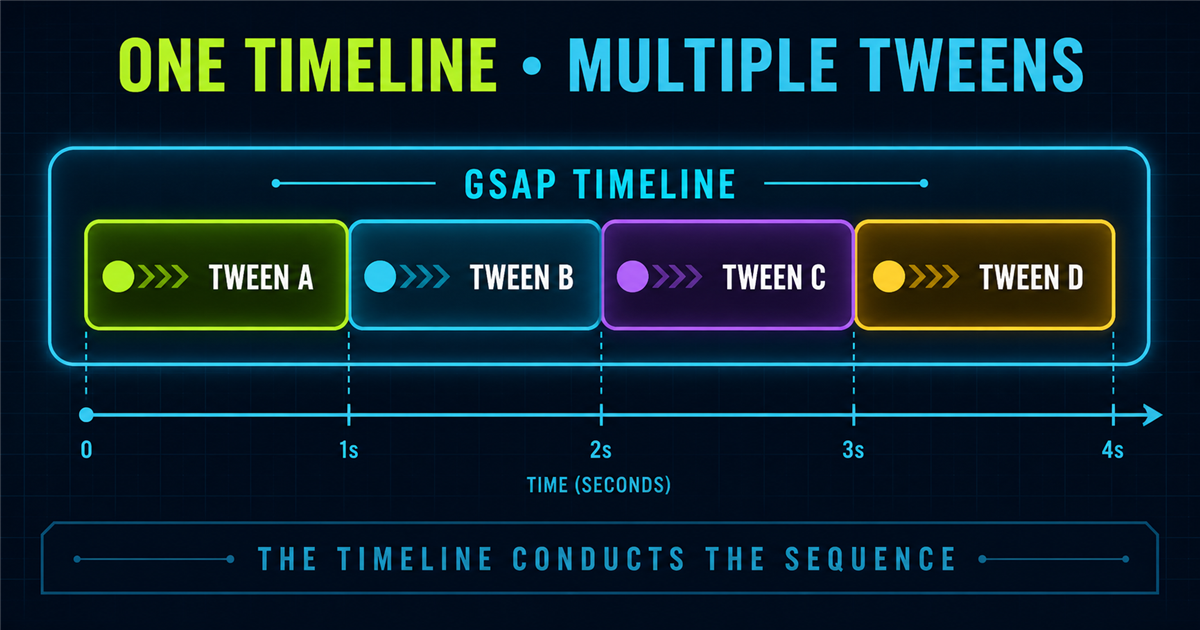
A timeline is a container for multiple tweens. It organizes their order and controls them as one unit.
2. Creating your first timeline
const tl = gsap.timeline(); creates a timeline instance stored in tl. Then tl.to() adds a child tween.
3. Timeline method chaining
Timeline methods return the same timeline, so chaining reads like the intended sequence.
4. Your first interactive timeline
Status: Ready
5. Timeline with .to()
tl.to() adds destination tweens in sequence. Review gsap.to().
6. Timeline with .from()
tl.from() is useful for sequenced entrances because each target returns to its current rendered state. Review gsap.from().
7. Timeline with .fromTo()
tl.fromTo() adds a tween with explicit start and end states. Review gsap.fromTo().
8. Mixing to(), from() and fromTo()
One timeline can mix all three methods. Choose each according to whether the start, destination, or both must be explicit.
9. Timeline vs multiple delays
10. Understanding timeline duration
The overall duration depends on child durations and placement. Three sequential tweens lasting .5s, .5s and 1s total approximately 2 seconds.
11. Timeline defaults
const tl = gsap.timeline({ defaults: {
  duration: 0.6, ease: "power2.out"
}});
Defaults remove repetition; an individual child can still override them.
12. paused: true
A paused timeline is built but waits for tl.play(). This suits controlled demos and interactive UI.
13. Basic timeline controls
play(), pause(), resume(), reverse() and restart() affect the complete sequence.
14. Interactive timeline controls
Timeline status: Ready · Progress: 0%
15. Timeline progress
tl.progress() reports 0 at the beginning, 0.5 halfway and 1 at completion. The demo above provides a readable percentage.
16. Timeline with stagger
17. Timeline with easing
Defaults create consistency, while a child can use a special ease such as back.out(1.3). Review easing and expressive easing.
18. Practical hero timeline
Build Modern Digital Experiences
Fast, interactive websites powered by modern web technologies.
19. Service section timeline
Services built for growth
One introduction followed by a staggered card step.
20. Building a step-by-step UI sequence
The code can mirror the experience developers plan.
21. Timeline as a storyboard
Plan scenes first: introduce heading, show description, reveal cards, then show the CTA. Translate each scene into a chained child tween.
22. Reusing a timeline
Store a timeline once, then call play(), reverse() or restart() instead of constructing uncontrolled copies.
23. Timeline callbacks
onStart runs when playback begins; onComplete runs when the sequence completes. Keep callback responsibilities focused.
24. Interactive timeline builder demo
A controlled sequence
Heading, paragraph, cards and CTA share one controller.
Current action: Ready · 0%
25. Timeline visualization
This simplified diagram communicates order rather than advanced position syntax.
26. Why timelines scale better
When animation A changes, a timeline naturally shifts sequential children; separate manually calculated delays may need adjustment.
27. Timeline vs stagger
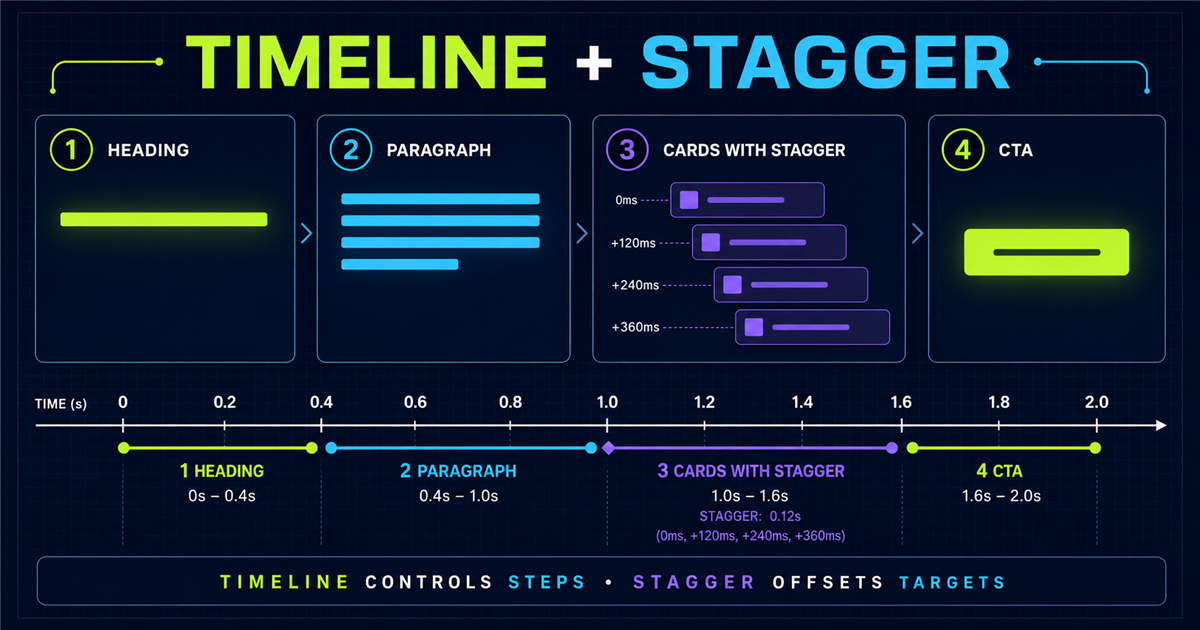
Combine both: heading → paragraph → cards with stagger → CTA.
28. Timeline vs delay
| Feature | Delay | Timeline |
|---|---|---|
| Delay one tween | Yes | Yes |
| Sequence many | Manual | Easier |
| Control whole sequence | No | Yes |
| Reverse/pause sequence | No | Yes |
29. Common timeline mistakes
- Using
tlbefore creating it. - Creating needless timelines.
- Mixing many manual delays without reason.
- Forgetting
paused: truefor controlled demos. - Targeting real site UI from a demo.
- Stacking timelines on repeated clicks.
- Skipping reset and reduced motion.
- Confusing stagger with timeline.
- Loading GSAP twice.
30. Timeline performance
Timelines organize tweens; performance still depends on properties and workload. Prefer suitable transforms and opacity over unnecessary layout-heavy animation.
31. Accessibility
Reduced-motion mode shows final content immediately, shortens decorative sequences and keeps every control and status message available.
32. Mini challenge
Learn GSAP Timelines
Build controlled animation sequences.
Create one timeline that reveals label, title, paragraph and button in that order.
33. Quick reference
| Code | Purpose |
|---|---|
gsap.timeline() | Create timeline |
gsap.timeline({ paused:true }) | Create paused timeline |
tl.to() | Add destination tween |
tl.from() | Add entrance tween |
tl.fromTo() | Add explicit states |
tl.play() | Play |
tl.pause() | Pause |
tl.resume() | Resume |
tl.reverse() | Reverse |
tl.restart() | Restart |
tl.progress() | Read/set progress |
defaults | Shared tween defaults |
34. Mental model
A timeline is the conductor; tweens are individual performers. The conductor maintains sequence and controls playback as a whole.
35. Preview: timeline controls
The next lesson goes deeper into play, pause, resume, reverse, restart, seek, progress and timeScale. It remains unlinked until created.
Review GSAP basics, targeting, stagger and the previous expressive-easing lesson.
Frequently asked questions
What is a GSAP timeline?
A GSAP timeline is a container that sequences and controls multiple tweens as one unit.
Why should I use gsap.timeline()?
It keeps multi-step animation easier to organize, edit and control than manually coordinating many delays.
What is the difference between a tween and a timeline?
A tween animates targets; a timeline organizes one or more tweens into a controllable sequence.
Can I use gsap.from() inside a timeline?
Yes. Timeline instances support to(), from() and fromTo() methods.
Can I use gsap.fromTo() inside a timeline?
Yes. It is useful when both the starting and ending states must be explicit.
Can I use stagger inside a GSAP timeline?
Yes. The timeline controls larger steps while stagger offsets targets inside one tween.
How do I pause a GSAP timeline?
Call timeline.pause(), or create it with paused: true so it waits for interaction.
How do I restart a GSAP timeline?
Call timeline.restart() to return to the beginning and play again.
What is the difference between a timeline and delay?
Delay postpones a tween; a timeline coordinates and controls a complete sequence.
Can I use GSAP timelines on a PHP website?
Yes. PHP renders the markup and GSAP controls it in the browser.
