


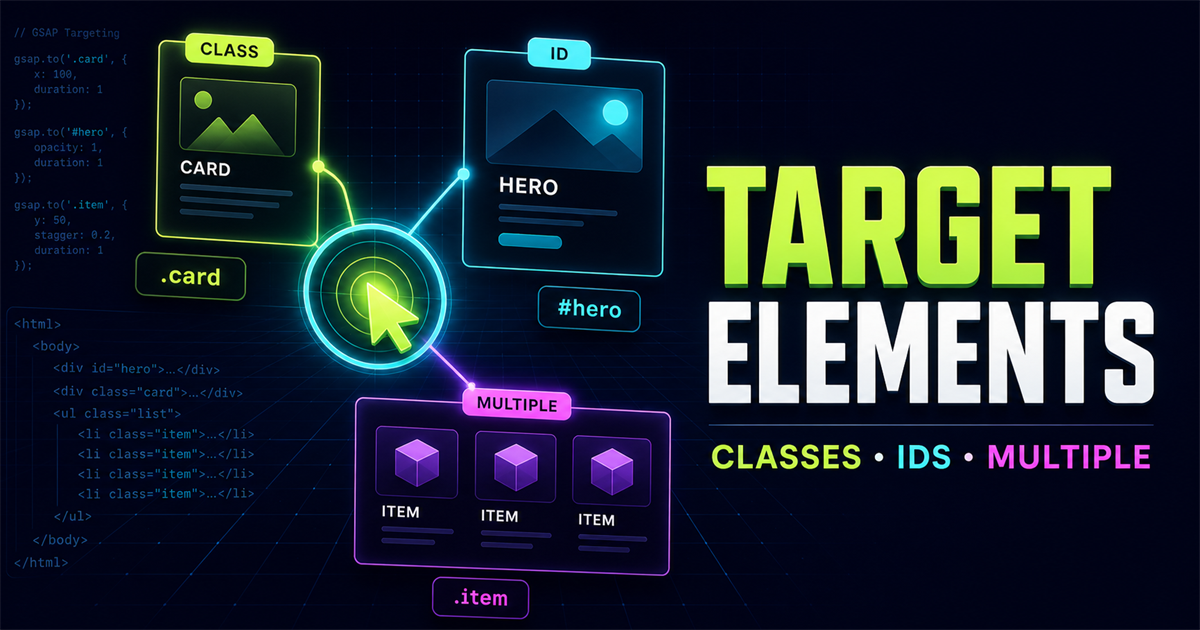
In the first lesson, you loaded GSAP and created a tween. The next question is just as important: how does GSAP know which part of the page to animate? Before timelines or advanced effects, you need a reliable way to connect your HTML to your JavaScript.
A GSAP tween has two central ingredients: a target and an object containing the animation properties. In this example, ".box" is the target:
gsap.to(".box", {
  x: 200,
  duration: 1
})HTML element → CSS selector → GSAP target → animation. Once that connection is clear, targeting becomes predictable.
1. What is a GSAP target?
A target is the element—or group of elements—that receives the animated values. A selector string such as .box follows the same CSS selector rules you already use in a stylesheet.
<div class="box"></div>gsap.to(".box", {
x: 200,
duration: 1
})GSAP resolves .box, finds the matching HTML element, and changes its horizontal transform until it reaches 200 pixels.
<div class="box">.boxgsap.to(".box")2. Target elements using classes
Classes are a natural default for animation because they describe reusable groups. One class can identify a single component today and several matching components later without changing the GSAP syntax.
<div class="box"></div>
<script>
gsap.to(".box", {
x: 250,
duration: 1.2,
ease: "power2.out"
})
</script>The demo is ready.
3. Target elements using IDs
An ID represents one unique element. Prefix the ID value with # when you use it as a selector:
<h1 id="hero-title">
Build Better Web Experiences
</h1>
gsap.to("#hero-title", {
y: -20,
opacity: 1,
duration: 1,
ease: "power2.out"
}).boxClass#hero-titleIDA dot means class; a hash means ID. Use an ID only once in a document. For repeated components such as cards, classes are the safer choice.
4. Target HTML elements directly
Regular element names are valid CSS selectors, so GSAP can target them directly:
gsap.to("h2", {
y: -10,
duration: 0.8
})
gsap.to("button", {
scale: 1.05,
duration: 0.3
})Broad selectors need care. button may match navigation controls, form actions, demo buttons, and accessibility controls. Prefer a component-specific class when only one part of the interface should move.
5. Target multiple elements
When a selector matches more than one element, GSAP collects all matches. The following tween affects all three cards at the same time:
<div class="card">HTML</div>
<div class="card">CSS</div>
<div class="card">JavaScript</div>
gsap.to(".card", {
y: -20,
opacity: 1,
duration: 0.8
})Three cards match the same class selector.
These cards animate together. Staggered timing is a separate technique covered later in the series.
6. Combine multiple selectors
A comma-separated selector list can bring different elements into one tween. In a hero section, a title, supporting line, and call-to-action might share the same entrance:
gsap.to(".title, .subtitle, .cta-button", {
y: -15,
opacity: 1,
duration: 0.8
})The comma means “match this selector or that selector.” Every match becomes part of the target collection.
7. Use descendant and nested selectors
A space between selectors describes a descendant relationship. This lets you limit an animation to cards inside one section instead of every card on the page.
<section class="features">
<div class="feature-card"><h3>Fast</h3></div>
<div class="feature-card"><h3>Responsive</h3></div>
</section>
gsap.to(".features .feature-card", {
y: -20,
opacity: 1,
duration: 1
}).features.feature-card.feature-card.features is the parent scope. .feature-card is the descendant target. The space joins those two conditions.
8. Select one element with querySelector()
GSAP does not require a selector string. You can resolve the element yourself and pass the resulting DOM element to GSAP:
const box = document.querySelector(".box")
gsap.to(box, {
x: 250,
duration: 1
})querySelector() returns the first matching element, or null when nothing matches. A stored reference is useful when several event handlers need the same element or when you want to check that a target exists before animating.
9. Select all matches with querySelectorAll()
const cards = document.querySelectorAll(".card")
gsap.to(cards, {
y: -20,
opacity: 1,
duration: 0.8
})querySelectorAll() returns a NodeList containing every match. GSAP accepts that collection directly.
querySelector()↓One cardquerySelectorAll()↓CardCardCard10. Normalize targets with gsap.utils.toArray()
const cards = gsap.utils.toArray(".card")gsap.utils.toArray() turns a selector or element collection into a standard array. That makes it convenient for workflows where you later loop, filter, or organize targets. For now, remember it as a reliable bridge from “things that match” to “an array of elements.”
11. Keep selector scope intentional
A selector can be technically valid and still be a poor target. This example may hide layout wrappers, navigation, footer content, and the demo itself:
gsap.to("div", {
opacity: 0
})A meaningful selector limits the effect to the intended component:
gsap.to(".pricing-card", {
opacity: 1
}).boxClass#heroID.cardMultiple elements.features .cardNested elements12. Interactive targeting playground
Use the buttons to compare one DOM element with a NodeList containing all three. Both animations use identical values; only the target changes.
Choose one target or all matching targets.
const firstBox = document.querySelector(".target-box")
const boxes = document.querySelectorAll(".target-box")
gsap.to(firstBox, {
y: -30,
rotation: 10,
duration: 0.6,
ease: "power2.out"
})
gsap.to(boxes, {
y: -30,
rotation: 10,
duration: 0.6,
ease: "power2.out"
})13. Common targeting mistakes
If the HTML uses class="box", .boxes will not match it. Use .box.
#box looks for an ID. Use .box when the markup contains a class.
Wait for DOMContentLoaded when your script may execute before the article markup is available.
An ID should be unique. Use a shared class when several elements need the same behavior.
A target such as div can reach unrelated layout, header, or footer elements.
Load the GSAP CDN script before the custom file that calls gsap.to().
document.addEventListener("DOMContentLoaded", () => {
gsap.to(".box", {
x: 200
})
})14. Performance-friendly properties
For common interface motion, begin with transform-based properties such as x, y, scale, and rotation, plus opacity. Transforms change how an element is presented without repeatedly changing the document's layout measurements.
That does not make every transform automatically fast. The number and size of animated elements, visual effects, device capability, and other page work still matter. Test the finished interaction on realistic devices.
15. Respect reduced-motion preferences
Targeting the correct element is only part of responsible animation. When a visitor requests reduced motion, skip non-essential travel or show the destination immediately:
const reduceMotion = window.matchMedia(
"(prefers-reduced-motion: reduce)"
).matches
if (reduceMotion) {
gsap.set(".box", { x: 200 })
} else {
gsap.to(".box", {
  x: 200,
  duration: 1
})
}Every interactive demo in this article applies its final state immediately when reduced motion is enabled.
16. Mini challenge: target a skills group
Start with this markup:
<section class="skills">
  <div class="skill-card">HTML</div>
  <div class="skill-card">CSS</div>
  <div class="skill-card">JavaScript</div>
</section>- Target only the first card.
- Target every
.skill-card. - Target cards only when they are inside
.skills. - Animate
opacityandy. - Create a reset that restores the starting values.
Show one possible solution
const firstSkill = document.querySelector(".skills .skill-card")
const allSkills = document.querySelectorAll(".skills .skill-card")

gsap.to(firstSkill, { y: -20, opacity: 1, duration: 0.6 })
gsap.to(allSkills, { y: -20, opacity: 1, duration: 0.6 })

// Reset
gsap.set(allSkills, { y: 0, opacity: 1 })
17. Targeting quick reference
| Selector | Meaning | Example |
|---|---|---|
.class | Class | .card |
#id | Unique ID | #hero |
element | HTML element | h2 |
.parent .child | Nested descendant | .features .card |
querySelector | First match | document.querySelector(".card") |
querySelectorAll | All matches | document.querySelectorAll(".card") |
Frequently asked questions
How does GSAP select an HTML element?
GSAP accepts a CSS selector string, a DOM element, a collection of elements, or an array as its target. It resolves that target before applying the animation values.
Can GSAP animate multiple elements?
Yes. A class selector, NodeList, or array can contain several elements, and GSAP can animate every matching target together.
What is the difference between .class and #id?
A dot selects elements by class and may match several elements. A hash selects an ID, which should identify one unique element on a page.
Can I use querySelector with GSAP?
Yes. document.querySelector() returns the first matching DOM element, which can be passed directly to gsap.to() or another GSAP method.
Can I use querySelectorAll with GSAP?
Yes. document.querySelectorAll() returns a NodeList containing every match, and GSAP can use that collection as an animation target.
Does GSAP work on a PHP website?
Yes. PHP produces the HTML on the server, and GSAP selects and animates that HTML in the browser after the page loads.
18. What comes next?
You can now tell GSAP exactly which elements should be animated: one element, every class match, a scoped descendant, a DOM reference, a NodeList, or a normalized array. Next, you will focus on what gsap.to() does with those targets and how it moves them from their current values to a destination.
