


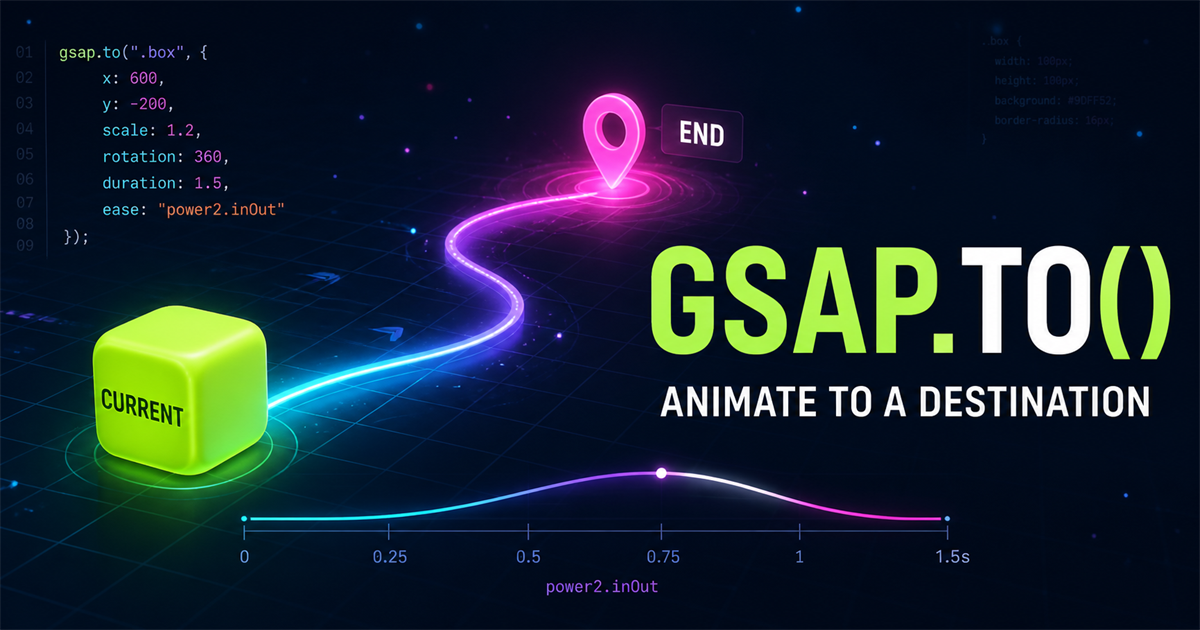
gsap.to() is one of the most frequently used methods in GSAP. It describes a destination: GSAP reads the target’s current values, calculates the change, and animates until the values you supplied are reached.
gsap.to(".box", {
  x: 300,
  duration: 1
})".box"is what you want to animate.x: 300is where its horizontal transform should finish.duration: 1is approximately how many seconds the change takes.
Current state → gsap.to() → destination state. You describe the finish; GSAP works out the journey from what is already on the page.
1. What is gsap.to()?
gsap.to() animates one or more targets from their current state to values in an animation configuration object. If a box currently has an x translation of zero, this tween moves it until x reaches 300:
gsap.to(".box", {
  x: 300,
  duration: 1
})x: 0x: 300The current value does not have to be zero. If CSS or an earlier interaction already moved the box, GSAP begins from that computed state.
2. Anatomy of gsap.to()
gsap.to(".box", {
  x: 300,
  duration: 1,
  ease: "power2.out"
})gsapAnimation library.to()Animate to new values".box"Target{ x, duration, ease }Animation configurationThe first argument identifies the target. The second argument is often called the vars object: it holds destination properties such as x and controls such as duration and ease.
3. Your first gsap.to() animation
<div class="to-demo-box"></div>

gsap.to(".to-demo-box", {
  x: 250,
  duration: 1.2,
  ease: "power2.out"
})Ready at the current state.
4. Understand x and y
x controls horizontal translation; y controls vertical translation. Positive x moves right and negative x moves left. In normal browser coordinates, positive y moves down and negative y moves up.
gsap.to(".box", {
  x: 200,
  y: 80,
  duration: 1
})GSAP commonly applies x and y through CSS transforms, so you can express movement without manually assembling a transform string.
5. Rotation
Rotation values are expressed in degrees by default. A value of 360 completes one turn; 180 completes half a turn.
gsap.to(".box", {
  rotation: 360,
  duration: 2
})

gsap.to(".box", {
  rotation: 180,
  duration: 1
})Rotation is zero degrees.
6. Scale
Scale changes visual size relative to the element’s normal dimensions. scale: 1 is normal size, 1.5 is 150%, and 0.5 is 50%.
gsap.to(".box", {
  scale: 1.5,
  duration: 1
})0.5Small1Normal1.5Large7. Opacity
Opacity ranges from fully visible at 1 to transparent at 0. A value of 0.5 is partially transparent. Opacity changes visibility but does not remove the element from layout or from the accessibility tree.
gsap.to(".box", {
  opacity: 0,
  duration: 1
})A practical fade might hide a decorative notification after its message has been announced. For essential content, ensure users can still reach the information without relying on the animation.
8. Combine multiple properties
One tween can coordinate several destination values. GSAP updates them across the same duration and ease:
gsap.to(".box", {
  x: 250,
  y: -40,
  rotation: 360,
  scale: 1.2,
  opacity: 0.8,
  duration: 1.5,
  ease: "power2.out"
})Movement, rotation, scale, and opacity are ready.
9. Understand duration
duration: 1 means the tween runs for approximately one second. Duration should match the distance, purpose, and interaction context; there is no single correct value for every interface.
0.3sFast1sModerate3sSlowShort feedback may suit a quick duration, while larger storytelling movement may need more time. Test whether the motion is perceivable without making the interface feel delayed.
10. Understand delay
gsap.to(".box", {
  x: 250,
  duration: 1,
  delay: 0.5
})
delay: 0.5 asks GSAP to wait half a second before the tween begins.
11. Understand ease
Ease controls how speed changes during the duration. It does not change the destination; it changes the character of the journey.
gsap.to(".box", {
  x: 250,
  duration: 1,
  ease: "power2.out"
})nonepower1.outpower2.outpower3.outnone keeps a constant rate. The power eases above begin quickly and settle toward the end with increasingly pronounced curves. A later article in this series explores GSAP easing in depth.
12. Repeat
gsap.to(".box", {
  x: 250,
  duration: 1,
  repeat: 2
})
repeat: 2 means two additional repeats after the initial run, for three runs in total. A value of -1 repeats indefinitely. Reserve endless motion for cases where its ongoing meaning outweighs distraction and resource use.
13. Yoyo
When repeat is active, yoyo: true reverses the destination on alternating cycles:
gsap.to(".box", {
  x: 250,
  duration: 1,
  repeat: -1,
  yoyo: true,
  ease: "power2.inOut"
})14. Transform origin
transformOrigin sets the point around which rotation or scale occurs. The center is a sensible default for many shapes, while a corner or edge produces a visibly different path.
gsap.to(".box", {
  rotation: 360,
  transformOrigin: "center center",
  duration: 1.5
})15. Use CSS-related properties
GSAP can animate many CSS-related values. Property names that contain a hyphen in CSS usually use camelCase in JavaScript:
gsap.to(".card", {
  borderRadius: "40px",
  duration: 1
})

gsap.to(".card", {
  backgroundColor: "#6366f1",
  duration: 1
})
Properties that change layout measurements may require more browser layout work than transforms. Use them when the design calls for them, and test the complete page rather than choosing effects in isolation.
16. Interactive gsap.to() playground
Each control sends the same box toward a different destination. Reset restores a known current state before you try another property.
Choose a destination property.
17. Use gsap.to() with multiple elements
The selector knowledge from Blog #2 about GSAP targets applies directly to gsap.to():
<div class="to-card">HTML</div>
<div class="to-card">CSS</div>
<div class="to-card">JavaScript</div>

gsap.to(".to-card", {
  y: -20,
  opacity: 1,
  duration: 0.8
})All three matches can use the same tween configuration. Staggered start times get their own later tutorial.
18. Practical button hover example
Repeated gsap.to() calls are useful for interaction states. One tween moves toward the hover state; another moves back toward the normal state.
const button = document.querySelector(".gsap-button")

button.addEventListener("mouseenter", () => {
  gsap.to(button, {
    scale: 1.05,
    duration: 0.2,
    ease: "power2.out"
  })
})

button.addEventListener("mouseleave", () => {
  gsap.to(button, {
    scale: 1,
    duration: 0.2,
    ease: "power2.out"
  })
})
19. Practical card interaction
Frontend systems
Move focus here or hover with a pointer.
gsap.to(card, {
  y: -8,
  duration: 0.25,
  ease: "power2.out"
})

// On mouseleave or blur
gsap.to(card, {
  y: 0,
  duration: 0.25,
  ease: "power2.out"
})
This pattern demonstrates that gsap.to() can be triggered repeatedly. GSAP reads the card’s value at the moment each new tween begins.
20. Common gsap.to() mistakes
Confirm the class, ID, or DOM reference matches the intended element.
Load GSAP before the custom file that calls gsap.to().
Use DOMContentLoaded when your target may not exist when the script executes.
A shared class may target more elements than expected. Scope the selector to its component.
Calculate demo distance from the available container width to avoid mobile overflow.
Restore x, y, rotation, scale, and opacity so repeated examples begin consistently.
Reserve repeat: -1 for motion with a continuing purpose.
Skip or minimize decorative movement when the visitor requests it.
Review existing transforms and other code changing the same target.
gsap.to() starts from the current state. For explicit start and end values, use gsap.fromTo(), covered later.
21. Performance tips
When they fit the design, start with x, y, scale, rotation, and opacity. Transform and opacity animation is commonly suitable for interface motion because it can avoid repeated document reflow.
This is guidance, not a guarantee. Target count, element size, shadows, filters, device capability, and simultaneous work all affect results. Test the actual experience.
22. Accessibility and reduced motion
const reduceMotion = window.matchMedia(
  "(prefers-reduced-motion: reduce)"
).matches

if (reduceMotion) {
  gsap.set(".box", { x: 150 })
} else {
  gsap.to(".box", { x: 150, duration: 1 })
}
Animation should not be the only way to communicate state. The demos here retain labels and live text, use native buttons, support keyboard focus, and show destination states immediately when reduced motion is requested.
23. Mini challenge
<div class="challenge-card">
  <h3>Frontend Development</h3>
  <p>Build modern web experiences.</p>
</div>
Use gsap.to() to move the card up 20 pixels, scale it to 1.05, rotate it slightly, use a duration of 0.8, add power2.out, and provide a reset.
Show one possible solution
gsap.to(".challenge-card", {
  y: -20,
  scale: 1.05,
  rotation: 2,
  duration: 0.8,
  ease: "power2.out"
})

// Reset
gsap.set(".challenge-card", {
  y: 0,
  scale: 1,
  rotation: 0
})
24. gsap.to() quick reference
| Property | Purpose | Example |
|---|---|---|
x | Horizontal movement | x: 200 |
y | Vertical movement | y: 50 |
rotation | Rotate element | rotation: 360 |
scale | Resize | scale: 1.2 |
opacity | Transparency | opacity: 0 |
duration | Animation time | duration: 1 |
delay | Wait before start | delay: 0.5 |
ease | Motion curve | power2.out |
repeat | Additional runs | repeat: 2 |
yoyo | Reverse repeats | yoyo: true |
25. Remember the gsap.to() mental model
x: 0
scale: 1
rotation: 0gsap.to(".box", {
x: 250,
scale: 1.2,
rotation: 360
})x: 250
scale: 1.2
rotation: 360Frequently asked questions
What does gsap.to() do?
gsap.to() reads the current values of one or more targets and animates them to the destination values supplied in its configuration object.
What is the difference between gsap.to() and gsap.from()?
gsap.to() begins at the current state and moves to specified values. gsap.from() begins at specified values and moves into the current state.
Can gsap.to() animate multiple properties?
Yes. One tween can update movement, rotation, scale, opacity, color, and timing controls together.
Can gsap.to() animate multiple elements?
Yes. Pass a selector matching several elements, a NodeList, or an array, and the same tween configuration can apply to every target.
What does duration mean in GSAP?
Duration is the animation time in seconds. A duration of 1 means the tween takes approximately one second after any delay.
What does repeat: -1 mean?
A repeat value of -1 repeats the tween indefinitely until it is killed, replaced, or the page is closed.
What does yoyo do in GSAP?
Yoyo reverses the tween on alternating repeat cycles, making the target travel back toward its starting values.
Can I use gsap.to() on a PHP website?
Yes. PHP renders the HTML on the server, while GSAP selects and animates that HTML in the visitor’s browser.
Your destination tween is ready
You now understand how gsap.to() reads a current state and animates toward destination values. You can combine transforms, opacity, timing controls, repeats, and interaction events while keeping demos responsive and accessible. Revisit the GSAP introduction or the targeting-elements lesson whenever you need the earlier foundation.
For production work, explore NavTechSolution’s GSAP animation development service or our broader web design service.
