


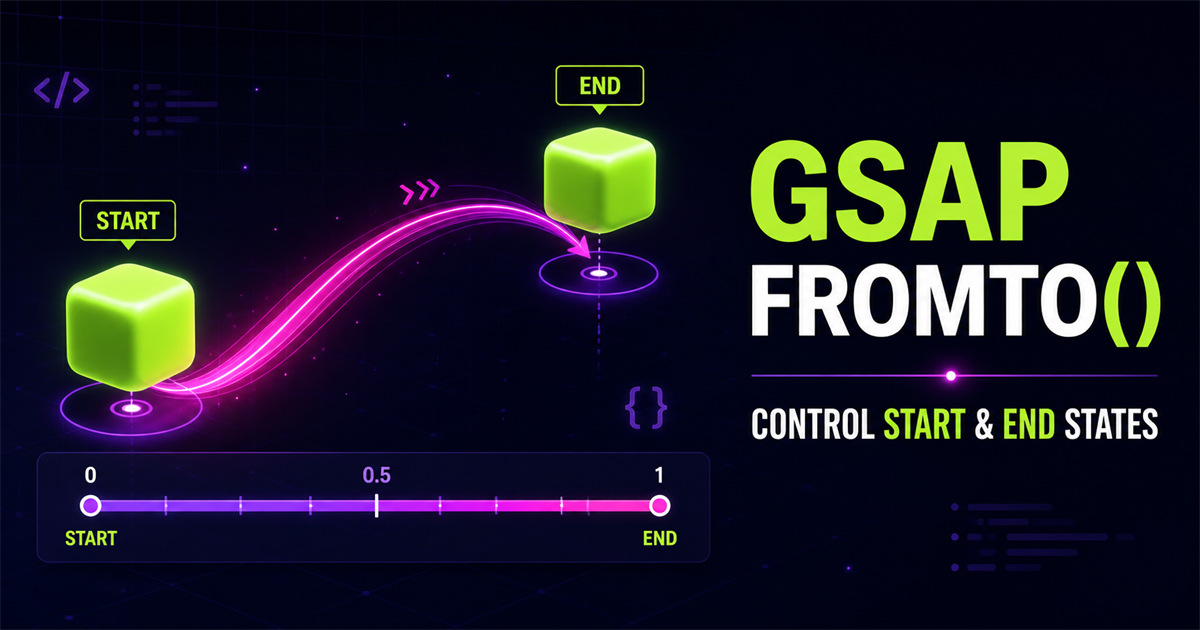
gsap.to() tells GSAP where an element should finish. gsap.from() tells it where an element should begin. gsap.fromTo() explicitly defines both ends.
gsap.fromTo(
  ".box",
  { x: -100 },
  {
    x: 200,
    duration: 1
  }
)x: -100Boxx: 200Box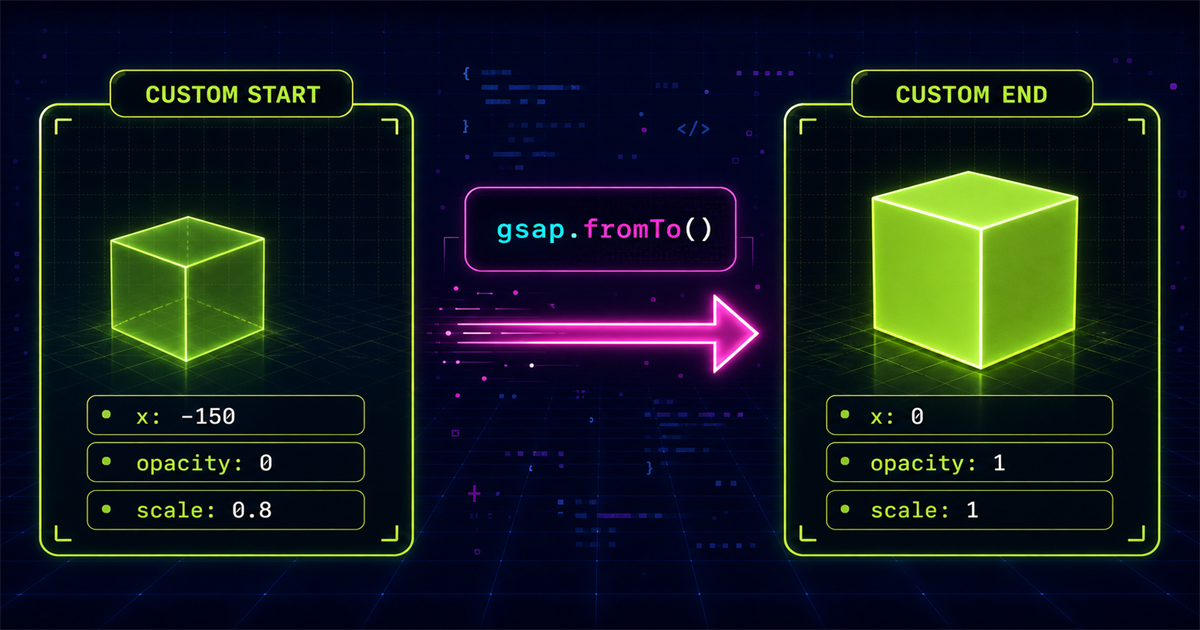
1. What is gsap.fromTo()?
gsap.fromTo() accepts a target, a starting object, and an ending object. It does not need to infer either endpoint:
gsap.fromTo(
  ".box",
  {
    x: -150,
    opacity: 0
  },
  {
    x: 0,
    opacity: 1,
    duration: 1
  }
)".box"is the target.- The first object defines x -150 and opacity 0 as starting values.
- The second object defines x 0 and opacity 1 as ending values.
Playback controls such as duration and ease normally belong in the third argument because they configure the tween traveling toward the destination.
2. Anatomy of gsap.fromTo()
gsapAnimation library.fromTo()Control both endstargetElement or elementsfromVarsStarting propertiestoVarsEnding properties and settingsgsap.fromTo(
".card",
{ y: 60, opacity: 0 },
{
y: 0,
opacity: 1,
duration: 1,
ease: "power2.out"
}
)3. to() versus from() versus fromTo()
Current → custom end
gsap.to(".box", { x: 200 })Use the current state as the start.
Custom start → current
gsap.from(".box", { x: -200 })Use the current state as the finish.
Custom start → custom end
gsap.fromTo(".box", { x: -200 }, { x: 200 })Control both endpoints explicitly.
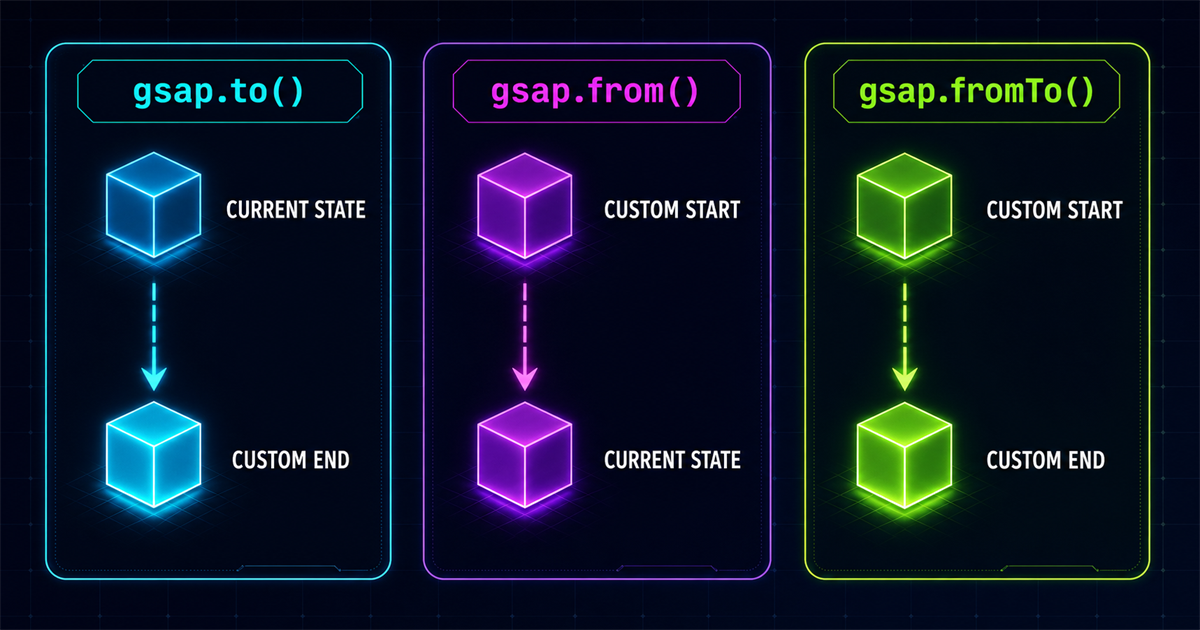
to() controls the end, from() controls the start, and fromTo() controls both.4. Your first fromTo() animation
<div class="fromto-demo-box"></div>

gsap.fromTo(
  ".fromto-demo-box",
  { x: -120, opacity: 0, scale: 0.8 },
  {
    x: 120,
    opacity: 1,
    scale: 1,
    duration: 1.3,
    ease: "power2.out"
  }
)TO
Ready at the neutral state.
5. Control position
Negative x is left and positive x is right. Because both values are explicit, the motion is independent of the element’s previous x value.
gsap.fromTo(".box", { x: -100 }, {
  x: 100,
  duration: 1
})

gsap.fromTo(".box", { y: 50 }, {
  y: -50,
  duration: 1
})-100px+100px6. Control opacity
gsap.fromTo(".message", { opacity: 0 }, {
  opacity: 1,
  duration: 1
})

gsap.fromTo(".message", { opacity: 0.2 }, {
  opacity: 1,
  duration: 1
})
The first tween explicitly fades from transparent to visible. The second begins partially visible, which can create a quieter change.
7. Control scale
gsap.fromTo(".card", { scale: 0.7 }, {
  scale: 1,
  duration: 0.8,
  ease: "power2.out"
})

gsap.fromTo(".card", { scale: 1 }, {
  scale: 1.2,
  duration: 0.8
})8. Control rotation
gsap.fromTo(".icon", { rotation: -45 }, {
  rotation: 45,
  duration: 1
})
The icon travels through a known 90-degree range. This differs from relying on whatever rotation happens to exist before the tween begins.
9. Combine multiple properties
gsap.fromTo(
  ".feature-card",
  {
    x: -100,
    y: 40,
    opacity: 0,
    scale: 0.85,
    rotation: -5
  },
  {
    x: 0,
    y: 0,
    opacity: 1,
    scale: 1,
    rotation: 0,
    duration: 1.2,
    ease: "power2.out"
  }
)x: -100
y: 40
opacity: 0
scale: .85
rotation: -5x: 0
y: 0
opacity: 1
scale: 1
rotation: 010. Why use fromTo()?
Explicit endpoints help with exact entrances, replayable transitions, progress indicators, loaders, sliders, hero reveals, controlled card transitions, timeline sequences, and ScrollTrigger scenes. Use it when the element’s current state would make either endpoint unclear.
fromTo() is not automatically better. When the current state is already the correct start, to() is clearer. When current CSS is the desired finish, from() may express the intent more directly.
11. Hero text reveal
Motion With Purpose
Build modern interfaces with predictable animation states.
Hero content is at its ending state.gsap.fromTo(".fromto-hero-title",
{ y: 60, opacity: 0 },
{
y: 0,
opacity: 1,
duration: 1,
ease: "power2.out"
}
)12. Card reveal example
Web Development
Fast, responsive and modern web experiences.
gsap.fromTo(".demo-service-card",
  { y: 50, opacity: 0, scale: 0.9 },
  {
    y: 0,
    opacity: 1,
    scale: 1,
    duration: 0.9,
    ease: "power2.out"
  }
)
13. Button interaction example
button.addEventListener("mouseenter", () => {
  gsap.fromTo(button, { scale: 1 }, {
    scale: 1.06,
    duration: 0.2,
    ease: "power2.out"
  })
})

button.addEventListener("mouseleave", () => {
  gsap.to(button, { scale: 1, duration: 0.2 })
})
Real projects can mix GSAP methods. Full endpoint control is useful for the entrance, while a simple to() can be clearer for returning to normal.
14. Use fromTo() with multiple elements
gsap.fromTo(".fromto-card",
  { y: 40, opacity: 0 },
  { y: 0, opacity: 1, duration: 0.8 }
)Every match receives the same from/to configuration and begins together. Blog #6 will make multiple elements start at different times using GSAP stagger.
15. Interactive fromTo() playground
& END
Select a start-and-end pair.
16. Understand animation configuration
gsap.fromTo(".box", { x: -100 }, {
  x: 100,
  duration: 1,
  delay: 0.2,
  ease: "power2.out",
  repeat: 1,
  yoyo: true
})
duration controls time, delay waits before starting, ease shapes speed, repeat adds runs after the first, and yoyo reverses alternating repeats.
17. fromTo() with repeat and yoyo
gsap.fromTo(".indicator", { x: -80 }, {
  x: 80,
  duration: 1,
  repeat: -1,
  yoyo: true,
  ease: "power1.inOut"
})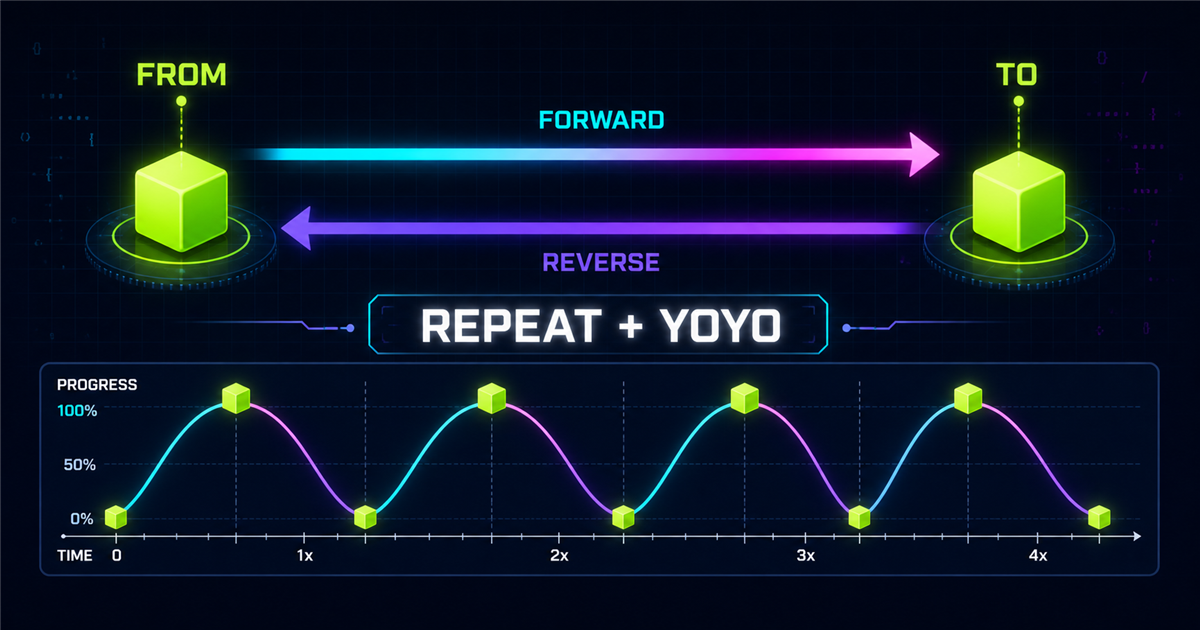
repeat runs the tween again, while yoyo alternates its direction between the explicit FROM and TO states.Infinite decorative animation should be used carefully and skipped for reduced-motion visitors.
18. Advanced note: immediateRender
From and fromTo tweens can apply starting values when created. immediateRender becomes especially relevant in timelines or when several tweens target the same properties. Most standalone beginner examples do not need to change it.
19. Current state versus explicit state
gsap.to()Current state↓Explicit endgsap.from()Explicit start↓Current stategsap.fromTo()Explicit start↓Explicit endExplicit endpoints can make a replay easier to reason about because the same values are prepared every time.
20. Practical loading indicator
Visual progress is at zero.
gsap.fromTo(".progress-fill", { scaleX: 0 }, {
  scaleX: 1,
  transformOrigin: "left center",
  duration: 2,
  ease: "power2.inOut"
})
This is a visual teaching demo, not a measurement of real loading progress. The explicit endpoints represent 0% and 100% visual fill.
21. Common fromTo() mistakes
fromTo() requires target, fromVars, and toVars.
Put playback settings in the destination object.
Read the objects in order: from first, then to.
{ x: 100 } to { x: 100 } produces no visible x movement.
Constrain stages and calculate smaller mobile-safe values.
Verify the target within the isolated component.
Load GSAP before the custom demo script.
Wait for DOMContentLoaded when needed.
Kill the active tween and explicitly prepare the new endpoints.
Review other code changing the target’s transform.
Skip large or infinite decorative movement.
Prefer to() when the existing state is already the right start.
22. When should you use each method?
gsap.to()gsap.from()gsap.fromTo()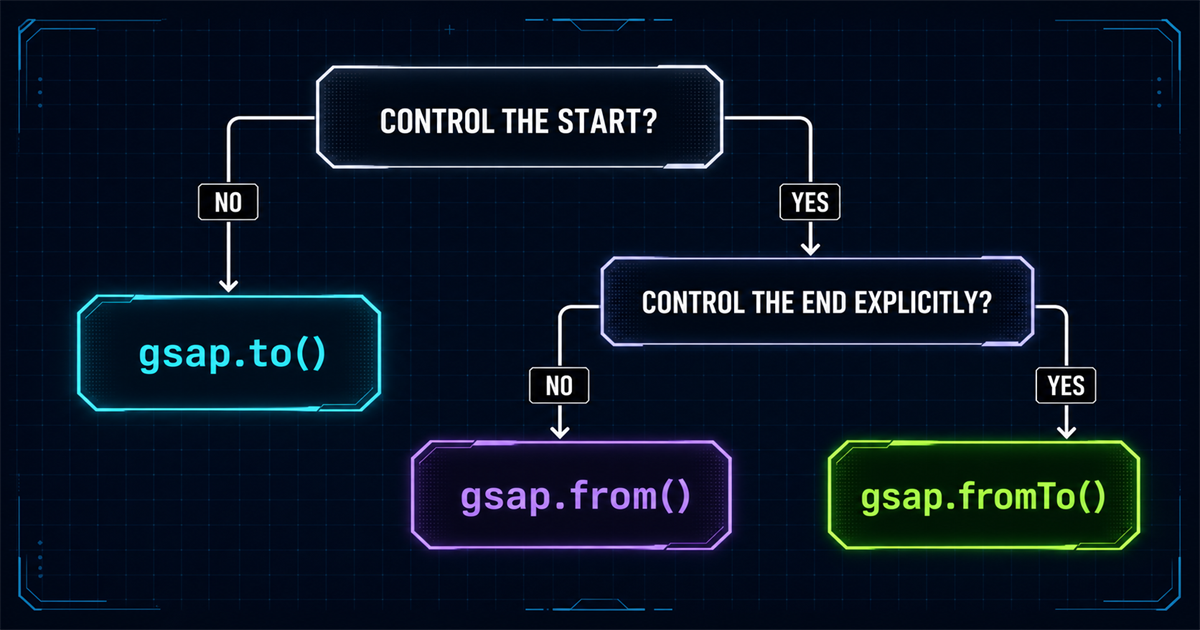
Use to() when current state is a good start, from() when current CSS is the desired finish, and fromTo() when both sides must be explicit.
23. Performance tips
When they fit the design, prefer x, y, scale, rotation, and opacity. Transform and opacity are commonly suitable for interface animation, but results still depend on target size, count, effects, device capability, and other work.
24. Accessibility
Check prefers-reduced-motion. When reduction is requested, skip large movement, stop infinite decorative loops, and show the ending content state immediately. All information and controls must remain available without animation.
25. Mini challenge
<div class="challenge-product">
  <span class="challenge-badge">New</span>
  <h3>GSAP Animation</h3>
  <p>Build smooth interactive experiences.</p>
</div>
Animate from y 60, opacity 0, scale 0.85, and rotation -3 to y 0, opacity 1, scale 1, and rotation 0. Use one second and power2.out.
Show one possible solution
gsap.fromTo(".challenge-product",
  { y: 60, opacity: 0, scale: 0.85, rotation: -3 },
  {
    y: 0,
    opacity: 1,
    scale: 1,
    rotation: 0,
    duration: 1,
    ease: "power2.out"
  }
)
26. Quick reference
| Method | Start | End | Best for |
|---|---|---|---|
gsap.to() | Current | Custom | Moving to a known destination |
gsap.from() | Custom | Current | Entrance animations |
gsap.fromTo() | Custom | Custom | Full endpoint control |
| Property | From example | To example |
|---|---|---|
x | -100 | 100 |
y | 50 | 0 |
opacity | 0 | 1 |
scale | 0.8 | 1 |
rotation | -20 | 0 |
27. Remember the fromTo() mental model
x: -150
opacity: 0
scale: .8x: 0
opacity: 1
scale: 128. Preview: stagger
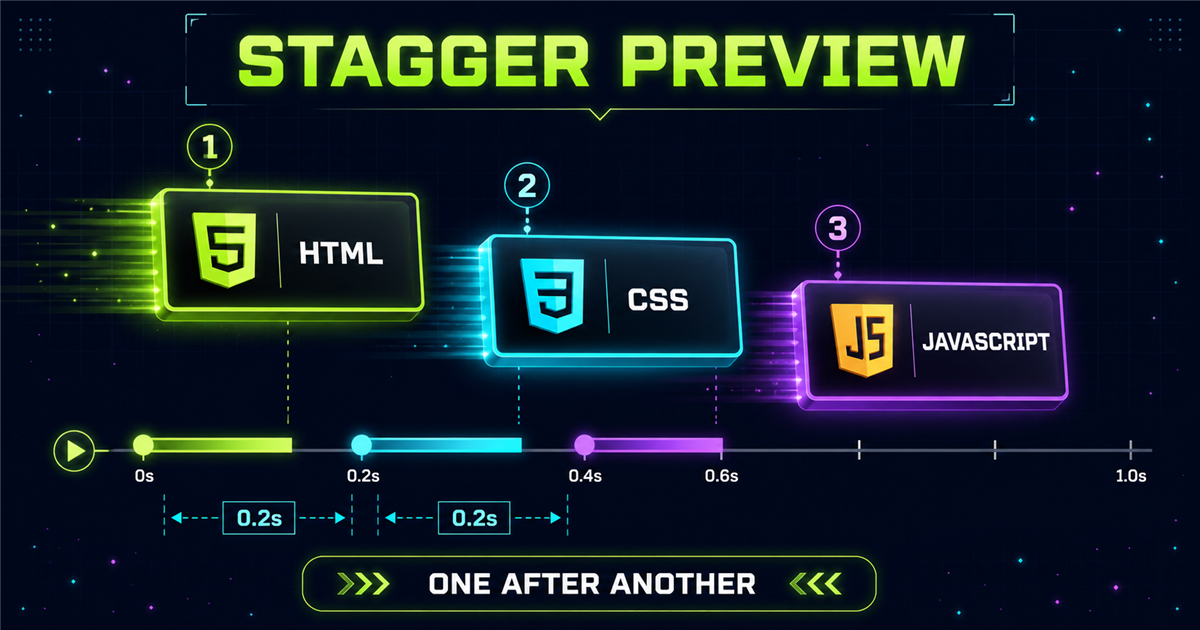
Right now, three matching cards begin together. When they begin one after another with a timing gap, that pattern is called stagger. The next lesson develops it fully.
Frequently asked questions
What does gsap.fromTo() do?
gsap.fromTo() animates one or more targets between explicitly supplied starting and ending values.
What is the difference between gsap.from() and gsap.fromTo()?
gsap.from() supplies only the start and finishes at the current state. gsap.fromTo() supplies both start and finish.
What is the difference between gsap.to() and gsap.fromTo()?
gsap.to() begins from the current state. gsap.fromTo() does not rely on that starting state because you define it explicitly.
When should I use gsap.fromTo()?
Use it when both endpoints must be predictable, especially for replayable transitions, progress indicators, loaders, and controlled sequences.
Can gsap.fromTo() animate multiple properties?
Yes. Both objects can include movement, rotation, scale, opacity, color, and other supported values.
Can gsap.fromTo() animate multiple elements?
Yes. A selector, NodeList, or array can provide several targets that share the same start and end configuration.
Where does duration go in gsap.fromTo()?
Duration and other playback settings normally belong in the third argument, the destination or toVars object.
Can I use gsap.fromTo() on a PHP website?
Yes. PHP renders the HTML, and the browser runs GSAP against that rendered markup.
Both endpoints are under control
You can now choose between current-state tweens and explicit endpoints. Revisit the GSAP introduction, targeting elements, gsap.to(), or gsap.from() whenever you need the earlier foundations.
