


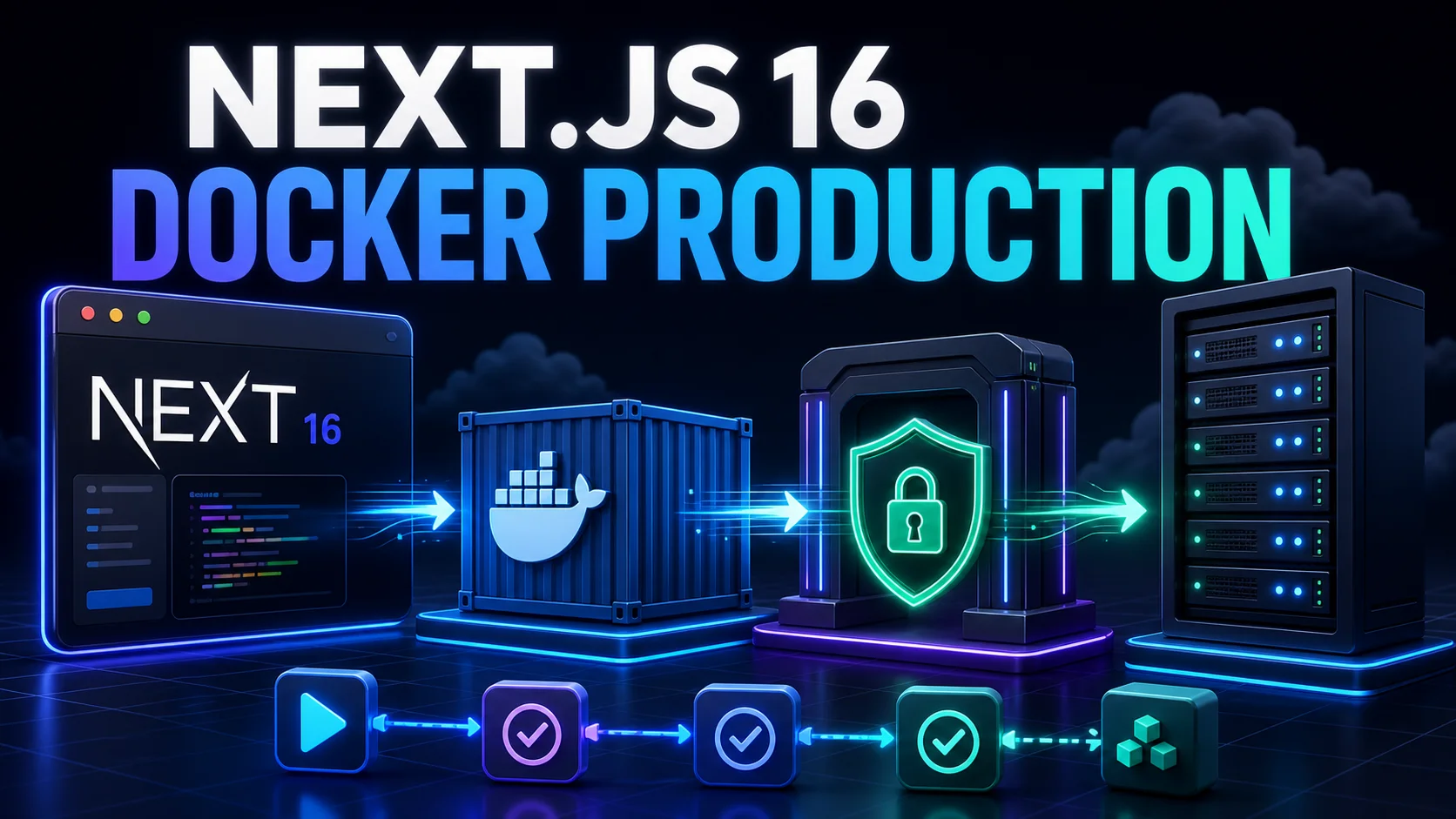
In Blog #19, we connected our application to PostgreSQL. Now we will package the Next.js app into a production Docker image and deploy it behind Traefik with HTTPS and automated GitHub Actions. This is the focused container implementation of the choices introduced in Blog #15: Deployment.
You will build a multi-stage Dockerfile, use standalone output, reduce the build context, connect Compose services by DNS name, configure Traefik routing and Let's Encrypt, inject runtime variables, add a safe health check, publish immutable images, deploy to a VPS, and design a rollback.
This publishing repository is a PHP/Apache website, not a runnable Next.js app. It has no root package.json, lockfile, next.config, Dockerfile, Compose stack, Traefik configuration, workflow, VPS definition, health route, database deployment, or auth provider. Its downloadable starter uses npm with floating latest dependencies. Therefore this article adds educational code only; it does not create a second reverse proxy or alter the live hosting stack. In a real project, reuse its package manager, proxy, networks, certificate resolver, secrets, and deployment workflow.
Production Architecture at a Glance
GitHub Actions validates the exact commit, builds an image, pushes a versioned tag to a registry, and tells the VPS to pull that tag. Traefik is the only public gateway. It terminates TLS, matches the hostname, and forwards traffic to port 3000 across a private Docker network. Next.js reaches PostgreSQL or external APIs with server-only credentials.

Why Use Docker for Next.js?
Reproducible runtime
The same Node release, native dependencies, application build, and startup command travel from CI to production.
Isolated releases
Each immutable image is a deployable unit. A commit SHA tag makes promotion and rollback understandable.
Operational integration
Compose networking, health status, restart policies, logs, registries, and CI/CD fit a common workflow.
Docker is not required by Next.js. It adds image build time, networking concepts, storage decisions, patching, monitoring, and responsibility for the host. A managed platform may be a better trade for a small team. Use containers when the portability and operational control are worth that work.
Prepare Next.js for Docker
Before container work, pin a supported Next.js and Node release, commit the real lockfile, run the project's lint, typecheck, test, and build commands, and inventory runtime dependencies. Next.js 16 requires Node.js 20.9 or newer; this August 2026 example uses the current Node 24 LTS line. Pin and test a specific patch or digest in production, then automate updates rather than copying an old floating base forever.
Standalone Output
For this self-hosted container, enable output tracing so next build creates .next/standalone with the minimal server runtime and traced modules. Standalone mode does not automatically place public or .next/static in that folder, so the runtime image copies them explicitly.
import type { NextConfig } from 'next'

const nextConfig: NextConfig = {
  output: 'standalone',
}

export default nextConfigCreate a Production Dockerfile
The audited starter uses npm, so this example uses package-lock.json and npm ci. A real pnpm or Yarn project must use its own lockfile and frozen-install command. The example pins the major Node line for readability; production teams should also test and automate digest or patch updates.
# syntax=docker/dockerfile:1
FROM node:24-alpine AS base
WORKDIR /app
ENV NEXT_TELEMETRY_DISABLED=1

FROM base AS deps
COPY package.json package-lock.json ./
RUN npm ci

FROM base AS builder
COPY --from=deps /app/node_modules ./node_modules
COPY . .
RUN npm run build

FROM node:24-alpine AS runner
WORKDIR /app
ENV NODE_ENV=production
ENV NEXT_TELEMETRY_DISABLED=1
ENV PORT=3000
ENV HOSTNAME=0.0.0.0

RUN addgroup -S nodejs && adduser -S nextjs -G nodejs
COPY --from=builder --chown=nextjs:nodejs /app/public ./public
COPY --from=builder --chown=nextjs:nodejs /app/.next/standalone ./
COPY --from=builder --chown=nextjs:nodejs /app/.next/static ./.next/static

USER nextjs
EXPOSE 3000
CMD ["node", "server.js"]
The dependency stage caches lockfile installation. The builder contains source and build tooling. The runner contains only the traced server, static output, public assets, and an unprivileged user. Multi-stage builds reduce attack surface and image size, but only when you copy the minimum runtime files.
Create .dockerignore
A small build context is faster and safer. Do not send local dependencies, builds, Git metadata, logs, or secrets to the daemon. Preserve a safe template if the team needs it.
node_modules
.next
.git
.github
.env
.env.*
!.env.example
*.log
README*
Dockerfile*
compose*.yaml
docker-compose*.yml
Build and Run the Container Locally
docker build --pull -t nextjs-app:dev .
docker run --rm --env-file .env.local -p 3000:3000 nextjs-app:dev
Use placeholder local values, not production secrets. Open the home page, dynamic routes, Server Actions, image optimization, authentication callbacks, and /api/health. Tag production images with an immutable commit SHA or release version; latest alone cannot identify a rollback target.
Docker Compose and Networks
This application example assumes Traefik already exists and owns an external network named proxy. It does not create a second proxy. The app has no published ports; Traefik reaches its internal port through the shared network. For a focused local Compose introduction before adding the edge proxy, see the Docker Compose for Next.js production guide.
services:
  app:
    image: ghcr.io/OWNER/nextjs-app:${IMAGE_TAG}
    restart: unless-stopped
    env_file:
      - .env.production
    expose:
      - "3000"
    networks:
      - proxy
      - data
    healthcheck:
      test: ["CMD", "node", "-e", "fetch('http://127.0.0.1:3000/api/health').then(r=>{if(!r.ok)process.exit(1)}).catch(()=>process.exit(1))"]
      interval: 30s
      timeout: 5s
      retries: 3
      start_period: 20s
    labels:
      - "traefik.enable=true"
      - "traefik.docker.network=proxy"
      - "traefik.http.routers.nextjs.rule=Host(`app.example.com`)"
      - "traefik.http.routers.nextjs.entrypoints=websecure"
      - "traefik.http.routers.nextjs.tls=true"
      - "traefik.http.routers.nextjs.tls.certresolver=letsencrypt"
      - "traefik.http.services.nextjs.loadbalancer.server.port=3000"

networks:
  proxy:
    external: true
  data:
internal: truelocalhost inside the Next.js container points back to Next.js. If PostgreSQL is another Compose service, use its service name: postgres:5432. For a managed database, use its protected provider hostname and required TLS settings.
Add Traefik Routing
Traefik's Docker provider discovers labels. The router answers only when the request host matches app.example.com; its service forwards to port 3000. Explicitly selecting traefik.docker.network avoids ambiguity when a container joins multiple networks. This syntax was checked against the current Traefik v3 documentation; replace the example router, resolver, entrypoint, and network names with those already used by your installed major version.
Connect a Domain and Enable HTTPS
- Point DNS to the VPSCreate an A record for IPv4 and an AAAA record only when IPv6 is correctly routed. Allow propagation before requesting certificates.
- Open the public edgePermit inbound TCP 80 and 443. Do not expose Next.js 3000 or PostgreSQL 5432 publicly without a deliberate requirement.
- Attach the certificate resolverThe router uses the existing ACME resolver. Traefik completes the configured challenge, stores the certificate, and terminates TLS.
- Redirect HTTP onceIf Traefik already redirects the
webentrypoint towebsecureglobally, do not add a duplicate per-application middleware.
Persist certificate state, restrict its permissions, back it up securely, and never commit acme.json. Protect or disable the Traefik dashboard; it reveals infrastructure details and must not be an anonymous public endpoint. For the complete host, firewall, SSH, container-privilege, secrets, and recovery review, continue with Blog #29: Docker & VPS Hardening.
Production Environment Variables
Keep production configuration out of the Dockerfile, image layers, repository, public Compose labels, screenshots, and logs. Supply DATABASE_URL, authentication secrets, API tokens, and the canonical origin at runtime from restricted deployment configuration. Follow the full threat model in Blog #16.
NEXT_PUBLIC_ values referenced by client code are normally inlined during next build. Changing them only in the VPS runtime environment does not rewrite an already-built client bundle. Either build environment-specific public values intentionally or serve truly runtime public configuration through a controlled server endpoint. Never put secrets behind NEXT_PUBLIC_.
Database Connectivity
If PostgreSQL runs as a Compose service, attach it only to the internal data network and use postgres as the hostname. If it is managed, allow the VPS or private network, require the provider's TLS mode, and use pooling appropriate to the long-running Node process. Run reviewed migrations once as a controlled release step—not from every replica at startup. Blog #19 covers schema, pooling, authorization, migrations, and backups.
Health Checks and Restart Policies
export const dynamic = 'force-dynamic'

export function GET() {
  return Response.json(
    { status: 'ok' },
    { headers: { 'Cache-Control': 'no-store' } },
  )
}
This liveness endpoint proves the Next.js process can answer. It exposes no environment values or server details. A separate readiness check may test critical dependencies with tight timeouts, but making liveness depend on a temporary database outage can cause a restart storm. The Compose check uses Node's built-in fetch, so it does not assume curl exists in Alpine.
restart: unless-stopped recovers from a crashed process or daemon restart. It is not monitoring, diagnosis, traffic shifting, or a rollback strategy. Alert on repeated restarts and fix the cause.
Automated Deployment with GitHub Actions
A safer pipeline validates first, builds one image, pushes both the immutable SHA tag and an optional human release tag, then deploys that exact digest or tag. Grant the workflow only the permissions it needs. Put production secrets in protected GitHub environments and repository/environment secrets; prefer a narrowly scoped deploy credential, a restricted server user, and host-key verification.
name: deploy
on:
  push:
    branches: [main]

permissions:
  contents: read
  packages: write

jobs:
  build:
    runs-on: ubuntu-latest
    steps:
      - uses: actions/checkout@v7
      - uses: docker/login-action@v4
        with:
          registry: ghcr.io
          username: ${{ github.actor }}
          password: ${{ secrets.GITHUB_TOKEN }}
      - uses: docker/build-push-action@v7
        with:
          context: .
          push: true
          tags: ghcr.io/OWNER/nextjs-app:${{ github.sha }}

  deploy:
    needs: build
    runs-on: ubuntu-latest
    environment: production
    steps:
      - name: Deploy immutable image
        env:
          IMAGE_TAG: ${{ github.sha }}
          VPS_HOST: ${{ secrets.VPS_HOST }}
          VPS_USER: ${{ secrets.VPS_USER }}
        run: echo "Use an audited SSH action or script with host verification to deploy $IMAGE_TAG"
The last step is intentionally not a copy-paste SSH command: the publishing repository has no known host, user, path, SSH policy, or Compose stack. In the real repository, use its audited deployment action or script. Never disable host-key checking for convenience, print secrets, or pass passwords on the command line.

Deploy to the VPS
- Prepare onceInstall supported Docker Engine and Compose, create the restricted deployment user and application directory, log in to the registry safely, create the external proxy network, and place the reviewed Compose file and protected environment file.
- Pull the exact releaseSet
IMAGE_TAGto the commit SHA and rundocker compose pull app. Do not build unreviewed source on the production host when CI already produced the artifact. - Recreate and verifyRun
docker compose up -d --no-deps app, inspectdocker compose ps, check health, request the HTTPS host, and watch application and Traefik logs. - Prune carefully laterKeep the previous known-good image until the observation window passes. Do not prune the rollback artifact during deployment.
Roll Back a Broken Deployment
IMAGE_TAG=<previous-healthy-git-sha> docker compose pull app
IMAGE_TAG=<previous-healthy-git-sha> docker compose up -d --no-deps app
docker compose ps
docker compose logs --tail=100 app
Application rollback is only safe when configuration and database schema remain compatible. Prefer expand-and-contract migrations: deploy additive schema first, move application traffic, then remove obsolete schema in a later release. For lower downtime, start the new version beside the old one, check readiness, switch Traefik traffic, drain in-flight requests, and then stop the old version. Plain Compose recreation alone does not promise zero downtime.
Next.js Behind a Reverse Proxy
A reverse proxy must preserve the behavior the framework relies on. Pass the original host and protocol information correctly, allow streaming responses instead of buffering them indefinitely, and choose timeouts that do not cut off valid Server Actions, Route Handlers, or streamed rendering. Test uploads and long-running endpoints with explicit size and time limits; do not raise every limit globally to hide an application problem.
Self-hosted image optimization writes transformed images to the server cache and needs the native runtime dependencies supported by the chosen image. Test remote image allowlists, cache persistence, memory usage, and repeated requests using the practices in Blog #12: Image Optimization. A read-only filesystem may require a tested writable cache mount or a custom image loader.
When one release runs on multiple containers, local cache entries and tag invalidations are not automatically a shared distributed cache. Coordinate cache storage and invalidation when correctness requires it. Keep the same Server Action encryption key across replicas built for the same deployment, set an appropriate deployment identifier to reduce version-skew failures, and review allowed Server Action origins when a separate proxy hostname or trusted origin is involved. Authentication callback URLs, cookie security, canonical URLs, and OAuth settings must use the final HTTPS hostname.
During replacement, Docker sends a termination signal. Give the application enough grace time to finish in-flight work, and verify that the current Next.js runtime shuts down cleanly for your workload. Readiness should be removed before the old container is stopped; a restart policy alone cannot drain traffic.
Logs, Monitoring, and Performance
Use docker compose logs -f app and Traefik access/error logs during diagnosis, but ship important logs to durable storage with rotation. Monitor uptime, HTTP error rate, latency, CPU, memory, disk, restart count, certificate renewal, image-pull failures, database saturation, and Core Web Vitals. Keep sensitive headers, cookies, tokens, queries, and environment values out of logs.
Measure the standalone image, build duration, cold start, image optimizer behavior, streaming, cache hit rate, and route latency using the method in Blog #14: Performance. Multiple Next.js instances need consistent build artifacts, Server Action encryption keys, cache coordination, and a deliberate deployment ID strategy.
Docker and VPS Security
Decide whether stable headers belong to Traefik or Next.js, then inspect the final public response so the layers do not conflict. Request-specific nonce policies generally need application-level handling. See Blog #26: Next.js 16 Security Headers & CSP for header ownership, HSTS safeguards, and staged CSP enforcement.
- Run Next.js as a non-root user.
- Publish only Traefik ports 80 and 443.
- Keep Docker and the base image patched.
- Pin and scan application dependencies.
- Keep secrets out of layers and labels.
- Restrict the deployment account and SSH keys.
- Verify SSH host keys.
- Drop capabilities or use read-only filesystems when tested.
- Protect the Docker socket; it is root-equivalent.
- Protect the Traefik dashboard.
- Persist and restrict ACME storage.
- Back up data and test restoration.
- Rate-limit sensitive routes at an appropriate layer.
- Review auth cookies and callback origins on HTTPS.
Common Next.js Docker + Traefik Errors
502 Bad Gateway
Confirm the app is healthy, port 3000 is correct, both containers share the selected network, and traefik.docker.network names that network.
Static assets return 404
Copy public and .next/static into their expected runtime locations beside standalone output.
Certificate is not issued
Check DNS, public reachability, firewall rules, ACME challenge choice, resolver name, persisted storage, rate limits, and Traefik logs.
Database connection refused
Replace container localhost with the database service hostname or managed endpoint. Verify network attachment, TLS, firewall, and credentials.
Public variable is stale
NEXT_PUBLIC_ may have been frozen into the client bundle during CI. Rebuild with the intended public configuration.
Container restarts forever
Inspect exit code and startup logs. Check missing runtime variables, native module compatibility, memory limits, permissions, and health-check timing.
Production Checklist
- Exact dependencies and lockfile committed
- Supported Node release tested
- Lint, typecheck, tests, and build pass
- Standalone assets copied correctly
- Small ignored build context
- Non-root runtime user
- Immutable image tag recorded
- Next.js port remains private
- Correct Traefik network and service port
- DNS points to the VPS
- HTTPS and renewal verified
- Runtime secrets protected
- Health endpoint reveals no internals
- Logs and alerts configured
- Database migration plan reviewed
- Previous release retained
- Rollback rehearsed
- Backups restored in a test
Frequently Asked Questions
How do I deploy Next.js 16 with Docker?
Create a tested production build, enable standalone output when appropriate, build a multi-stage image, inject secrets at runtime, expose the app only to the proxy network, and verify health before switching traffic.
Should I use output standalone with Docker?
Usually yes for a small runtime image, but it is optional. Standalone output traces the server files and modules needed at runtime; public and .next/static must still be copied or served separately.
Why use a multi-stage Docker build?
Separate dependency, build, and runtime stages keep compilers, caches, source files, and development dependencies out of the final production image.
How does Traefik route to a Next.js container?
The Docker provider reads router and service labels. A Host rule selects the container, and the load balancer service port points Traefik to port 3000 on their shared Docker network.
Should Next.js port 3000 be public?
Normally no. Publish only Traefik ports 80 and 443, and let Traefik reach Next.js over a private Docker network.
Why does localhost fail between Docker containers?
Inside a container, localhost means that same container. Use the other service name, such as postgres, over a shared Docker network.
How do I enable HTTPS with Traefik?
Configure a secure entrypoint and ACME certificate resolver, point DNS to the VPS, attach the resolver to the router, persist certificate storage, and redirect HTTP globally when that matches the existing proxy design.
How do I pass secrets to Docker?
Provide protected values at runtime through a restricted env file, platform secret store, or Docker secrets where supported. Never bake secrets into the Dockerfile, image, labels, or repository.
What causes Traefik 502 Bad Gateway?
Common causes are the wrong internal port, mismatched Docker network, an unhealthy or crashed application, or Traefik selecting the wrong network.
How do I roll back a broken deployment?
Keep immutable image tags such as a commit SHA, change the deployed tag back to the last healthy version, pull it, recreate the service, and verify health. Database compatibility must be planned separately.
Next Steps
You now have a production path from source commit to a versioned Next.js image, private container networking, Traefik host routing, Let's Encrypt HTTPS, runtime secrets, health verification, VPS deployment, monitoring, and rollback. Apply the pieces to the architecture you actually operate, then expand the design in Blog #21: Next.js 16 Docker Compose Production Stack: App + PostgreSQL + Redis.
