


Blog #28 covered SSRF prevention at the application and outbound-network boundary. This article widens the view to the full production host. Strong input validation cannot compensate for public Redis, an exposed Docker socket, a leaked deployment key, or an unpatched VPS.
Next.js VPS security is a system property. A secure deployment reduces public entrypoints, limits every identity and process, separates public and private traffic, keeps credentials out of images and logs, detects failure, and can be rebuilt from trusted sources. None of these steps makes a server “fully secure”; together they reduce likelihood and impact.
Start with the Production Architecture
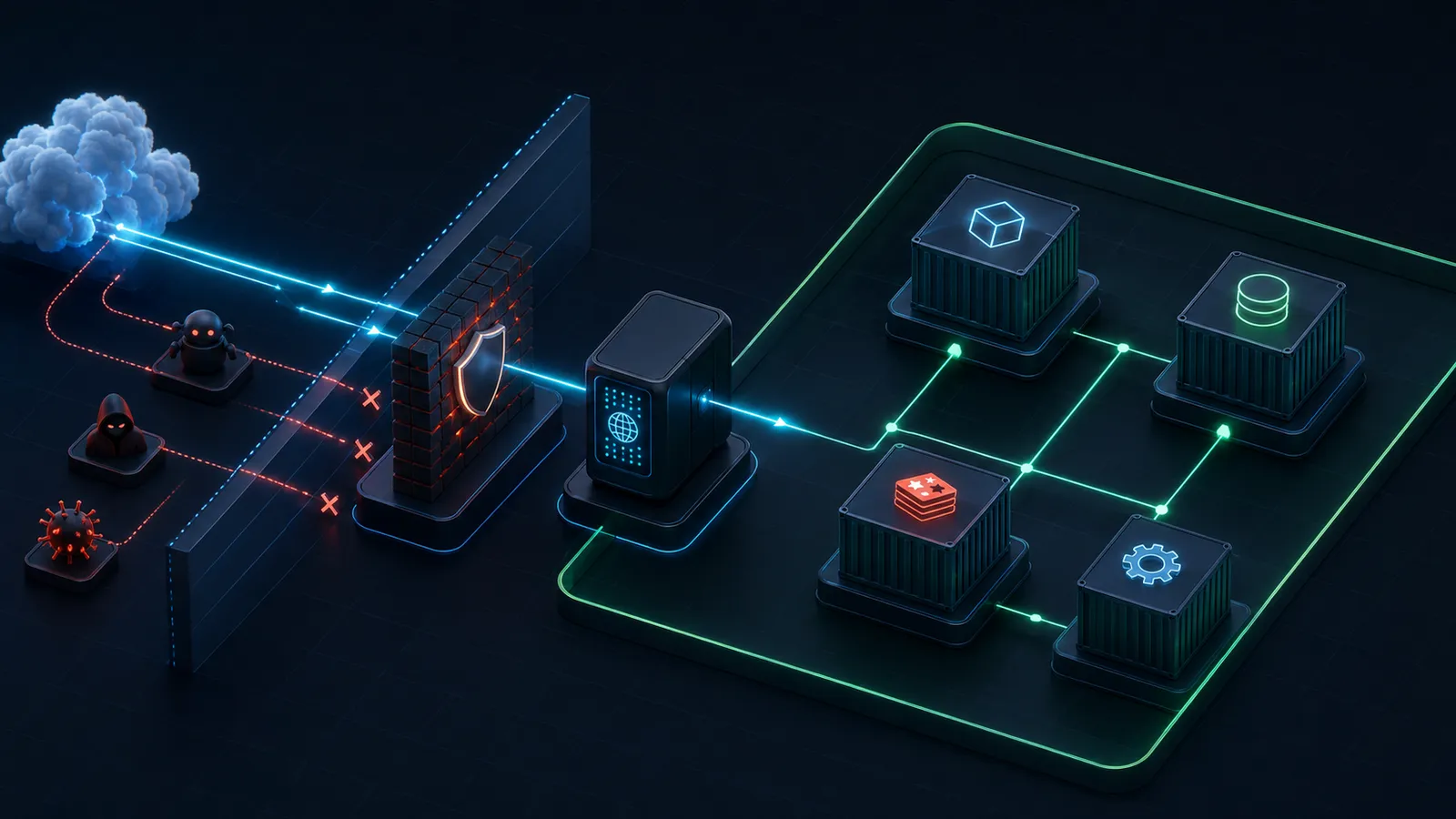
A conventional single-VPS design exposes Traefik on HTTP and HTTPS, keeps Next.js behind it, and places PostgreSQL, Redis, and workers on private Docker networks. Administrative SSH is a separate, restricted path. The host firewall, Docker firewall rules, reverse proxy, and application policy must agree on what is public.
Defense in Depth
Hardening is not one command. The VPS, SSH service, firewall, Docker daemon, container, application, secrets store, proxy, CI/CD system, monitoring, and backups are independent layers. Assume any single control can be misconfigured. Reduce the privileges and reachable assets behind it.
Harden the VPS Host
Choose a supported operating-system release and define an update process for security fixes, Docker Engine, the kernel, OpenSSH, and the reverse proxy. Remove software and services the deployment does not need. Review local users, sudo access, startup services, listening sockets, time synchronization, disk capacity, and file permissions. A smaller host is easier to inventory.
Updates need operational discipline: observe vendor advisories, test changes, keep a rollback or rebuild path, schedule required restarts, and confirm that the service returns healthy. Automatic updates can reduce exposure time, but only when the organization understands reboot and compatibility behavior.
Reduce attack surface
Disable unused daemons, remove unnecessary packages, restrict administration, and keep only intentional network listeners.
Preserve recoverability
Record configuration, protect backups, and be able to recreate the host instead of depending on manual, undocumented state.
Secure SSH Without Locking Yourself Out
Use a named administrator or deployment account rather than routine root login. Prefer public-key authentication, protect private keys with appropriate controls, review authorized_keys, and limit sudo to the operations the role requires. Where practical, restrict SSH by VPN or trusted source ranges and monitor authentication failures.
Lockout warning: add and test the key in a second terminal before disabling password or root access. Run sudo sshd -t before reloading SSH, keep the current verified session open, and understand your provider console or recovery path.
Firewall Rules and Docker Networking
A host firewall should deny unexpected inbound traffic and allow only the real administrative and web entrypoints. The safe order matters: verify the active SSH port, allow it, inspect the planned rules, then enable the firewall while a working session remains open. HTTP may remain only to redirect to HTTPS; HTTPS is the primary public service.
Docker creates firewall and NAT rules for published ports. Docker's documentation warns that traffic to published container ports can be diverted before UFW's normal chains, so “UFW enabled” is not proof that every ports: mapping is filtered as expected. Avoid publishing internal ports, bind narrowly when publication is required, inspect the effective rules, and use Docker's documented filtering points for your environment.
Private Container Networks
Blog #21 introduced the Compose application and data services. In production, publish only the proxy ports. Traefik and Next.js share an ingress network; Next.js and necessary internal services share a private application network; a database or cache is not attached to public ingress merely for convenience.
services:
  web:
    expose: ["3000"]
    networks: [proxy, private]
  db:
    networks: [private]
  redis:
    networks: [private]

networks:
  proxy: {}
  private:
    internal: true
expose does not publish a port to host interfaces. ports does. An internal network can be useful, but test required traffic such as migrations, observability, or managed backups. Network isolation complements database and Redis authentication; it does not replace them.
Run the Application with Least Privilege
A container root user is not identical to host root, but it has more power inside the container and can make a runtime escape or mounted-volume mistake more damaging. Use a dedicated non-root runtime identity when compatible. Make writable paths explicit, avoid broad bind mounts, and verify ownership during the image build.
Do not enable privileged: true for a web application. Drop unnecessary Linux capabilities where the image works without them, prevent privilege escalation where supported, and consider a read-only root filesystem with small writable mounts for known runtime needs. Each control must be tested against image optimization, temporary files, caches, and telemetry.
Build a Smaller Runtime Image
Use a multi-stage Dockerfile: install locked dependencies and compile in builder stages, then copy only the production output into a minimal runtime stage. Pin a reviewed base-image version or digest according to your update strategy. “Latest” weakens reproducibility; a permanent pin without updates becomes stale.
Next.js output: 'standalone' can produce a smaller server bundle suitable for a runtime image. Copy the standalone output together with required public and static assets, and test all runtime paths. A careful .dockerignore should exclude Git data, local dependencies, test output, development files, logs, and local secrets from the build context.
Keep Secrets Out of Images and Browsers
Blog #16 explains the Next.js server/client environment boundary. Variables prefixed with NEXT_PUBLIC_ are intended for browser exposure and must never contain secrets. Runtime secrets belong in a protected deployment mechanism with narrowly scoped access and a rotation plan.
Do not copy .env into the image, commit it, print it, or pass secrets with Docker build arguments. Docker's current guidance recommends BuildKit secret or SSH mounts for credentials needed only during a build because build arguments and environment instructions are inappropriate for sensitive data. A build-time secret must not be copied into the resulting filesystem.
Protect the Docker Socket
Control of the Docker daemon is a host-level trust boundary. Never mount /var/run/docker.sock into the Next.js application. A compromised application with daemon control may create privileged containers, mount host paths, read other workloads, or alter the deployment.
Traefik's Docker provider commonly needs metadata from the daemon. Treat that access as highly privileged, keep Traefik minimal and patched, set exposedByDefault=false, and consider a carefully restricted socket proxy only after assessing what API operations Traefik needs. A read-only filesystem mount flag on the socket does not make the Docker API read-only.
Read-Only Filesystems, Volumes, and Capabilities
Make immutability practical rather than ceremonial. Set the root filesystem read-only where compatible, then add only named volumes or temporary filesystems required by the process. Mount configuration and certificates read-only where the consuming service does not need to modify them. Never bind broad host directories such as the filesystem root.
Keep PostgreSQL and Redis Private
Do not publish database or Redis ports to the public Internet. Use private container networks, strong service credentials, least-privilege database roles, protected backups, and encryption where the threat model or network path requires it. Blog #22 covers Redis use in the application; a cache may still hold sensitive or security-relevant data.
Traefik, TLS, and Security Headers
Blog #20 introduced Docker and Traefik. In production, expose only required HTTP/HTTPS entrypoints, redirect HTTP to HTTPS, automate certificate renewal, protect account keys, monitor certificate failures, and restrict or disable the dashboard. Traefik documents api.insecure=true as development-only.
Review which proxies are trusted to set forwarded headers; accepting them from arbitrary clients can confuse scheme, client IP, redirects, rate limits, and audit trails. Blog #17 explains the application proxy boundary; it does not replace the edge proxy or host firewall. Security headers may be configured in Next.js, Traefik, or another platform. Pick clear ownership to avoid duplicate or conflicting policies. Dynamic CSP nonce work normally belongs at application/request level, as explained in Blog #26.
SSRF Still Matters on Private Networks
Private networking removes direct Internet exposure; it does not mean the application cannot reach internal services. If attacker input controls a server-side destination, an SSRF flaw could turn Next.js into a path toward a private HTTP service. Combine the validation model from Blog #28 with service authentication, segmentation, egress restrictions, and least privilege.
Resources, Health Checks, and Restarts
Set memory, CPU, process, request, and concurrency limits where the platform and workload support them. Values are workload-specific: load-test the full stack, observe headroom, and avoid copying arbitrary limits. An overly small memory cap can create restart loops; no cap can let one runaway workload pressure every service.
A health endpoint should confirm availability without returning credentials, environment dumps, stack traces, or topology. { "status": "ok" } may be enough for a liveness signal. Separate readiness only when dependencies and orchestration behavior justify it. Blog #25 covers availability and scaling. Restart policies improve recovery from failure; they are not a security boundary, and monitoring must detect repeated restarts.
Safe Logging and Rotation
Never log passwords, session cookies, authorization headers, private keys, database URLs, API secrets, or complete environment dumps. console.log(process.env) is dangerous in production. Redact at the application boundary, use structured events, restrict log access, and define retention.
Container logs can exhaust disk. Choose a supported logging driver or external collector and configure size/retention limits appropriate to traffic, incident response, and compliance. Monitor disk usage and validate the current Docker logging configuration rather than pasting an unreviewed daemon-wide example.
Monitoring and Alerting
Blog #24 explains observability. For a VPS, monitor uptime, latency, CPU, memory, disk, inode use, container health and restarts, HTTP 5xx, authentication failures, unusual outbound requests, TLS renewal, and backup failures. Monitoring does not prevent an attack; it shortens detection and response time.
Backups and Restore Testing
Back up the database, persistent uploads, critical configuration, and the deployment information needed to rebuild. Do not treat running containers as the primary backup; rebuild them from reviewed source and trusted images. Protect backup credentials, encrypt storage where appropriate, maintain an off-host copy and retention policy, restrict access, and monitor every job.
A backup is not trustworthy until restoration has been tested. Schedule restore exercises into an isolated environment, verify data integrity and application behavior, record recovery time, and fix missing dependencies before an incident.
Secure CI/CD and SSH Deployment
No GitHub Actions workflow was found in this repository. If the real project uses Actions, declare the smallest permissions each workflow or job needs; contents: read is a useful baseline only when sufficient. Protect production environments, review who can approve deployment, use narrowly scoped and rotatable credentials, and pin or otherwise trust action dependencies according to policy.
For SSH deployment, use a dedicated deployment user and key, restrict commands and sudo where practical, keep the private key in protected CI secrets, never commit it, and rotate it after suspected exposure. Prefer short-lived identity federation where the hosting environment supports it. Do not deploy as root by default.
Images and Dependency Supply Chain
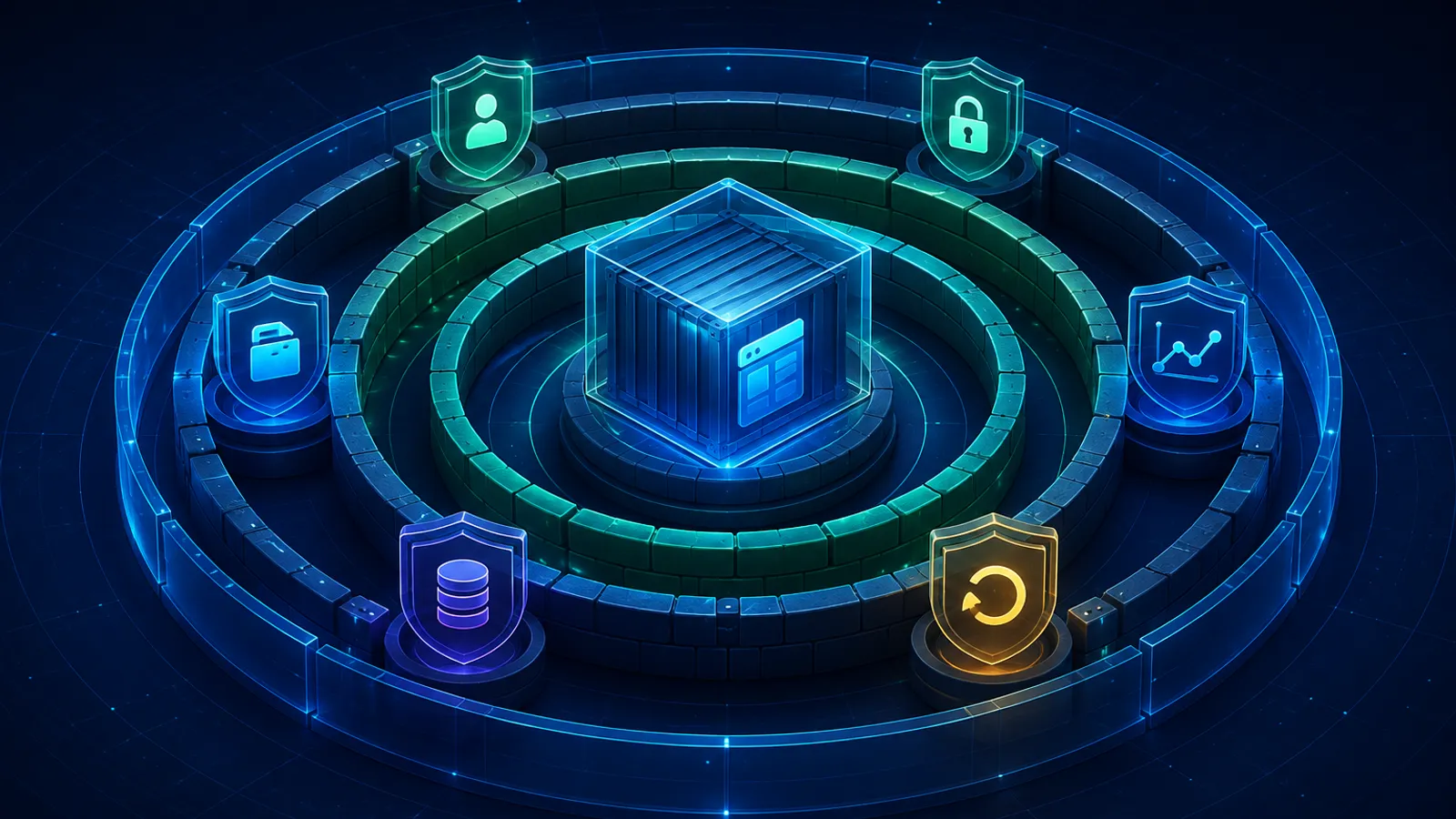
Use trusted base-image sources, review tags and digests, rebuild for relevant patches, and scan images where supported. A report showing zero known vulnerabilities does not prove an image safe; scanners depend on inventories and advisory data and do not discover every logic flaw or malicious behavior. Keep runtime packages minimal and preserve provenance.
Container hardening cannot repair a vulnerable npm dependency. Continue with Blog #30: Dependency Security & Supply Chain for lockfiles, dependency updates, audit limitations, Dependabot, action dependencies, and supply-chain controls.
What If the Server Is Compromised?
Isolate the affected system without destroying useful evidence. Preserve appropriate logs and snapshots according to the response plan, rotate potentially exposed credentials, identify the entry path and scope, and rebuild from trusted source rather than assuming ad-hoc cleanup removed everything. Restore validated data, patch the root cause, review accounts and keys, and monitor the rebuilt environment closely.
Audit the Existing Deployment
| Area | Detected configuration | Risk | Recommendation |
|---|---|---|---|
| Dockerfile | Not detected | Deployment cannot be assessed | Audit the real application repository. |
| Container user | Not detectable | Privilege level unknown | Verify a non-root runtime identity where compatible. |
| Ports | No container config detected | Publication unknown | Expose only proxy/administrative entrypoints. |
| Networks | No Compose networks detected | Isolation unknown | Separate ingress and private data paths. |
| Secrets | Ignored root .env exists; values not inspected | Runtime handling unknown | Keep values out of Git, images, browser bundles, and logs. |
| Traefik | Not detected | Dashboard/TLS/socket posture unknown | Audit the actual proxy configuration. |
| Health checks | Not detected | Availability signal unknown | Add a minimal non-sensitive endpoint when useful. |
| CI/CD | No .github/workflows detected | Deployment controls unknown | Review the real workflow and credentials. |
Common Next.js Docker & VPS Security Mistakes
- Running every service as root.
- Publishing Next.js port 3000 publicly behind a proxy.
- Publishing Redis or PostgreSQL.
- Mounting the Docker socket into the app.
- Using
privileged: true. - Baking secrets into a Dockerfile or image.
- Committing
.env. - Putting secrets in
NEXT_PUBLIC_*. - Disabling SSH access before testing a key.
- Enabling UFW before allowing the real SSH path.
- Assuming UFW automatically controls every Docker port.
- Exposing the Traefik dashboard.
- Using stale images or blind
latesttags. - Shipping build tools in the runtime image.
- Allowing unlimited logs.
- Keeping no backups.
- Never testing restoration.
- Running without monitoring.
- Ignoring SSRF because services are private.
Production Security Checklist
VPS
- Supported OS and security updates
- Administrative users and SSH keys reviewed
- Root/password login policy tested safely
- Firewall and time synchronization reviewed
- Disk use monitored
Docker
- Engine and images maintained
- Non-root runtime reviewed
- Multi-stage minimal image
.dockerignoreprotects context- No privileged mode or app socket
- Capabilities, mounts, read-only mode reviewed
- Limits, health, restarts, rotation reviewed
Network
- Only necessary host ports
- Next.js behind proxy
- Database, Redis, worker private
- Traefik dashboard restricted
- Docker/UFW behavior verified
- SSRF and egress boundary reviewed
Secrets & HTTPS
.envabsent from Git and images- No secrets in
NEXT_PUBLIC_* - CI/CD and deployment keys protected
- Rotation process available
- Valid TLS and renewal monitoring
- Forwarded/security headers owned clearly
Operations
- Monitoring and actionable alerts
- Protected off-host backups
- Successful restore test
- Incident plan
- Image and dependency update process
Safe Implementation Order
- Audit the actual deployment and back up configuration.
- Remove secret exposure and review public ports.
- Separate ingress and private networks.
- Review runtime user, image stages,
.dockerignore, mounts, socket access, privileges, and capabilities. - Review Traefik, TLS, forwarded headers, health checks, logging, and CI/CD.
- Build and test locally, validate Compose, and exercise the container.
- Review the complete deployment diff and recovery path before production.
No live infrastructure was changed. This publication update did not connect to a VPS, alter firewall or SSH rules, deploy a stack, or touch containers, networks, or volumes.
Frequently Asked Questions
How do I secure a Next.js 16 app on a VPS?
Patch the host, restrict administrative access, expose only the reverse proxy, isolate data services, run the app with minimal container privileges, protect secrets, enable TLS, and maintain monitoring and tested backups.
Is Docker secure enough for production?
Docker provides useful isolation, not complete security. Host hardening, network policy, least privilege, secrets management, updates, monitoring, and recovery controls are still required.
Should Next.js run as root inside Docker?
Usually no. Build as needed, then run the production process as a dedicated non-root user when the application and base image support it.
Should I expose port 3000 publicly?
Usually no. When Traefik or another reverse proxy is present, keep the application on a private container network and expose only the proxy entrypoints.
Should PostgreSQL be exposed publicly?
Not for a typical single-VPS application. Keep it on a private network and use an authenticated, encrypted administrative path when remote access is genuinely required.
Should Redis be exposed publicly?
No for the architecture described here. Keep Redis private, require authentication where supported by the design, and restrict which services can reach it.
How should I secure SSH on Ubuntu?
Use a dedicated administrator account, key-based authentication, restricted source networks where practical, minimal sudo access, current patches, and monitored authentication logs.
Should I disable SSH password authentication?
Often yes, but only after key authentication has been tested in a second session and recovery access is understood. Validate the SSH configuration before reloading it.
Can UFW protect Docker containers?
Do not assume every Docker-published port follows the UFW policy you expect. Docker manages firewall rules; review the effective rules and avoid publishing internal service ports in the first place.
What is the difference between ports and expose?
Compose ports publishes a container port to host interfaces. Expose documents or makes a port available to connected containers without publishing it to the host by itself.
Should I mount the Docker socket into Next.js?
No. Docker daemon control is a host-level trust boundary. The application should not receive the socket; even proxy access must be narrowly assessed.
Where should Next.js production secrets be stored?
Provide server-only secrets at runtime through a protected deployment mechanism. Restrict access, rotate them, and never place secret values in NEXT_PUBLIC variables.
Can I put secrets in Docker build arguments?
Do not use build arguments or Dockerfile environment instructions for secrets. Docker documents secret mounts for build-time credentials because arguments and environment variables can persist in image metadata or layers.
What is a multi-stage Docker build?
It uses separate build and runtime stages so compilers, source files, and development dependencies do not all enter the final production image.
Should I use Next.js standalone output with Docker?
It is often useful because it creates a smaller deployable server bundle, but test image optimization, public assets, runtime variables, and all application features before production.
How do I secure Traefik?
Expose only required entrypoints, redirect to HTTPS, protect or disable the dashboard, set exposedByDefault to false, review forwarded-header trust, and treat Docker API access as highly privileged.
Do private Docker networks prevent SSRF?
No. They reduce public exposure, but a compromised or SSRF-vulnerable application may still reach services on its networks. Combine segmentation with outbound validation, service authentication, and egress controls.
How should I monitor a Next.js VPS?
Monitor uptime, CPU, memory, disk, container restarts, HTTP errors, authentication failures, outbound anomalies, certificate renewal, and backup results.
What should I back up?
Back up databases, persistent uploads, critical configuration, and enough deployment state to rebuild. Containers themselves are replaceable artifacts, not the primary backup.
How often should Docker images and dependencies be updated?
Use a documented, recurring process based on supported releases and risk. Test updates before release, respond quickly to relevant security fixes, and avoid both unpinned latest tags and permanently stale images.
Current Official References
- Next.js documentation (current 16.3.4 docs)
- Next.js self-hosting guide
- Next.js output configuration
- Docker packet filtering and firewalls
- Docker multi-stage builds
- Docker build secrets
- Docker Engine security
- Ubuntu OpenSSH server guide
- Ubuntu firewall guide
- Traefik API and dashboard security
- GitHub Actions secure use
Next Steps
Apply this guide to the real deployment as an audit, not a paste-ready command list. Record what is public, which identity owns each process, where secrets enter, which services can communicate, how failures are detected, and how the system will be rebuilt. Then change one layer at a time with verified access and recovery.
