


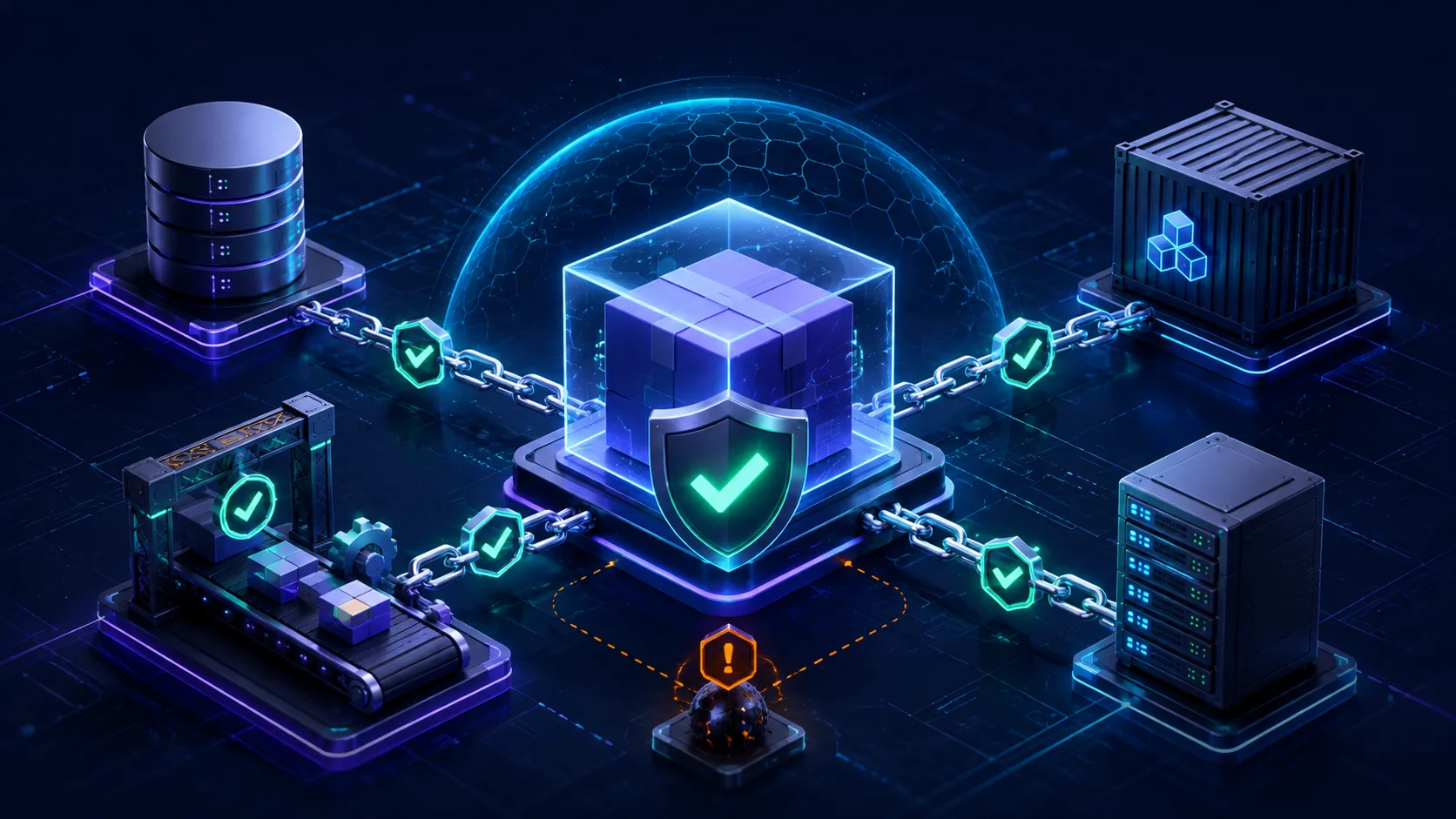
In Blog #29, we hardened the Docker and VPS environment that runs the application. Production security also depends on the code and packages installed inside that environment. A vulnerable or compromised dependency can run during installation, alter a build, reach runtime data, or influence output delivered to users. The final layer in this security series is therefore software supply-chain security.
Next.js dependency security is not a single scanner or command. It is a repeatable process for choosing packages, preserving a reviewed graph, limiting installation privileges, responding to advisories, validating updates, producing traceable artifacts, and monitoring what reaches production. Automation supplies evidence and creates reviewable changes; people still decide what risk is acceptable.
How Do You Secure Next.js Dependencies?
Secure Next.js dependency management uses a committed lockfile, reproducible CI installs, regular security updates, dependency review, minimal packages, trusted registries, restricted CI permissions, and monitoring for vulnerable or compromised packages. Automated tools help, but every update still needs testing and review.
Supply Chain Security at a Glance
Your application is the result of more than authored source. Package metadata chooses direct dependencies; the package manager resolves transitive packages; a registry serves artifacts; CI runs installation and build code; a container or hosting platform carries the result into production. Trust and permission decisions exist at every step.
A secure process does not assume upstream code is harmless. It makes inputs visible, changes deliberate, builds repeatable, credentials narrow, outputs traceable, and recovery possible. Those controls reduce likelihood and impact; they cannot promise complete security.
Why Dependencies Are a Security Boundary
Next.js, React, validation libraries, database clients, image tooling, linters, test runners, bundlers, and their dependencies all execute code somewhere. Some run only on a developer machine, some during CI, some in the server process, and some become browser JavaScript. A build-only compromise can still alter the production artifact, so “devDependency” does not mean “no security relevance.”
A typical modern graph can be much larger than its top-level list, but the exact count depends on the application. Measure the real graph instead of repeating a generic number. With npm, npm ls --all shows the resolved hierarchy and npm explain <package> helps identify why a package exists.
Direct vs Transitive Dependencies
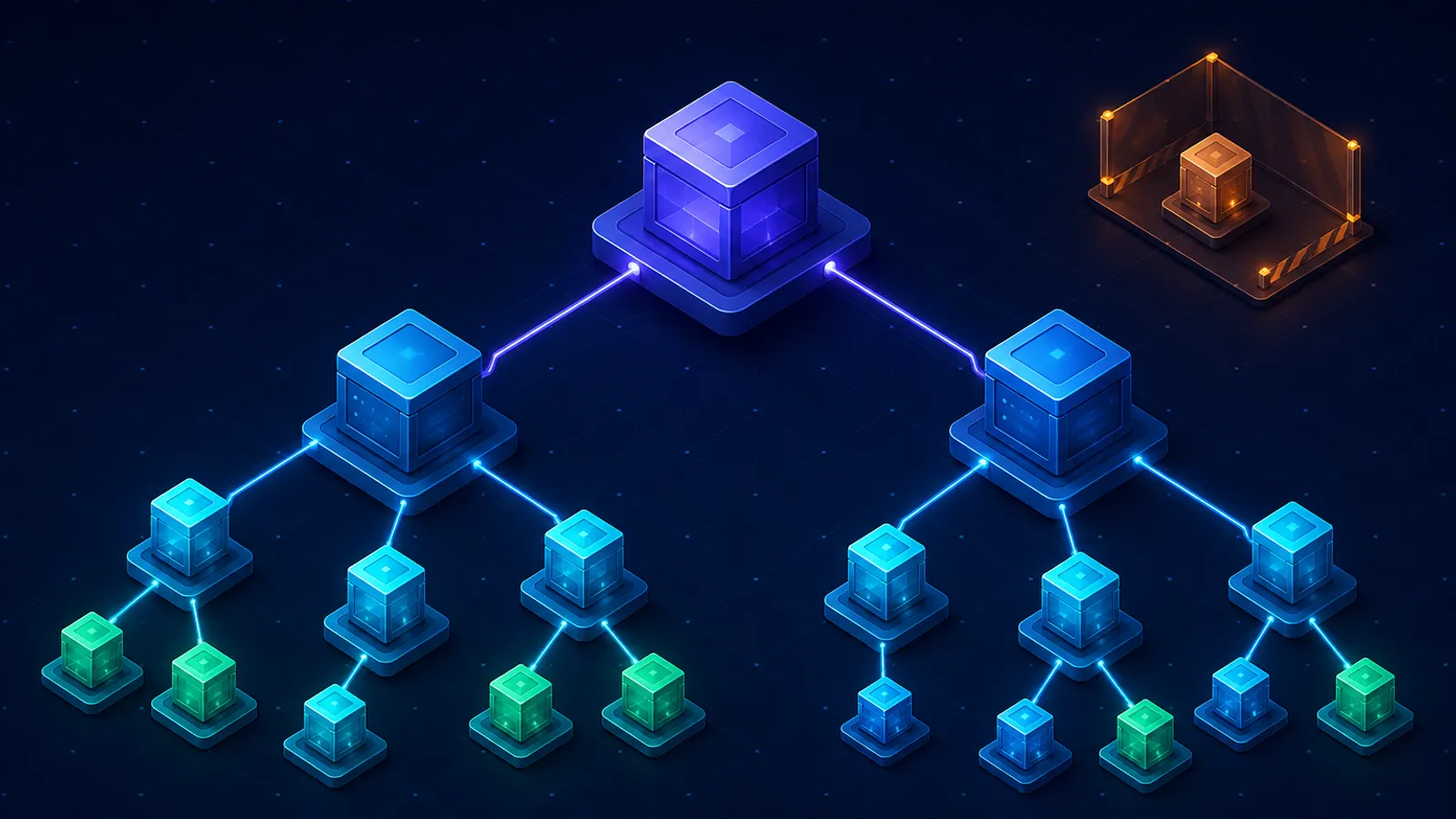
Direct dependencies are declared by the application. Transitive dependencies are required by those direct packages. You choose A and B; their maintainers choose C, D, and E. All may enter your lockfile and installation environment, and any runtime-reachable package may affect production.
Understand Your Package Manager
Use the manager selected by the real application and keep its manifest, lockfile, local workflow, CI, and Docker build consistent. npm uses package-lock.json; pnpm uses pnpm-lock.yaml; Yarn uses yarn.lock. A packageManager field can document the intended tool and version for Corepack-aware workflows. Add or change it only as an intentional repository convention.
Do not copy npm commands into a pnpm or Yarn project. pnpm commonly uses a frozen lockfile in CI, while modern Yarn uses immutable installs; exact flags and defaults depend on the installed tool version. This guide uses npm commands because no application package manager was detectable here.
Lockfiles: Reproducibility, Not Trust
package.json usually contains version ranges. A lockfile records the concrete resolved graph and metadata the manager needs to reproduce it. Application repositories should generally commit exactly the lockfile for their chosen manager, review it with dependency changes, and avoid casual deletion or regeneration.
A lockfile does not prove that its packages are safe. It helps reviewers see change and helps CI request the expected bytes and versions. The security question remains whether those versions, maintainers, scripts, and behaviors are acceptable.
npm install vs npm ci
| Command | Best use | Lockfile behavior | Security value |
|---|---|---|---|
npm install | Local dependency additions and intentional updates | May update package-lock.json as dependency declarations change | Creates the dependency diff that should be reviewed |
npm ci | Clean CI and reproducible build jobs | Requires a lockfile compatible with package.json, removes existing node_modules, and does not write the lockfile | Fails on manifest/lock drift instead of silently repairing it |
If the lockfile was created with install-shaping flags such as peer-dependency or link options, CI must use compatible configuration. Cache the package manager’s download cache rather than treating a mutable node_modules tree as the source of truth. Reproducibility includes the Node and npm versions, operating system, native build environment, registry availability, and build inputs—not only the lockfile. Connect this install gate to the release checks and rollback process from Blog #15: Deployment.
Package Integrity vs Package Trust
Lockfiles can contain artifact integrity metadata. An integrity check answers whether downloaded content matches the expected artifact metadata. That is valuable against corruption and unexpected substitution, but it does not establish that the expected code is benevolent, well maintained, or appropriate for your application.
Inventory and Reduce the Dependency Surface
Start with a defensible inventory: direct production packages, direct development packages, transitive graph, packages bundled for the browser, packages loaded on the server, build-time tools, native modules, lifecycle scripts, Git or URL sources, overrides, and licenses relevant to your organization. An SBOM can automate part of this inventory, but it does not replace architecture knowledge.
Unused dependencies expand the update burden, installation time, Docker layers, and the amount of upstream code able to affect builds. Remove a package only after checking imports, dynamic loading, CLIs, scripts, tests, code generation, optional paths, and framework conventions. Do not delete dependencies purely because a static tool failed to observe them.
Vulnerability Scanning and npm audit
For an npm application, npm audit submits dependency information to the configured registry’s audit endpoint and reports known advisories, affected direct or transitive packages, severity metadata, and possible remediation. Use it as one signal in development and CI. Record the command, npm version, time, registry context, and failure policy when audit output influences a release.
# Inspect without changing package.json or package-lock.json
npm audit

# Machine-readable evidence for controlled tooling
npm audit --json
Do not blindly run npm audit fix --force. npm documents that audit fix performs a full install, and --force may allow changes outside declared ranges, including SemVer-major updates. Treat proposed remediation like any other dependency change: inspect the diff, confirm affected paths, select a supported version, test, build, and deploy with rollback.
Why npm audit is not enough
Audit data covers known advisories available to the registry. A newly compromised package may have no advisory. Severity is not the same as application-specific risk. The vulnerable code may or may not be reachable, but uncertainty is not a reason to ignore the alert. Conversely, an automated replacement may break behavior or introduce a different risk. Combine advisory scanning with dependency review, provenance and integrity checks where available, runtime exposure analysis, monitoring, and disciplined updates.
Turn each alert into an evidence-based response
Begin by preserving the original alert and dependency state. Confirm the package name, advisory source, affected range, fixed releases, dependency path, and whether the finding is direct or transitive. Then map the package to the application: browser bundle, server runtime, build pipeline, test tooling, CLI, optional feature, or unused candidate. Search for imports and executed paths, but remember that dynamic loading, framework plugins, generated code, and install scripts may not appear in a simple text search.
Choose the smallest safe remediation. A compatible direct upgrade is usually easiest to reason about. For a transitive issue, updating the parent package may be safer than forcing an override. If no supported fix exists, reduce exposure, disable the affected feature, isolate permissions, or replace the package while tracking the temporary decision. Document why the chosen control addresses the threat and what evidence would cause reassessment.
Validation should match the package’s role. A type package needs compilation checks; a bundler or compiler needs clean production builds and output review; an authentication or database dependency needs focused integration tests; a browser library needs client behavior and bundle checks; and a native module needs the actual deployment platform. Compare artifact size and runtime dependencies when a supposedly small fix expands the graph. After release, add a deployment marker and watch relevant errors, latency, outbound traffic, authentication events, and process behavior. Close the alert only when the fixed or mitigated artifact is demonstrably deployed—not merely when a pull request is merged.
Dependabot, Dependency Review, and Automated Updates
On GitHub, the dependency graph supports Dependabot alerts for vulnerable dependencies. Dependabot security updates can open targeted remediation pull requests, while version updates can open scheduled maintenance PRs. Availability and behavior depend on repository settings, ecosystem support, and configuration; their absence from this snapshot means no status can be claimed here.
# .github/dependabot.yml — educational npm example
version: 2
updates:
  - package-ecosystem: "npm"
    directory: "/"
    schedule:
      interval: "weekly"
    open-pull-requests-limit: 5
Adapt this to the real repository layout, default branch, package manager, workspaces, private registries, and update policy. A valid file does not itself enable every GitHub security feature or guarantee that a PR is safe.
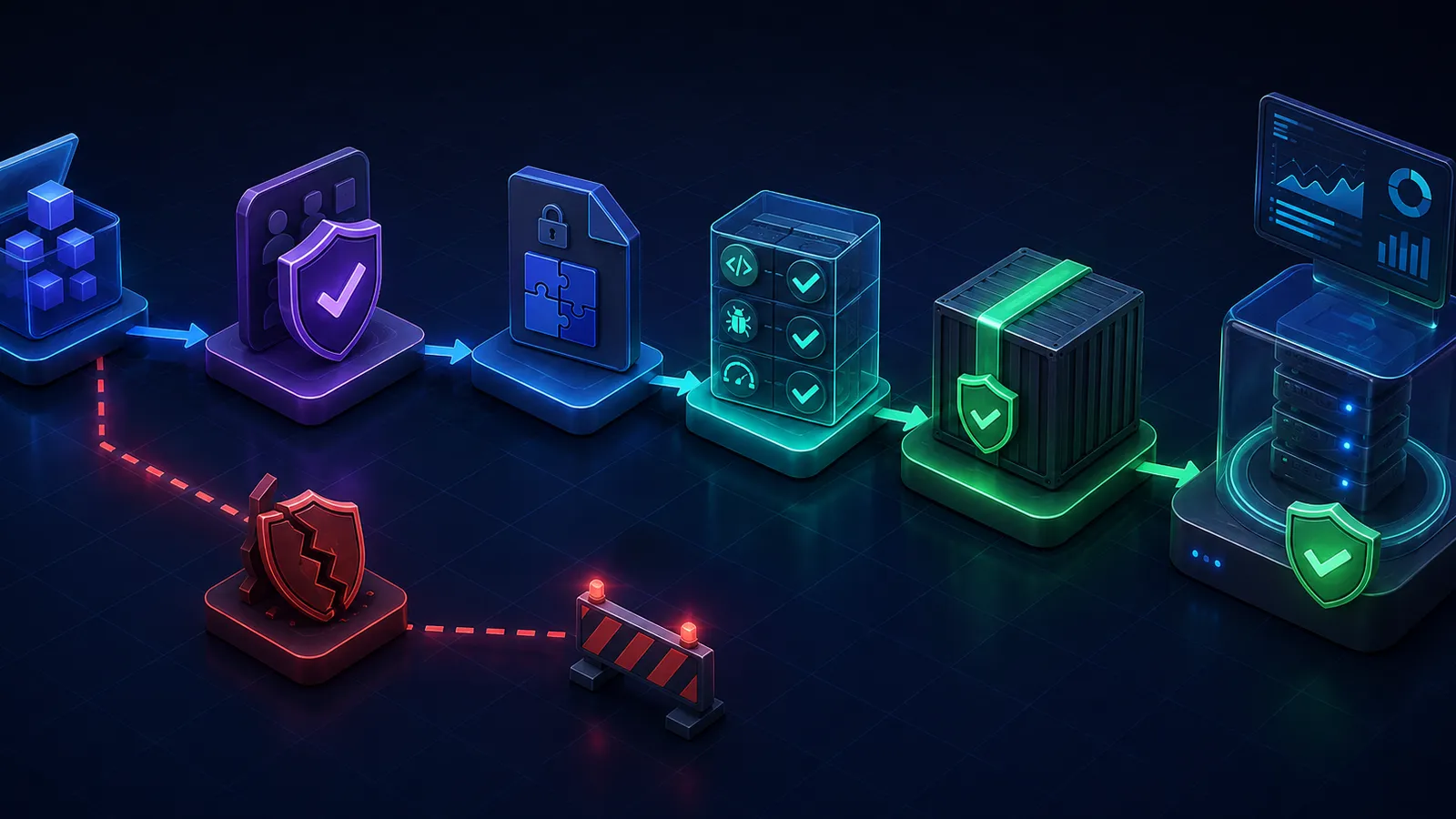
Review every dependency pull request
- Confirm the package name, source, ownership, new version, and reason for the change.
- Read the security advisory, changelog, release notes, migration notes, and reported breaking changes.
- Inspect
package.jsonand the full lockfile diff; identify unexpected new packages, registry changes, resolved URLs, integrity changes, scripts, native code, or license changes. - Use
npm explainwhen a transitive package changes unexpectedly. - Run the same supported Node/npm versions and clean install used in CI.
- Require lint, type checks, unit/integration/end-to-end tests as applicable, and
next build. - Test the affected feature and production packaging; observe canary or staged deployment behavior.
Patch, Minor, Major, and Security Updates
Semantic Versioning describes intended compatibility: patch for compatible fixes, minor for compatible features, and major for incompatible changes. Real ecosystems are imperfect. A patch can regress behavior, a minor can change types or tooling assumptions, and 0.x packages may use different stability expectations. Caret and tilde ranges affect what an install may resolve, while the committed lockfile holds the current concrete version until an intentional update.
Prioritize security changes using evidence: severity, exploit maturity, Internet exposure, package role, affected version, reachability, sensitive data and permissions available to the code, fixed-version availability, mitigations, and operational impact. Define response targets, but allow incident leads to escalate urgent cases. The goal is neither “upgrade everything immediately” nor “wait for the next maintenance window”; it is a tested response proportional to risk.
Choose Packages Deliberately
Before adding a package, ask whether the feature is needed and whether existing platform or already-approved code can supply it. Then inspect the official package and source repository, current maintainers and ownership changes, release and maintenance history, issue response, documentation, dependency footprint, scripts, native code, security policy, and provenance information where available. Download counts alone are easy to misunderstand and do not establish trust.
Typosquatting relies on names that resemble legitimate packages. Copy package names from official documentation, verify spelling and scope, inspect publisher and repository metadata, and question surprising install instructions. An old release date alone does not prove abandonment; combine age with unresolved security issues, unsupported runtimes, inactive maintainers, broken builds, and the project’s actual needs.
Install Scripts Are Code Execution
npm lifecycle events such as preinstall, install, postinstall, and prepare can execute commands during installation. Legitimate packages use them for native compilation, generated assets, or setup. A compromised dependency can use the same capability in a developer shell or CI runner.
Review direct package scripts and investigate important transitive packages. Keep CI installation jobs away from production credentials, cloud-admin keys, broad repository write tokens, and unrestricted deployment access. npm’s --ignore-scripts can be useful in a deliberately tested workflow, but it is not a universal fix: packages may legitimately require scripts, and later commands can still execute application scripts. Test compatibility and understand exactly which execution is being suppressed.
Registries, Tokens, Git and URL Dependencies
Blog #16 explains the server and environment-secret boundary. Use the intended registry and verify unexpected registry or resolved-URL changes in lockfile diffs. For private packages, prefer narrowly scoped, read-only install credentials and short-lived authentication where the registry supports it. Store credentials in protected CI secret storage, interpolate them at runtime, restrict log output, and remove temporary authentication files from layers and artifacts.
# Safe shape only — the value comes from protected CI storage
//registry.example.invalid/:_authToken=${NPM_TOKEN}
The hostname is intentionally non-routable and no credential value is shown. Never commit a real token, registry password, or secret-bearing .npmrc. If a token might have appeared in Git, logs, caches, or an image layer, revoke and rotate it; merely deleting the current line is insufficient.
Git dependencies, moving branches, tarball URLs, and remote archives bypass parts of the ordinary registry workflow and deserve extra scrutiny. Where such a source is justified, prefer an immutable reviewed commit or content identity and verify how it is fetched and built. Do not rewrite an existing dependency source automatically—review compatibility, ownership, and release strategy first.
GitHub Actions Are Supply-Chain Dependencies
Every uses: entry runs code on the workflow runner. Official and third-party actions, shell commands, reusable workflows, generated artifacts, and build scripts may access repository contents and whatever permissions or secrets the job receives. Review the action source and publisher, minimize the number of actions, and remove unused workflow capabilities.
For sensitive workflows, GitHub’s secure-use guidance recommends pinning an action to a full-length commit SHA because it is the only immutable release reference. Review that commit and use Dependabot or another deliberate process to update pins. Trusted version tags are convenient but mutable; make the tradeoff explicit rather than assuming all tags or all third-party actions are equally risky.
name: Verify
on: pull_request

permissions:
  contents: read

jobs:
  test:
    runs-on: ubuntu-latest
    steps:
      # Replace placeholders with reviewed full commit SHAs.
      - uses: actions/checkout@FULL_COMMIT_SHA
      - uses: actions/setup-node@FULL_COMMIT_SHA
        with:
          node-version: '24.x'
          cache: npm
      - run: npm ci
      - run: npm run lint
      - run: npm run typecheck --if-present
      - run: npm test --if-present
      - run: npm run build
Set workflow and job permissions to the minimum required. contents: read is a useful baseline only for jobs that need nothing else. Separate untrusted pull-request validation from publishing or deployment. GitHub applies special restrictions to Dependabot-triggered workflows: normal Actions secrets are not available and the token is read-only in documented cases. Avoid pull_request_target patterns that execute untrusted checkout code with privileged context.
Docker Build Dependency Security
Blog #20 builds the Docker and CI/CD deployment path. Docker should receive the same manifest and committed lockfile reviewed in the pull request. Copy dependency files first, use npm ci in a controlled build stage, copy application source afterward, run validation, and keep the runtime stage limited to the artifact and production requirements. Do not copy a developer’s node_modules or a credential-bearing npm configuration into the image.
# Illustrative pattern; adapt to the real Next.js application.
FROM node:24-alpine AS deps
WORKDIR /app
COPY package.json package-lock.json ./
RUN npm ci

FROM node:24-alpine AS builder
WORKDIR /app
COPY --from=deps /app/node_modules ./node_modules
COPY . .
RUN npm run build

# A real runtime stage should copy only required standalone output/assets,
# use a non-root user, and contain no registry credential.
A base tag is an update strategy, not eternal trust. A fixed digest improves reproducibility but must still be refreshed for security fixes; a moving tag receives change but weakens repeatability. Record the selected Node image and digest, rebuild on relevant updates, scan the resulting image if your platform supports it, and validate that the scanner actually understands its packages. Do not claim “zero vulnerabilities” means safe.
Production dependency footprint matters. Next.js standalone output can reduce what enters the runtime image, but test dynamic dependencies, image optimization, static assets, instrumentation, and runtime configuration. Dev dependencies do not belong in a minimal runtime merely because they were needed to build, yet build-time compromise can still alter the output. Multi-stage separation limits size and exposure; it does not erase build trust.
Overrides and Resolutions
npm overrides, Yarn resolutions, and pnpm overrides can force a transitive selection when upstream ranges or release timing block remediation. They are useful tools, not invisible permanent fixes. Document why the override exists, the advisory or compatibility evidence, the responsible owner, validation performed, and the removal condition. A forced version can violate assumptions made by the parent package.
Prefer an upstream-supported release when available. If no fix exists, options include disabling the feature, reducing exposure, adding a compensating control, replacing or forking the package under review, or accepting risk for a documented period. Record the decision and revisit it.
SBOM and Software Provenance
A software bill of materials records components and relationships in a machine-readable format such as SPDX or CycloneDX. Generate it from the final artifact or resolved build when possible, store it with release evidence, protect any sensitive internal package metadata, and use it during advisory or incident triage. An SBOM is an inventory snapshot, not proof of safety and not automatically complete for dynamically downloaded components.
Provenance connects an artifact to source and build information. npm displays provenance for eligible packages and supports verification signals through current tooling. Provenance can make origin tampering harder and improve traceability; it does not review package intent, maintainer security, transitive code, or your usage. Verify attestations according to the registry and package-manager documentation you actually use.
Monitor Dependency Risk After Deployment
Dependency security continues after merge. Subscribe to framework and critical-package advisories, keep the dependency graph and repository alerting operational, monitor unexpected release changes, retain artifact and SBOM identity, and connect production observations to package versions. Blog #24 explains the monitoring foundation; add release markers, error changes, unusual outbound behavior, authentication anomalies, process failures, and build provenance to the investigation context.
Next.js 16 requires Node.js 20.9 or newer according to the official version 16 upgrade guide. That minimum is not a lifetime support policy: Node 20 reached end of life on April 30, 2026, while Node 24 is an LTS line at publication. Choose a supported Node release for the actual deployment and monitor both Node and Next.js security communications. Apply supported Next.js security updates promptly after targeted compatibility testing; do not remain on a vulnerable release merely because the major version is still “16.”
Respond to a Compromised Package
Treat a credible compromise as an incident, not merely a version bump. Stop affected releases, identify the package, versions, time window, install locations, build runs, artifacts and environments. Preserve relevant logs and artifacts without executing suspect code. Determine what install-time and runtime code could reach, including repository tokens, registry credentials, cloud identities, signing keys, environment secrets and customer data.
Revoke and rotate credentials the package could have accessed; do not rotate unrelated secrets indiscriminately or forget derived credentials. Remove or update the dependency through a reviewed change, invalidate untrusted artifacts and caches, rebuild from clean inputs, validate signatures or provenance where available, redeploy, and watch for persistence or data misuse. Document root cause and strengthen package approval, CI separation, token scope, alerting, and artifact retention afterward.
Build a Sustainable Dependency-Security Cadence
A dependable program separates routine maintenance from emergency response. On every dependency pull request, review the manifest and lockfile diff, run a clean install, execute required quality gates, build the production artifact, and record the result. On a recurring schedule, inspect stale direct packages, unresolved alerts, overrides, lifecycle scripts, action pins, registry access, Node and Next.js support, container base images, and unused-package candidates. At release time, associate the commit, lockfile, build environment, artifact identity, scan evidence, and SBOM when one is produced.
Assign ownership. Application teams understand feature reachability; platform teams understand CI identities and registries; security teams can interpret threat intelligence and coordinate incidents. A finding needs one named owner, a due date or accepted-risk record, and evidence of closure. Dashboards without accountable decisions become backlogs rather than controls.
Keep updates small enough to review. Grouping closely related packages can be sensible, but a pull request that rewrites the whole graph makes regressions and malicious changes harder to isolate. Security emergencies may require a focused override or temporary mitigation; routine maintenance should later remove that exception through an upstream-supported release. Measure useful outcomes such as time to triage relevant alerts, age of unresolved high-risk findings, clean-install reliability, update failure rate, and restore or rollback readiness. Avoid inventing a single “supply-chain score” that hides context.
Finally, practice the incident path before it is needed. Select a harmless hypothetical package, trace where it runs, identify which credentials it could reach, find all built artifacts containing it, and rehearse revocation, clean rebuild, validation, and communication. The exercise often reveals missing artifact inventories or overpowered installation jobs more effectively than another scanner.
Common Supply-Chain Mistakes
- Ignoring or deleting the lockfile to make CI pass.
- Committing competing lockfiles accidentally.
- Using
npm installfor an otherwise locked CI build. - Running
npm audit fix --forcewithout reviewing the change. - Treating zero known advisories as proof of security.
- Approving packages from download count alone.
- Guessing package names at install time.
- Ignoring transitive dependencies and lifecycle scripts.
- Exposing production secrets during dependency installation.
- Committing registry tokens or secret-bearing npm configuration.
- Using moving Git branches for dependencies without review.
- Giving every workflow write permissions.
- Running untrusted PR code with deployment credentials.
- Trusting mutable action references in sensitive workflows without policy.
- Auto-merging every bot PR.
- Shipping all build dependencies in the runtime image.
- Generating an SBOM but never attaching it to release operations.
- Pinning forever without an update process.
- Updating everything at once and losing a reviewable diff.
Production Dependency Security Checklist
Package manager
- One documented manager and compatible version
- One committed application lockfile
- Clean locked CI install
- No unexplained registry or resolved-URL drift
Dependencies
- Direct and transitive graph inventoried
- Runtime, browser and build exposure classified
- New packages and scripts reviewed
- Unused packages verified before removal
- Overrides documented with expiry
GitHub and CI
- Alerts and update configuration reviewed
- Dependency PRs pass required checks
- Actions reviewed and sensitive jobs SHA-pinned
- Workflow permissions least-privileged
- Untrusted PR jobs separated from secrets
Secrets and registries
- No token values in Git, logs, layers or artifacts
- Read-only/scoped install identity where possible
- Private registry configuration injected safely
- Credential rotation path documented
Release and response
- Node and Next.js supported and monitored
- Final image/artifact scanned where configured
- Runtime dependency footprint minimized carefully
- SBOM/provenance evidence retained where used
- Compromised-package playbook tested
- Rollback and clean rebuild path available
What Was Detectable in This Repository?
| Area | Detected state | Conclusion |
|---|---|---|
| Package manager / lockfile | No root manifest or npm, pnpm, or Yarn lockfile detected | No application manager, dependency counts, or reproducible Node install can be reported |
| Workspaces / monorepo | No root workspace configuration detected | Not detected |
| Lifecycle / Git / URL dependencies | No root package.json detected | Not assessable; none claimed |
| Overrides / resolutions | No root package manifest detected | Not detected |
| Dependabot / Renovate | No configuration detected | Update automation status unknown |
| GitHub Actions | No workflow directory detected | Permissions, third-party actions, pinning, and PR behavior not assessable |
| Docker dependency install | No root Dockerfile or Compose configuration detected | Base image, install stage, runtime footprint, and image scanning not assessable |
| Audit findings | No root dependency graph; audit not run | No vulnerability, deprecated-package, or unused-package result is claimed |
Frequently Asked Questions
How do I secure dependencies in Next.js 16?
Commit one lockfile, use reproducible CI installs, minimize dependencies, review new packages and update PRs, restrict workflow permissions and registry credentials, monitor advisories, test fixes, and keep Next.js on a supported security release.
Should I commit package-lock.json?
Yes for an npm application. Commit the lockfile with package.json so local, CI, and production builds resolve the reviewed dependency graph. Do not casually delete or regenerate it.
Should I commit pnpm-lock.yaml?
Yes for a pnpm application. Commit pnpm-lock.yaml and use pnpm’s frozen-lockfile behavior in CI. Do not add package-lock.json beside it unless the repository intentionally supports npm too.
What is the difference between npm install and npm ci?
npm install is the normal command when adding or changing dependencies and may update the lockfile. npm ci requires an existing compatible lockfile, removes the current node_modules directory, installs the locked tree, and does not write the lockfile.
Is npm audit enough for security?
No. It reports known advisories available through the configured registry. It cannot prove that packages are trustworthy, detect every malicious package, or decide whether a finding is reachable and exploitable in your application.
Should I run npm audit fix --force?
Not blindly. Force may install versions outside declared ranges, including breaking changes. Review the advisory and proposed dependency diff, choose an appropriate upgrade or mitigation, then run tests and a production build.
What are transitive dependencies?
They are packages required by your direct dependencies rather than packages you selected in package.json. They still enter the installed graph and can affect build or runtime security.
What is Dependabot?
Dependabot is a GitHub feature that can surface vulnerable dependencies and open pull requests for security or scheduled version updates when the repository and ecosystem are supported and configured.
Should I automatically merge Dependabot PRs?
Only under a narrowly defined policy with required CI, protected branches, limited version scope, and human-approved exceptions. Major, security-sensitive, install-script, build-tool, and production-runtime changes deserve explicit review.
How do I review a dependency update?
Read the advisory and release notes, inspect package and lockfile changes, identify direct and transitive effects, review scripts and ownership changes, run lint, types, tests and build, then deploy with monitoring and rollback.
What are npm lifecycle scripts?
Package scripts such as preinstall, install, postinstall and prepare may run during installation. They support legitimate native builds and setup, but also execute code inside the developer or CI environment.
Can postinstall scripts be dangerous?
Yes. A compromised package can abuse install-time execution and whatever network access, files or credentials the process can reach. Review scripts and keep installation environments least-privileged.
How should npm tokens be stored?
Use the CI platform’s protected secret storage or a supported short-lived identity flow. Prefer scoped, read-only installation access, interpolate secrets at runtime, redact logs, and never commit token values to .npmrc.
Are GitHub Actions part of the software supply chain?
Yes. An action runs code on the CI runner and may interact with source, tokens, artifacts and deployment systems. Treat every referenced action and build script as executable dependency code.
Should GitHub Actions be pinned to commit SHAs?
For sensitive workflows, GitHub recommends a full-length commit SHA as the only immutable release reference. Use update tooling and source review so immutable pins still receive intentional maintenance.
What is an SBOM?
A software bill of materials is a machine-readable inventory of components and relationships in an artifact. It improves visibility and incident triage, but it is not a vulnerability scan or a guarantee of safety.
What is package provenance?
Provenance is verifiable information connecting a published package to its source and build process. It can strengthen confidence in origin, but consumers must still assess maintainers, code, dependencies and release behavior.
Should I remove unused dependencies?
Review and remove genuinely unused packages because they add installation, maintenance and attack surface. Confirm runtime, build, test, script and optional loading paths first; static guesses alone are not enough.
How quickly should I install security updates?
Use risk-based targets. Internet exposure, exploitability, affected code paths, package role, fixed-version availability and operational impact should determine urgency. Emergency fixes still need focused validation and a rollback plan.
What should I do if a package is compromised?
Contain affected builds and deployments, preserve evidence, identify versions and artifacts, rotate credentials that install-time or runtime code could access, move to a trusted fix or replacement, rebuild from clean inputs, deploy, and monitor.
Current Official References
- Next.js version 16 upgrade guide and Node requirement
- Next.js installation documentation
- npm ci documentation
- npm package-lock.json documentation
- npm audit documentation
- npm lifecycle scripts
- npm package provenance
- GitHub Dependabot documentation
- GitHub Actions secure-use guidance
- Dependabot behavior in GitHub Actions
- Docker multi-stage builds
- Docker build secrets
Series Complete
You have completed Next.js Blogs #1–#30: Foundation, Advanced, Production Architecture, and Security & Reliability. Return to the Next.js learning hub to review the complete path. Possible future topic groups include Next.js Testing, Next.js AI Applications, Next.js SaaS Architecture, Next.js Advanced Performance, and Next.js System Design; these are suggestions, not unpublished article links.
