


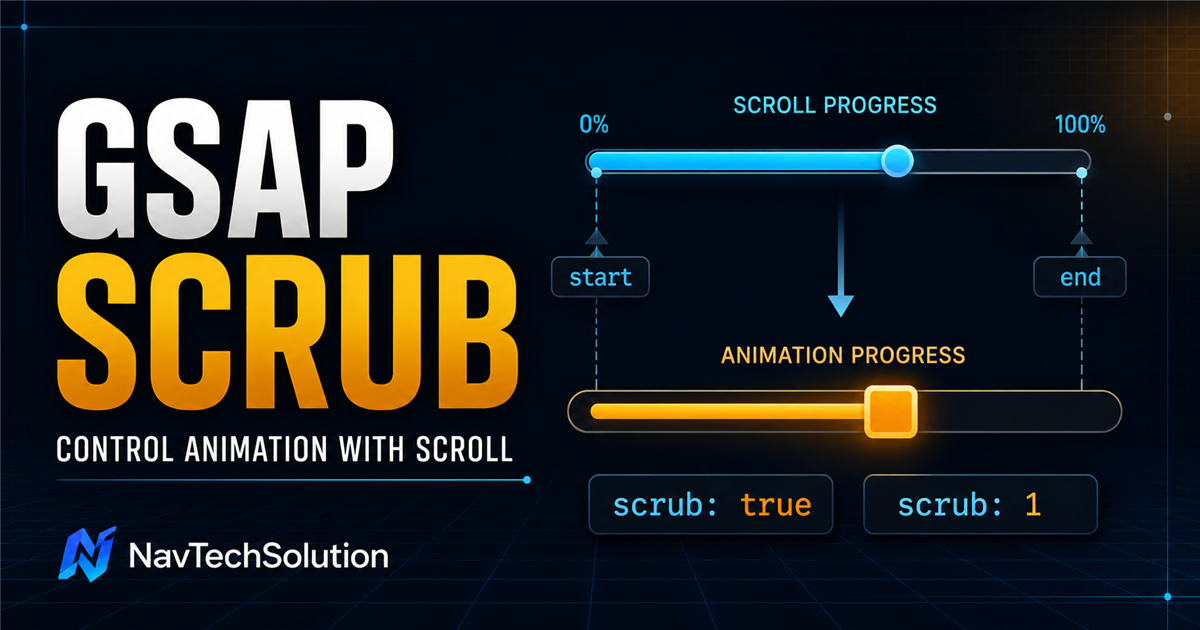
In Blog #15, start and end defined an active scroll range. Without scrub, reaching the start activates a tween that continues according to time. Add scrub, and the scrollbar becomes the playhead.
gsap.to(".box", {
  x: 300,
  ease: "none",
  scrollTrigger: {
    trigger: ".section",
    start: "top center",
    end: "bottom center",
    scrub: true
  }
});What you will learn
Understand what scrub changes
Compare scrub true and numeric scrub
Design meaningful start/end ranges
Scrub tweens, timelines and stagger
Read live ScrollTrigger progress
Build responsive, accessible scroll effects
1. What is ScrollTrigger scrub?
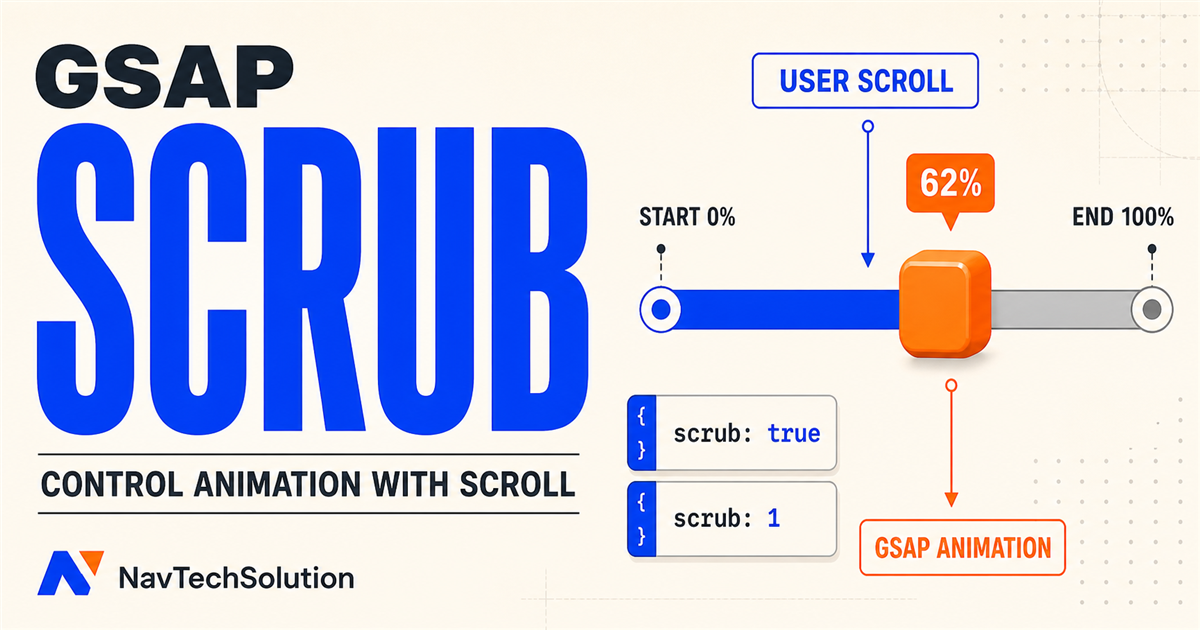
Scrub links animation progress to ScrollTrigger progress. Around 25% through the range, the animation is around 25% through its progress; the same mental model applies at 50%, 75% and 100%.
2. Normal ScrollTrigger versus scrub
Scroll through this section to compare a time-based entrance with a scroll-linked movement.
3. Basic scrub: true
trigger chooses the controlling section, start opens the range, end closes it, and scrub links the animation playhead to that range.
scrollTrigger: {
  trigger: ".basic-scrub-demo",
  start: "top 80%",
  end: "bottom 20%",
  scrub: true
}
4. First scrub demo
Scroll down and then back up. Rotation and translation follow the same trigger progress.
5. Scroll down and scroll up
6. Start and end become the ruler
With scrub, the distance between start and end is the scroll-space ruler across which the animation is distributed.
7. Short versus long range
8. Interactive scrub range lab
- Mode
- Medium
- Start
- top 80%
- End
- bottom 30%
9. Numeric scrub
A number such as scrub: 1 keeps scroll progress in control but lets the animation playhead catch up smoothly. It does not mean the scrubbed animation simply has a one-second duration.
10. scrub: true versus scrub: 1
| Setting | Response | Useful for |
|---|---|---|
scrub: true | Direct scroll-progress mapping | Tracks and progress indicators |
scrub: 1 | Smoothed catch-up response | Softer visual storytelling |
11. Scrub smoothing playground
SCRUB: 1. Scroll through this lab to feel the catch-up.
12. Scrub and duration
For a single scrubbed tween, scroll progress drives the overall motion. Inside a timeline, duration values remain meaningful because they determine how much of the timeline each tween occupies.
13. Scrub and easing
ease: "none" produces a linear property mapping. An ease such as power2.out redistributes the property change across progress; scrub is still in control.
EASE: none
14. Scrub with gsap.to()
gsap.to(card, {
  x: getDistance,
  rotation: 10,
  scale: 1.05,
  ease: "none",
  scrollTrigger: {
    trigger: demo,
    start: "top 80%",
    end: "bottom 20%",
    scrub: true,
    invalidateOnRefresh: true
  }
});
The current visual state becomes progress zero; the declared target state becomes progress one.
15. Scrub with gsap.fromTo()
gsap.fromTo(card,
  { xPercent: -20, opacity: 0.35, scale: 0.9 },
  { xPercent: 0, opacity: 1, scale: 1, ease: "none",
    scrollTrigger: { trigger: demo, start: "top 80%",
      end: "bottom 30%", scrub: true }
  }
);
fromTo() is useful when both endpoints need to be explicit.
16. Scrub a timeline
const tl = gsap.timeline({
  scrollTrigger: { trigger: section, start: "top 80%",
    end: "bottom 20%", scrub: true }
});

tl.from(label, { opacity: 0, y: 20 })
  .from(title, { opacity: 0, y: 50 }, "-=0.2")
  .from(cards, { opacity: 0, y: 30, stagger: 0.1 }, "-=0.2");
17. Timeline duration ratios
18. Scrub plus stagger
ScrollTrigger controls overall progress. Stagger distributes timing between targets inside that progress.
19. Live ScrollTrigger progress
This percentage belongs only to this demo’s start/end range.
20. Moving object along a safe track
const getDistance = () =>
  Math.max(0, track.clientWidth - box.offsetWidth);

gsap.to(box, {
  x: getDistance,
  ease: "none",
  scrollTrigger: { trigger: demo, scrub: true,
    invalidateOnRefresh: true }
});
21. Responsive travel distance
A fixed x: 1000 can escape its container on a phone. Measuring the track creates a safe endpoint and invalidateOnRefresh: true lets ScrollTrigger recalculate it after responsive layout changes.
22. Scale and rotation with scroll
Decorative motion can rotate; reading content should stay calm and legible.
23. Image reveal with scrub
The image scales from 1.08 to 1 while a subtle vertical shift settles into place.
24. A simple parallax-like effect
SCROLL-DRIVEN
EXPERIENCES
Two decorative layers move by different small amounts. Native page scrolling remains untouched.
25. Multiple properties
A single scrubbed tween can map x, y, rotation, scale and borderRadius together. Keep the effect purposeful and transform-heavy.
26. Scrub does not mean pin
Moving an element horizontally also does not create a horizontal-scrolling site. This tutorial clips tracks and never intercepts wheel or touch scrolling.
27. Practical hero-like scrub
Scroll-Driven Experiences
Build smooth interactions that respond to user progress.
28. Practical services scrub
29. Practical process sequence
A transform-based progress line fills while each step enters its portion of the timeline. Scrolling upward reverses the story.
30. Numeric scrub mental model
Direct scrub suits precise indicators and tracks. Numeric scrub can soften image motion, text decoration and storytelling; too much smoothing may feel disconnected.
31. GSAP ScrollTrigger Scrub Lab
Control Animation with Scroll
Connect user scroll progress directly to GSAP animation progress.
- Scrub
- 1
- Ease
- none
- Range
- Medium
- Progress
- 0%
- Direction
- Ready
- Start / End
- top 80% / bottom 20%
Lab ready. Scroll through this section.
32. Safe rebuild architecture
function destroyLab() {
  if (!labAnimation) return;
  if (labAnimation.scrollTrigger) labAnimation.scrollTrigger.kill();
  labAnimation.kill();
  labAnimation = null;
}
The controls kill only the lab-owned timeline and its trigger, reset only lab properties, and rebuild. They never call ScrollTrigger.getAll().
33. Common scrub mistakes
34. Performance
Prefer transforms and opacity, use transform-based progress bars, keep DOM updates lightweight, and avoid repeated layout reads inside onUpdate. Test the full page because several individually smooth effects can still compete when they overlap.
35. Accessibility and mobile
Essential content is visible in the HTML before JavaScript runs. The script respects prefers-reduced-motion, keeps native scrolling, shortens nothing into an unreadable state, and uses real buttons with aria-pressed. Tracks clip locally at 320px rather than creating page-level overflow.
36. Mini challenge
Scroll to Control Progress
Connect this animation directly to the user’s scroll position.
Show suggested solution
gsap.to(box, {
  x: () => Math.max(0, track.clientWidth - box.offsetWidth),
  ease: "none",
  scrollTrigger: {
    trigger: challenge,
    start: "top 80%",
    end: "bottom 20%",
    scrub: true,
    invalidateOnRefresh: true,
    onUpdate: self => gsap.set(progressBar, { scaleX: self.progress })
  }
});
37. Quick reference
| Feature | Example | Purpose |
|---|---|---|
| Basic scrub | scrub: true | Direct progress mapping |
| Smooth scrub | scrub: 1 | Catch-up smoothing |
| Trigger | trigger: section | Choose controlling element |
| Start | start: "top 80%" | Begin scroll range |
| End | end: "bottom 20%" | Finish scroll range |
| Linear ease | ease: "none" | Linear property mapping |
| Timeline | gsap.timeline({ scrollTrigger }) | Scrub a sequence |
| Progress | self.progress | Read zero-to-one progress |
| Update | onUpdate | Respond to progress changes |
| Refresh | ScrollTrigger.refresh() | Recalculate only when needed |
38. Scrub cheat sheet
scrub: truescrub: 139. Final mental model
40. Preview Blog #17
Scrub connects animation to scrolling. The next lesson will introduce pin, which can keep a section fixed while its scroll-driven sequence progresses. Blog #17 is not linked until it exists.
ScrollTrigger.create({
  trigger: ".pin-section",
  start: "top top",
  end: "+=1000",
  pin: true
});
Continue the GSAP series
Review GSAP stagger, GSAP easing, timelines, timeline position parameters, timeline + stagger, the ScrollTrigger tutorial, and ScrollTrigger start and end.
Frequently asked questions
What does scrub do in GSAP ScrollTrigger?
Scrub maps animation progress to ScrollTrigger progress between the configured start and end positions.
What is the difference between scrub true and scrub 1?
scrub true follows scroll progress directly, while scrub 1 adds a one-second catch-up smoothing response to the animation playhead.
Does scrub control animation duration?
Scroll progress controls the overall progress. Durations still define relative timing inside a scrubbed timeline.
Why do I need an end value with scrub?
Start and end define the scroll range that maps from zero to one hundred percent animation progress.
What happens when I scroll backward with scrub?
The ScrollTrigger progress decreases and the animation moves back toward its earlier state.
Can I use scrub with a GSAP timeline?
Yes. Put ScrollTrigger on the timeline and the complete sequence maps across its scroll range.
Can I combine scrub and stagger?
Yes. Scrub controls overall progress while stagger distributes timing between targets.
Should I use ease none with scrub?
It is useful for linear mapping, but other eases are valid when their property distribution supports the design.
Can ScrollTrigger scrub animate horizontally?
Yes. Animate x within a clipped track and calculate a safe travel distance to prevent page overflow.
Does scrub automatically pin a section?
No. Scrub links progress to scrolling; pin is a separate feature.
How do I make scrub animations responsive?
Measure available space, use function-based values, invalidate on refresh and test real viewport sizes.
Is GSAP scrub good for mobile?
It can be when motion is restrained, travel distances are responsive and touch scrolling remains native.
How do I show ScrollTrigger progress?
Read self.progress in that trigger’s onUpdate callback and convert the zero-to-one value to a percentage.
How do I make scrub animations accessible?
Keep content visible, respect reduced-motion preferences and never make motion necessary to understand the page.
Can I use ScrollTrigger scrub on a PHP website?
Yes. PHP renders the page and GSAP runs in the visitor’s browser like it would on any HTML page.
