


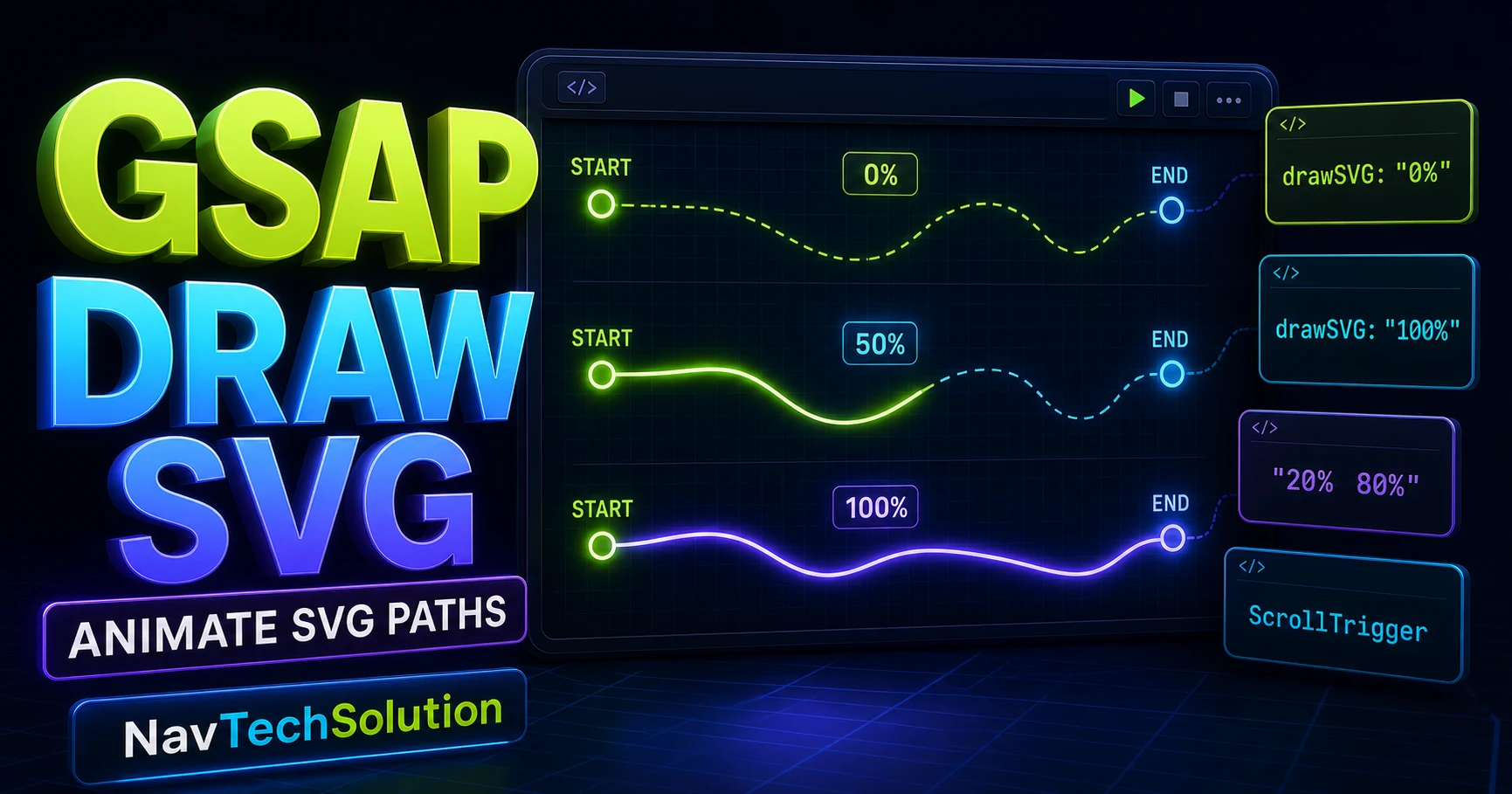
In Blog #26, we built the drawing illusion manually with strokeDasharray, strokeDashoffset and a measured path length. DrawSVGPlugin keeps that mental model, then gives it a compact range-based GSAP API.
gsap.from(".draw-path", {
  drawSVG: "0%",
  duration: 2,
  ease: "power1.inOut"
});1. What Is DrawSVGPlugin?
DrawSVGPlugin progressively reveals or hides the stroke of inline SVG path, line, polyline, polygon, rect and ellipse elements. It manages the dash calculations while GSAP provides duration, easing, timelines and controls.
drawSVG: "0%"↓GSAP handles the stroke calculations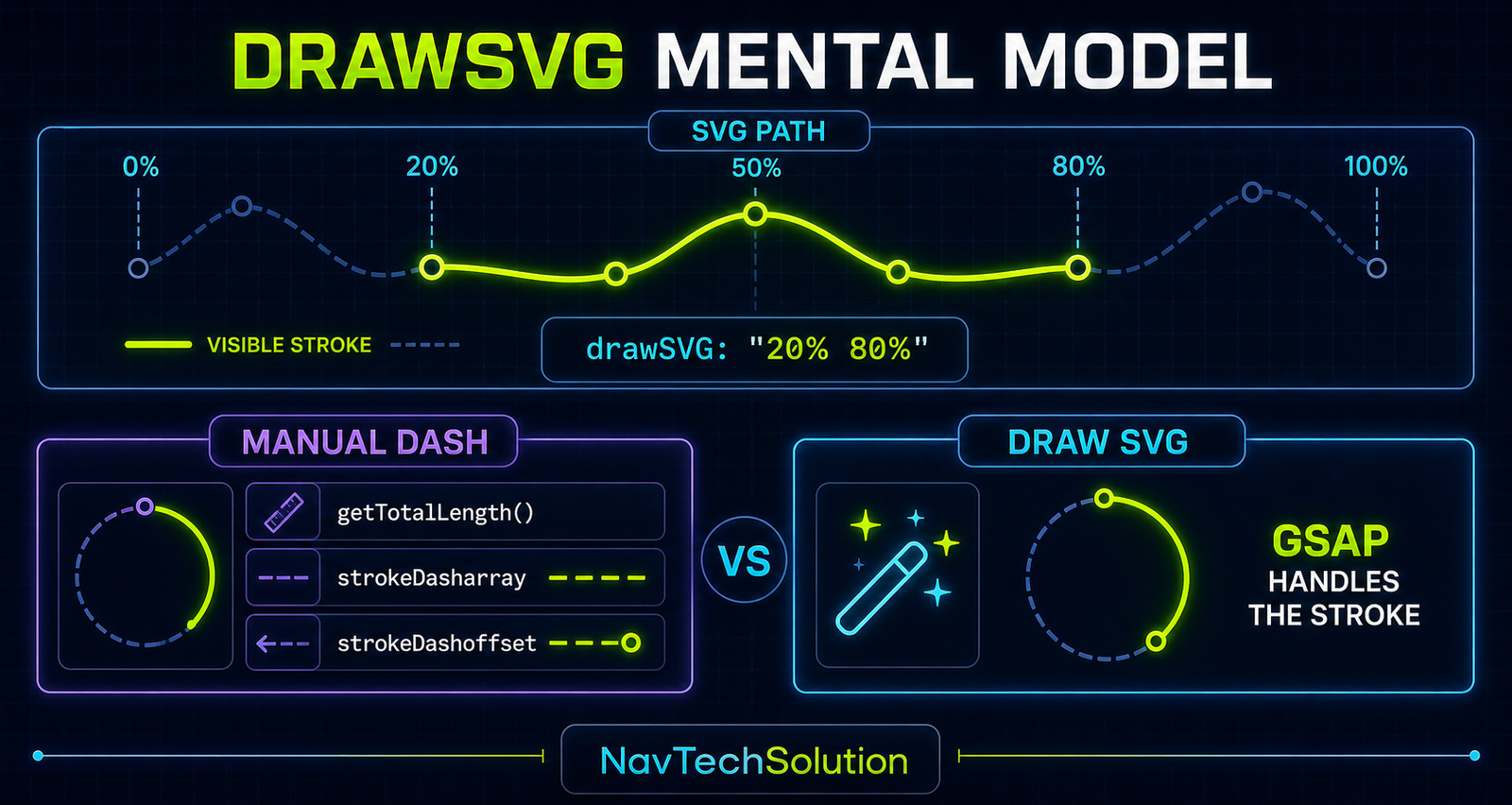
2. Load DrawSVGPlugin
This static site already uses GSAP 3.13.0 script tags. The page therefore loads the matching 3.13.0 DrawSVGPlugin file between GSAP core and the article script.
<script src="https://cdn.jsdelivr.net/npm/gsap@3.13.0/dist/gsap.min.js"></script>
<script src="https://cdn.jsdelivr.net/npm/gsap@3.13.0/dist/DrawSVGPlugin.min.js"></script>
<script src="https://cdn.jsdelivr.net/npm/gsap@3.13.0/dist/ScrollTrigger.min.js"></script>

gsap.registerPlugin(DrawSVGPlugin, ScrollTrigger);
3. Defensive Initialization
document.addEventListener("DOMContentLoaded", () => {
  if (!window.gsap || !window.DrawSVGPlugin) {
    console.error("GSAP or DrawSVGPlugin is not loaded.");
    return;
  }

  gsap.registerPlugin(DrawSVGPlugin);
  initDrawSVGArticle();
});
4. First DrawSVG Demo
Path timeline ready.
5. Stroke Is Required
No stroked edge to reveal.
DrawSVG controls this outline.
6. drawSVG: "0%"
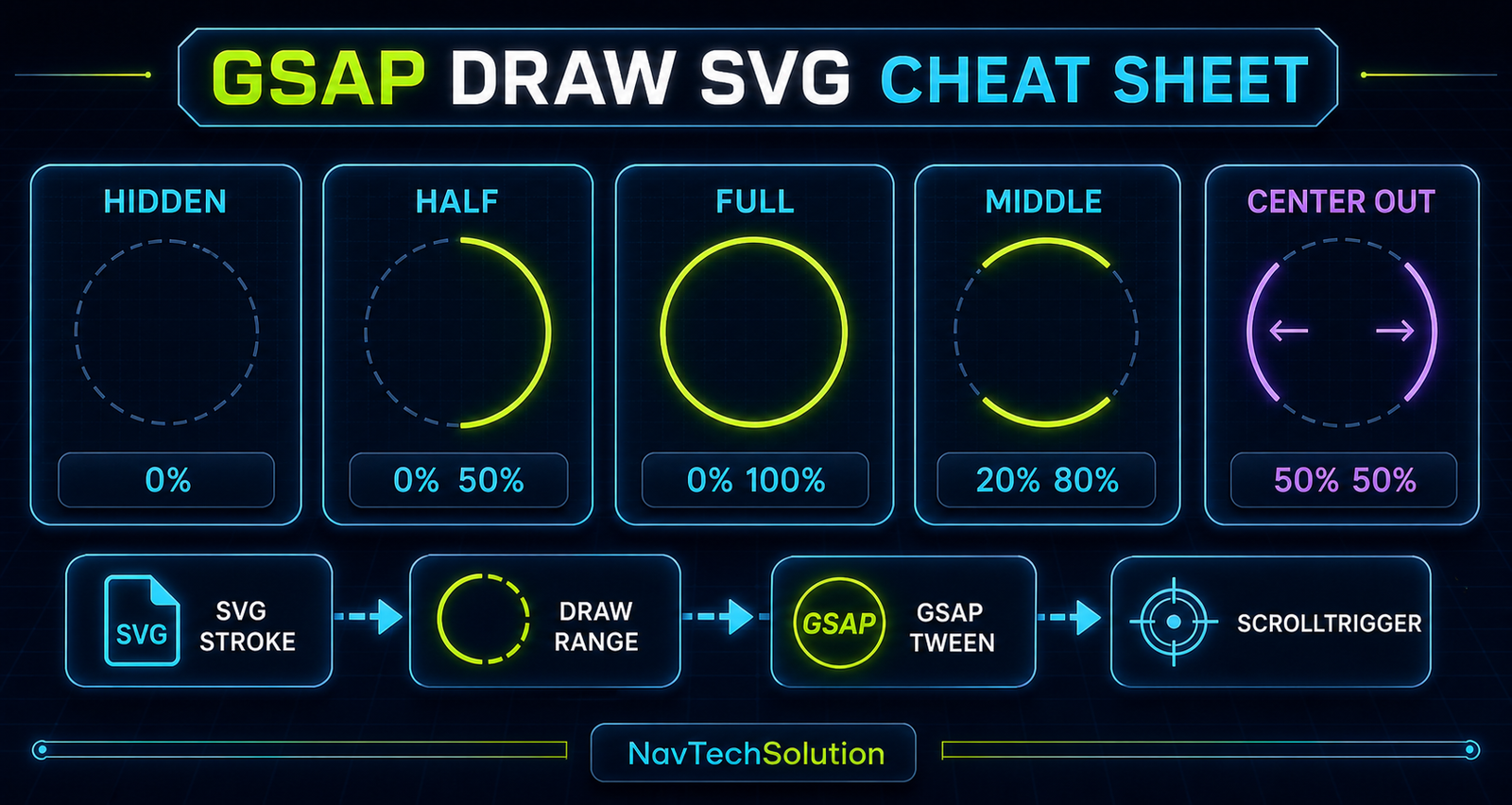
gsap.set(path, { drawSVG: "0%" }) hides the visible stroke. It does not remove the SVG element.
7. drawSVG: "100%"
gsap.to(path, { drawSVG: "100%" }) reveals the full stroke. A single 100% value is equivalent to the full 0% 100% range.
8. Full Two-Value Range
9. Percentage Ranges
drawSVG: "20% 80%" shows only the middle segment between those positions. The first and last 20% remain hidden.
10. The Important Range Misunderstanding
11. Interactive Range Playground
CURRENT: drawSVG: "20% 80%"
12. Draw from the Center
gsap.fromTo(path,
  { drawSVG: "50% 50%" },
  { drawSVG: "0% 100%", duration: 2, ease: "power2.inOut" }
);
13. Center Draw Graphic
50% 50%MIDEND0% 100%14. Reverse Drawing
Animating from "100% 100%" to "0% 100%" grows toward the path’s start. The result depends on the path’s command direction.
15. Path Direction
M 30 70 L 270 70START → ENDM 270 70 L 30 70END ← STARTDrawSVG is not broken when a stroke begins on the unexpected side—the first move command establishes where the path starts.
16. gsap.from() + DrawSVG
gsap.from(path, { drawSVG: "0%", duration: 1.5 });17. gsap.to() + DrawSVG
gsap.set(path, { drawSVG: "0%" });
gsap.to(path, { drawSVG: "100%", duration: 1.5 });
18. gsap.fromTo() + DrawSVG
gsap.fromTo(path,
  { drawSVG: "20% 20%" },
  { drawSVG: "20% 80%", duration: 1.5 }
);
Use fromTo() when both ends of the visible segment must be explicit.
19. Draw Multiple SVG Lines
20. DrawSVG + Stagger
Stagger from Blog #6 controls when each stroke begins; DrawSVG controls what part of each stroke is visible.
gsap.from(lines, {
  drawSVG: "0%",
  duration: 0.7,
  stagger: 0.15
});
21. Draw a Cloud Deployment Icon
Icon timeline ready.
22. DrawSVG Timeline
A paused timeline from Blog #10 gives the entire icon one playhead and one set of controls.
const iconTl = gsap.timeline({ paused: true });
iconTl
  .from(cloud, { drawSVG: "0%", duration: 1 })
  .from(arrow, { drawSVG: "0%", duration: 0.6 }, "-=0.2")
  .from(serverLines, { drawSVG: "0%", stagger: 0.1 })
  .from(check, { drawSVG: "0%", duration: 0.5 });
23. Position Parameters
The "-=0.2" overlap comes from the position-parameter model in Blog #12. DrawSVG owns the stroke range; the position parameter owns sequence timing.
24. Developer Mark Concept
25. Signature-Style Animation
A handwriting effect depends as much on path construction as animation. Split logical pen strokes instead of forcing unrelated subpaths into one route.
26. Line Graph Drawing
27. Diagram Drawing
28. DrawSVG + ScrollTrigger
ScrollTrigger from Blog #14 can play the drawing when its own section reaches the viewport and reverse it when scrolling back.
gsap.from(path, {
  drawSVG: "0%",
  duration: 1.5,
  scrollTrigger: {
    trigger: section,
    start: "top 80%",
    toggleActions: "play none none reverse"
  }
});
29. Scroll-Triggered Technical Diagram
30. DrawSVG + Scrub
Scrub from Blog #16 maps trigger progress to drawing progress. Use it for an explanatory stroke, not essential content.
31. Scrub Mental Model
32. Pin Preview
A pinned diagram can draw while the reader scrolls, but this article keeps its primary examples in normal document flow. Pinning should serve the explanation rather than dominate it.
33. DrawSVGPlugin.getLength()
The official utility returns a supported element’s current calculated stroke length. It is useful for inspection and status displays.
const length = DrawSVGPlugin.getLength(path);34. Path Length Inspector
35. DrawSVGPlugin.getPosition()
getPosition(element) is an optional debugging utility that reports the current stroke start and end positions. The demos do not depend on it, but the main lab uses it to confirm the rendered range after a tween.
36. GSAP DrawSVG Lab
Control How an SVG Stroke Is Revealed
- Draw range
- 20% 80%
- Duration
- 1.0s
- Ease
- power1.inOut
- Path length
- —
- Current position
- —
37. Main Lab Status
The status is generated from the live controls and the plugin’s runtime calculations; no path length is hard-coded.
38. Safe Code Output
The code block is updated with textContent, so a control value is never interpreted as HTML.
39. Focused Animation Cleanup
let labTween = null;
function runLab(options) {
  if (labTween) labTween.kill();
  gsap.killTweensOf(path);
  labTween = gsap.to(path, options);
}
40. DrawSVG Project
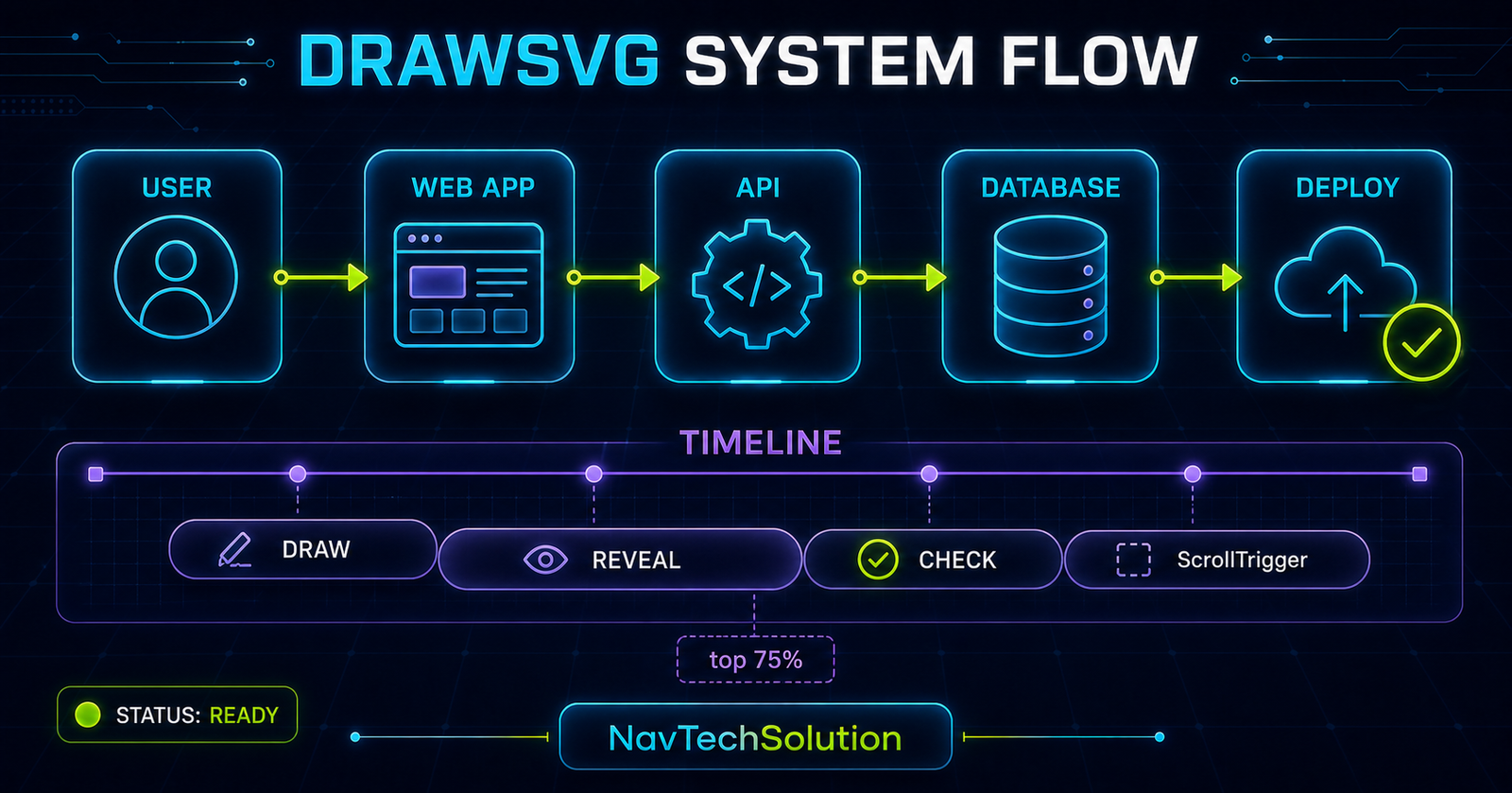
SYSTEM FLOW
STATUS: READY
41. Project Timeline
Each node appears, then its connector draws, with small overlaps keeping the flow continuous. The checkmark is always last.
42. Project + ScrollTrigger
scrollTrigger: {
  trigger: project,
  start: "top 75%",
  toggleActions: "play none none reverse"
}
43. Responsive SVG Drawing
Every demo keeps a stable viewBox while CSS applies width: 100% and height: auto. DrawSVG works with the SVG’s geometry rather than the page’s rendered pixel width.
44. Line Caps and Joins
stroke-linecap="round" and stroke-linejoin="round" often give drawn paths smoother endpoints and corners. They are visual choices, not DrawSVG requirements.
45. Path Design Matters
DrawSVG follows the actual command order. Prefer clean paths, logical direction and minimal unnecessary segments when a natural pen-like sequence matters.
46. Multiple Subpaths
One <path> can contain several move commands. A browser may not render those disconnected subpaths like one continuous pen stroke, so signature and logo-style work often benefits from separate logical paths.
47. Fill + DrawSVG
tl.from(shape, { drawSVG: "0%" })
  .from(fillLayer, { opacity: 0 });
48. Common DrawSVG Mistakes
49. DrawSVG Not Working?
- GSAP loaded?
- DrawSVGPlugin loaded?
- Plugin registered?
- Versions compatible?
- SVG inline?
- Target exists?
- Visible stroke?
- stroke-width greater than zero?
- Selector scoped?
- drawSVG syntax valid?
- Another tween controls the stroke?
- Path direction unexpected?
- Reduced-motion fallback active?
- JavaScript errors?
50. Performance
Keep SVG shapes reasonably simple and use purposeful timelines. Avoid hundreds of simultaneous drawing paths, huge SVG filters, large animated blurs and decorative loops with no clear stopping point.
51. Accessibility
Decorative drawings may use aria-hidden="true". Meaningful diagrams need a concise label, title or description, plus nearby readable text when the visual communicates important information.
52. Reduced Motion
With prefers-reduced-motion: reduce, this page leaves full paths visible, skips long sequences and avoids scrubbed decorative drawing. Controls and diagram text remain usable.
53. Progressive Enhancement
Base CSS never permanently hides a stroke. Starting DrawSVG states are applied only after GSAP and both plugins initialize successfully, so the SVG remains complete without JavaScript.
54. Quick Reference
| Feature | Example | Purpose |
|---|---|---|
| Hide stroke | drawSVG: "0%" | Hide visible stroke |
| Full stroke | drawSVG: "100%" | Reveal full stroke |
| Full range | drawSVG: "0% 100%" | Show complete range |
| Middle range | drawSVG: "20% 80%" | Show middle segment |
| Center start | "50% 50%" | Start from midpoint |
| Draw outward | "50% 50%" → "0% 100%" | Reveal from center |
| Timeline | gsap.timeline() | Sequence strokes |
| Stagger | stagger: 0.1 | Offset stroke starts |
| ScrollTrigger | scrollTrigger | Draw at viewport entry |
| Scrub | scrub: true | Map drawing to scroll |
| Length | DrawSVGPlugin.getLength(...) | Read runtime stroke length |
55. Cheat Sheet Graphic
56. Final Mental Model
DrawSVG controls which part of a stroke is visible. GSAP controls how that visible range changes over time.
57. Continue to Blog #28
Frequently Asked Questions
What is GSAP DrawSVGPlugin?
DrawSVGPlugin is a GSAP plugin that reveals or hides the stroked portion of supported inline SVG shapes.
Is DrawSVGPlugin available in current GSAP?
Yes. DrawSVGPlugin is freely available with GSAP 3.13 and later; this page uses version-matched 3.13.0 CDN files.
How do I register DrawSVGPlugin?
Load GSAP first, load DrawSVGPlugin next, then call gsap.registerPlugin(DrawSVGPlugin).
What does drawSVG: "0%" mean?
It describes a stroke with no visible length, so it is useful as the hidden state of a drawing animation.
What does drawSVG: "100%" mean?
It is shorthand for a stroke visible from 0% through 100%, which reveals the complete stroke.
What does drawSVG: "20% 80%" mean?
Only the segment between positions 20% and 80% along the stroke is visible. It is a range, not tween progress.
How do I draw an SVG path from the center?
Animate from drawSVG "50% 50%" to "0% 100%" so both ends expand away from the midpoint.
Can DrawSVG animate multiple paths?
Yes. Target a scoped collection of stroked shapes and animate the collection together or with stagger.
Can I stagger DrawSVG animations?
Yes. A stagger delays each targeted stroke while DrawSVG controls the visible range of each one.
Can I use DrawSVG with a timeline?
Yes. Timelines are ideal for sequencing outlines, connectors, labels, fills and status marks.
Can I use DrawSVG with ScrollTrigger?
Yes. A DrawSVG tween or timeline can be played, reversed or scrubbed by ScrollTrigger.
Can DrawSVG follow scroll progress?
Yes. Set scrub on the owning ScrollTrigger to map scroll progress to the drawing animation.
Why is my path drawing backward?
The order of the SVG path commands defines its internal direction. Reverse the path or choose a different range when direction matters.
Why does DrawSVG not work on my SVG?
Confirm the plugin is loaded and registered, the SVG is inline, the selector is correct and the target has a visible non-zero stroke.
Does an SVG need a stroke for DrawSVG?
Yes. DrawSVG controls stroke visibility; a fill-only shape does not provide a visible stroke to draw.
What is the difference between DrawSVG and strokeDashoffset?
Manual dash animation exposes the underlying measurements. DrawSVG provides a range-based API and manages those stroke calculations for you.
Can I get the SVG path length with DrawSVGPlugin?
Yes. DrawSVGPlugin.getLength(element) returns the current calculated stroke length for supported shapes.
Can I use DrawSVG on a PHP website?
Yes. PHP outputs the inline SVG and ordinary browser JavaScript runs GSAP and DrawSVGPlugin.
