


SVG elements are real DOM nodes when written inline. That means core GSAP can target a circle, rectangle, path or group and animate familiar properties while respecting SVG’s coordinate system.
<svg viewBox="0 0 300 200" class="svg-demo" aria-hidden="true">
  <circle class="svg-circle" cx="80" cy="100" r="30" />
</svg>

gsap.to(".svg-circle", { x: 140, duration: 1, ease: "power2.out" });1. What Is SVG?
Scalable Vector Graphics describes icons, diagrams, illustrations and charts with shapes and paths that remain crisp across display sizes.
2. Why GSAP + SVG?
Good for styling and simple state transitions.
Precise sequencing, easing, replay, stagger and scroll control.
3. Inline SVG vs <img>
Internal shapes are DOM targets.
The browser exposes one image element, not its internal paths.
4. Your First Inline SVG
5. Target SVG Elements
Query from the demo root: demo.querySelector("[data-first-circle]"). Scoped targets prevent one example from controlling another.
6. Animate x and y
gsap.to(circle, { x: 140, y: -20, duration: 1, ease: "power2.out" });7. SVG Attribute vs GSAP Transform
cx changes circle geometry; x applies a reusable transform. Prefer transforms for ordinary movement.
8. Animate Scale
Scale changes the rendered size around the configured origin without rewriting path data.
9. transformOrigin
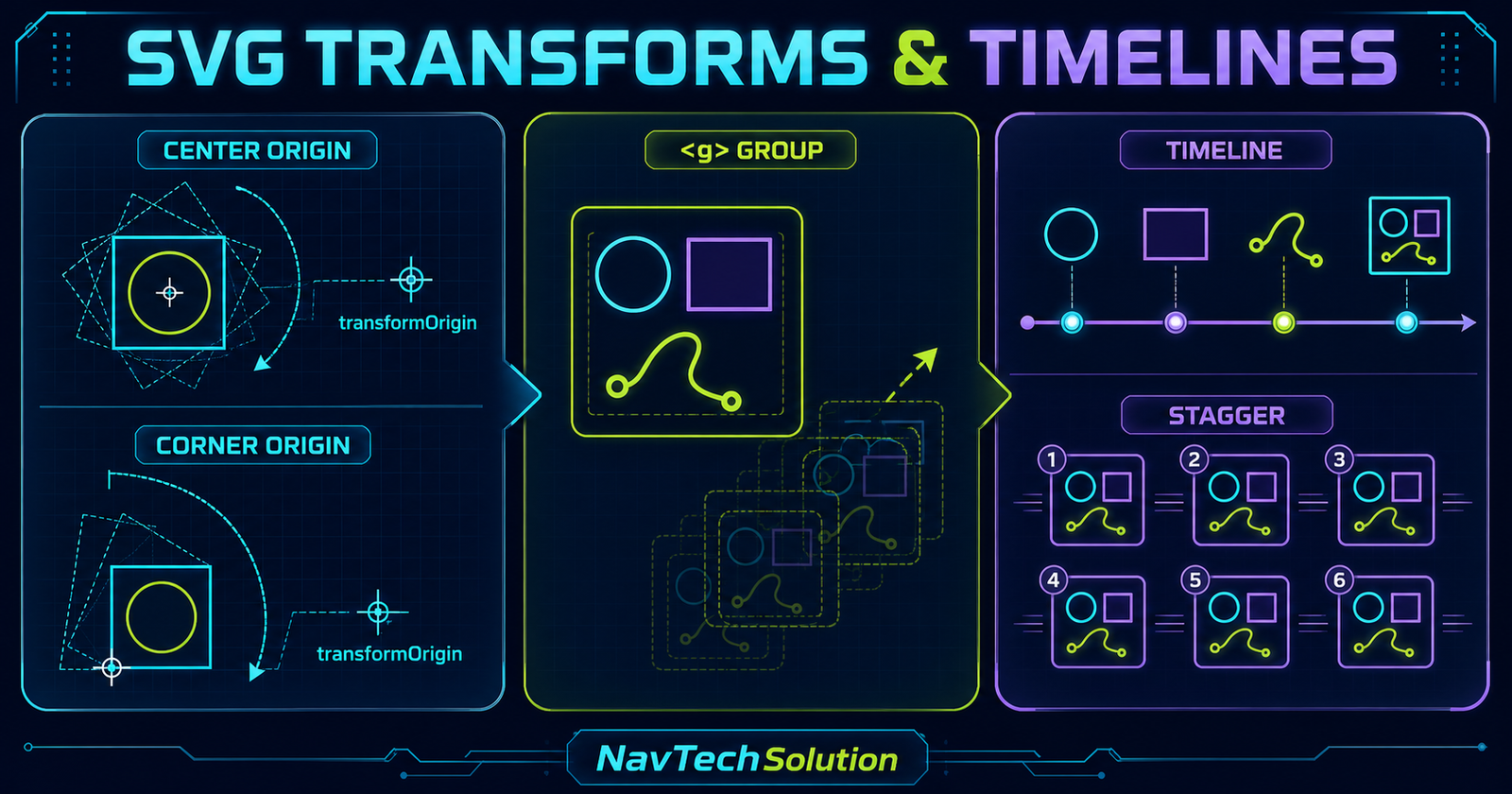
Set the origin explicitly for predictable SVG rotation and scale: transformOrigin: "center center".
10. SVG Origin Visualization
11. Rotation
gsap.to(rect, { rotation: 180, transformOrigin: "center center" });12. Scale + Rotation Together
One tween can own both properties so timing and easing remain coherent.
13. Opacity
Use autoAlpha when visibility should follow opacity, or opacity when visibility must remain unchanged.
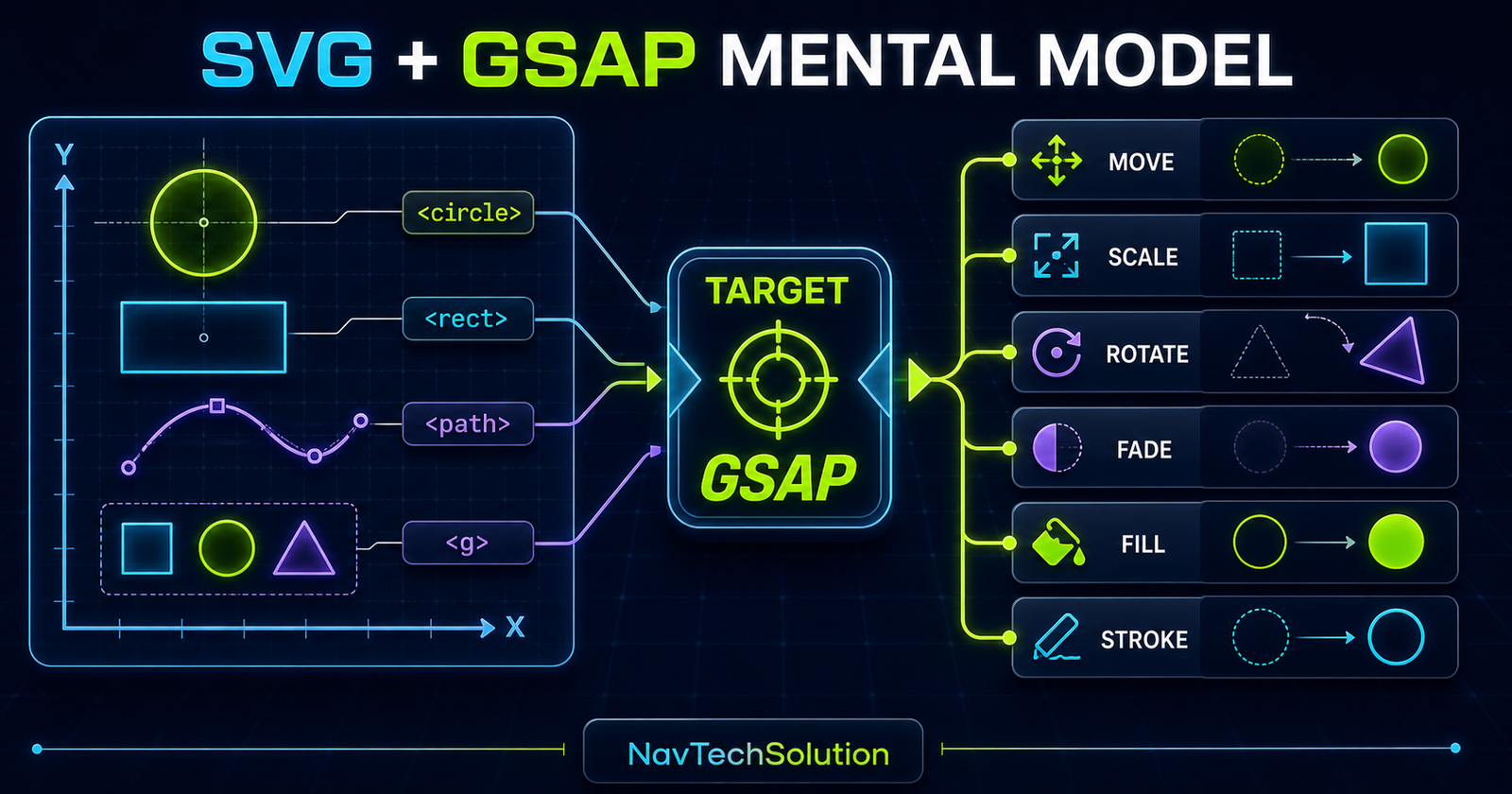
14. Animate SVG Groups <g>
A group lets one transform affect related shapes as a unit.
15. Group vs Individual Elements
Move the group for shared travel; target its circle, body or flame when each part needs independent timing.
16. Animate Fill
gsap.to(shape, { fill: "#c8ff3d", duration: 0.6 });17. Animate Stroke
Core GSAP interpolates stroke and strokeWidth for responsive icon states.
18. Stroke Dash Basics
Measure a path with getTotalLength(), use that length for the dash pattern and animate the offset toward zero.
19. Important: DrawSVG Preview
This article does not require DrawSVGPlugin. Blog #27 will cover the plugin’s path-range tools after the core dash model is clear.
20. Build an Animated Icon
The rocket above combines a group transform with independently animated flame and window details.
21. SVG Timeline
const tl = gsap.timeline();
tl.from(body, { scale: 0, transformOrigin: "center" })
  .from(window, { autoAlpha: 0 }, "-=0.2")
  .from(flame, { scaleY: 0, transformOrigin: "top" }, "-=0.15");
22. SVG + Stagger
The stagger guide applies directly to repeated inline SVG nodes.
23. Icon Grid Animation
24. Animate SVG Path Position
A path can move with x and y like any other SVG element. That is different from moving an object along a path.
25. Animate an SVG Line Graph
26. SVG Timeline Diagram
27. SVG + ScrollTrigger
Use the illustration wrapper as the trigger and target only elements inside that wrapper.
28. Scroll-Based SVG Reveal
29. SVG + Scrub
Scrub connects scroll progress to a timeline. The illustration above uses core stroke-dash animation driven by scrub: 1.
30. SVG + Pin Preview
Pin only when the reader benefits from focused progression. The main tutorial stays in normal flow.
31. Coordinate Systems
32. viewBox
viewBox="0 0 300 200" defines the internal coordinates that scale into the visible SVG viewport.
33. Responsive SVG
34. Responsive Animation Distances
Use function values or proportions when a fixed pixel distance would break at smaller widths.
35. SVG Transform Playground
36. Lab Implementation
The lab writes current values with GSAP and renders its code using textContent.
37. SVG Stroke Lab
Ready to measure and animate the path.
38. SVG Icon Animation Project
Icon timeline ready.
39. Mini Project Controls
The controls use the same timeline methods introduced in Blog #11.
40. SVG + Easing
Use easing to distinguish a deliberate UI rotation from a playful icon bounce.
41. SVG Animation Architecture
42. CSS vs GSAP Responsibilities
Layout, visible fallback, color tokens and responsive SVG sizing.
Runtime transforms, sequencing, control and scroll progress.
43. Avoid Generic SVG Selectors
Do not animate every path on the page. Resolve targets from each demo root.
44. Performance
Prefer transforms and opacity, keep path counts reasonable, measure once where possible and test real devices.
45. SVG Filters
Animated blur, shadow and turbulence may be expensive. Use them sparingly and never as a substitute for clear motion.
46. Accessibility
Decorative SVGs can use aria-hidden="true". Meaningful graphics need a concise accessible name or nearby text equivalent.
47. Reduced Motion
The script skips nonessential movement when reduced motion is requested and CSS leaves every illustration complete.
48. Progressive Enhancement
SVG is visible before JavaScript. Starting states are applied only after GSAP and the target elements are available.
49. Common SVG Animation Mistakes
50. Debugging Checklist
- SVG is inline
- Target exists inside demo
- GSAP loaded once
- ScrollTrigger registered
- viewBox is valid
- Origin is explicit
- Path length is positive
- Dash values match length
- No competing CSS transform
- Responsive SVG keeps aspect ratio
- Reduced-motion path tested
- Controls remain keyboard accessible
51. Quick Reference
| Goal | GSAP property | Note |
|---|---|---|
| Move | x, y | Transform-based |
| Scale | scale | Set origin |
| Rotate | rotation | Set origin |
| Fade | autoAlpha | Opacity + visibility |
| Color | fill, stroke | Interpolated values |
| Stroke reveal | strokeDashoffset | Measure path first |
52. Cheat Sheet Graphic
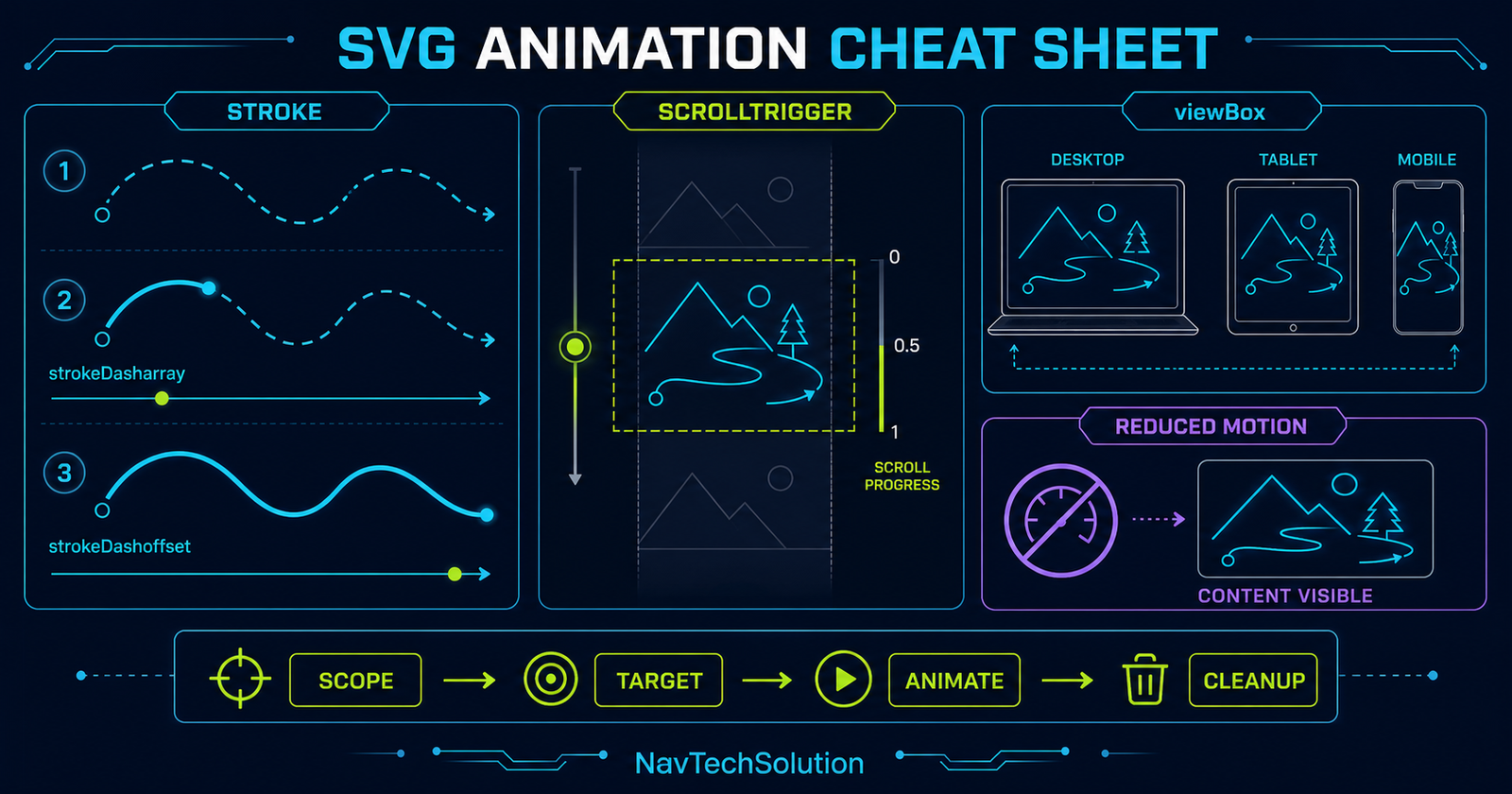
53. Final Mental Model
Frequently Asked Questions
What is SVG?
SVG is Scalable Vector Graphics, an XML-based format for shapes, paths, groups, text and other resolution-independent graphics.
Can GSAP animate SVG elements?
Yes. Core GSAP can animate SVG transforms, opacity, fill, stroke and many numeric presentation properties.
Does an SVG need to be inline for GSAP animation?
Use inline SVG when JavaScript needs to target internal elements. An SVG loaded through an img element behaves as one external image.
How do I move an SVG element with GSAP?
Target the inline element and animate familiar transform properties such as x and y.
Should I animate cx and cy or x and y?
Use x and y transforms for reusable motion. Animate SVG attributes only when the geometry itself needs to change.
How do I rotate an SVG around its center?
Set transformOrigin to center center before animating rotation. GSAP normalizes SVG transform behavior across browsers.
Can I animate an SVG group?
Yes. Target the g element to move, rotate, scale or fade all of its children as one unit.
Can GSAP animate SVG fill and stroke?
Yes. Core GSAP can interpolate fill, stroke and strokeWidth values.
What are strokeDasharray and strokeDashoffset?
They control the painted and skipped segments of a stroke. With a measured path length they can create a basic line-drawing illusion.
Does this tutorial require DrawSVGPlugin?
No. The tutorial uses core SVG dash properties. DrawSVGPlugin is only previewed as a future advanced topic.
Can SVG animation use a GSAP timeline?
Yes. A timeline coordinates multiple shapes, groups and labels with precise sequencing.
Can I stagger SVG elements?
Yes. Pass an array or selector of inline SVG elements and use GSAP stagger exactly as you would with HTML elements.
Can SVG animations use ScrollTrigger?
Yes. A containing section can trigger, scrub or otherwise control a scoped SVG animation.
What does viewBox do?
viewBox defines the internal coordinate system and visible region that scales into the rendered SVG viewport.
How do I make SVG animation responsive?
Use a stable viewBox, CSS width of 100 percent, function-based distances where needed and breakpoint-specific animation logic.
Are SVG filters expensive to animate?
They can be. Test blur, shadow and turbulence effects carefully and prefer transforms or opacity when possible.
How should reduced motion work for SVG?
Skip nonessential movement and show the complete illustration immediately, with all meaningful content still available.
Can SVG animation work on a PHP website?
Yes. PHP renders the inline SVG markup and scoped vanilla JavaScript runs GSAP in the browser.
54. Continue to Blog #27
GSAP DrawSVG Tutorial: Animate SVG Paths Like They Are Being Drawn
Move from the core dash model to DrawSVGPlugin’s path-range workflow, timelines, stagger and ScrollTrigger.
