


In Blog #31, we used Vitest and React Testing Library for fast unit and component tests. Those checks are excellent for isolated logic and UI behavior, but they do not replace testing the complete application in a real browser. In Blog #32, we add Playwright for end-to-end testing.
Next.js Playwright testing launches the application and interacts with it from the user’s side. It can follow App Router navigation, submit forms, observe Server Action results, validate rendered async Server Components, exercise Route Handlers through the UI, and repeat important journeys across browser engines and viewports.
How Do You Test Next.js with Playwright?
Playwright launches a real browser, opens the Next.js application and interacts with it like a user. Tests can navigate pages, click buttons, fill forms, verify URLs and check rendered UI. This makes Playwright useful for complete workflows involving Server Components, Server Actions and browser navigation.
Playwright at a Glance
End-to-end testing verifies that the assembled system delivers the behavior a user expects. Unlike a component test running in jsdom, a Playwright test uses a browser engine, HTTP, routing, JavaScript execution, layout and the running Next.js server. That broader scope catches integration failures that focused tests cannot see.
E2E does not mean “test everything through the browser.” Browser tests are slower and have more dependencies than unit tests. Reserve them for valuable journeys: the home page loads, primary navigation works, authentication protects an account, a form submits, search returns a result, and a critical mutation produces the right visible state.
Vitest vs Playwright
Vitest and Playwright answer different questions. Vitest asks whether a small rule or component behaves correctly under controlled inputs. Playwright asks whether the running product lets a user complete a journey. A healthy suite uses both and keeps most detailed edge cases close to the code.
PlaywrightIntegrationComponents
Vitest + RTLUnits
Vitest
| Scenario | Vitest / RTL | Playwright |
|---|---|---|
| Utility function | Excellent | Unnecessary |
| Client Component | Excellent | Useful in a full flow |
| Form component | Excellent | Excellent for the complete flow |
| Async Server Component | Limited | Strong choice for rendered behavior |
| Navigation | Limited | Excellent |
| Real browser | No | Yes |
| Cross-browser | No | Yes |
| Authentication journey | Focused boundaries | Excellent in a safe environment |
| Complete user journey | No | Excellent |
Install Playwright
Audit the real application first: package manager, scripts, port, test directories and existing browser setup. For an npm project with no Playwright configuration, the current Next.js guide points to Playwright’s initializer. It can add @playwright/test, a configuration file, an example test and optionally a GitHub Actions workflow.
npm init playwright@latest

# Install configured browser binaries later when needed
npx playwright install
Choose TypeScript when the application uses TypeScript. Keep the repository’s package manager; use the equivalent pnpm create playwright or yarn create playwright flow when appropriate. Review every generated file instead of accepting a duplicate test directory or CI workflow. On Linux CI, npx playwright install --with-deps installs supported browser binaries and required operating-system dependencies.
Project Structure and Configuration
A compact setup usually contains playwright.config.ts and a dedicated tests/e2e directory. Keeping E2E tests separate from Vitest prevents one runner from discovering the other runner’s files. Name tests after workflows—navigation.spec.ts and contact.spec.ts—rather than implementation components.
tests/
└── e2e/
    ├── home.spec.ts
    ├── navigation.spec.ts
    └── contact.spec.ts
playwright.config.ts
import { defineConfig, devices } from '@playwright/test'
export default defineConfig({
testDir: './tests/e2e',
fullyParallel: true,
forbidOnly: Boolean(process.env.CI),
retries: process.env.CI ? 2 : 0,
workers: process.env.CI ? 1 : undefined,
reporter: 'html',
use: {
baseURL: 'http://127.0.0.1:3000',
trace: 'on-first-retry',
screenshot: 'only-on-failure',
video: 'retain-on-failure',
},
projects: [
{ name: 'chromium', use: { ...devices['Desktop Chrome'] } },
{ name: 'firefox', use: { ...devices['Desktop Firefox'] } },
{ name: 'webkit', use: { ...devices['Desktop Safari'] } },
],
webServer: {
command: 'npm run dev',
url: 'http://127.0.0.1:3000',
reuseExistingServer: !process.env.CI,
},
})This is a reference configuration, not a universal file. Replace the command and port with the application’s actual values. A development server gives fast local feedback; a production-like job can run npm run build and npm start before Playwright to catch build and runtime differences. Do not point a state-changing suite at production.
Your First Playwright Test
A first test should prove that the runner can reach the application and find a stable, user-visible contract. Avoid inventing a heading: inspect the real page and use its accessible name when that wording is part of the product contract.
import { expect, test } from '@playwright/test'

test('homepage displays its main heading', async ({ page }) => {
  await page.goto('/')
  await expect(page.getByRole('heading', { level: 1 })).toBeVisible()
})
page is a built-in fixture. Playwright creates an isolated browser context for each test by default, so cookies and local storage do not silently leak between independent cases. The baseURL allows relative navigation such as page.goto('/').
Navigation and Links
test('user can open the about page', async ({ page }) => {
  await page.goto('/')
  await page.getByRole('link', { name: /about/i }).click()
  await expect(page).toHaveURL(/\/about/)
  await expect(page.getByRole('heading', { level: 1 })).toBeVisible()
})
Assert both navigation and destination content. A URL alone can succeed while the page renders an error; a heading alone can match content that remained on the previous page. For external links, verify the href or control a safe test target instead of navigating into an uncontrolled third-party site.
Playwright Locators
Locators find elements when each action or assertion runs, which helps with re-rendered UI. Prefer user-facing contracts: getByRole for buttons and links, getByLabel for form controls, getByPlaceholder when placeholder text is genuinely the only stable user cue, and getByText for visible content. Use getByTestId when no semantic selector expresses the intended contract.
const submit = page.getByRole('button', { name: /send message/i })
const email = page.getByLabel(/email address/i)
const confirmation = page.getByText(/message received/i)
getByRole combines semantic role and accessible name. It makes tests resilient to layout changes and exposes inaccessible markup early. Keep locators strict and specific; if two buttons share the same name, scope to a landmark or form rather than choosing an incidental nth() position.
Web-First Assertions and Auto-Waiting
Playwright waits for actionability before many interactions: the target must resolve correctly and be ready for the requested action. Web-first assertions such as toBeVisible, toHaveText and toHaveURL retry until the expectation succeeds or its timeout expires.
await page.getByRole('button', { name: /save/i }).click()
await expect(page.getByRole('status')).toHaveText(/saved/i)
Do not make page.waitForTimeout(5000) the normal synchronization strategy. Fixed sleeps are either too short on a slow machine or wasteful on a fast one. Wait for the visible result, route, response or application state that actually matters.
Testing Forms and Validation
Forms connect Client Components, browser constraint validation, server validation and a mutation boundary. Blog #18 explains secure forms and Server Actions; E2E coverage proves that the assembled path works. Use only a safe local or isolated test environment and never send real messages from an automated check.
test('contact form shows required-field feedback', async ({ page }) => {
  await page.goto('/contact')
  await page.getByRole('button', { name: /send|submit/i }).click()
  await expect(page.getByText(/required/i).first()).toBeVisible()
})
Adapt every locator to the real form. Cover one successful journey and a few high-value failures: missing input, invalid format, rejected server validation and recoverable server error. Do not duplicate every validation edge case in the browser; keep the detailed matrix in Vitest.
Testing Server Actions
Playwright should not expose a private Server Action merely to call it. Drive the public interface: submit a form, select a command, or activate the control. Then assert the visible result—field errors, status message, redirect, refreshed list or optimistic state. This preserves the same serialization, authorization and revalidation boundary the user depends on.
Server Components and Async Data
Playwright does not need to know whether a visible heading originated in a Server Component or Client Component. It evaluates the delivered application. This is particularly valuable for an async Server Component that reads data on the server, renders HTML and later participates in browser navigation.
Current Next.js testing guidance recommends E2E testing over unit testing for async Server Components because unit tools do not fully support them. That is not a claim that Playwright unit-tests component internals. It validates the user-visible result and relevant application behavior.
Use deterministic test data. If the UI depends on an external API, prefer a sandbox, a controlled local service or a narrowly selected network mock. Mocking every response makes the suite fast but removes the end-to-end evidence you intended to gain.
Route Handlers, Loading and Error States
A UI journey can exercise a Route Handler without coupling the test to its implementation. For example, a search form calls /api/search, renders results, and shows an alert on failure. Blog #10 covers Route Handler architecture; direct API testing will receive separate treatment later.
Test loading states only when they are deterministic and important. Intercept a request or use controlled test data to hold the operation rather than adding sleep to production. Trigger error states with fixtures, test-only data or a safe mock—never by intentionally breaking a production service. Assert a useful recovery path as well as the message.
Responsive and Cross-Browser Testing
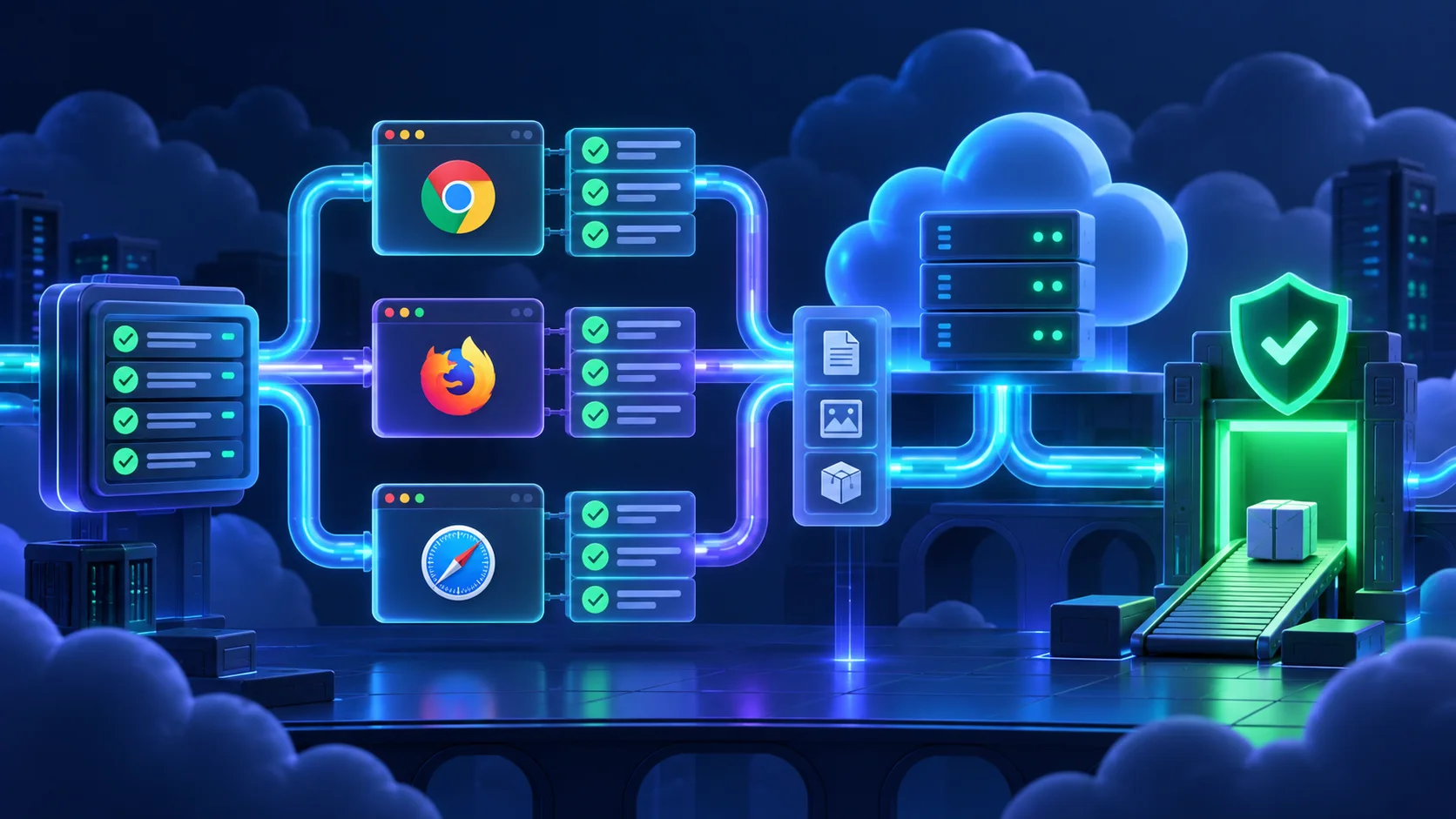
Responsive E2E tests should prove capability, not only take screenshots. At a 375×812 viewport, open the real mobile menu, follow a link, check that the primary action remains reachable, use an important form and detect large horizontal overflow. Device descriptors can also provide viewport, user agent and input characteristics.
test('mobile navigation remains usable', async ({ page }) => {
  await page.setViewportSize({ width: 375, height: 812 })
  await page.goto('/')
  await page.getByRole('button', { name: /menu/i }).click()
  await expect(page.getByRole('navigation')).toBeVisible()
  const overflow = await page.evaluate(() =>
    document.documentElement.scrollWidth > document.documentElement.clientWidth
  )
  expect(overflow).toBe(false)
})full navigationTablet
adaptive layoutMobile
menu + touch targetsOne product
important flows work
Run a critical subset in Chromium, Firefox and WebKit projects. Do not claim that WebKit emulation equals every version of Safari on physical Apple hardware. Use real-device or platform testing when that exact contract matters.
Test Isolation, Fixtures and Data
Every test should control its required state. Do not let “test 2” depend on an account created by “test 1.” Parallel execution, retries and selective runs will expose that dependency. Built-in page, context and browser fixtures cover most basic suites; custom fixtures can create a test user or seed one record when the lifecycle is explicit.
Use dedicated test accounts, generated safe values and an isolated database. A worker-aware identifier can prevent collisions in parallel runs. Clean up only data created by the test, and make cleanup safe to retry. Never use production customer records, real payment methods or production credentials.
context + record ATest B
context + record BTest C
context + record CTest environment
no production data
Authentication State
Playwright supports authenticating in setup, saving browser storage state, and reusing it for tests that do not need to repeat login. This speeds up a large protected suite. Keep a smaller direct login test so the login journey itself remains covered.
Network Requests and API Mocking
Playwright can wait for responses, issue API requests and intercept selected routes. Start waiting before the action that triggers a response, and assert the UI outcome as well as the transport when both matter. Use interception for hard-to-produce failures or unstable third parties, but keep at least one realistic contract path.
const responsePromise = page.waitForResponse(
  response => response.url().includes('/api/search') && response.ok()
)
await page.getByRole('button', { name: /search/i }).click()
await responsePromise
await expect(page.getByRole('region', { name: /results/i })).toBeVisible()
Screenshots, Videos, Traces and Debugging
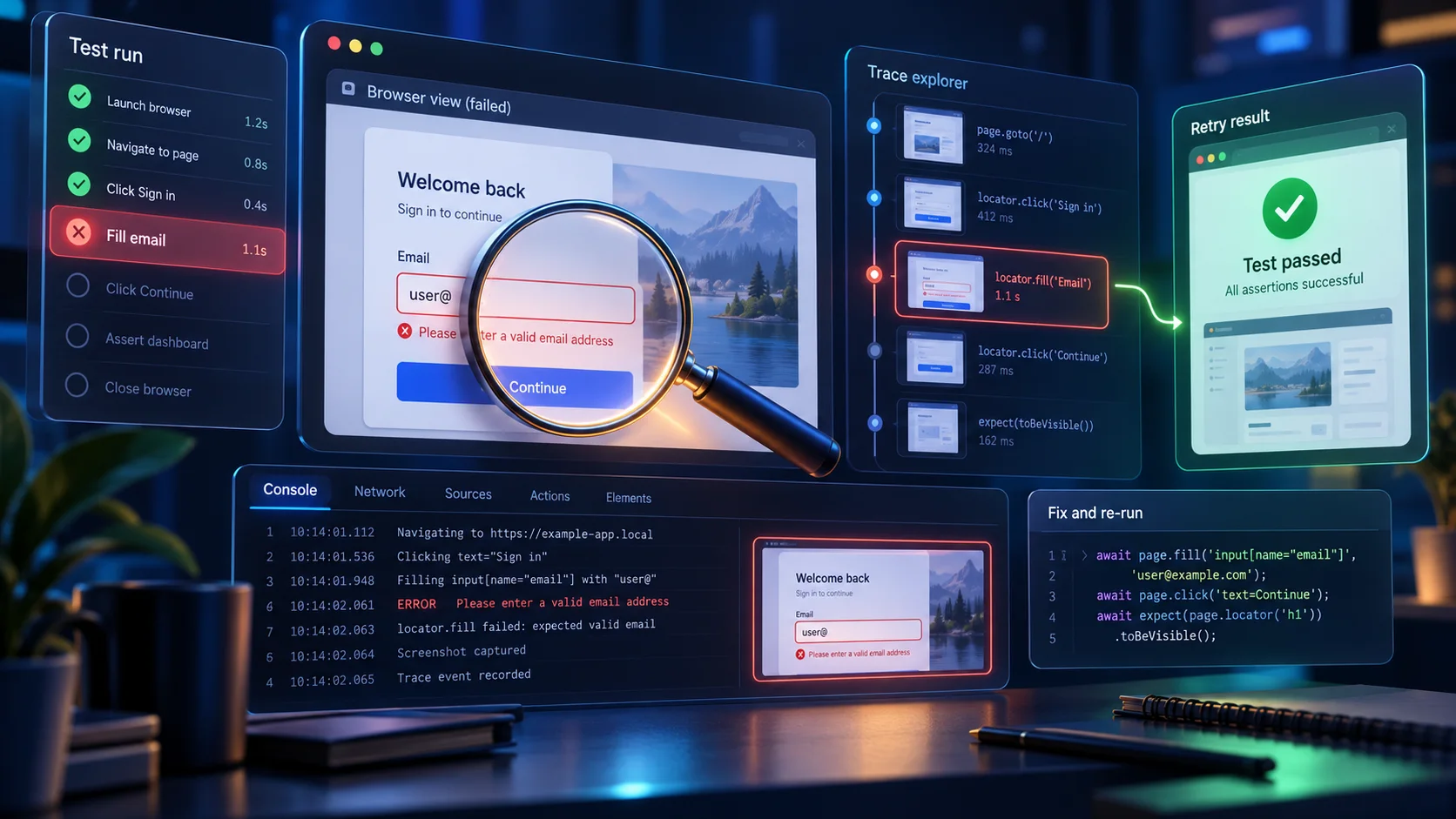
Failures need evidence. The HTML report gives a navigable suite summary. Screenshots show the final visual state. Video can reveal the sequence but increases artifact storage. A trace is often the richest diagnostic: actions, DOM snapshots, timing, logs and network context can be inspected in Trace Viewer.
actions, DOM, network
Reproduce locally with UI mode or a headed run, inspect the first meaningful failure, and compare it with server logs. Do not “fix” a race by adding a large timeout before understanding which application event was missing.
Retries, Parallelism and Timeouts
Retries are useful in CI as evidence and protection against transient infrastructure, but they must not normalize flaky tests. Playwright categorizes a test that fails first and passes on retry as flaky. Investigate it. Common causes include shared data, unstable selectors, uncontrolled third parties, animations, clocks and missing readiness signals.
Parallelism reduces duration only when tests are isolated and the environment has capacity. Start with predictable workers in CI, measure server and database load, then increase deliberately. Prefer an assertion-specific timeout for a genuinely slow operation rather than globally inflating every wait.
CI/CD and GitHub Actions
A CI job should install the exact lockfile, install required browser binaries, build or start the application according to the chosen strategy, run Playwright and upload the report or trace on failure. Keep secrets scoped to a disposable test environment. Pull requests from untrusted forks must not receive privileged credentials.
name: Playwright Tests
on: [push, pull_request]
jobs:
  test:
    runs-on: ubuntu-latest
    steps:
      - uses: actions/checkout@v4
      - uses: actions/setup-node@v4
        with:
          node-version: lts/*
          cache: npm
      - run: npm ci
      - run: npx playwright install --with-deps
      - run: npx playwright test
      - uses: actions/upload-artifact@v4
        if: ${{ !cancelled() }}
        with:
          name: playwright-report
          path: playwright-report/
          retention-days: 14
Pin the Node version to the real application’s supported range rather than copying lts/* blindly. Docker runners need the browser dependencies, sufficient shared memory and a health-checked application endpoint. Match the CI base URL, server binding and container networking; localhost inside one container does not refer to another container.
Production E2E Strategy
Run the broad stateful suite in a production-like preview or staging environment with isolated data. A small production smoke suite may verify read-only health, public navigation and a harmless page render. Do not create accounts, place orders, send contact forms or mutate customer data in production unless the system has an explicitly engineered synthetic-transaction strategy.
Choose journeys by risk and user value. A five-minute suite covering sign-in, a core search, one key mutation and account access can be more useful than hundreds of browser cases for decorative details. Retain unit and component coverage for edge cases. Monitor duration, flaky classifications and artifact storage as first-class quality signals.
A release strategy can use several cadences. Run a fast Chromium smoke group on each pull request, the complete critical suite after merge, and broader Firefox, WebKit or container coverage on a schedule when CI cost requires it. High-risk repositories may run every project on every change. Choose from evidence rather than convention, and make the required merge gate explicit. When a scheduled job finds a regression, route it to an owner immediately; a nightly test that nobody reviews is not a quality control. Keep the same test definitions where possible so cadence changes do not create separate, drifting suites.
Design a Production E2E Test Plan
Begin with journeys, not page counts. Interview the people who understand product risk: which workflows create revenue, grant access, change important data, or regularly regress? Turn each journey into a short contract with a starting state, user action and observable outcome. “A signed-in owner can rename a project and still see the new name after reload” is more useful than “test settings page.” The contract describes value and survives an internal refactor.
Map each contract to the lowest practical layer. A slug formatter and permission predicate belong in Vitest. A validation component belongs in React Testing Library. The browser test should cover one representative valid path and the integration boundaries that only exist when the application runs. This keeps the E2E suite small enough to execute often while detailed focused tests cover the combinatorial cases.
Organize tests by domain or journey rather than one enormous specification. Use descriptive titles that read as product behavior in an HTML report. Group closely related cases with test.describe, but avoid deeply nested hooks that hide state. A new contributor should be able to open one file and see how its prerequisites are created, what the user does and what the test proves.
Critical on every pull request
- Application starts and public home renders
- Primary navigation reaches real destinations
- Authentication boundary protects private pages
- One core read and one safe mutation succeed
- Important mobile navigation stays usable
Broader scheduled coverage
- Additional browser projects
- Longer account and administration flows
- Controlled external-service sandbox paths
- Less common recovery scenarios
- Production-like container and proxy checks
Build Reliable Test Data
Reliable browser tests begin before the browser opens. Seed only the minimum state required for the journey, use unique identifiers, and provide an explicit cleanup strategy. If a test creates a project named “E2E project,” parallel workers may collide. A generated suffix based on the worker and run can keep records separate without exposing personal data. Store created identifiers so cleanup targets exactly those records.
Database reset strategies depend on architecture. A small local suite might start from a known disposable database. A shared preview environment may allocate a tenant or namespace per run. Transaction rollback can be effective for server integration tests but may not span a browser journey across multiple requests. Document the ownership and lifetime of test data so failed runs do not fill the environment with orphaned records.
Payment, email, SMS, object storage and analytics require deliberate test boundaries. Use vendor sandboxes where contracts need real verification, or substitute a controlled adapter where external side effects would be unsafe. Assert that the application produced the correct request and user-visible outcome. Never put a live card, customer email list or privileged production token into a fixture.
Time and randomness are data too. Tests that depend on “today,” a local timezone or a random ordering may cross boundaries during a run. Supply controlled values through a supported application seam where possible. If a feature genuinely depends on timezone or locale, create explicit projects for those settings and assert the visible result rather than relying on the CI machine’s defaults.
Use E2E Tests to Protect Accessibility
User-facing locators provide a useful accessibility baseline. A button found by role and accessible name must expose a meaningful control to the accessibility tree. A field found by label needs an associated label. This does not replace a full accessibility review, keyboard testing or automated rule scanning, but it makes inaccessible regressions more likely to break the same test that protects the workflow.
Add keyboard coverage for journeys where focus order, menus, dialogs or composite widgets matter. Use page.keyboard.press('Tab') sparingly and assert toBeFocused() on the intended control. When a dialog opens, verify its accessible name, that focus enters it, that Escape closes it when appropriate, and that focus returns to the trigger. These are observable interaction contracts, not implementation details.
Test error communication as well as error text. A server validation message should be programmatically associated with its field or announced through an appropriate live region. A color change alone is not enough. At mobile sizes, confirm zoom, text reflow and controls remain usable without major horizontal scrolling. Visual screenshots help investigation, but semantic and behavioral assertions make the test actionable.
Keep the Suite Healthy
Assign ownership to browser tests just as you do production code. When a test fails, classify the cause: product regression, test defect, environment failure or third-party outage. Record flaky retries and fix the highest-frequency offenders. Silently rerunning until green hides information and gradually turns the suite into background noise.
Review selectors during UI changes. A semantic locator may fail because the accessible name legitimately changed; update the product contract and test together. A locator that requires repeated nth(), DOM traversal or long CSS selectors signals that the interface may need clearer semantics. Add a test ID only to create a stable explicit testing contract, and name it by behavior rather than styling.
Keep artifacts bounded. Retain reports, traces, screenshots and videos long enough for the team to investigate a pull request, then expire them. Redact or avoid sensitive content in screenshots and traces because browser artifacts can contain form values, URLs, response bodies and cookies. Limit artifact access to the same audience that may inspect the tested environment.
Measure duration by file and project. Split slow journeys only when doing so preserves independence. Cache package and browser downloads carefully, but do not cache mutable application state between jobs. Shard a large suite across CI machines after data isolation is proven; sharding an order-dependent suite makes failures harder to reproduce.
Finally, revisit the suite when architecture changes. A new reverse proxy, authentication provider, cache layer, queue or deployment topology can introduce a boundary the old browser journey never exercised. Add coverage for the user risk, not for every new internal service. The goal is a compact set of tests that developers trust and can explain.
A Practical Day-to-Day Playwright Workflow
During feature development, run the narrowest useful command. Execute one file, one project or one test title while building the behavior, then run the pull-request suite before pushing. Playwright’s UI mode is useful for exploring steps and locators, while a headed run helps when focus, overlays, animation or viewport behavior is involved. Keep the normal CI command non-interactive and reproducible.
# Run the complete configured suite
npx playwright test

# Run one specification in one project
npx playwright test tests/e2e/navigation.spec.ts --project=chromium

# Open interactive UI mode locally
npx playwright test --ui

# Inspect the latest HTML report
npx playwright show-report
Use Playwright’s locator tools to discover a semantic selector, then rewrite it as a clear product contract. Generated code is a starting point, not a final test. Remove incidental actions, rename the case, factor only genuinely repeated setup, and add assertions for the outcome. A recording that only clicks through a flow can finish without proving that the feature worked.
Separate setup failures from product failures. If webServer never becomes ready, inspect the server command, port, environment and startup logs. If navigation returns an error page, inspect the browser response and application logs. If a locator times out, use the trace snapshot to see whether the element was absent, hidden, renamed, covered or rendered in another frame. Precise classification prevents random selector and timeout changes.
When a test covers a mutation, assert durable behavior where appropriate. A success toast proves immediate feedback, but a reload that still shows the changed value provides stronger evidence that persistence and subsequent rendering agree. Balance that evidence with cost: not every toggle needs a database round trip, while account settings, permissions and financial state usually justify it.
Use tags or project dependencies to define purposeful groups such as smoke, authenticated and destructive tests. A smoke group should be fast, safe and suitable for frequent execution. Destructive cases require a disposable environment and explicit data ownership. Avoid building a tag system so complex that developers cannot predict what CI runs; document the commands next to the configuration.
Before merging a new E2E test, review five questions. Does it protect a meaningful user risk? Is a browser the right layer? Can it run independently and repeatedly? Does it avoid production data and secrets? Will a failure provide enough evidence to diagnose? If any answer is unclear, improve the design before increasing suite size.
After merge, watch the test under normal CI load. A case that passes locally may reveal concurrency, resource or timezone assumptions in the shared runner. Treat the first flaky classification as useful feedback. Inspect the trace and environment, reproduce with repetition when needed, and fix the synchronization or isolation boundary instead of immediately increasing retries.
Common Playwright Mistakes
- Using brittle CSS chains instead of user-facing locators.
- Adding fixed sleeps for ordinary synchronization.
- Testing every small component through a browser.
- Sharing mutable accounts or records between tests.
- Depending on test execution order.
- Running destructive workflows against production.
- Committing authentication state, cookies or tokens.
- Mocking the whole system and calling the result E2E.
- Keeping retries without investigating flaky results.
- Asserting only a URL or only a screenshot.
- Assuming WebKit is every physical Safari device.
- Using arbitrary long global timeouts.
- Running all browsers on every tiny local change.
- Ignoring failure artifacts and server logs.
- Replacing useful Vitest tests with slower E2E duplicates.
Playwright Best Practices
- Test critical user journeys and expensive regressions.
- Prefer role, label and visible-text locators.
- Use web-first assertions and observable readiness.
- Keep tests independent and data safe.
- Use isolated environments and controlled third parties.
- Test success, validation, failure and recovery.
- Cover meaningful desktop and mobile capability.
- Run a deliberate cross-browser subset.
- Collect traces and failure screenshots in CI.
- Treat flaky retries as defects to investigate.
- Protect authentication state as a secret.
- Keep Vitest and React Testing Library for focused tests.
- Review current Next.js and Playwright documentation when versions change.
Testing & Quality Hub
#31 Vitest & React Testing LibraryPublished
#32 Playwright E2E TestingPublished
#33 Server Components, Client Components & Server Actions TestingPlanned
#34 Route Handlers & API TestingPlanned
#35 Authentication TestingPlanned
#36 Database TestingPlanned
#37 Mocking APIs & External ServicesPlanned
#38 Playwright Authentication & User FlowsPlanned
#39 Testing with GitHub ActionsPlanned
#40 Production Testing StrategyPlanned
Frequently Asked Questions
What is Playwright?
Playwright is an end-to-end testing framework that automates real browser engines and provides a test runner, locators, assertions, fixtures, projects, traces and debugging tools.
Can Playwright test Next.js 16?
Yes. Next.js documents Playwright as an end-to-end testing option. Run the application, open it in a browser, and verify user-visible workflows.
What is E2E testing?
End-to-end testing exercises a complete user flow through the running application, including browser behavior, routing, rendering and connected server boundaries.
What is the difference between Vitest and Playwright?
Vitest is strongest for fast, focused unit and component tests. Playwright is designed for complete workflows in real browser engines.
Do I need both Vitest and Playwright?
Most production applications benefit from both: many fast focused tests plus a smaller set of critical browser journeys.
Can Playwright test Server Components?
Playwright verifies the HTML and behavior produced by Server Components through the browser; it does not unit-test their private implementation.
Can Playwright test async Server Components?
Yes, by verifying their rendered result in a running app. Current Next.js guidance recommends E2E testing over unit testing for async Server Components.
Can Playwright test Server Actions?
Yes. Submit the form or activate the UI that calls the Server Action, then assert the resulting message, redirect, revalidation or visible data.
Can Playwright test Route Handlers?
Yes, indirectly through UI workflows and directly with Playwright APIRequestContext. This guide focuses on user-facing E2E behavior.
How do I test Next.js forms with Playwright?
Open the page, fill controls through labels, submit through the visible button, and assert validation, success, error or navigation outcomes.
What are Playwright locators?
Locators represent elements and re-resolve them before actions. They support auto-waiting and resilient user-facing queries.
Why should I use getByRole?
Role and accessible-name queries reflect how users and assistive technology understand controls, and are usually more stable than CSS structure.
What is Playwright auto-waiting?
Before many actions Playwright waits for actionability conditions, while web-first assertions retry until their expected condition or timeout.
Should I use waitForTimeout?
Not for normal synchronization. Wait for an observable URL, response, element state or web-first assertion instead.
Can Playwright test mobile layouts?
Yes. Configure a mobile device project or viewport and verify navigation, usable controls, key workflows and horizontal overflow.
Which browsers can Playwright test?
Playwright projects can target Chromium, Firefox and WebKit. WebKit coverage is useful but is not identical to every physical Safari and device combination.
How do I debug failed Playwright tests?
Use the error message, HTML report, screenshot, video when enabled, headed or UI mode, and Trace Viewer.
What is Playwright Trace Viewer?
Trace Viewer lets you inspect recorded actions, DOM snapshots, timing, logs and network context around a test failure.
Should Playwright tests run in GitHub Actions?
Yes when GitHub Actions is your CI. Install dependencies and browser binaries, run deterministic tests, and retain failure artifacts for a limited time.
Should E2E tests run against production?
Use an isolated production-like environment for destructive or stateful coverage. Keep production smoke tests read-only, limited and credential-safe.
Current Official References
- Next.js testing guide
- Next.js Playwright guide
- Playwright installation
- Playwright locators
- Auto-waiting and assertions
- Test configuration
- Authentication state
- Trace Viewer
- Playwright in CI
Next Steps
Audit the real Next.js repository, then add one read-only homepage test, one navigation journey and one safe form validation case. Keep the focused suite from Blog #31, and extend browser coverage only where integration risk justifies it. For connected architecture, revisit Blog #7 on Server Actions, Blog #10 on Route Handlers, Blog #18 on forms, Blog #29 on hardening and Blog #30 on supply-chain safety.
