


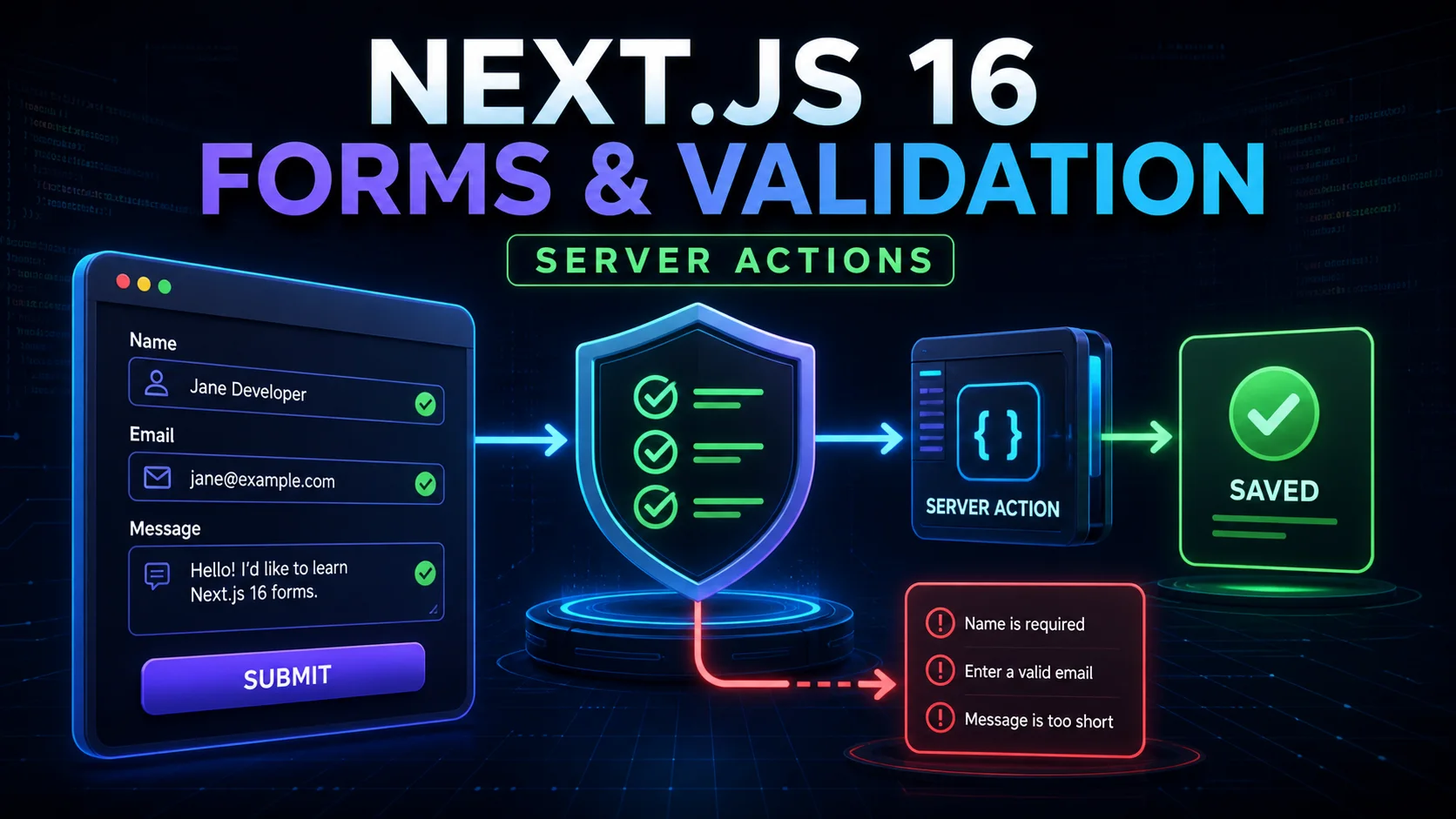
Server Actions make forms feel simple, but a production form needs much more than a submit button. It must validate untrusted values, protect sensitive operations, show pending feedback, return useful errors, and remain understandable with a keyboard or screen reader.
This tutorial extends Blog #7: Server Actions, the expected and unexpected failure model from Blog #9: Error Handling, protected operations from Blog #13: Authentication, and the request boundary from Blog #17: Proxy & Route Protection.
This publishing repository is a PHP site, not an installed Next.js app. It has no root package.json, Server Actions, React form components, validation dependency, database model, or Next.js authentication provider. The downloadable starter uses an unpinned next: latest. Examples were checked against current Next.js 16 documentation, React 19 documentation, Zod 4 documentation, and stable next@16.3.3 on August 29, 2026.
Forms at a Glance
React allows a function in the form action prop. When that function is a Next.js Server Action, the browser submission sends its successful controls as a native FormData object to server code. The action parses a narrow input object, validates it, authenticates and authorizes protected work, performs the mutation, then revalidates or returns safe state.
A Server Action is reachable through the application. Treat every argument as hostile and enforce the same validation, authentication, authorization, rate limits, and data minimization expected of any public mutation endpoint.
Your First Server Action Form
export default function ContactPage() {
  async function sendMessage(formData: FormData) {
    'use server'

    const email = formData.get('email')
    const message = formData.get('message')

    // Validate before sending or storing anything.
  }

  return (
    <form action={sendMessage}>
      <label htmlFor="email">Email</label>
      <input id="email" name="email" type="email" required />

      <label htmlFor="message">Message</label>
      <textarea id="message" name="message" required />

      <button type="submit">Send message</button>
    </form>
  )
}
An inline Server Action can live in a Server Component. A top-level 'use server' module is useful when Client Components import actions. Keep that client boundary small using the architecture from Blog #5: Server & Client Components. JavaScript is not required for the basic progressively enhanced submission when a Server Action is provided directly to a form.
Understanding FormData
Each successful named control contributes a value. get() returns the first matching FormDataEntryValue or null; the value may be a string or File. getAll() handles repeated names such as checkboxes. Never fix the type with an unchecked cast.
const emailValue = formData.get('email')
const topics = formData.getAll('topics')

if (typeof emailValue !== 'string') {
  return { errors: { email: ['Email is required.'] } }
}

const email = emailValue.trim().toLowerCase()
Object.fromEntries(formData) is convenient, but Server Action forms may include framework entries prefixed with $ACTION_. An explicit input object makes the accepted surface easier to review and prevents mass assignment.
Server-Side Validation
Server validation is authoritative because browser rules can be disabled and direct requests can be constructed. Check type, normalization, required values, length, format, allowed choices, cross-field rules, uniqueness, and current resource state as applicable.
type State = { errors?: { message?: string[] } }

export async function createMessage(
  _previous: State,
  formData: FormData
): Promise<State> {
  'use server'

  const value = formData.get('message')
  if (typeof value !== 'string') {
    return { errors: { message: ['Message is required.'] } }
  }

  const message = value.trim()
  if (message.length < 10 || message.length > 2000) {
    return { errors: { message: ['Use 10 to 2,000 characters.'] } }
  }

  // Store only after every relevant check passes.
  return {}
}Validation with Zod
No validation dependency exists in this repository, so nothing was installed. Zod is shown as a popular optional schema library. In an actual project, reuse its existing validator and pinned version instead of adding a second system.
The current Zod 4 API provides z.flattenError() for a flat form schema. Older examples, including some current Next.js pages, use result.error.flatten(); Zod 4 deprecates that instance method.
import * as z from 'zod'

const ContactSchema = z.object({
  name: z.string().trim().min(2).max(80),
  email: z.email().max(254),
  subject: z.string().trim().min(3).max(120),
  message: z.string().trim().min(10).max(2000),
})

const result = ContactSchema.safeParse({
  name: formData.get('name'),
  email: formData.get('email'),
  subject: formData.get('subject'),
  message: formData.get('message'),
})

if (!result.success) {
  const errors = z.flattenError(result.error)
  return { errors: errors.fieldErrors }
}

const data = result.data
Use only result.data after success. Schema validation does not authenticate a user, prove database ownership, prevent spam, or guarantee a unique record; those are separate checks.
Returning Field Errors
Expected input mistakes should normally return a serializable state rather than throw. Use stable field names and arrays of safe messages so the UI can place feedback next to each control. Do not return passwords, tokens, raw submitted files, SQL errors, provider payloads, or stack traces.
type ContactState = {
  errors?: Partial<Record<
    'name' | 'email' | 'subject' | 'message',
    string[]
  >>
  message?: string
}

const initialState: ContactState = {}
Handling State with useActionState
Current React returns exactly three values: state, an Action dispatcher, and a pending boolean. When a Server Action is used with this hook, its signature receives the previous state first and the submitted FormData second.
'use client'

import { useActionState } from 'react'
import { sendContact } from './actions'

const initialState = { errors: {}, message: '' }

export function ContactForm() {
  const [state, formAction, pending] =
    useActionState(sendContact, initialState)

  return (
    <form action={formAction}>
      {/* labelled fields and linked errors */}
      <button type="submit" disabled={pending}>
        {pending ? 'Sending...' : 'Send message'}
      </button>
      <p aria-live="polite">{state.message}</p>
    </form>
  )
}
Older tutorials may show useFormState. Current Next.js and React guidance uses useActionState as the primary API.
Pending State with useFormStatus
useFormStatus comes from react-dom. It observes its parent form, so call it in a child rendered inside that form—not in the component that creates the same form.
'use client'

import { useFormStatus } from 'react-dom'

export function SubmitButton() {
  const { pending } = useFormStatus()

  return (
    <button type="submit" disabled={pending}>
      {pending ? 'Sending...' : 'Send message'}
    </button>
  )
}
React 19 also exposes data, method, and action in the status object. Use only what the interface needs and never display sensitive submitted values in pending feedback.
Disabling the button reduces accidental double-submission; it does not guarantee idempotency. Payments, orders, bookings, and other high-value actions need server-generated idempotency keys, database constraints, transaction design, or provider-specific safeguards.
Client-Side Validation
HTML attributes such as required, type="email", minLength, maxLength, and constrained choices provide fast feedback and reduce avoidable submissions. Interactive validation may help complex relationships, but it cannot enforce security because the client is controlled by the user.
| Requirement | Client | Server |
|---|---|---|
| Instant feedback | Excellent | Slower |
| Security enforcement | No | Yes |
| Database uniqueness | Not reliable alone | Yes |
| Required for trustworthy input | No | Yes |
| UX improvement | Yes | Yes |
Authentication and Authorization in Forms
A private Server Action must authenticate the current user and authorize the exact record or operation. Route protection in Proxy improves navigation but does not secure a direct action request. Use the real provider and DAL from the application; this repository has no helper to copy.
'use server'

export async function updateProfile(formData: FormData) {
  const user = await requireCurrentUser() // use the real auth integration
  const input = validateProfile(formData)

  await updateUser(user.id, input)
}
Never accept a hidden userId, role, tenant ID, price, or permission as proof. Hidden fields are client-controlled. Load identity from the verified server session, fetch the target record, and enforce ownership, tenant, role, and resource-state policy before mutation.
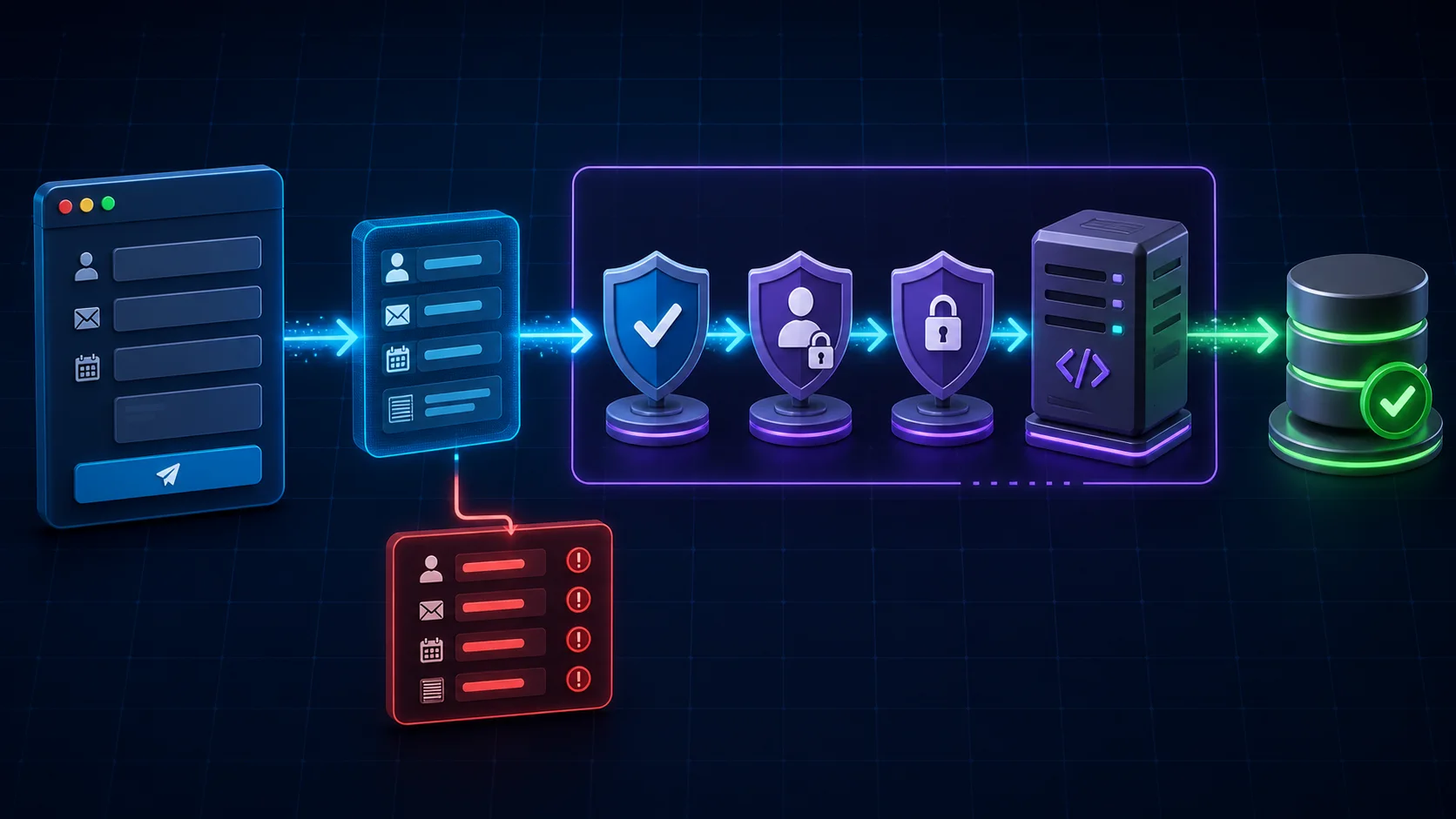
Create, Update, and Delete Forms
Create
Form → validate → authenticate when private → insert.
Update
Form → load record → authorize → validate → update allowed fields.
Delete
Button/form → authenticate → authorize → delete or archive.
For edit forms, preload only safe fields and never infer ownership from a submitted record ID. For delete actions, use explicit button text, confirmation proportional to risk, and authoritative server permission. JavaScript confirmation is a UX guard, not security. Review the complete mutation architecture in Blog #7.
Redirect and Revalidate After Submission
After a successful mutation, refresh affected data with revalidatePath or the appropriate current tag API, then redirect when the flow moves to another route. Do not place redirect() inside a broad catch that treats its framework control-flow signal as an ordinary failure.
import { revalidatePath } from 'next/cache'
import { redirect } from 'next/navigation'

export async function createPost(formData: FormData) {
  'use server'

  const data = validatePost(formData)

  try {
    await posts.create(data)
  } catch (error) {
    // Log a sanitized unexpected failure.
    return { message: 'Unable to create the post.' }
  }

  revalidatePath('/posts')
  redirect('/posts')
}
Revalidate only what changed. Continue with Blog #8: Caching & Revalidation for path and tag semantics.
Optimistic Form Updates
useOptimistic temporarily displays an expected state while an Action runs. It works well for likes, small status changes, and message lists where failure can be clearly reconciled. Be cautious with payments, inventory, irreversible deletion, bookings, and financial state.
'use client'

import { useOptimistic } from 'react'

const [optimisticMessages, addOptimistic] = useOptimistic(
  messages,
  (current, body: string) => [
    ...current,
    { id: 'pending', body, pending: true },
  ]
)

async function sendAction(formData: FormData) {
  const body = String(formData.get('message') ?? '')
  addOptimistic(body)
  await sendMessage(body)
}
The optimistic setter runs inside the form Action context; outside an Action it must be coordinated through a Transition. The server remains authoritative and the UI must explain or revert failures.
Accessible Forms
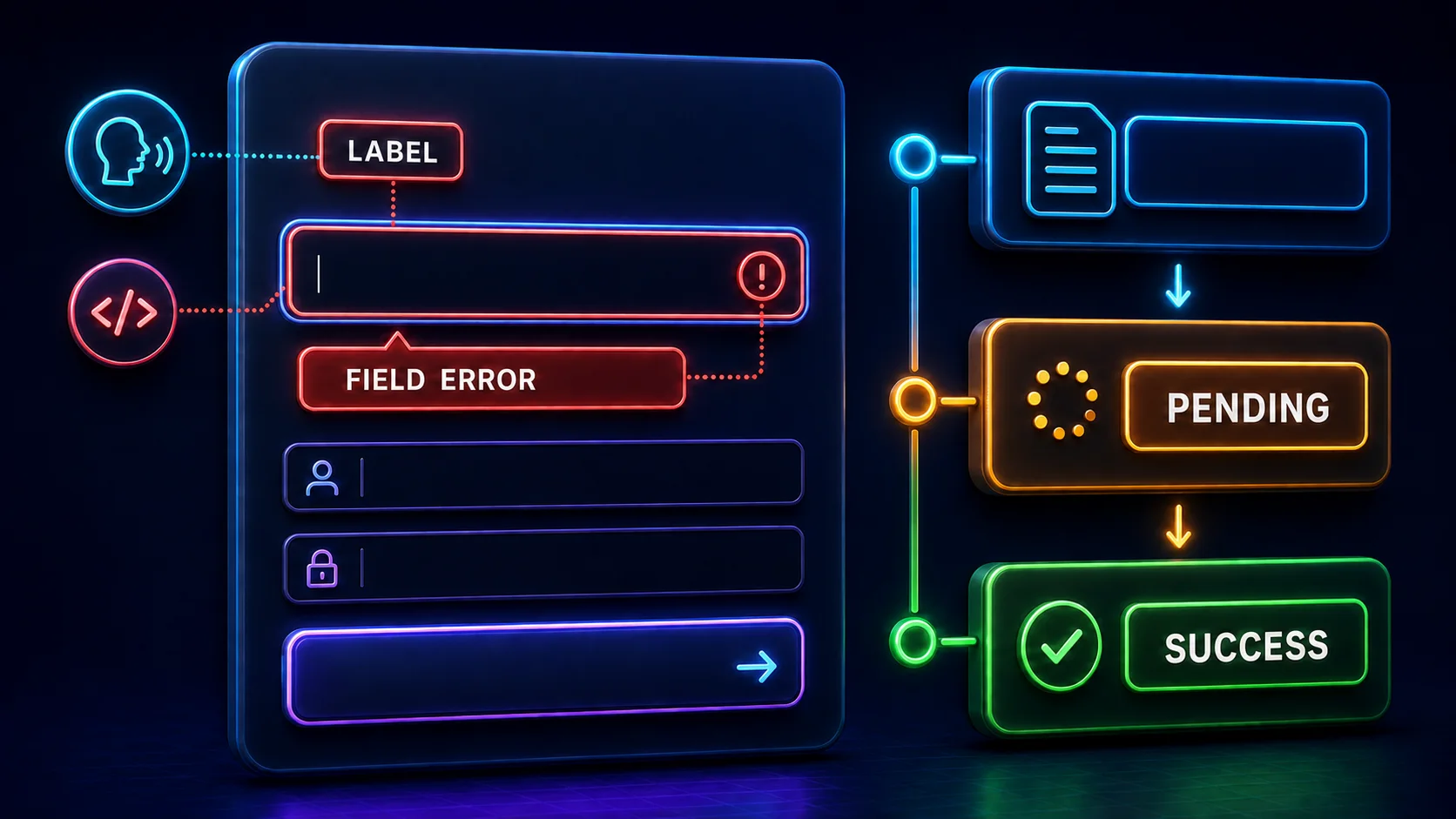
Every control needs an accessible name, usually a visible label. Placeholder text is not a label. Keep a visible focus indicator, logical keyboard order, usable touch targets, and instructions that do not rely only on color.
<label htmlFor="email">Email</label>
<input
  id="email"
  name="email"
  type="email"
  aria-invalid={Boolean(state.errors?.email)}
  aria-describedby={state.errors?.email ? 'email-error' : undefined}
/>
{state.errors?.email && (
  <p id="email-error" role="alert">
    {state.errors.email[0]}
  </p>
)}
For a larger form, place a concise error summary near the top, move focus deliberately after submission, and link summary entries to invalid fields. Avoid announcing every keystroke. Use an aria-live="polite" region for important submission results.
Password Forms
Never log, return, place in query strings, or unnecessarily repopulate passwords after errors. Follow the actual authentication provider for hashing, password policy, breach protection, reset flows, and rate limiting. Store provider and email credentials using the server-only practices from Blog #16.
Forms with File Uploads
FormData can contain File objects. Enforce server-side size limits, inspect content rather than trusting an extension or client-reported MIME type, generate safe storage names, keep uploads outside executable public paths, restrict access, and scan for malware when the risk requires it. A complete upload pipeline also needs storage quotas, timeout and memory controls, cleanup of incomplete objects, and safe download headers.
Build a Production-Ready Contact Form
A practical contact form collects name, email, subject, and message. The Server Action parses an explicit object, applies length and format rules, introduces abuse controls appropriate to traffic, sends or stores through a server-only provider, and returns safe field or form state.
1. Keep the action contract narrow
Define one serializable state shared by the action and client form. Do not return the submitted message or email address simply to rebuild the interface; that can unnecessarily duplicate private data in the response. Preserve only non-sensitive values deliberately when the product requires it.
'use server'

import * as z from 'zod'

type ContactState = {
  ok: boolean
  message: string
  errors: Record<string, string[] | undefined>
}

const schema = z.object({
  name: z.string().trim().min(2).max(80),
  email: z.email().max(254),
  subject: z.string().trim().min(3).max(120),
  message: z.string().trim().min(10).max(2000),
})

export async function sendContact(
  _previous: ContactState,
  formData: FormData
): Promise<ContactState> {
  const result = schema.safeParse({
    name: formData.get('name'),
    email: formData.get('email'),
    subject: formData.get('subject'),
    message: formData.get('message'),
  })

  if (!result.success) {
    return {
      ok: false,
      message: 'Check the highlighted fields.',
      errors: z.flattenError(result.error).fieldErrors,
    }
  }

  // Apply abuse controls and call a server-only mail or storage module.
  // Never build an HTML email by concatenating raw user values.
  await contactService.deliver(result.data)

  return { ok: true, message: 'Message sent.', errors: {} }
}
The example assumes a Zod 4 project and an existing server-only contactService; neither exists in this PHP publishing repository. A real service must read credentials from protected environment variables, escape values for the destination context, enforce provider limits, and log only safe operational metadata.
2. Render fields and state accessibly
The Client Component owns only interaction state. The Server Action still owns trust. Render every field with a persistent label, keep stable error IDs, and prevent the pending button from becoming an ambiguous unlabeled spinner.
'use client'

import { useActionState, useEffect, useRef } from 'react'
import { sendContact } from './actions'

const initialState = { ok: false, message: '', errors: {} }

export function ContactForm() {
  const [state, formAction, pending] =
    useActionState(sendContact, initialState)
  const formRef = useRef<HTMLFormElement>(null)

  useEffect(() => {
    if (state.ok) formRef.current?.reset()
  }, [state.ok])

  return (
    <form ref={formRef} action={formAction} noValidate>
      <label htmlFor="contact-name">Name</label>
      <input
        id="contact-name"
        name="name"
        maxLength={80}
        aria-invalid={Boolean(state.errors.name)}
        aria-describedby={state.errors.name ? 'name-error' : undefined}
      />
      {state.errors.name && (
        <p id="name-error" role="alert">{state.errors.name[0]}</p>
      )}

      {/* Repeat the same labelled pattern for email, subject, and message. */}
      <button type="submit" disabled={pending}>
        {pending ? 'Sending message...' : 'Send message'}
      </button>
      <p aria-live="polite">{state.message}</p>
    </form>
  )
}
noValidate is optional. This example uses it so one consistent server-returned message system can be demonstrated; leaving native browser validation enabled is often a good progressive baseline. If the form resets after success, ensure the success message stays visible long enough and focus does not unexpectedly jump. Never reset after a validation or server error, because that would erase the user's work.
Public forms may need layered rate limiting, a honeypot, CAPTCHA when justified, email verification, and backend abuse monitoring. None is perfect alone. Never insert untrusted name, subject, or message values as raw HTML into an email, dashboard, or page; encode or sanitize for the output context.
| Error type | Example | Handling |
|---|---|---|
| Validation | Bad email | Linked field message |
| Authentication | Session missing | Safe login flow |
| Authorization | No permission | Deny safely |
| Conflict | Duplicate username | Useful form message |
| Unexpected | Database failure | Generic message plus sanitized logging |
Expected validation and conflict errors normally return state. Unexpected failures should reach the application's safe logging and error-boundary strategy without revealing SQL, stack traces, secrets, or provider internals.
Common Next.js Form Mistakes
Client validation only
Repeat every trustworthy rule on the server.
Trusting FormData types
Values are strings or files and can be absent or manipulated.
Trusting hidden inputs
Identity, role, ownership, and price require server truth.
Authentication without authorization
Verify the exact resource and operation.
Generic field feedback
Return safe field-level messages for expected mistakes.
Throwing normal validation errors
Return serializable state instead.
Using useFormState
Use current useActionState as the primary API.
No pending feedback
Show status and reduce repeat clicks.
Button-only duplicate protection
Critical actions need server idempotency.
Catching redirect broadly
Do not swallow framework control flow.
Logging form data
Submissions can contain passwords and private information.
No length limits
Bound text and files to reduce abuse and cost.
Trusting file metadata
Inspect and store uploads defensively.
Placeholder-only labels
Use persistent visible labels.
Color-only errors
Add understandable text and accessible relationships.
Next.js 16 Forms & Validation Best Practices
- Use Server Actions for suitable same-application mutations.
- Validate all inputs server-side; use client validation for UX.
- Reuse the installed validation library and keep schemas near trusted boundaries.
- Return safe field-level errors and use current
useActionState. - Use
useFormStatusfor a child submit component when appropriate. - Keep Client Components small and field names consistent.
- Authenticate protected mutations and authorize the exact record.
- Never trust hidden identity, role, ownership, tenant, or pricing values.
- Revalidate only affected data and redirect only after success.
- Never log passwords, secret tokens, or complete private submissions.
- Use labels, linked errors, focus management, and text status.
- Limit lengths and upload sizes, and protect public forms from abuse.
- Follow version-matched Next.js, React, auth-provider, and validator documentation.
Frequently Asked Questions
How do forms work in Next.js 16?
React extends the form action prop so it can receive a Server Action. On submission, the function runs on the server and receives the submitted FormData object.
How do I submit a form with a Server Action?
Create a server function with use server, then pass it to form action. Match every control name with the FormData keys the action reads.
How do I read FormData in Next.js?
Use formData.get for one field, getAll for repeated names, or Object.fromEntries for a broad object. Validate every value because FormData values are strings or files and remain untrusted.
Should I validate forms on the client or server?
Use both for different jobs. Client and HTML validation improve immediate feedback; server validation is authoritative and must run before protected work.
How do I use Zod with Next.js Server Actions?
Build a schema, pass an explicit object of FormData values to safeParse, return field errors on failure, and use result.data only after success. Install and pin Zod only when it fits the real project.
What is useActionState?
useActionState is a React Hook that connects an Action result to component state. It returns the current state, an Action dispatcher suitable for the form action prop, and an isPending boolean.
What is useFormStatus?
useFormStatus is imported from react-dom and reports the submission status of its parent form. The component calling it must be rendered inside that form.
How do I show pending state while a form submits?
Use the pending value from useActionState or render a child submit component that reads pending from useFormStatus. Keep the status text understandable and announce important results.
How do I return field errors from a Server Action?
Return a serializable state object that maps field names to arrays of safe messages. Render each message beside its control and connect it with aria-describedby and aria-invalid.
How do I redirect after form submission?
Call redirect after successful validation and mutation. Keep it outside a broad catch block because redirect uses framework control flow that must not be swallowed.
How do I revalidate data after a form mutation?
After the mutation succeeds, call revalidatePath for the affected route or use the appropriate current tag API, then redirect or return state according to the desired UI flow.
Do protected forms need authentication?
Yes when the operation is private. The Server Action must authenticate the current user and authorize the exact record or operation even when the page route was already protected.
Can I trust hidden form fields?
No. Users can change hidden inputs. Use server-authenticated identity and load protected records before checking ownership or permission.
How do I prevent duplicate form submissions?
Pending UI and a disabled button reduce accidental repeats. Payments, orders, bookings, and other valuable operations also need server-side idempotency or uniqueness safeguards.
How do I make Next.js forms accessible?
Use visible labels, keyboard-operable controls, clear focus, text error messages, aria-describedby, aria-invalid, useful pending feedback, and an error summary for longer forms.
Next Steps
You can now build forms that parse input deliberately, validate on the server, return accessible field errors, expose pending state, enforce identity and permission, refresh affected data, and handle failures safely. Next, test the full Client Component and Server Action form flow in Blog #33, then store validated values using Blog #19: Next.js 16 PostgreSQL Integration with Drizzle ORM.
