


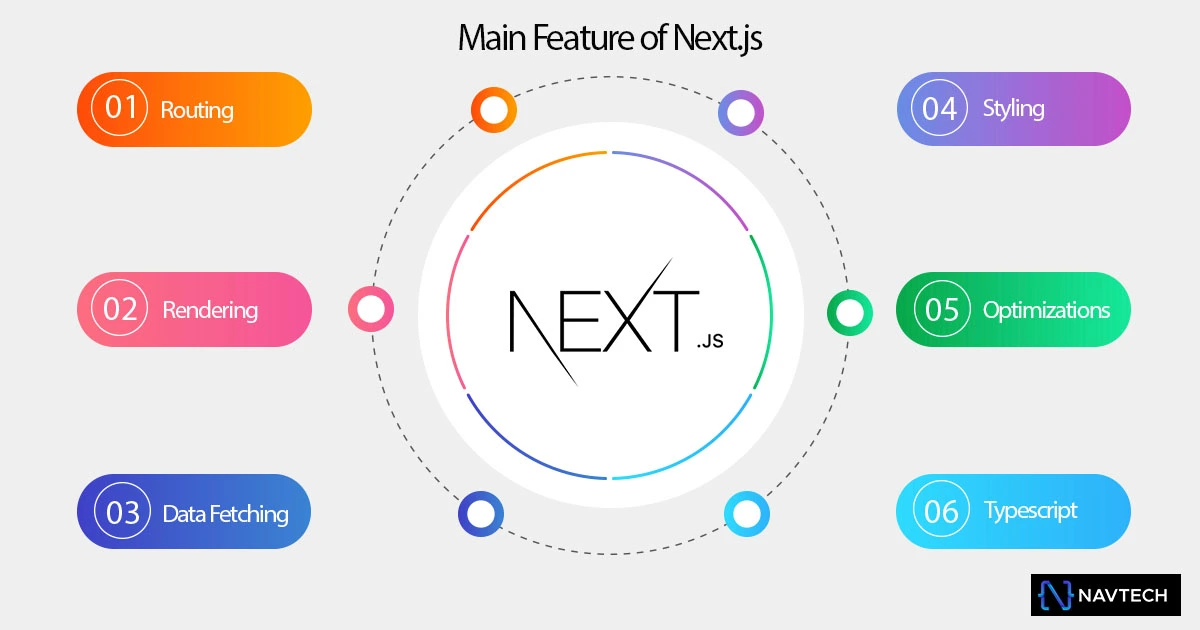
Next.js turns React into a production-focused framework. React gives you the component model for building interfaces; Next.js adds routing, server rendering, data access patterns, image and font tools, metadata, server endpoints, and deployment conventions. This Next.js 16 Complete Beginner Guide connects those pieces in the order you are likely to need them.
You do not need to use every advanced feature on day one. Start with a small App Router project, keep most components on the server, add client-side JavaScript only where interaction requires it, and measure before optimizing. That approach produces a simpler application and a much clearer learning path.
1. What is Next.js?
Next.js is an open-source React framework for full-stack web applications. A Next.js project can render pages on the server, prerender them during a build, stream parts of a response, or make selected parts interactive in the browser. The App Router organizes the application through folders and special files such as page.tsx, layout.tsx, loading.tsx, and error.tsx.
Businesses use Next.js because a single codebase can serve marketing pages, product interfaces, authenticated dashboards, and backend endpoints. Developers gain conventions instead of assembling routing, bundling, rendering, and optimization tools independently. None of that guarantees a fast or successful site by itself, but it gives a strong foundation for professional web design and development.
2. React vs Next.js
React and Next.js are not competing alternatives at the same layer. React is the interface library that provides components, props, hooks, and rendering behavior. Next.js uses React and adds an application framework around it.
| Area | React | Next.js 16 |
|---|---|---|
| Primary role | Build user interfaces | Build complete React web applications |
| Routing | Choose and configure a router | File-system routing is built in |
| Rendering | Rendering library; architecture is your choice | Server Components, prerendering, streaming, and client rendering |
| SEO tools | Implemented through your chosen stack | Metadata APIs, server-rendered HTML, sitemap conventions |
| Backend | Not included | Route Handlers and Server Actions |
| Optimization | Depends on your toolchain | Integrated image, font, script, and route optimization |
Choose a client-only React build when a small embedded interface or highly custom architecture is the real requirement. Choose Next.js when routing, discoverable pages, server data, or a unified full-stack workflow matters. Read our existing explanation of the relationship between React and Next.js for more background.
3. Important Next.js 16 features
Next.js 16 makes Turbopack the default bundler for development and production builds. It also improves navigation through shared-layout deduplication and incremental prefetching. The minimum runtime is Node.js 20.9, and TypeScript 5.1 or newer is required when you use TypeScript.
Cache Components are an opt-in model built around the use cache directive. They let an application combine a prerendered shell, cached sections, and request-time content. This is powerful, but a beginner should first understand ordinary Server Components and request-time data. Other version-specific changes include stable opt-in React Compiler support, async request APIs and route parameters, updated next/image defaults, and the move from the middleware.ts naming convention toward proxy.ts.
4. Install Next.js 16 with TypeScript
Install Node.js 20.9 or newer, then create a project with the official CLI. The recommended defaults enable TypeScript, ESLint, Tailwind CSS, App Router, Turbopack, the @/* import alias, and current coding-agent guidance files. If this is your first project, follow the focused Next.js 16 installation and setup tutorial for every prompt and generated file.
npx create-next-app@latest my-next-app
cd my-next-app
npm run dev
Open http://localhost:3000. Before adding features, run npm run build once; a production build catches route, type, and rendering problems that a development session may not reveal. Keep the lockfile in version control so installations remain reproducible.
Next.js includes first-class TypeScript support. Type component props directly and prefer clear domain types over any:
type ProductCardProps = {
  name: string
  price: number
  inStock?: boolean
}

export function ProductCard({ name, price, inStock = true }: ProductCardProps) {
  return (
    <article>
      <h2>{name}</h2>
      <p>${price.toFixed(2)}</p>
      {!inStock && <p>Currently unavailable</p>}
    </article>
  )
}
5. Understand the Next.js App Router
Every folder inside app represents a route segment, but a public route exists only when the segment contains a page.tsx file. A root layout.tsx is required and defines the shared document structure. Nested layouts wrap their descendant pages and remain mounted during navigation.
app/
├── layout.tsx          # Shared root layout
├── page.tsx            # /
├── loading.tsx         # Root loading UI
├── error.tsx           # Root error boundary (client component)
├── about/
│   └── page.tsx        # /about
└── blog/
    ├── page.tsx        # /blog
    └── [slug]/
        └── page.tsx    # /blog/any-slug
Pages and layouts
import type { Metadata } from 'next'
import './globals.css'

export const metadata: Metadata = {
  title: { default: 'Acme', template: '%s | Acme' },
  description: 'Useful products for modern teams',
}

export default function RootLayout({ children }: Readonly<{
  children: React.ReactNode
}>) {
  return (
    <html lang="en">
      <body>{children}</body>
    </html>
  )
}
Use the framework’s Link component for internal navigation. It enables client-side transitions and route prefetching where appropriate. Use a normal anchor for downloads, external protocols, or cases where document navigation is intentional.
Dynamic routes in Next.js 16
A bracketed folder creates a dynamic segment. In Next.js 16, route params are asynchronous, so await them. Validate the slug and call notFound() when no record exists.
import { notFound } from 'next/navigation'

type PageProps = {
  params: Promise<{ slug: string }>
}

export default async function BlogPost({ params }: PageProps) {
  const { slug } = await params
  const post = await getPostBySlug(slug)

  if (!post) notFound()
  return <article><h1>{post.title}</h1></article>
}
Loading and error files
loading.tsx supplies instant fallback UI while a segment streams. Make skeletons resemble the final layout to reduce visual movement. error.tsx catches errors in its route segment and must be a Client Component because it receives an error and a reset function. Also add not-found.tsx for missing content. Error UI should be useful without exposing stack traces or private details.
6. Server Components and Client Components
App Router components are Server Components by default. They can read server-side data, use secrets without sending them to the browser, and reduce the amount of JavaScript delivered to users. They cannot use state, effects, event handlers, or browser-only APIs.
Add 'use client' at the top of a file only when that boundary needs browser interactivity. Everything imported by that file becomes part of the client module graph, so keep the boundary small.
'use client'

import { useState } from 'react'

export function QuantityPicker() {
  const [quantity, setQuantity] = useState(1)

  return (
    <div>
      <button type="button" onClick={() => setQuantity(q => Math.max(1, q - 1))}>
        Decrease quantity
      </button>
      <output aria-live="polite">{quantity}</output>
      <button type="button" onClick={() => setQuantity(q => q + 1)}>
        Increase quantity
      </button>
    </div>
  )
}
A common pattern is a Server Component that fetches product data and passes serializable values to a small interactive picker. Do not mark an entire page as client-side simply because one button needs state.
7. Metadata and Next.js SEO
Good search engine optimization begins with useful content, crawlable links, correct status codes, strong information architecture, and fast, accessible pages. Next.js provides tools, not automatic rankings. Export a static metadata object for fixed pages or use generateMetadata when values depend on a route.
import type { Metadata } from 'next'

export async function generateMetadata({ params }: PageProps): Promise<Metadata> {
  const { slug } = await params
  const post = await getPostBySlug(slug)

  if (!post) return { title: 'Post not found' }

  return {
    title: post.title,
    description: post.excerpt,
    alternates: { canonical: `/blog/${slug}` },
    openGraph: {
      type: 'article',
      title: post.title,
      description: post.excerpt,
      images: [{ url: post.image, width: 1200, height: 630 }],
    },
  }
}
Set metadataBase in the root layout when you build relative canonical or social-image URLs. Generate sitemap.ts and robots.ts for larger applications. Use one descriptive H1, meaningful headings, internal links, image alt text, and JSON-LD only when it matches visible page content.
8. Images, fonts, and Tailwind CSS v4
Image optimization
The Image component reserves dimensions, serves responsive image variants, and lazy-loads non-priority images. Always supply useful alt text for informative images and an empty alt value for decoration. Use priority or appropriate fetch priority only for the likely largest above-the-fold image—not for every image.
import Image from 'next/image'

export function Hero() {
  return (
    <Image
      src="/images/team.webp"
      alt="Product team reviewing a dashboard"
      width={1200}
      height={700}
      sizes="(max-width: 768px) 100vw, 1200px"
      priority
    />
  )
}
Font optimization
Use next/font to self-host Google fonts at build time or package local font files. Apply the generated class to the document and choose a suitable fallback to reduce layout shift.
import { Inter } from 'next/font/google'

const inter = Inter({ subsets: ['latin'], display: 'swap' })

export default function RootLayout({ children }: { children: React.ReactNode }) {
  return <html lang="en" className={inter.className}><body>{children}</body></html>
}
Tailwind CSS v4 with Next.js
New projects can select Tailwind during setup. For a manual Tailwind CSS v4 integration, install the framework and its PostCSS plugin, configure PostCSS, then import Tailwind once in the global stylesheet.
npm install -D tailwindcss @tailwindcss/postcss

// postcss.config.mjs
export default {
  plugins: { '@tailwindcss/postcss': {} },
}

/* app/globals.css */
@import 'tailwindcss';
Tailwind is optional. CSS Modules and global CSS remain valid. Pick one understandable styling strategy and establish tokens for color, spacing, type, and focus states before the interface grows.
9. Route Handlers and Server Actions
Route Handlers
A route.ts file creates an HTTP endpoint using the Web Request and Response APIs. It is suitable for webhooks, public API endpoints, feeds, or integrations. Never place route.ts beside page.tsx at the same route segment because both would claim the same path.
export async function GET() {
  return Response.json(
    { status: 'ok', time: new Date().toISOString() },
    { headers: { 'Cache-Control': 'no-store' } }
  )
}
Server Actions
A Server Action is an asynchronous server function used from a form or Client Component. It can simplify mutations, but it remains a public server entry point. Authenticate the user, authorize the specific operation, validate all input, rate-limit sensitive actions, and return safe errors.
'use server'

import { revalidatePath } from 'next/cache'

export async function updateProfile(formData: FormData) {
  const user = await requireAuthenticatedUser()
  const displayName = String(formData.get('displayName') ?? '').trim()

  if (displayName.length < 2 || displayName.length > 60) {
    return { error: 'Enter a name between 2 and 60 characters.' }
  }

  await db.profile.update({ userId: user.id, displayName })
  revalidatePath('/account')
  return { success: true }
}
Use environment variables without NEXT_PUBLIC_ for server-only secrets. A variable with that prefix is bundled for the browser and should be considered public.
10. Performance optimization
Performance work begins with measurement. Test real production builds, review Core Web Vitals, and examine which JavaScript and images each route sends. NavTech Solution’s speed optimization service follows the same evidence-first principle.
- Keep components on the server unless they need browser behavior.
- Fetch independent data in parallel and place slow regions behind meaningful Suspense boundaries.
- Use responsive images and avoid marking below-the-fold media as priority.
- Load third-party scripts only where needed and after critical content when possible.
- Choose caching deliberately. In Next.js 16, dynamic work is request-time by default; Cache Components are opt-in.
- Import large packages narrowly and analyze the production bundle before replacing working code.
A fast development server is not proof of a fast user experience. Build with npm run build, run with npm start, test on a throttled mobile profile, and monitor field data after launch.
11. Accessibility and security
Accessibility essentials
Use native HTML before ARIA: buttons for actions, anchors for navigation, labels for form controls, and landmarks for page regions. Keep headings in a logical outline, provide a keyboard-visible focus indicator, preserve zoom, and respect reduced-motion preferences. Test the application with only a keyboard and at least one screen reader.
Dynamic interfaces need extra care. Announce important updates with a restrained aria-live region, move focus when a modal opens, return it when the modal closes, and make loading states understandable without relying only on animation or color.
Security essentials
- Patch Next.js, React, Node.js, and dependencies promptly, especially after security advisories.
- Treat Route Handlers and Server Actions as public endpoints; authenticate and authorize on the server.
- Validate data with allowlists and enforce limits on payload size, file type, and request rate.
- Never expose secrets in client code, logs, source control, or error messages.
- Avoid rendering unsanitized HTML. React escapes text by default;
dangerouslySetInnerHTMLrequires trusted, sanitized input. - Set appropriate security headers, secure cookies, and a Content Security Policy tailored to the scripts the site actually uses.
When self-hosting, place a reverse proxy such as Nginx in front of the Node.js process to handle malformed traffic, request limits, timeouts, TLS, and rate limiting. Security is a system property, not a single framework option.
12. Next.js deployment
Deploy to Vercel
Push the project to a Git provider, import it into Vercel, configure environment variables, and deploy. Vercel detects Next.js build settings and creates preview deployments for branches. Confirm the production domain, redirects, analytics consent, and environment separation before launch.
Deploy with Docker on a VPS
For a smaller production image, enable standalone output. The build copies the required server files into .next/standalone. Static and public assets must also be copied into the final image.
// next.config.ts
import type { NextConfig } from 'next'

const nextConfig: NextConfig = { output: 'standalone' }
export default nextConfig

# Dockerfile (simplified multi-stage example)
FROM node:20-alpine AS build
WORKDIR /app
COPY package*.json ./
RUN npm ci
COPY . .
RUN npm run build

FROM node:20-alpine AS runner
WORKDIR /app
ENV NODE_ENV=production
COPY --from=build /app/public ./public
COPY --from=build /app/.next/standalone ./
COPY --from=build /app/.next/static ./.next/static
USER node
EXPOSE 3000
CMD ["node", "server.js"]
Put the container behind a reverse proxy, terminate HTTPS, set resource limits, collect logs, and define health checks and backups. For multiple instances, plan shared cache behavior and deployment identifiers. A plain static export is another option for sites that do not require request-time server features, but it cannot support every Next.js capability.
13. Common Next.js beginner mistakes
- Adding
'use client'everywhere. This expands client bundles and removes server-only advantages. Move only interactive leaves across the client boundary. - Assuming all data is cached. Next.js 16 makes dynamic work request-time by default. Define caching intentionally and invalidate it with the correct API.
- Forgetting to await route APIs. Dynamic
params,searchParams, cookies, and headers follow asynchronous patterns in current Next.js. - Using effects for server data. Fetch initial data in a Server Component when possible; reserve effects for synchronizing with browser-side systems.
- Skipping error, empty, and loading states. A page is not complete when only the success state works.
- Trusting client validation. Client validation improves usability, but the server must validate and authorize every mutation.
- Ignoring metadata and semantics until launch. Establish titles, canonical URLs, headings, alt text, and crawl behavior with each route.
- Optimizing without measuring. Extra memoization, cache directives, and dependencies can increase complexity without improving user outcomes.
Also avoid copying old tutorials without checking their version. The App Router has evolved, and examples built around synchronous parameters, Pages Router conventions, or older caching defaults may be misleading in Next.js 16.
Frequently asked questions
Is Next.js 16 suitable for beginners?
Yes. Basic React knowledge helps, but create-next-app, file-based routing, TypeScript defaults, and clear conventions make Next.js 16 approachable when learned one feature at a time.
Do I need to learn React before Next.js?
Learn React fundamentals first: components, props, state, events, and rendering lists. You can then learn the Next.js routing, data, caching, and deployment conventions alongside a real project.
Does Next.js 16 require Vercel?
No. Vercel offers a streamlined managed deployment, while Next.js can also run as a Node.js server, in Docker, or as a static export when the application's features permit it.
Are Server Components the default in the App Router?
Yes. Components in the App Router are Server Components by default. Add the use client directive only to a client boundary that needs state, effects, event handlers, or browser APIs.
Can I use Tailwind CSS v4 with Next.js 16?
Yes. Install tailwindcss and @tailwindcss/postcss, configure the PostCSS plugin, and import Tailwind with @import 'tailwindcss' in the global stylesheet.
14. Conclusion
The most effective Next.js beginner guide is a small working product. Create an App Router project, build two or three routes, fetch data in Server Components, isolate one interactive Client Component, add real metadata and accessible states, and deploy a production build. That exercise teaches the framework’s boundaries better than collecting disconnected code snippets.
Next.js 16 offers a mature route system, a server-first component model, integrated optimization, and flexible deployment. Use those capabilities deliberately. Keep request-time work, caching, browser JavaScript, and security decisions visible in the code. The result will be easier to maintain and more useful to the people visiting it.
Planning a modern web project?
NavTech Solution can help you plan a fast, accessible, SEO-ready website around your business goals.
Discuss your project