

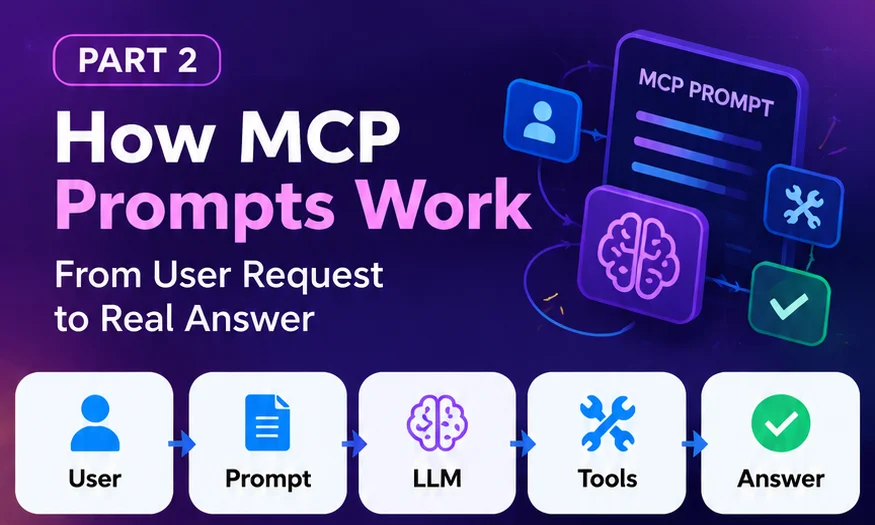
MCP prompts work in two steps. The client sends prompts/list to discover which prompt templates a server offers, then sends prompts/get with the chosen prompt's name and arguments. The server returns a list of messages that the application gives to the language model. Retrieving a prompt never runs a tool; tool use is a separate tools/call step.
Introduction
In Part 1 we defined an MCP prompt as a reusable instruction template. This article looks at the messages behind it: who sends what, which fields matter, and where prompt retrieval ends and tool execution begins.
All examples follow the official MCP specification, revision 2026-07-28. MCP messages use JSON-RPC 2.0, a small standard for requests (with an id and a method), responses (with a result or an error), and notifications (no id, no response).
MCP client and server architecture
Three roles are involved:
- Host: the AI application the user works in, such as a chat app, an IDE, or your own Next.js product.
- Client: the part of the host that speaks MCP to one server.
- Server: a program that exposes prompts, resources, and tools. It might wrap your ticket tracker, your repository, or an internal API.
A server that offers prompts declares the prompts capability. The optional listChanged flag says whether it will notify clients when its prompt list changes:
{
  "capabilities": {
    "prompts": {
      "listChanged": true
    }
  }
}
Revision 2026-07-28 is stateless: there is no session handshake, and every request carries its own protocol version and client capabilities in a _meta field. Clients may call server/discover first to learn what a server supports, but are not required to. Earlier revisions (2025-11-25 and before) used an initialize handshake instead, and many servers in the wild still do; see the versioning rules for how clients handle both.
How prompt discovery works
Discovery answers one question for the client: which prompts can I offer this user? The client asks the server, receives a list of prompt definitions, and shows them however suits its interface. The specification gives slash commands as an example, but does not require any particular UI.
The list can be paginated, can carry caching hints, and can change over time. Servers that declared listChanged send a notifications/prompts/list_changed notification to clients that subscribed, and the client then fetches the list again.
Understanding prompts/list
prompts/list returns prompt definitions, not their full content. Here is a complete request, including the required _meta fields:
{
  "jsonrpc": "2.0",
  "id": 1,
  "method": "prompts/list",
  "params": {
    "_meta": {
      "io.modelcontextprotocol/protocolVersion": "2026-07-28",
      "io.modelcontextprotocol/clientInfo": {
        "name": "example-client",
        "version": "1.0.0"
      },
      "io.modelcontextprotocol/clientCapabilities": {}
    }
  }
}{
"jsonrpc": "2.0",
"id": 1,
"result": {
"resultType": "complete",
"prompts": [
{
"name": "investigate_production_bug",
"title": "Investigate Production Bug",
"description": "Guides the model through the approved bug investigation procedure.",
"arguments": [
{
"name": "bug_id",
"description": "Ticket identifier, for example BUG-4821",
"required": true
},
{
"name": "service",
"description": "Affected service, if already known",
"required": false
}
]
},
{
"name": "draft_release_notes",
"title": "Draft Release Notes",
"description": "Summarises merged changes into customer-facing release notes.",
"arguments": [
{
"name": "version",
"description": "Release version, for example 4.2.0",
"required": true
}
]
}
]
}
}Each prompt has:
name: the unique identifier the client sends back inprompts/get.title(optional): a human-readable name for menus.description(optional): what the prompt is for.arguments(optional): the inputs it accepts.icons(optional): images a client can show next to the prompt.
If there are more prompts than fit in one page, the result includes a nextCursor; the client sends it back as params.cursor to get the next page. The result can also include ttlMs and cacheScope hints that tell the client how long it may cache the list.
Understanding prompts/get
Once the user picks a prompt and fills in its arguments, the client retrieves the full content with prompts/get:
{
  "jsonrpc": "2.0",
  "id": 2,
  "method": "prompts/get",
  "params": {
    "_meta": {
      "io.modelcontextprotocol/protocolVersion": "2026-07-28",
      "io.modelcontextprotocol/clientInfo": {
        "name": "example-client",
        "version": "1.0.0"
      },
      "io.modelcontextprotocol/clientCapabilities": {}
    },
    "name": "investigate_production_bug",
    "arguments": {
      "bug_id": "BUG-4821"
    }
  }
}{
"jsonrpc": "2.0",
"id": 2,
"result": {
"resultType": "complete",
"description": "Investigation procedure for BUG-4821",
"messages": [
{
"role": "user",
"content": {
"type": "text",
"text": "Investigate production bug BUG-4821 using the approved procedure.\n1. Read the ticket.\n2. Identify the affected service.\n3. Check the deployment history.\n4. Review recent code changes.\n5. Inspect relevant team discussions.\n6. Cross-check the evidence.\n7. Identify the likely root cause.\n8. Recommend a fix.\nCite the evidence for every claim and say clearly what is not yet verified."
}
}
]
}
}The result's messages array is what matters. Each message has a role ("user" or "assistant") and a content item, which can be:
| Content type | Use it for |
|---|---|
text | Plain instructions; the most common type |
image | Base64 image data with a MIME type, for visual context |
audio | Base64 audio data with a MIME type |
resource_link | A URI to a resource the client can fetch, without embedding it |
resource | An embedded resource, such as a runbook or code sample, included directly |
The application then adds these messages to the conversation and sends them to the model. A server may also answer prompts/get with an input_required result when it needs more information first; the client supplies it and retries the request.
Prompt arguments
Arguments are how one template serves many cases. Each argument definition has a name, an optional description, and an optional required flag. The client collects values (often in a small form or as slash-command parameters) and sends them as the arguments object in prompts/get.
- Argument values are strings keyed by argument name.
- Servers should validate arguments before building the prompt.
- Clients can offer auto-completion for argument values through MCP's completion utility, for example suggesting open ticket IDs.
If a required argument is missing or the prompt name is unknown, the server should return a standard JSON-RPC error with code -32602 (Invalid params):
{
  "jsonrpc": "2.0",
  "id": 3,
  "error": {
    "code": -32602,
    "message": "Missing required argument: bug_id"
  }
}
Example: building the prompt on the server
How a server turns arguments into messages is up to the implementation. The sketch below shows the logic in plain TypeScript; it is illustrative, not a specific SDK's API. Official SDKs provide their own helpers for registering prompts.
type PromptArguments = Record<string, string>;

// buildProcedure(bugId, service) returns the numbered steps as text (not shown).

// Answers prompts/get for one prompt: validate, then build messages.
export function getInvestigatePrompt(args: PromptArguments) {
  const bugId = args.bug_id?.trim();
  if (!bugId || !/^BUG-\d+$/.test(bugId)) {
    // The server maps this to JSON-RPC error -32602 (Invalid params).
    throw new Error("Missing or invalid required argument: bug_id");
  }

  return {
    description: "Investigation procedure for " + bugId,
    messages: [
      {
        role: "user",
        content: { type: "text", text: buildProcedure(bugId, args.service) },
      },
    ],
  };
}
Notice what the function does not do: it does not read the ticket or query deployments. It only produces instructions. Validating the argument format also helps with the specification's security requirement to validate prompt inputs and prevent injection.
If you host an MCP server inside a Next.js app over HTTP, the endpoint is a regular route; our guide to Next.js 16 Route Handlers covers request parsing, validation, and authentication for that kind of endpoint.
MCP prompt execution flow
Putting the pieces together, a prompt-driven task moves through these stages. The first four are about instructions; tool calls start only at stage six.
- User requestInvestigate BUG-4821 and tell me the root cause.
- Discover promptsClient sends prompts/list
- Select promptUser picks Investigate Production Bug and enters BUG-4821
- Retrieve promptClient sends prompts/get with arguments
- LLM interprets instructionsThe returned messages join the conversation
- Authorized tool callsThe model proposes tools/call requests; the client can ask the user to confirm
- Collect evidenceTool results go back to the model
- Final answerLikely root cause, evidence, and recommended fix
MCP prompts vs MCP tools
| Prompts | Tools | |
|---|---|---|
| Purpose | Reusable instruction templates | Operations on external systems |
| Control model | User-controlled | Model-controlled, with a human able to deny calls |
| Discover | prompts/list | tools/list |
| Use | prompts/get returns messages | tools/call returns a result |
| Input | Named string arguments | Arguments described by a JSON Schema (inputSchema) |
| Side effects | None; it only returns content | Possible: reads, writes, API calls |
The tools specification recommends that applications keep a human in the loop: show which tools are exposed, make tool calls visible, and ask for confirmation on sensitive operations. A prompt cannot grant itself permission to skip that.
Common developer mistakes
- Expecting prompts/get to do the work. It returns instructions. The investigation happens afterwards, through the model and tools.
- Forgetting the per-request
_meta. In revision 2026-07-28, a request without the required protocol version and client capabilities is malformed and is rejected with-32602. - Treating prompt text as policy. "Only read production data" in a prompt is guidance. Enforce access in the tools and the systems behind them.
- Skipping argument validation. Arguments come from users; validate format and length before inserting them into messages.
- Ignoring pagination and list changes. Follow
nextCursorand refresh the list after alist_changednotification. - Using prompts for things that should be tools. If it needs to fetch data or change something, it is a tool.