


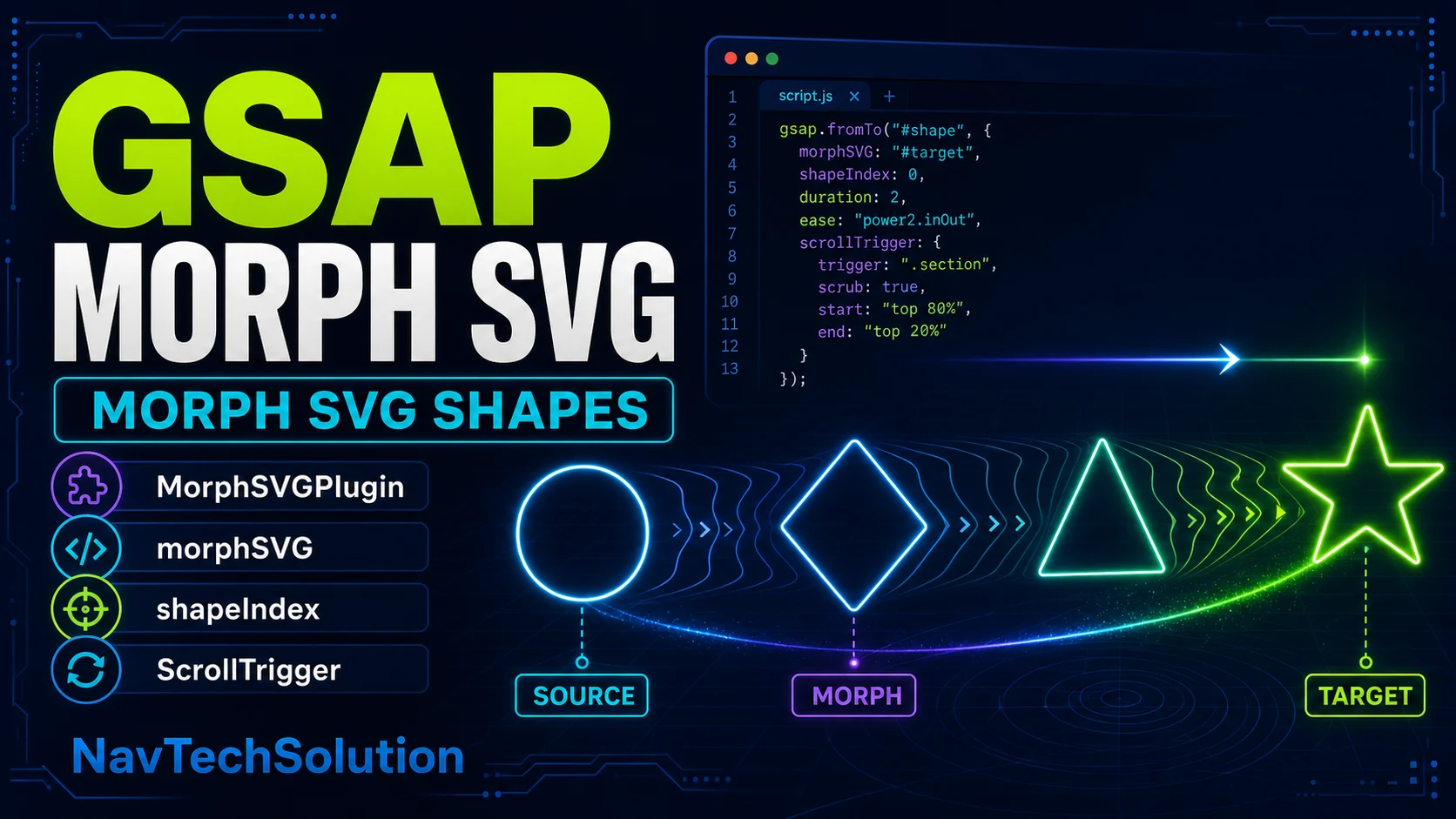
MorphSVGPlugin answers “what geometry should this path become?” In Article #27, DrawSVG revealed a stroke. In Article #28, MotionPath moved a traveler. Here the visible source path itself changes shape.
1. What Is SVG Morphing?
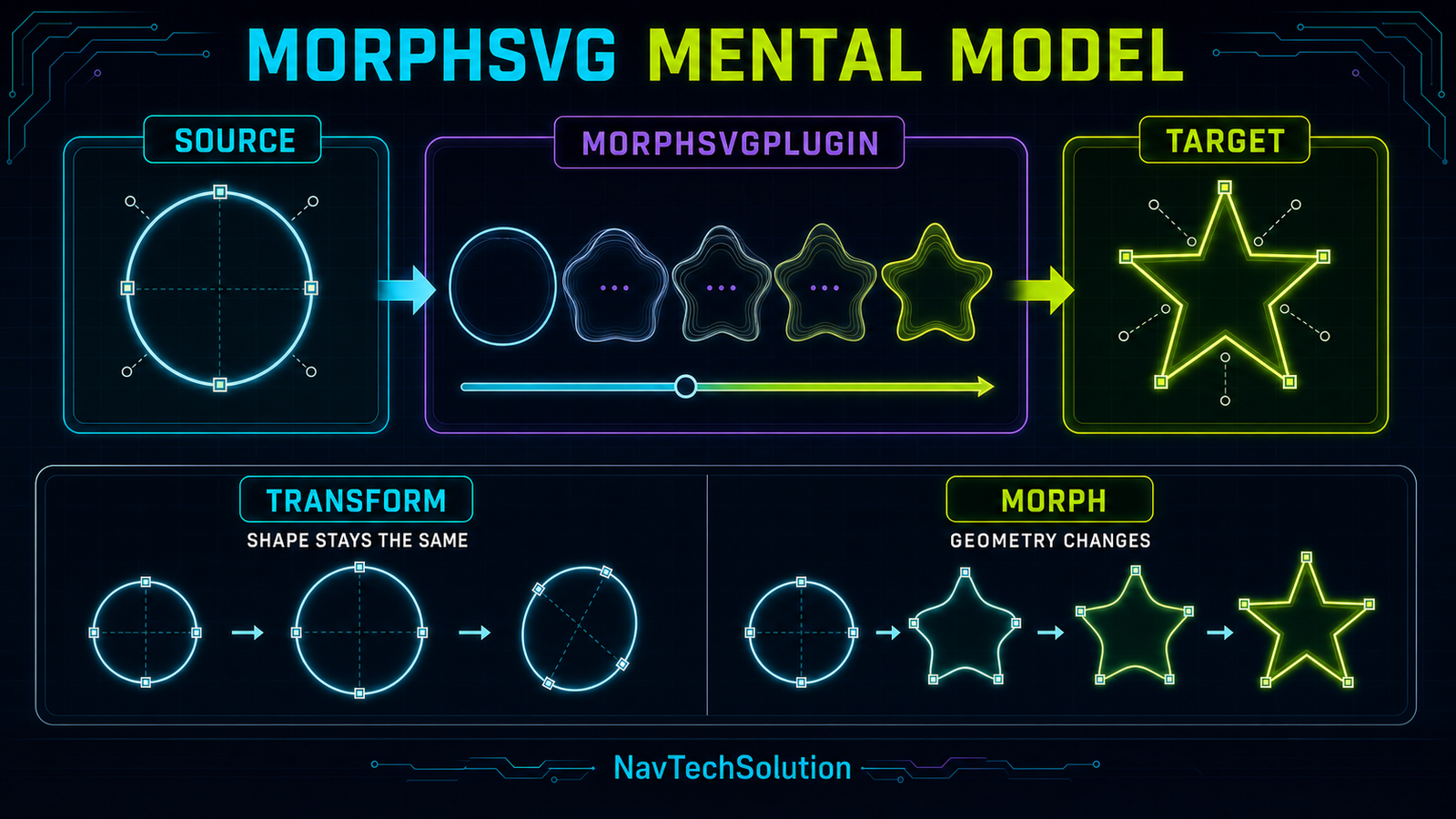
SVG morphing changes vector geometry over time. A circle can become a rounded square, triangle or star because the path’s points and curves interpolate toward new path data. CSS transforms alone cannot perform true path morphing.
2. Morph vs Transform
The circle remains a circle.
The circle becomes a star.
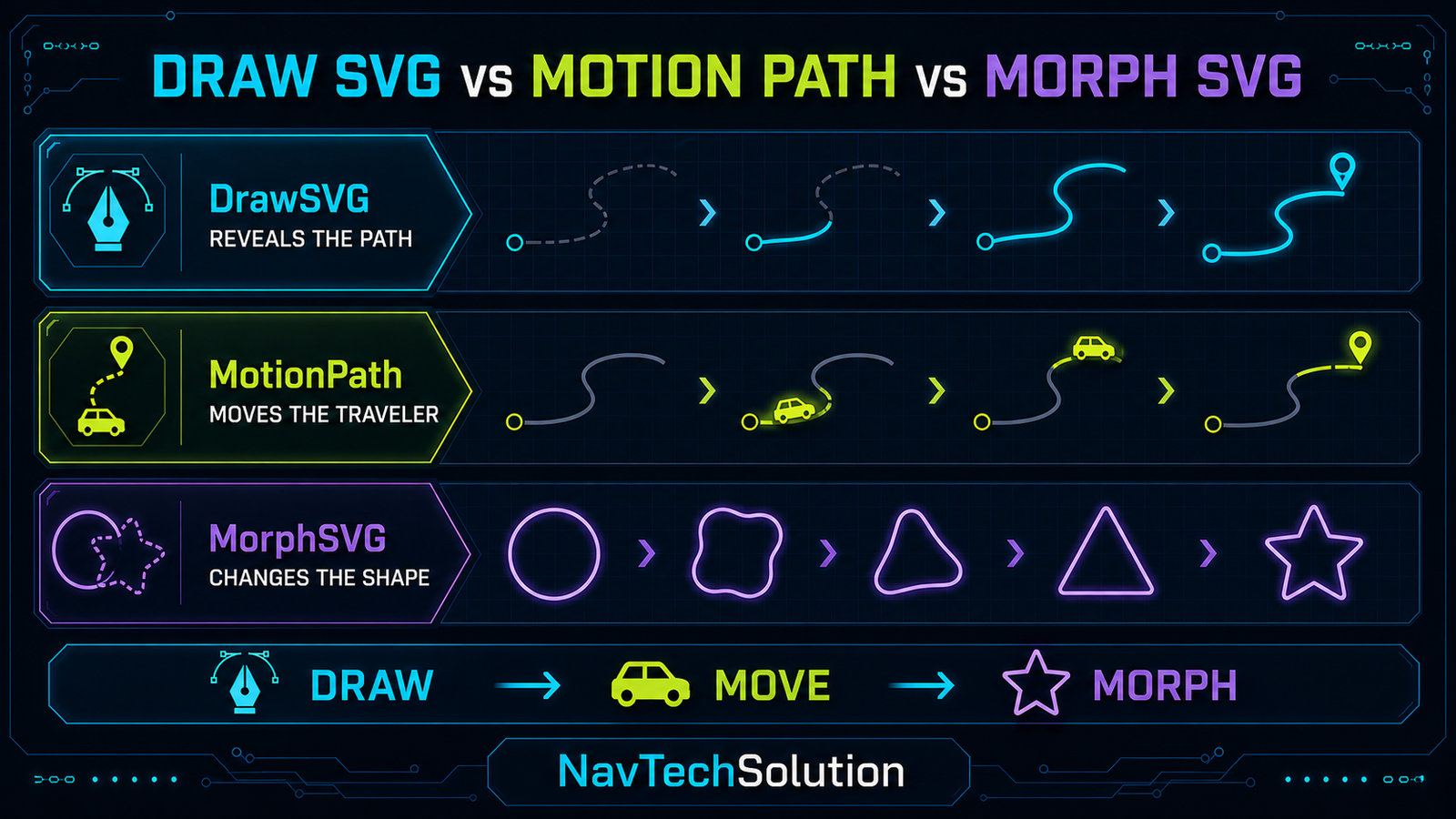
3. DrawSVG vs MotionPath vs MorphSVG
These tools solve different problems: DrawSVG changes stroke visibility, MotionPath changes position along a route, and MorphSVG changes shape geometry.
4. Plugin Setup
The series uses GSAP 3.13.0, when MorphSVGPlugin became freely available with the GSAP package. Load the version-matched plugin once after core and register it before the article script runs.
<script src="https://cdn.jsdelivr.net/npm/gsap@3.13.0/dist/gsap.min.js"></script>
<script src="https://cdn.jsdelivr.net/npm/gsap@3.13.0/dist/MorphSVGPlugin.min.js"></script>
<script src="https://cdn.jsdelivr.net/npm/gsap@3.13.0/dist/ScrollTrigger.min.js"></script>

gsap.registerPlugin(MorphSVGPlugin, ScrollTrigger);
5. First MorphSVG Demo
Circle source ready.
6. First Morph Animation
gsap.to(source, {
  duration: 1.5,
  morphSVG: target,
  ease: "power2.inOut"
});
7. Source vs Target
8. Target Visibility
The target often exists only as geometry. Keep it in the SVG with visibility="hidden" or a scoped CSS class; animate the source path and do not hide meaningful explanatory content.
9. Why Path Geometry Matters
Paths contain commands, anchors and control points. MorphSVG converts data to compatible cubic curves and adds points when needed, but the original direction and arrangement still influence the journey.
10. Point Correspondence
11. Simple Shape Morph
12. Multi-Shape Morph
13. Morph Timeline
Timeline ready.
14. Easing and Morphing
Easing controls when interpolation happens; MorphSVG controls what geometry is interpolated. Technical scrubbing usually uses none, while a button-driven icon often feels better with power2.inOut.
15. Morph Easing Playground
CURRENT: power1.inOut
16. Understanding shapeIndex
Closed paths can begin their point sequence anywhere. shapeIndex changes which target point corresponds to the source start. It is an offset for point mapping—not simply animation direction.
17. shapeIndex Mental Model
18. Automatic shapeIndex
shapeIndex: "auto" is the current default and calculates a natural mapping. Start there. A numeric value can skip that search and lock a mapping once you have tested the result.
19. shapeIndex Playground
SHAPE INDEX: auto
20. Find the Best Morph
- Start with automatic mapping.
- Observe the full forward and reverse morph.
- If the shape twists, inspect path direction and correspondence.
- Test a small meaningful set of numeric indices.
- Keep the mapping that expresses the intended transition.
21. Shape Conversion
MorphSVG can internally interpret common SVG shapes. MorphSVGPlugin.convertToPath() is useful when your workflow benefits from an explicit path in the DOM.
22. Why Convert to Path?
<circle>→ convertToPath() →<path d="…">Circles, rectangles, ellipses, lines, polygons and polylines can become path elements. Conversion is helpful, not mandatory for every morph.
23. Conversion Demo
Source element: circle.
24. Icon Morphing
Icon morphing can reinforce an interface state, but semantics must remain in the button label and ARIA state.
25. Menu to Close Demo
26. Play to Pause Demo
27. Status Icon Morph
28. Abstract Logo-Style Morph
</>→✦MorphSVG concept graphic — not an official logo29. Multi-Stage Morph
30. MorphSVG + Timeline
tl.to(shape, { morphSVG: shape2 })
  .to(shape, { rotation: 90 }, "<")
  .to(shape, { morphSVG: shape3 })
  .to(shape, { scale: 1.1 }, "<");
31. Morph + Transform
MorphSVG can change path geometry while GSAP changes x, y, scale, rotation or opacity. Keep combined movement restrained so viewers can still read the geometry change.
32. MorphSVG + DrawSVG
This article does not load DrawSVGPlugin. In a combined project, load it once and coordinate separate draw and morph tweens in one timeline.
33. MorphSVG + MotionPath
MotionPath moves the target first; MorphSVG can change it on arrival. MotionPathPlugin is intentionally not loaded on this page.
34. MorphSVG + ScrollTrigger
gsap.to(shape, {
  morphSVG: target,
  ease: "none",
  scrollTrigger: {
    trigger: section,
    start: "top 80%",
    end: "bottom 30%",
    scrub: true
  }
});
35. Scroll-Driven Morph
36. Morph + Scrub
Without scrub, crossing the start boundary starts an ordinary tween. With scrub, scroll progress controls morph progress, including the intermediate geometry.
37. ScrollTrigger Start/End
top 80%ENDbottom 30%38. Reversible Scroll Morph
A scrubbed tween naturally reverses as the reader scrolls upward. Do not create another tween for reverse scrolling.
39. Main MorphSVG Lab
Design a Shape Transformation
- Source
- circle
- Target
- star
- Duration
- 1.5s
- Ease
- power2.inOut
- shapeIndex
- auto
40. Main Lab Controls
Change one variable at a time. Target chooses geometry; duration and ease control timing; shapeIndex controls point correspondence; rotation is an ordinary transform.
41. Main Lab Status
The status row repeats the active settings in text so the experiment is not communicated through shape or motion alone.
42. Generated Code
The lab writes the equivalent scoped tween below its controls. Copy the pattern, then replace the selectors with references from your own component.
43. Lab Lifecycle
Before rebuilding the lab tween, its own tween is killed. The page never calls a global kill method and never removes another article’s ScrollTrigger.
44. Resetting SVG Geometry
The lab stores the source d value. Restart restores that exact geometry before creating a fresh tween, preventing one experiment from contaminating the next.
45. Main Mini Project
DEVELOPMENT TRANSFORMATION
Project ready.
46. Project Shapes
Every target is an original abstract path in the same viewBox. The visible source remains one path throughout the project.
47. Project Timeline
A single paused timeline morphs IDEA → DESIGN → BUILD → DEPLOY and updates the text stage at the same labelled positions.
48. Project Controls
Play, pause, reverse and restart operate on the same timeline, so state remains predictable and keyboard accessible.
49. Responsive SVG Morphing
0 0 500 360→FLUID SVGwidth: 100%→SAME GEOMETRYdesktop + mobile
50. Shape Complexity
More points mean more path calculations and more rendering work. Simplify exported artwork and avoid animating many complex full-screen morphs simultaneously.
51. Path Direction
Clockwise and counter-clockwise paths can map differently. If automatic mapping twists, inspect direction before forcing an arbitrary large shapeIndex.
52. Common Morph Problems
Check direction and shapeIndex.
Hide the target geometry.
Restore the original d value.
Confirm plugin load and registration.
53. Performance
- Keep visible path geometry as simple as the design allows.
- Reuse one source instead of layering duplicate visible targets.
- Scope tweens and store references for cleanup.
- Use a numeric shapeIndex only after testing it.
54. Mobile Strategy
Let controls wrap, preserve a stable viewBox, keep buttons at least touch-friendly height and avoid scroll-pinning the main lab on small screens.
55. Reduced Motion
const reduced = matchMedia("(prefers-reduced-motion: reduce)").matches;
if (reduced) tween.progress(1).pause();
56. Accessibility
Use real buttons, visible focus, meaningful SVG labels and live text status. A morph may decorate or reinforce state, but must not be the only way a user learns that state.
57. Progressive Enhancement
Before JavaScript loads, the source SVG and every explanation remain visible. Target geometry is hidden only because it is implementation data.
58. Common Mistakes
- Loading GSAP or MorphSVGPlugin twice.
- Animating the hidden target instead of the visible source.
- Calling shapeIndex “direction”.
- Using unscoped selectors across several demos.
- Recreating ScrollTrigger or ScrollSmoother globally.
- Relying on motion alone for status.
59. Debugging Checklist
60. Quick Reference
| Goal | Pattern |
|---|---|
| Basic morph | morphSVG: target |
| Point mapping | { shape: target, shapeIndex: "auto" } |
| Convert primitive | MorphSVGPlugin.convertToPath(circle) |
| Scroll control | scrollTrigger: { scrub: true } |
| Reverse | tween.reverse() |
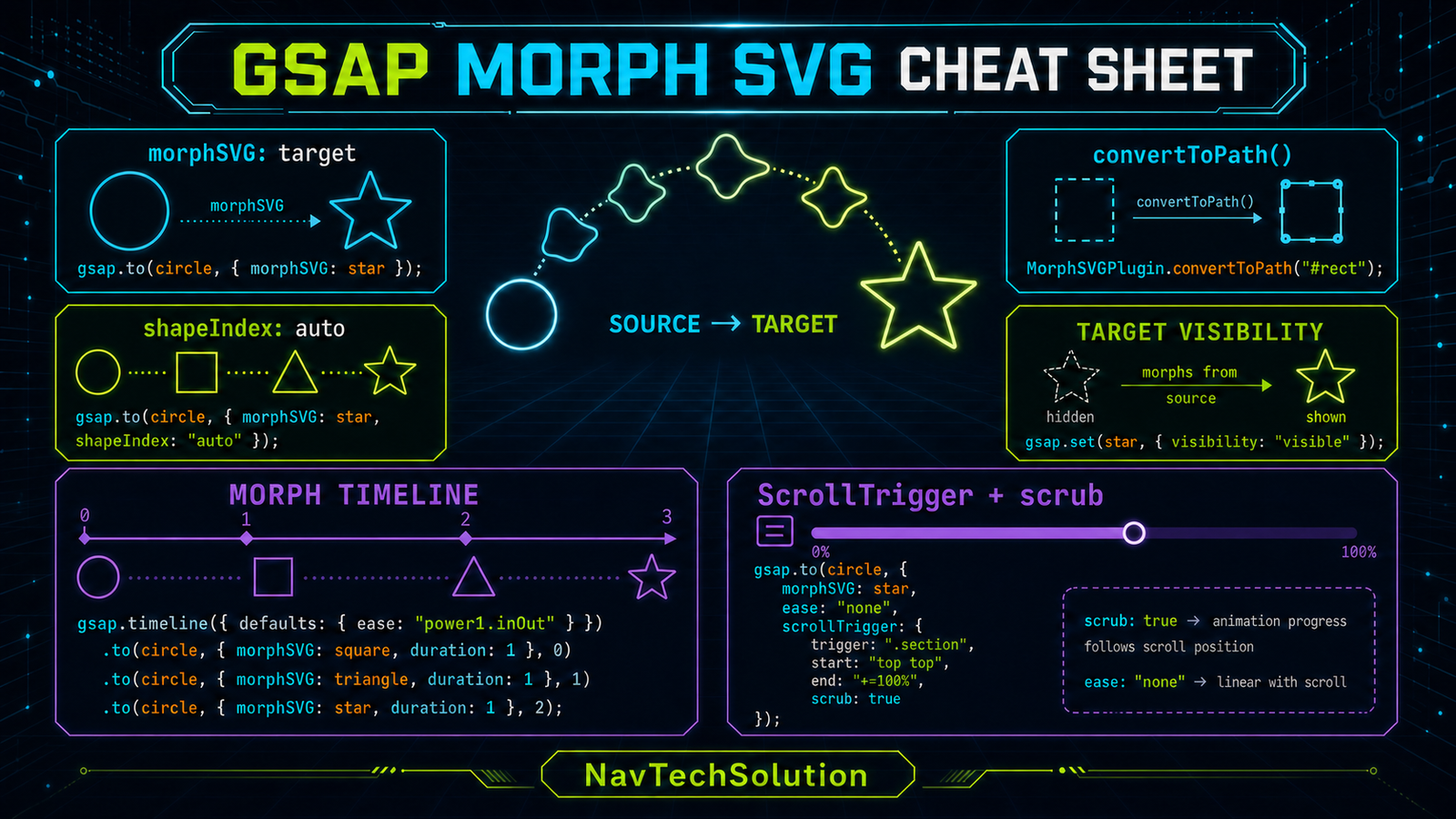
61. Cheat Sheet Graphic
62. Final Mental Model
63. Blog #30 Preview
Frequently Asked Questions
What is GSAP MorphSVGPlugin?
MorphSVGPlugin animates the geometry of an SVG path so one vector shape becomes another.
How do I register MorphSVGPlugin?
Load GSAP core, load the matching MorphSVGPlugin file, then call gsap.registerPlugin(MorphSVGPlugin).
What is the difference between transform and morph?
A transform moves, rotates or scales the existing geometry; a morph changes the geometry itself.
Can MorphSVG morph paths with different point counts?
Yes. MorphSVG converts path data to cubic curves and adds points where necessary to create compatible geometry.
What is shapeIndex?
shapeIndex influences how the starting points of closed source and target paths correspond during a morph.
What does shapeIndex auto do?
The default automatic mode calculates a point mapping intended to avoid unnecessary twisting.
Can MorphSVG convert circles and rectangles to paths?
Yes. MorphSVGPlugin.convertToPath() can convert common SVG primitives into path elements.
Should the target path be visible?
No. A target can stay hidden and provide geometry while the source path remains the animated visible element.
Can MorphSVG be used in a GSAP timeline?
Yes. A timeline can sequence multiple target shapes and coordinate normal transforms or interface changes.
Can MorphSVG work with ScrollTrigger?
Yes. ScrollTrigger can start a morph or map scroll progress to it with scrub.
Can a MorphSVG tween reverse?
Yes. Reverse the tween or timeline to interpolate back toward its previous geometry.
Does MorphSVG work on a static PHP website?
Yes. PHP renders the SVG markup and ordinary browser JavaScript runs GSAP and MorphSVGPlugin.
How do I make SVG morphing responsive?
Use a stable SVG viewBox, responsive CSS sizing and paths that share the same coordinate system.
How should reduced motion be handled?
Skip animated interpolation and present the final meaningful state immediately when reduced motion is preferred.
Why does an SVG morph twist?
The paths may have unsuitable point correspondence, direction or starting points; automatic mapping or a tested shapeIndex can help.
Is MorphSVGPlugin free?
MorphSVGPlugin is available with GSAP 3.13 and later; this tutorial loads the version-matched 3.13.0 browser files.
