
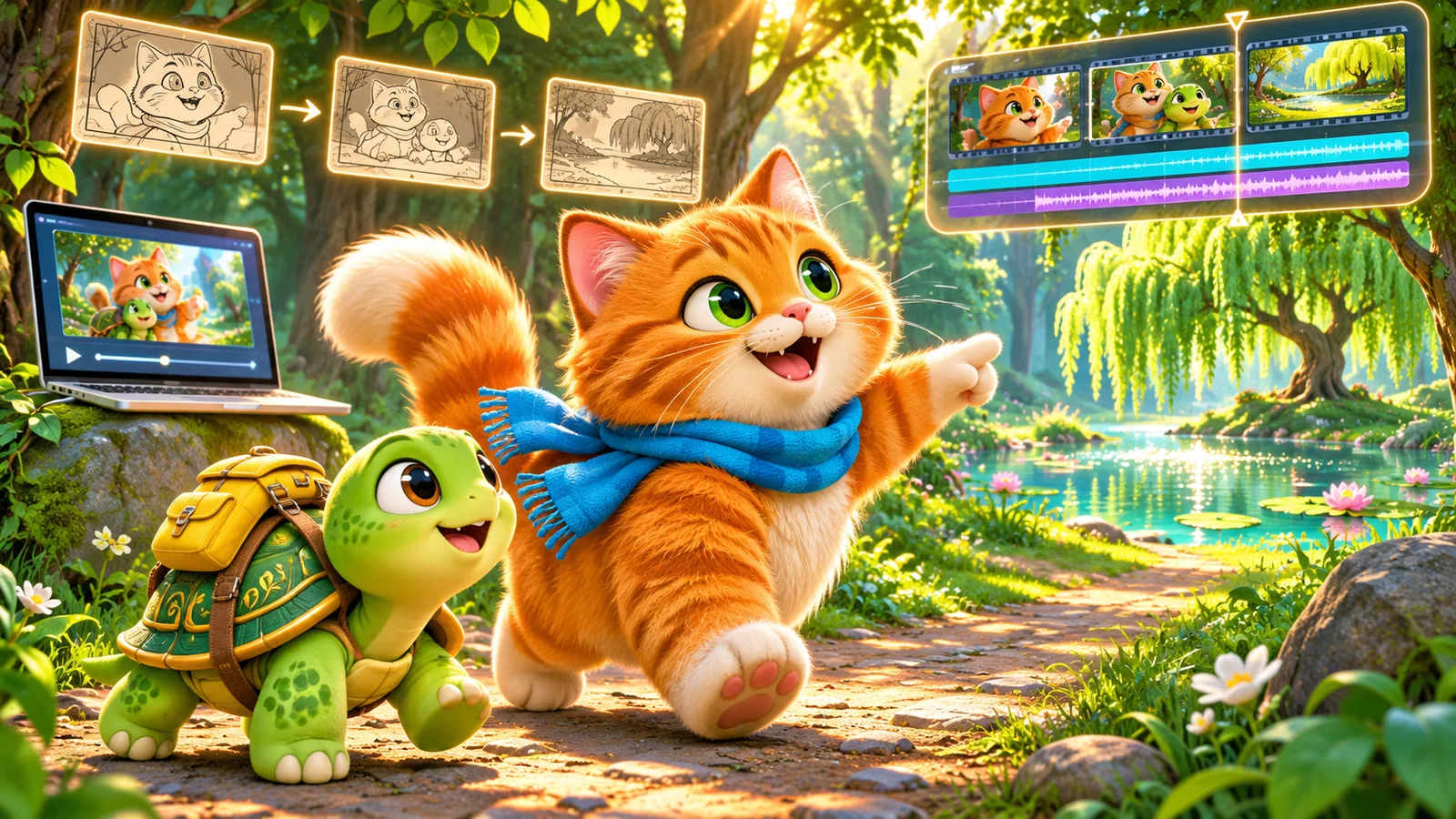
Artificial intelligence has changed the way creators produce animated videos. In 2026, you can create beautiful cartoon characters, develop original stories, generate voiceovers, and produce animated scenes without being a professional animator.
Whether you want to create funny animal stories, educational cartoons, moral stories for children, or entertaining YouTube Shorts, AI cartoon story video generators can help turn your ideas into animated content.
Imagine creating a cute orange cat that walks through a magical forest, helps a lost turtle, and becomes its friend. With AI, you can develop the characters, generate illustrations, animate scenes, and combine everything into a complete story.
But how do you make cartoon story videos with AI? Which tools should beginners use? And how can you create original animated content for YouTube?
This complete guide explains the tools, workflow, character prompts, sample scripts, editing techniques, and publishing tips.
What Is an AI Cartoon Story Video Generator?
An AI cartoon story video generator is a tool that uses artificial intelligence to create or animate cartoon visuals using text prompts, images, or reference materials.
Some tools create short video clips directly from written descriptions. Others animate existing cartoon illustrations or help develop characters with consistent appearances.
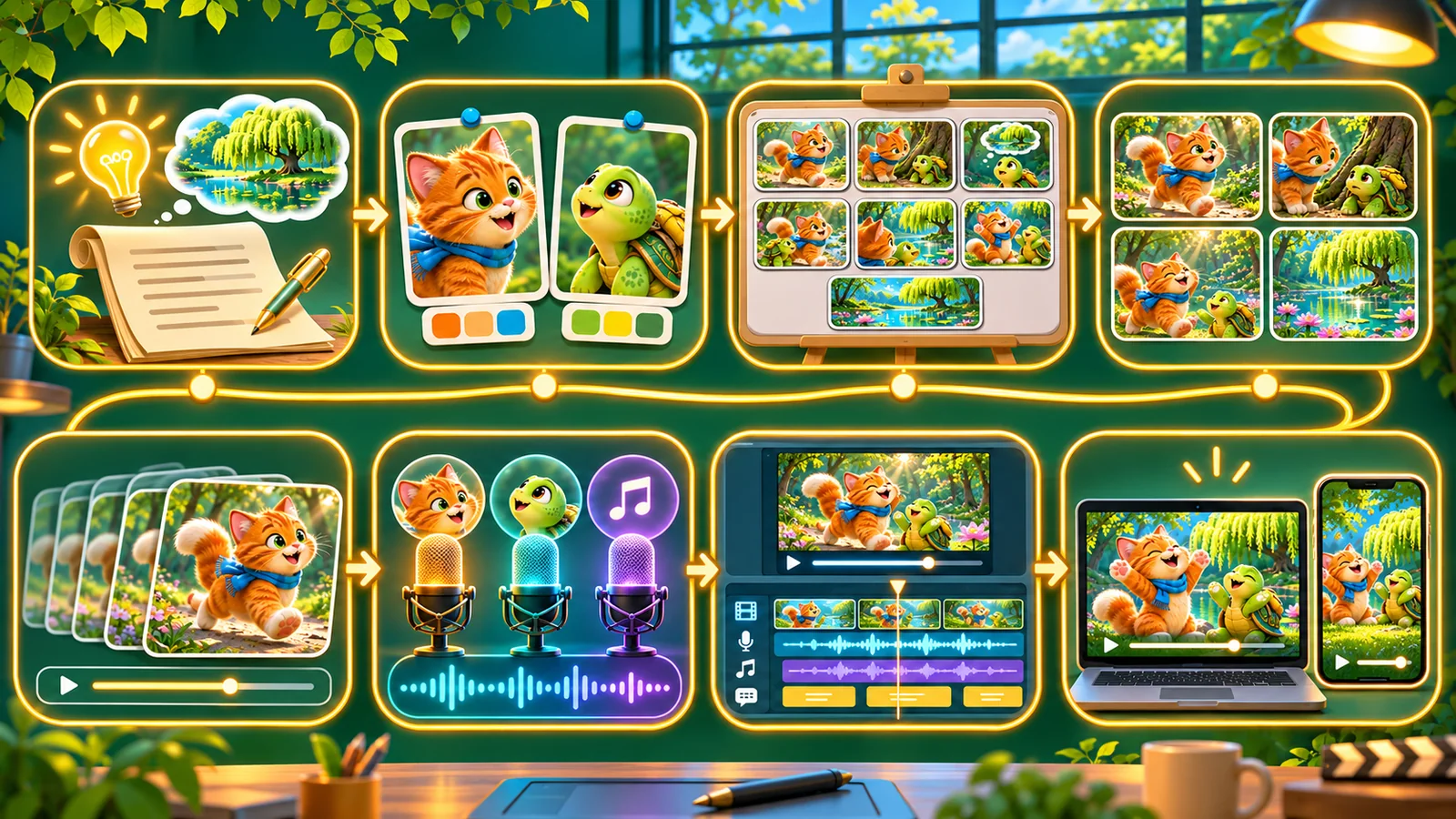
A complete AI cartoon production workflow usually includes five stages:
- Story writing and script development.
- Character and background image creation.
- AI video animation.
- Narration, dialogue, and sound effects.
- Video editing and publishing.
These stages can be completed using different tools rather than one expensive application.
An important distinction is that AI-generated 3D-style cartoon videos are usually rendered video clips, not editable 3D character models. Real 3D animation requires separate modeling and animation software.
Why Create Cartoon Stories Using AI?
AI-assisted cartoon production offers several advantages.
Save time: Generate character illustrations and short animated scenes without drawing every animation frame manually.
Explore creative ideas: Experiment with fantasy adventures, animal stories, educational lessons, and original characters.
Create videos without appearing on camera: Build a faceless YouTube channel featuring narration and animated storytelling.
Reduce starting costs: Some platforms provide free plans, daily credits, or basic creation features.
Develop recurring characters: Create recognizable characters that appear across different episodes.
Support educational storytelling: Use animated stories to explain friendship, kindness, honesty, problem-solving, and other learning themes.
However, AI cannot replace creative judgment. A successful cartoon still needs a coherent story, appealing characters, suitable pacing, and careful editing.
Best AI Tools for Creating Cartoon Story Videos in 2026
1. ChatGPT – Best for Cartoon Story Scripts
Website: ChatGPT
ChatGPT can help develop original stories, character personalities, dialogues, and scene-by-scene scripts.
You can describe your target audience, desired video duration, animation style, and story theme.
For example, ask ChatGPT to write a one-minute cartoon adventure involving a cat and turtle, complete with narration and scene descriptions.
ChatGPT Images can also generate and edit illustrations from written instructions.
Best for: Story ideas, dialogue, scripts, character descriptions, and storyboards.
2. Google Flow – Best for AI Cartoon Animation
Website: Google Flow
Google Flow is an AI creative platform for generating video clips from text, images, and reference materials.
Its Frames to Video and Ingredients to Video workflows can help animate cartoon characters and maintain recognizable visual elements between clips.
You can create several short scenes and arrange them into a longer sequence.
Best for: Cinematic cartoon clips, character animation, and visual storytelling.
Free option: Google Flow advertises 50 daily credits without a paid subscription. Generation costs and available features depend on the selected model and region.
3. Runway – Best for Character Consistency
Website: Runway
Runway provides AI tools for image and video generation.
Its Gen-4 References system helps creators place recognizable characters into different scenes using saved reference images.
This is useful when your cartoon story features the same character in multiple locations.
Best for: Consistent characters, cinematic scenes, and advanced visual storytelling.
4. Leonardo AI – Best for Cartoon Character Design
Website: Leonardo AI
Leonardo AI can help generate original cartoon characters, backgrounds, and visual concepts.
Its reference-image features are useful when creating different poses or expressions for the same character.
Best for: Character illustrations, background artwork, and storyboarding.
5. CapCut – Best for Cartoon Video Editing
Website: CapCut
CapCut offers video editing, text-to-speech, captions, transitions, and audio tools.
After generating animated clips, you can combine them into a complete cartoon story.
Best for: Voiceovers, subtitles, scene editing, background music, and YouTube exports.
AI Cartoon Video Tools Comparison
| AI Tool | Main Purpose | Recommended Use |
|---|---|---|
| ChatGPT | Writing and images | Scripts and story ideas |
| Google Flow | Video generation | Animated cartoon scenes |
| Runway | Image and video references | Character consistency |
| Leonardo AI | Image generation | Character design |
| CapCut | Editing and narration | Finished YouTube videos |
Free access varies. Advanced AI generation often requires credits, while basic editing tools may be available without payment.
How to Create AI Cartoon Story Videos: Step-by-Step Tutorial
Let's create an original cartoon story titled Milo and the Lost Turtle.
The story features a friendly orange cat named Milo and a little turtle named Nori.
Step 1: Write Your Cartoon Story
Start with a simple idea containing a beginning, a problem, an action, and a satisfying ending.
For our example:
Milo is walking through a sunny forest when he discovers a little turtle who has lost its way. Milo offers to help. Together, they follow familiar landmarks until Nori recognizes the pond near home. They become friends and celebrate their adventure.
The main lesson is kindness and helping others.
AI storywriting prompt:
"Write an original 90-second cartoon story for a family-friendly YouTube video. The main characters are Milo, a friendly orange cat, and Nori, a small turtle. Create a simple adventure about kindness and friendship. Include narration, dialogue, and seven short animated scenes. Use clear, engaging English."
Step 2: Create Your Main Cartoon Characters
Next, generate reference images for your main characters.
Each character should have a distinctive appearance that is easy to recognize across scenes.
Milo character prompt:
"Create an original adorable 3D-style cartoon cat named Milo. Milo has fluffy orange fur, white paws, large green eyes, a small pink nose, a chubby body, and a bright blue scarf. He has a friendly smile and expressive facial features. Full-body character, clean background, colorful stylized 3D animation, soft cinematic lighting."
Nori character prompt:
"Create an original cute baby turtle named Nori with a rounded green shell featuring small golden patterns, large brown eyes, a cheerful face, and a tiny yellow backpack. Full-body cartoon character, colorful stylized 3D animation, soft lighting, clean background."
Save the approved images of both characters.
Use these images as visual references for every scene.
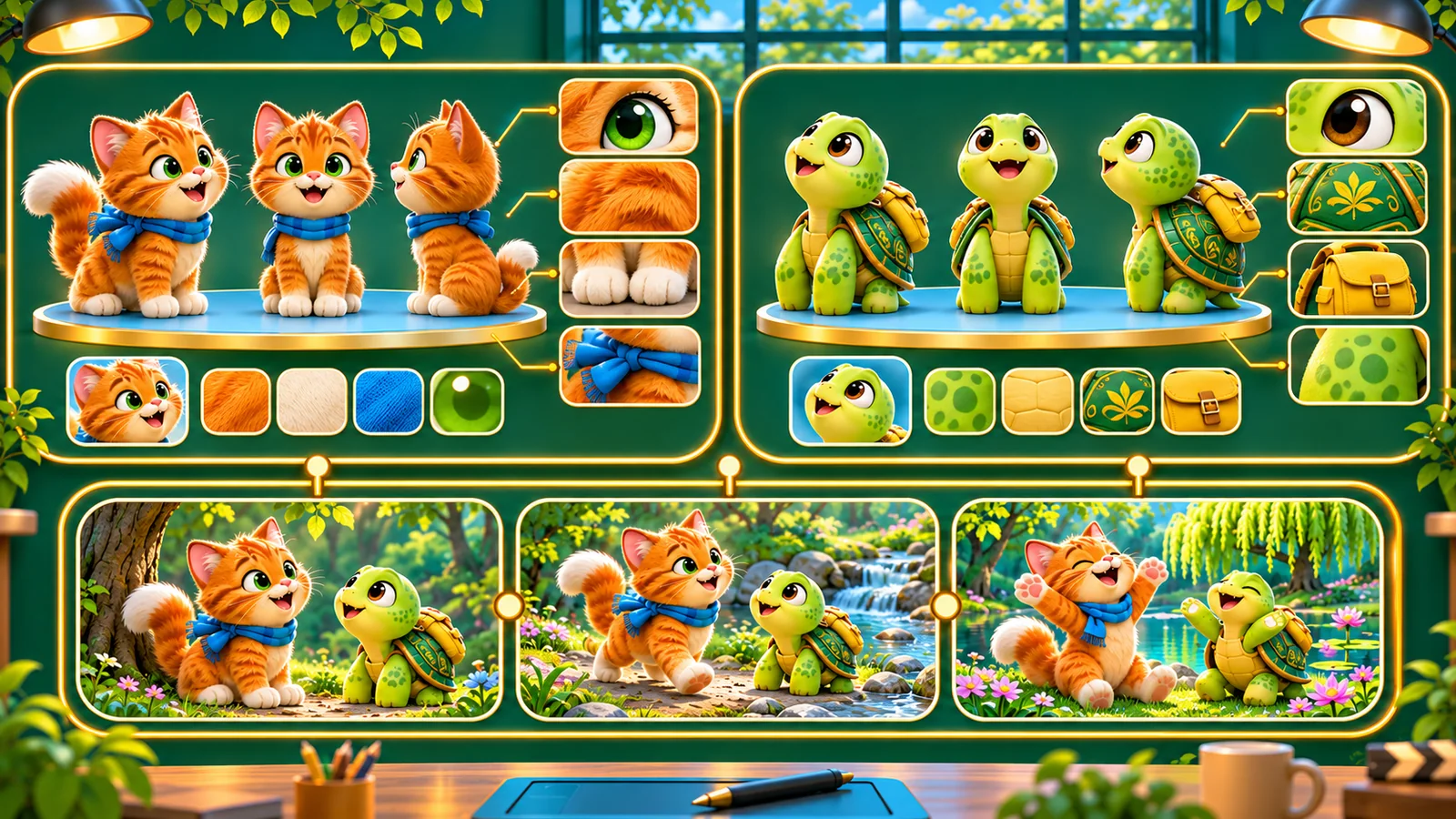
Step 3: Create a Character Reference Sheet
A reference sheet helps maintain consistent appearances.
Generate front, side, and three-quarter views of both characters.
Include the same eye colors, clothing, body proportions, shell patterns, and accessories.
Reference sheet prompt:
"Using the uploaded character images, create a professional cartoon reference sheet showing the exact same characters from the front, side, and three-quarter views. Preserve their colors, accessories, facial features, and body proportions. Include happy, surprised, and worried expressions. Clean background, consistent stylized 3D cartoon design."
Review the reference sheet and correct any unwanted differences.
Step 4: Divide Your Story into Animated Scenes
Plan your story before generating animation.
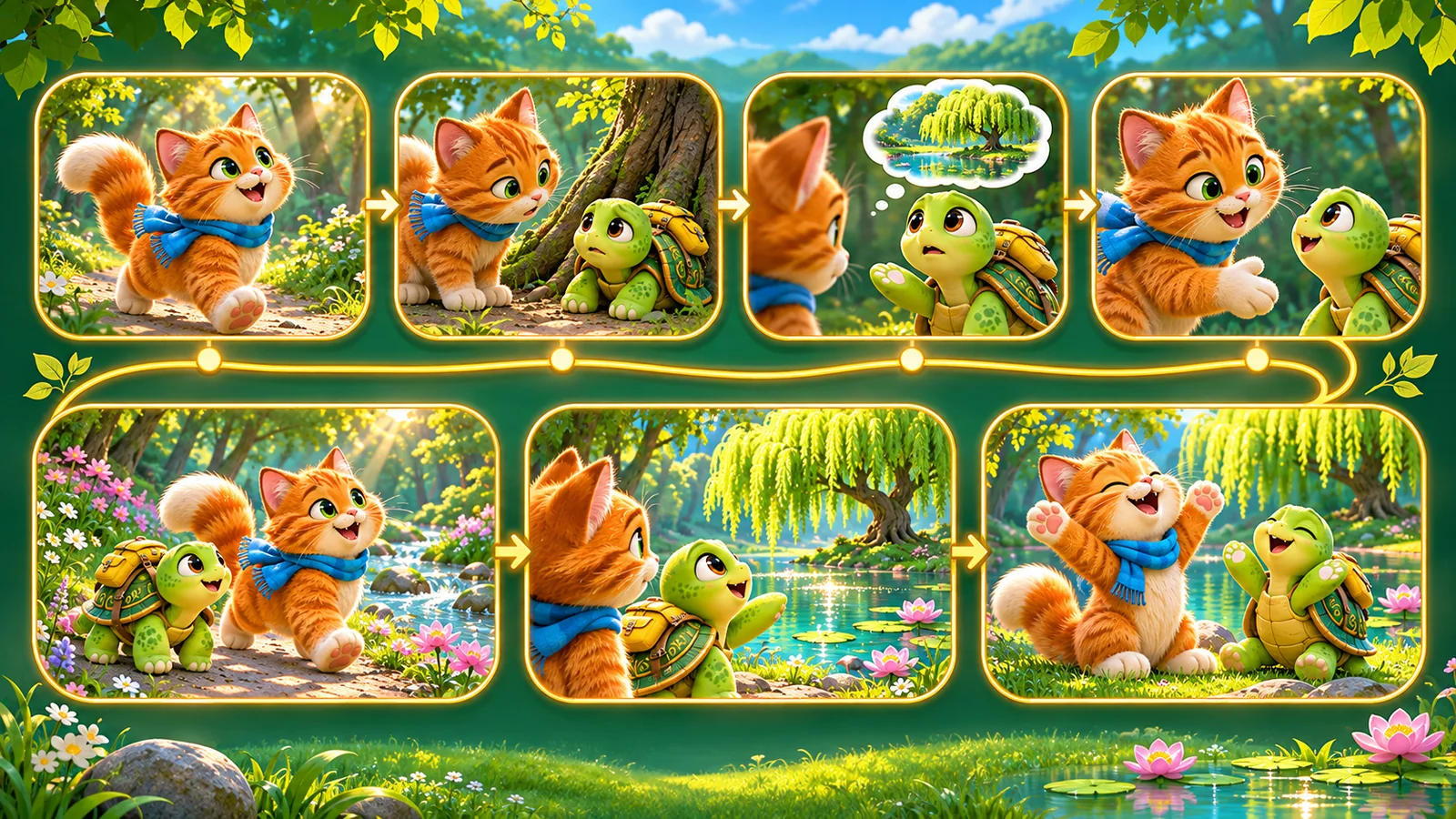
| Scene | Story Action | Suggested Duration |
|---|---|---|
| 1 | Milo explores a sunny forest | 10 seconds |
| 2 | Milo notices Nori looking worried | 10 seconds |
| 3 | Nori explains that he is lost | 12 seconds |
| 4 | Milo offers to help | 10 seconds |
| 5 | The friends follow a forest path | 15 seconds |
| 6 | Nori recognizes his home pond | 15 seconds |
| 7 | The friends celebrate | 8 seconds |
The estimated duration is 80 seconds before final narration and editing adjustments.
Depending on the selected video model, each scene may require multiple shorter clips.
Step 5: Generate Cartoon Scene Images
Create an image for every planned scene.
Always reuse the approved character references.
Example scene image prompt:
"Using the provided reference image of Milo, show the exact same orange cartoon cat standing beside a beautiful woodland path. Keep his green eyes, white paws, blue scarf, and fluffy orange fur unchanged. Tall trees, colorful flowers, warm sunlight, cinematic stylized 3D cartoon environment."
Generate additional images for each scene.
For scenes involving both Milo and Nori, provide both reference images where supported.
Step 6: Animate Your Cartoon Images
Open an image-to-video generator such as Google Flow.
Upload an approved scene image and describe the movement.
Animation prompt:
"Animate the uploaded cartoon scene. Milo walks slowly along the forest path, moves his paws naturally, blinks, and looks curiously at the trees. His blue scarf moves gently in the breeze. Preserve the original character appearance, smooth stylized 3D cartoon animation, steady camera, warm sunlight."
Avoid requesting several unrelated actions in one short generation.
Generate separate clips for walking, talking, discovering objects, and celebrating.
Step 7: Create Narration and Character Dialogue
Now add voices to your cartoon story.
You can record your own narration or use a suitable text-to-speech generator.
Here is a sample script.
Sample AI Cartoon Story Script: Milo and the Lost Turtle
Scene 1 – The Sunny Forest
Narrator: "One beautiful morning, Milo the cat went exploring in the forest."
Milo: "What a wonderful day for an adventure!"
Scene 2 – A New Friend
Narrator: "Suddenly, Milo noticed a little turtle sitting beside a tree."
Milo: "Hello, little friend. Why do you look so worried?"
Scene 3 – The Problem
Nori: "My name is Nori. I followed some butterflies, and now I can't find my way home."
Scene 4 – Milo Helps
Milo: "Don't worry, Nori. We'll find your home together!"
Narrator: "The two new friends began walking along the forest path."
Scene 5 – The Journey
Narrator: "They passed colorful flowers, tall trees, and a sparkling stream."
Nori: "Wait! I remember that big willow tree!"
Scene 6 – Home Again
Narrator: "Just beyond the willow tree was Nori's beautiful pond."
Nori: "That's my home! Thank you so much, Milo!"
Scene 7 – Happy Ending
Milo: "Friends always help each other!"
Narrator: "And from that day forward, Milo and Nori became the best of friends."
Moral of the story: A little kindness can lead to a wonderful friendship.
Adjust the speed of the narration or the duration of the scenes to fit the finished video.
How to Add AI Voiceovers to Cartoon Videos
Voiceovers make cartoon stories easier to follow.
A simple process using CapCut is:
- Create a new video project.
- Import the animated cartoon clips.
- Add the narration or character dialogue as text.
- Select an available text-to-speech voice.
- Generate the narration.
- Match the audio to the correct scenes.
- Adjust pauses, volume, and timing.
You can choose different voices for the narrator, Milo, and Nori.
If a character visibly speaks, use a compatible lip-sync workflow or create a shot that does not require detailed mouth animation.
How to Edit AI Cartoon Stories for YouTube
After generating the visuals and voices, combine everything into a complete video.
Arrange your clips according to the storyboard.
Use background music that supports the emotion of each scene, but keep narration clearly audible.
Add simple transitions and sound effects where they improve the story.
For YouTube Shorts, use a vertical 9:16 composition. A common export resolution is 1080 × 1920 pixels.
YouTube currently supports eligible square and vertical Shorts up to three minutes.
For longer traditional YouTube videos, a landscape 16:9 format may be more suitable.
Review the finished project for unwanted character changes, audio mistakes, visual distortions, and awkward transitions.
5 AI Cartoon Story Ideas for YouTube
1. The Brave Little Rabbit
A small rabbit discovers that courage means asking for help and helping friends.
Theme: Courage and friendship.
2. The Cat Who Saved a Butterfly
A curious cat helps a butterfly escape from a greenhouse and return to a flower garden.
Theme: Kindness and compassion.
3. The Elephant and the Lost Star
A young elephant helps a magical star find its way back into the night sky.
Theme: Teamwork and imagination.
4. The Honest Little Fox
A fox finds a beautiful treasure and must decide whether to keep it or return it.
Theme: Honesty and responsibility.
5. The Puppy Who Learned to Share
A playful puppy discovers the joy of sharing toys with new friends.
Theme: Generosity and friendship.
These ideas can be adapted into original short videos or expanded into longer animated episodes.
How to Keep AI Cartoon Characters Consistent
Character consistency is one of the biggest challenges in AI storytelling.
To maintain the same appearance across scenes, create an approved reference image before starting animation.
Keep character details consistent, including eye color, clothing, body shape, and distinctive markings.
When supported, provide the same reference images for each scene.
You should also maintain a consistent animation style and avoid unnecessarily changing lighting, camera angles, or visual proportions.
Some AI generators may still produce errors. Review every clip and regenerate scenes where the character changes noticeably.
Tips for Creating Engaging AI Cartoon Stories
A strong cartoon video requires more than impressive visuals.
Start with an interesting opening: Introduce a character, problem, or surprising event early.
Keep the story clear: Give the main character a goal and make each scene advance the story.
Use expressive characters: Facial expressions, gestures, and body language can communicate emotions.
Create meaningful endings: Resolve the story in a way that feels satisfying.
Use original ideas: Develop distinctive characters, settings, and situations rather than repeatedly copying popular stories.
Choose suitable audio: Background music should complement the narration and visual atmosphere.
Check your analytics: Study audience retention and other engagement signals to improve future episodes.
No AI tool can guarantee viral success. Audience satisfaction and originality remain important.
Can AI Cartoon Story Videos Be Monetized on YouTube?
AI-assisted cartoon videos can potentially qualify for YouTube monetization.
However, the content must comply with the YouTube Partner Program's policies and eligibility requirements.
YouTube's inauthentic-content policy addresses repetitive, mass-produced, or minimally varied content.
Using the same characters across several episodes is not automatically a problem. What matters is whether each video provides an original storyline, meaningful entertainment, education, or creative value.
Creators should also ensure they have appropriate rights to their illustrations, music, narration, and other media.
If a cartoon is directed toward children, the correct Made for Kids audience setting must be selected.
YouTube generally does not require AI disclosure for clearly fictional, non-realistic animated cartoons. Realistic synthetic scenes and other covered content may require disclosure, and some platform-generated AI labels can be applied automatically.
