
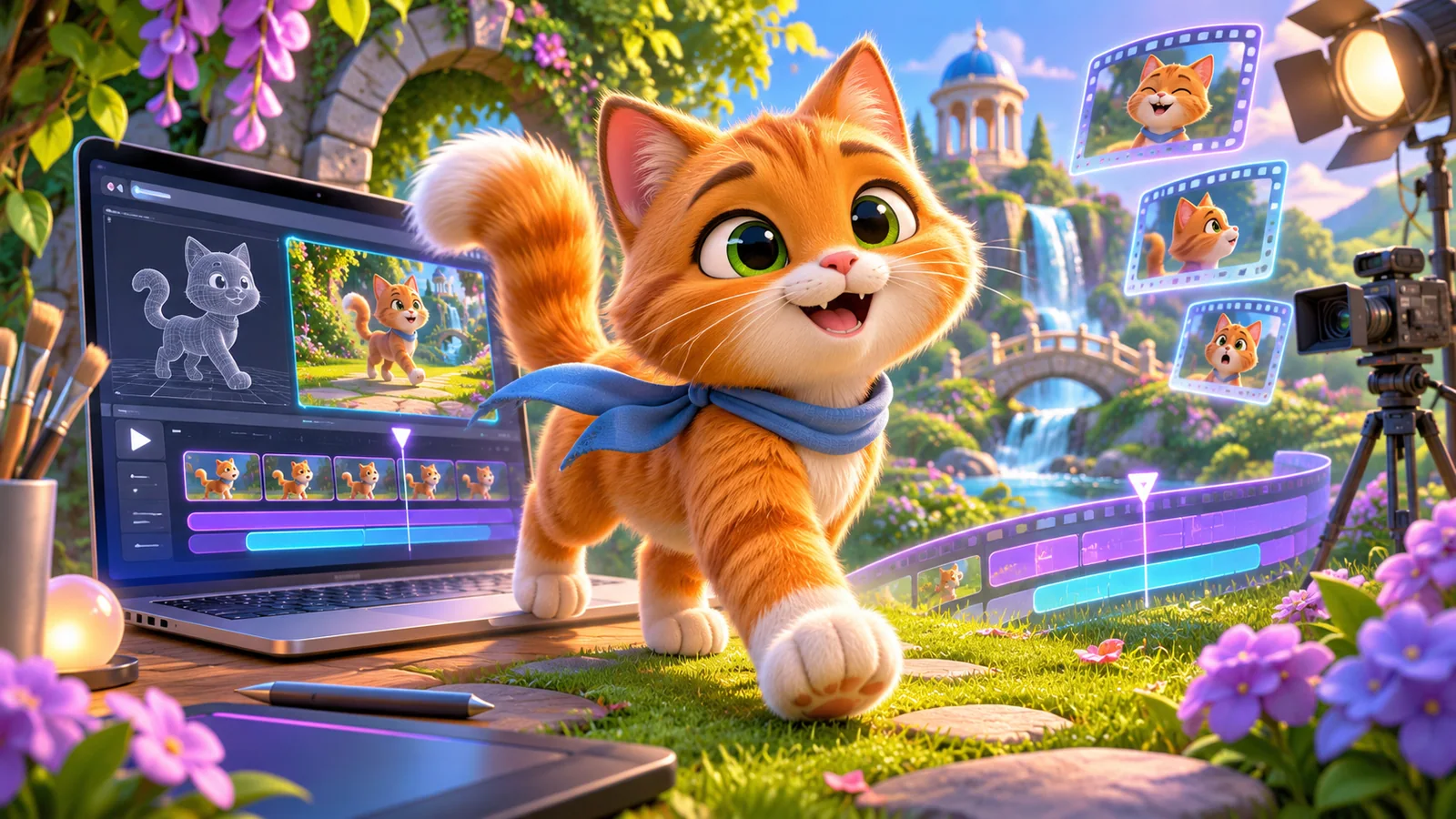
Artificial intelligence has transformed the world of digital animation. In 2026, you can create beautiful 3D-style cartoon videos using AI without expensive cameras, professional animation studios, or years of technical experience.
Whether you want to create animated animal stories, educational videos for kids, Instagram Reels, or YouTube Shorts, AI cartoon animation tools can help bring your creative ideas to life.
Modern AI video generators can animate a cartoon character from a single image, create realistic character movements, and produce colorful scenes from written descriptions.
But how can beginners make 3D cartoon videos for free? Which AI animation tools are worth trying? And how do you keep the same character consistent across multiple scenes?
In this complete guide, we explain the best tools, free options, step-by-step workflows, and ready-to-use prompts for creating your own animated cartoon videos.
What Is AI 3D Cartoon Animation?
AI 3D cartoon animation refers to using artificial intelligence to create or assist with videos featuring three-dimensional cartoon-style characters and environments.
Traditional 3D animation involves building character models, adding skeletons, creating movements, lighting scenes, and rendering video frames.
AI video generators simplify parts of this process by generating moving images directly from prompts or reference pictures.
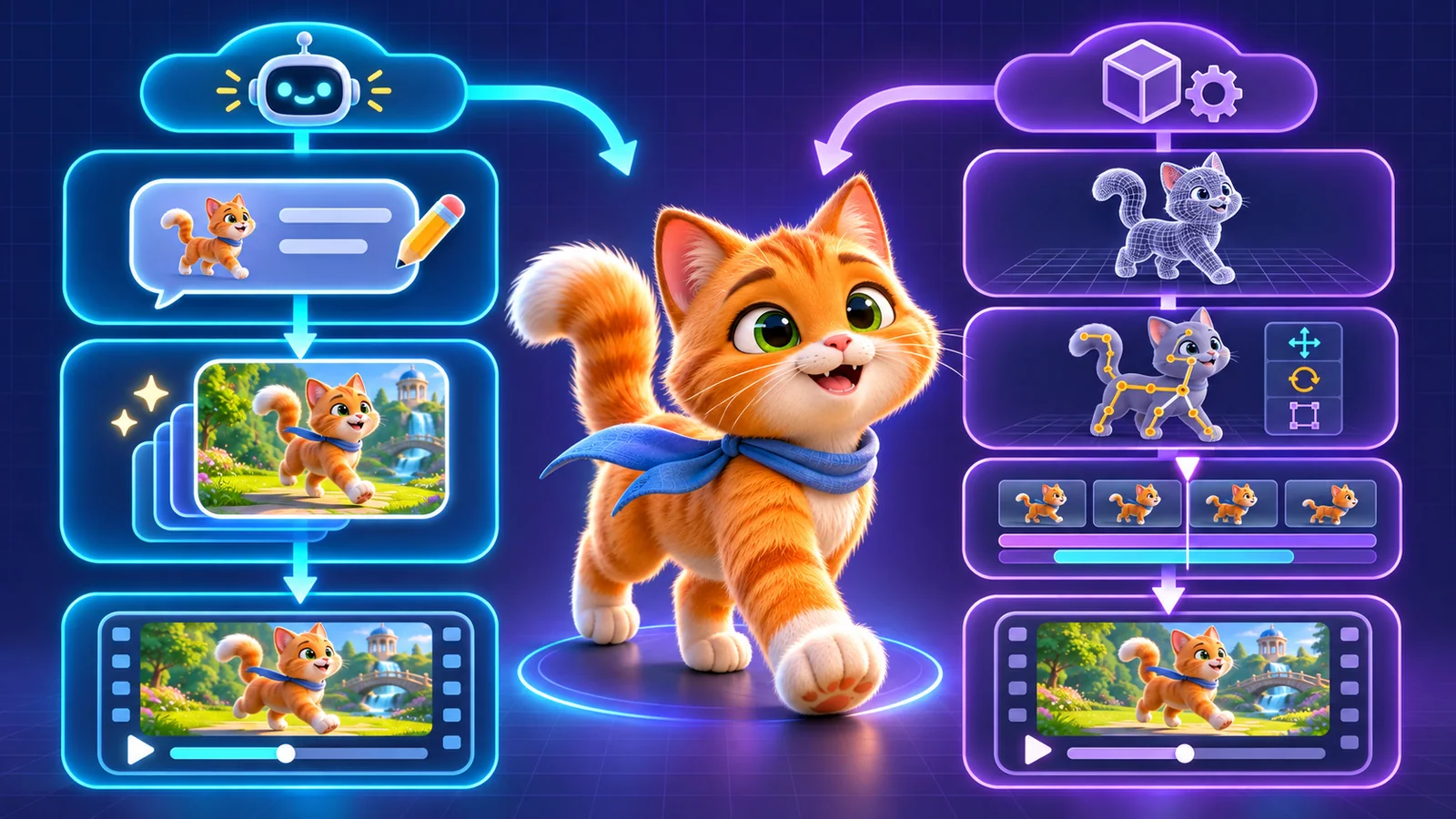
There are two important approaches:
AI-generated 3D-style videos: AI creates animated video clips that look three-dimensional. These generally do not contain fully editable 3D character models.
Traditional 3D animation with AI assistance: Creators use software such as Blender to build actual 3D models while using AI for scriptwriting, concept art, and production assistance.
For beginners who want short social media videos, the first approach is usually easier.
For creators who need precise character movements and reusable 3D assets, the second approach offers greater control.
Why Create 3D Cartoon Videos with AI?
AI animation tools provide several benefits for content creators.
1. Faster content creation: Generate short animated scenes from written instructions instead of manually animating every frame.
2. Lower starting costs: Experiment with tools offering free credits or basic editing features.
3. Creative storytelling: Build imaginative adventures featuring original cartoon characters.
4. Educational opportunities: Create counting lessons, animal stories, and science explanations for children.
5. Social media content: Produce vertical animated videos for YouTube Shorts, Instagram Reels, and other platforms.
6. Flexible visual styles: Experiment with colorful 3D illustrations, clay-like characters, fantasy environments, and stylized animation.
However, free AI video generation typically includes limits, and creating a complete story requires planning and editing.
7 Best AI Tools for 3D Cartoon Animation in 2026
1. Google Flow – Best for Cinematic Cartoon Scenes
Website: https://labs.google/fx/tools/flow
Google Flow is an AI creative studio that supports video generation from text prompts and visual references.
You can create a cartoon character image, animate it with Frames to Video, and experiment with different cinematic scenes.
Google Flow supports Google's video-generation models, including Veo and Gemini Omni.
Key features:
- Text-to-video generation.
- Image-to-video animation.
- Character and scene experimentation.
- Cinematic camera movements.
- AI-assisted editing.
- Different video creation workflows.
Free access: Google Flow offers 50 daily credits without a subscription. Video generation consumes credits depending on the model and settings. Availability can be restricted during peak hours.
Best for: Cartoon storytelling, cinematic animations, and imaginative scenes.
2. PixVerse AI – Best for Short Cartoon Animations
Website: https://pixverse.ai/
PixVerse is an AI video generator that can animate images and create videos from text descriptions.
It is useful for cartoon characters, fantasy animations, and short social media content.
You can upload a 3D-style character image and describe the movement you want.
Key features:
- Image-to-video generation.
- Text-based animation instructions.
- Creative visual effects.
- Short animated scenes.
- Different generation settings.
Free access: PixVerse documents 30 daily credits for non-members, with usage limits determined by the selected generation settings.
Best for: Short cartoon clips, animal animations, and social media experiments.
3. Viggle AI – Best for Cartoon Character Movements
Website: https://viggle.ai/
Viggle AI specializes in character animation and motion transfer.
It allows creators to place characters into moving scenes or animate character images using reference movements.
This can be useful for cartoon dancing, walking, waving, and other physical actions.
Key features:
- Character animation.
- Motion transfer.
- Image-based character movement.
- Animated social media clips.
- Character consistency tools.
- Motion templates.
Free access: Viggle's free plan offers five videos per day, with limits on storage, simultaneous generations, and watermark-free export.
Best for: Dancing cartoons, character actions, and animated social media content.
4. Dreamina – Best for Beginner-Friendly Image Animation
Website: https://dreamina.capcut.com/
Dreamina provides AI image and video creation tools.
You can generate a cartoon illustration, use it as a reference, and create a moving scene with animation instructions.
Its workflow is useful for experimenting with character designs and simple animations.
Key features:
- AI image generation.
- Image-to-video animation.
- Visual reference workflows.
- Creative character design.
- Video generation from prompts.
Free access: Dreamina offers daily free credits in supported regions. The amount available depends on location and account eligibility.
Best for: Beginners, illustrated stories, and creative video experiments.
5. Runway – Best for Detailed Animation Control
Website: https://runwayml.com/
Runway provides advanced generative AI tools for video production.
Its video models support image-to-video generation with detailed instructions about actions, environments, and camera movement.
Runway is useful when creators want more precise results and are willing to refine their prompts.
Key features:
- AI video generation.
- Image-based animation.
- Camera motion instructions.
- Different aspect ratios.
- Video editing workflows.
- Creative experimentation.
Free access: Runway provides 125 one-time credits on its free plan. The credits do not renew, and generated free-plan videos carry a watermark. Available models can change.
Best for: Short cinematic cartoons and professional creative experiments.
6. Blender – Best for Real 3D Character Animation
Website: https://www.blender.org/
Blender is free, open-source 3D creation software.
Unlike most AI image-to-video tools, Blender allows you to create actual 3D character models that can be edited, posed, animated, and reused.
It supports character rigging, animation, lighting, rendering, and visual effects.
Key features:
- Real 3D modeling.
- Character rigging.
- Keyframe animation.
- Facial expressions.
- Camera animation.
- Rendering and video editing.
Free access: Blender itself is free and open source.
Best for: Creators who want complete control over reusable characters and longer animation projects.
Blender is not an automatic text-to-video AI generator. It requires more learning but provides greater control over the final animation.
7. CapCut – Best for Editing Cartoon Videos
Website: https://www.capcut.com/
CapCut is a video editor that helps combine AI-generated cartoon clips into finished videos.
You can arrange scenes, add narration, apply transitions, and synchronize background music.
It is especially useful for social media creators who generate clips using several AI platforms.
Key features:
- Video editing.
- AI-assisted text-to-speech.
- Subtitles and captions.
- Background music.
- Transitions and effects.
- Vertical video editing.
Free access: CapCut offers free core editing features, although certain premium assets and AI features require payment.
Best for: Combining scenes into complete cartoon stories.
AI Cartoon Animation Tools Comparison
| Tool | Main Purpose | Free Option |
|---|---|---|
| Google Flow | Cinematic scenes | 50 daily credits |
| PixVerse | Short animations | 30 daily credits |
| Viggle AI | Character movement | 5 videos per day |
| Dreamina | Images and video | Regional daily credits |
| Runway | Detailed video creation | 125 one-time credits |
| Blender | Real 3D animation | Free software |
| CapCut | Video editing | Free core features |
Credit allowances, commercial rights, model access, and export restrictions may change.
How to Create 3D Cartoon Videos with AI: Step-by-Step Tutorial
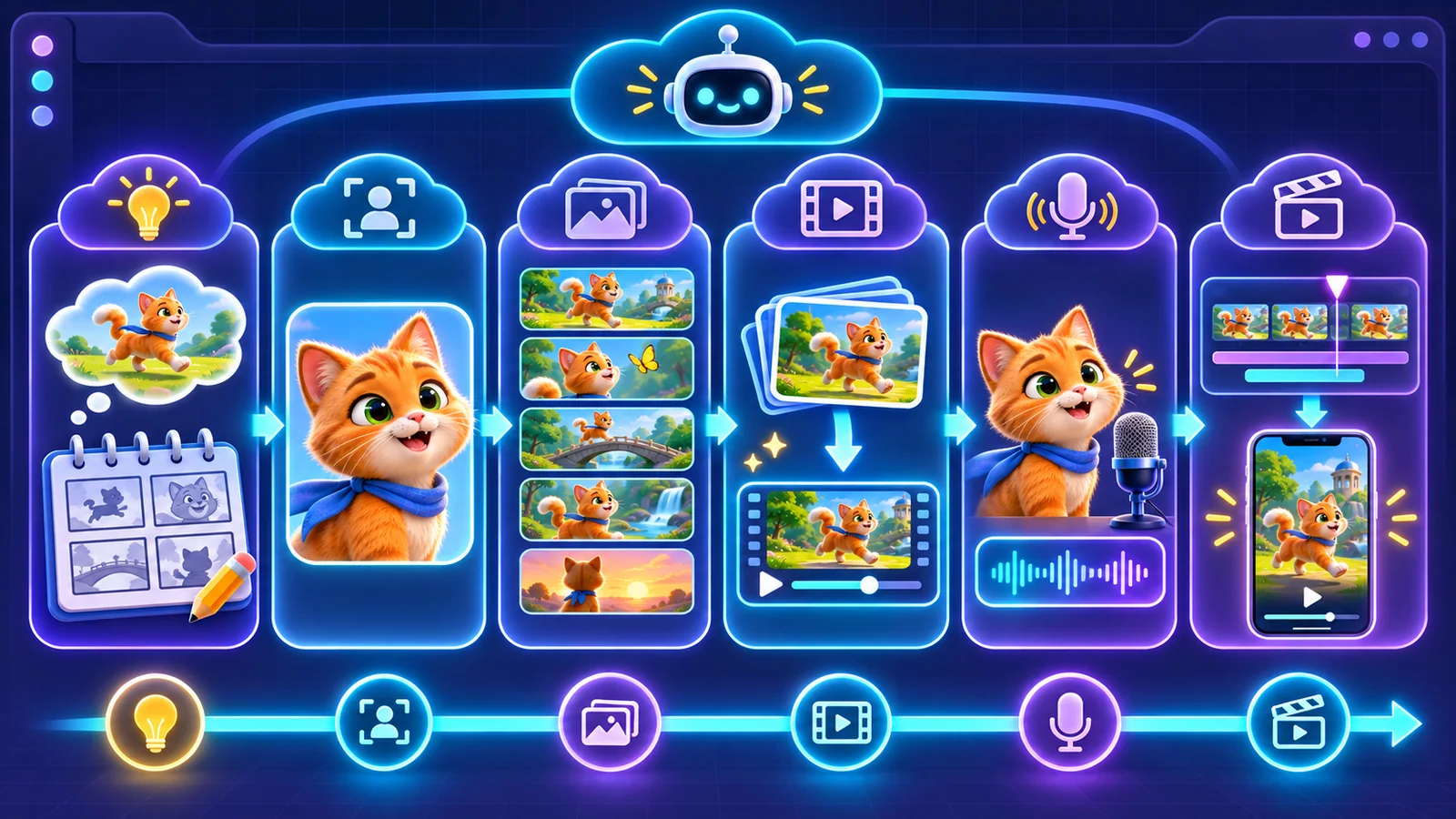
Let's create a short animated story about an adorable orange cat.
Step 1: Write Your Cartoon Story
Begin with a simple story containing a clear beginning, middle, and ending.
Example title: The Helpful Orange Cat
A cute orange cat walks through a beautiful garden. Suddenly, the cat discovers a small bird struggling beside a puddle. The cat carefully helps the bird reach a safe, dry place. The bird happily flies away, and the cat smiles.
This story contains a recognizable character, a simple problem, and a positive ending.
Step 2: Create Your Cartoon Character
Use an AI image generator to design the main character.
Create an original character with recognizable features that can be repeated across scenes.
Character image prompt:
"An adorable chubby orange cartoon cat with white paws, large expressive green eyes, fluffy fur, a small pink nose, and a friendly smile. Wearing a tiny blue scarf. High-quality stylized 3D animation, soft cinematic lighting, colorful family-friendly design, full-body character view, clean background."
Save your favorite character image and use it as a reference for future scenes.
Step 3: Divide Your Story into Scenes
A short animation becomes easier to produce when divided into several clips.
For the orange cat story, use five scenes:
- The cat walks through a colorful garden.
- The cat notices a small bird beside a puddle.
- The cat approaches the bird.
- The cat helps the bird reach a safe place.
- The bird flies away as the cat smiles.
Each scene can be generated separately and combined during editing.
Step 4: Create an Image for Every Scene
Generate a reference image showing the character in each location.
Include the same character description, clothing, colors, and visual style in every prompt.
Avoid changing the character's appearance unnecessarily.
If your image generator supports reference images, use the approved character image to improve visual consistency.
Step 5: Animate Your Character with AI
Open an image-to-video tool such as Google Flow, PixVerse, or Runway.
Upload your cartoon image and enter a movement prompt.
Example animation prompt:
"The adorable orange cat wearing a blue scarf walks slowly along a garden path. The cat blinks naturally, moves its paws gently, and looks curiously at the flowers. Smooth cartoon movement, soft sunlight, steady camera, consistent character appearance."
Generate a short clip and review the result.
Step 6: Generate Every Scene
Repeat the image-to-video process for the remaining scenes.
Keep the movement simple and avoid requesting multiple complicated actions in a single clip.
For example, generate the cat walking in one clip and helping the bird in another.
This makes it easier to control the story and correct errors.
Step 7: Add Cartoon Voiceovers
Create narration for your story using a voice generator or record it yourself.
For example:
"One sunny morning, a kind little cat went for a walk. Suddenly, he noticed a tiny bird that needed help."
Choose a clear, friendly voice that matches your audience.
You can also add simple character dialogue if your selected animation tool supports suitable facial or lip-sync features.
Step 8: Edit Your Cartoon Video
Import all your clips into CapCut or another video editor.
Arrange the scenes in the correct order and add narration, subtitles, sound effects, and music.
For YouTube Shorts and Instagram Reels, use a vertical 9:16 project.
For traditional YouTube videos, a landscape 16:9 layout may be more suitable.
Step 9: Export Your Video
Review the entire animation before exporting.
Check character consistency, animation errors, audio timing, spelling, and overall story clarity.
Export at a suitable resolution for your target platform, such as 1080 × 1920 for vertical content when supported.
5 Best AI Prompts for 3D Cartoon Animation
Prompt 1: Cute Cat Walking
"An adorable orange cartoon cat with white paws and a blue scarf walking through a colorful flower garden. The cat looks around happily while butterflies fly nearby. Stylized 3D animation, smooth character movement, beautiful lighting, cheerful atmosphere."
Prompt 2: Cartoon Rabbit Dancing
"A fluffy white cartoon rabbit with long ears and bright blue eyes dancing happily in a sunny meadow. Gentle hopping movements, colorful flowers, playful expression, soft shadows, polished 3D cartoon style."
Prompt 3: Cartoon Elephant Adventure
"A friendly baby elephant wearing a small yellow backpack walking along a forest trail. The elephant swings its trunk and smiles at the camera. Colorful 3D animation, natural body movement, soft morning light."
Prompt 4: Cute Puppy Playing
"A small golden cartoon puppy chasing a red ball across a grassy playground. The puppy runs excitedly and wags its tail. Detailed fluffy fur, expressive eyes, smooth animation, warm cinematic lighting."
Prompt 5: Magical Cartoon Castle
"A cheerful young wizard standing outside a magical castle surrounded by glowing butterflies. The wizard raises a wand and sparkling lights float into the sky. Beautiful fantasy environment, colorful 3D cartoon animation, gentle camera movement."
These prompts can be customized with your own characters, backgrounds, and story ideas.
How to Keep Cartoon Characters Consistent
Maintaining character consistency is one of the biggest challenges in AI animation.
A character may look different between generated scenes, especially when the AI changes the eyes, clothing, body proportions, or facial features.
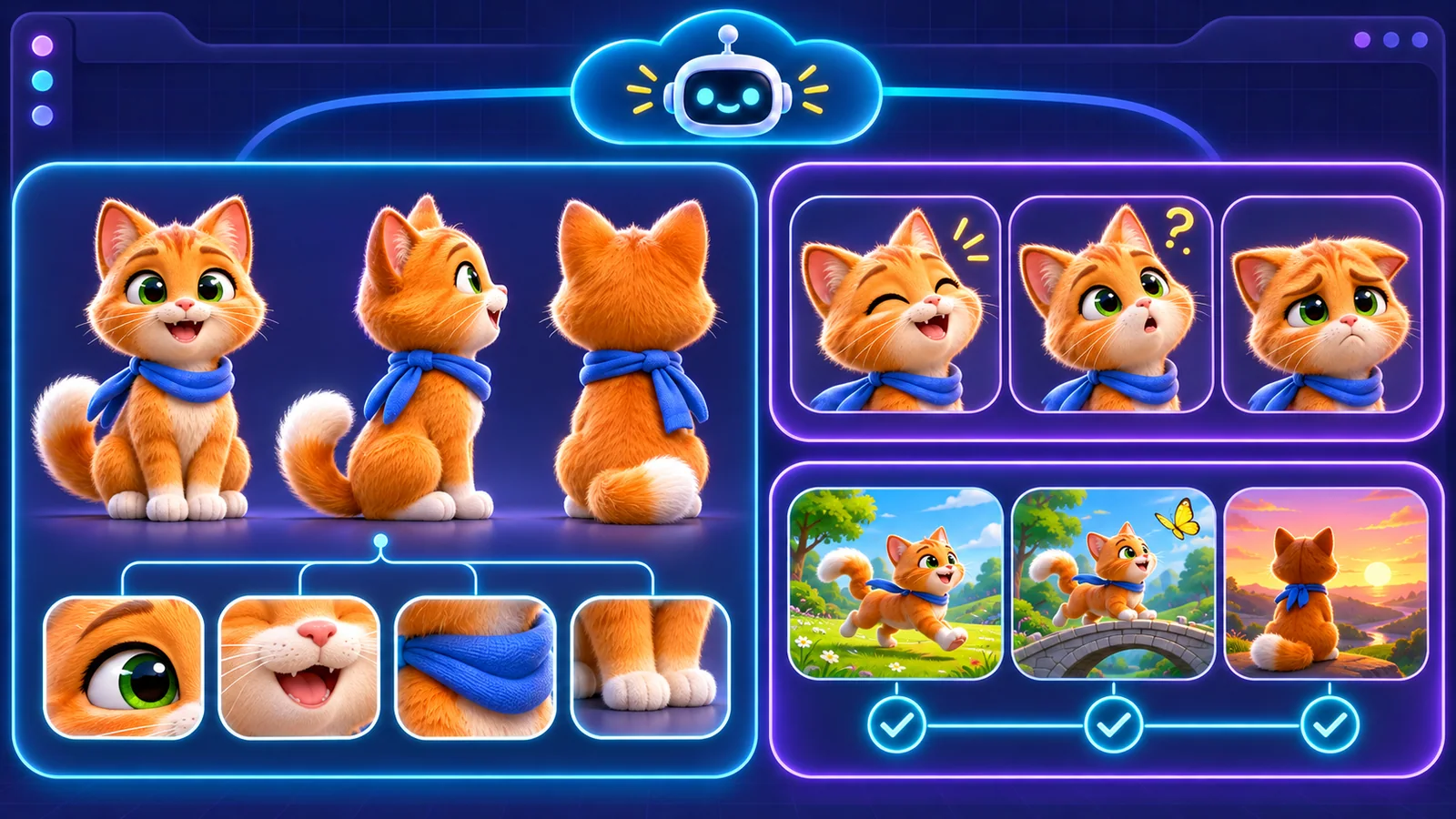
To reduce these problems:
- Create a character reference image before generating scenes.
- Use the same character description throughout the story.
- Keep clothing, colors, and accessories consistent.
- Use reference-image features when available.
- Avoid unnecessary camera-angle changes.
- Check each scene before spending more generation credits.
For longer projects requiring precise character consistency, consider using actual 3D models in Blender.
Can You Create 3D Cartoon Videos Completely Free?
Yes, but the meaning of "free" depends on your chosen workflow.
A simple cartoon video can be made using original illustrations, free animation features, basic editing software, and recorded narration.
AI video generators may provide recurring free credits, limited trials, or watermarked exports.
For example, Google Flow and PixVerse offer daily credit allowances, while Runway provides one-time free credits.
Blender offers a fully free software route for real 3D animation, although creating and animating models requires more skill.
If you plan to publish commercial videos, review each service's licensing terms before using generated content.
Can AI Cartoon Videos Be Monetized on YouTube?
AI-generated cartoon videos can potentially qualify for YouTube monetization.
However, YouTube requires monetized content to follow its originality, authenticity, and other applicable policies.
Mass-produced videos with repetitive storylines and little creative value may be ineligible.
For stronger content, create original stories, meaningful dialogue, varied scenes, and thoughtful editing.
If your videos are directed toward children, select the correct Made for Kids audience setting.
YouTube also requires disclosure for certain realistic AI-generated or meaningfully altered content. Clearly fictional cartoons generally do not require that disclosure, but you should check the rules for your particular video.
