
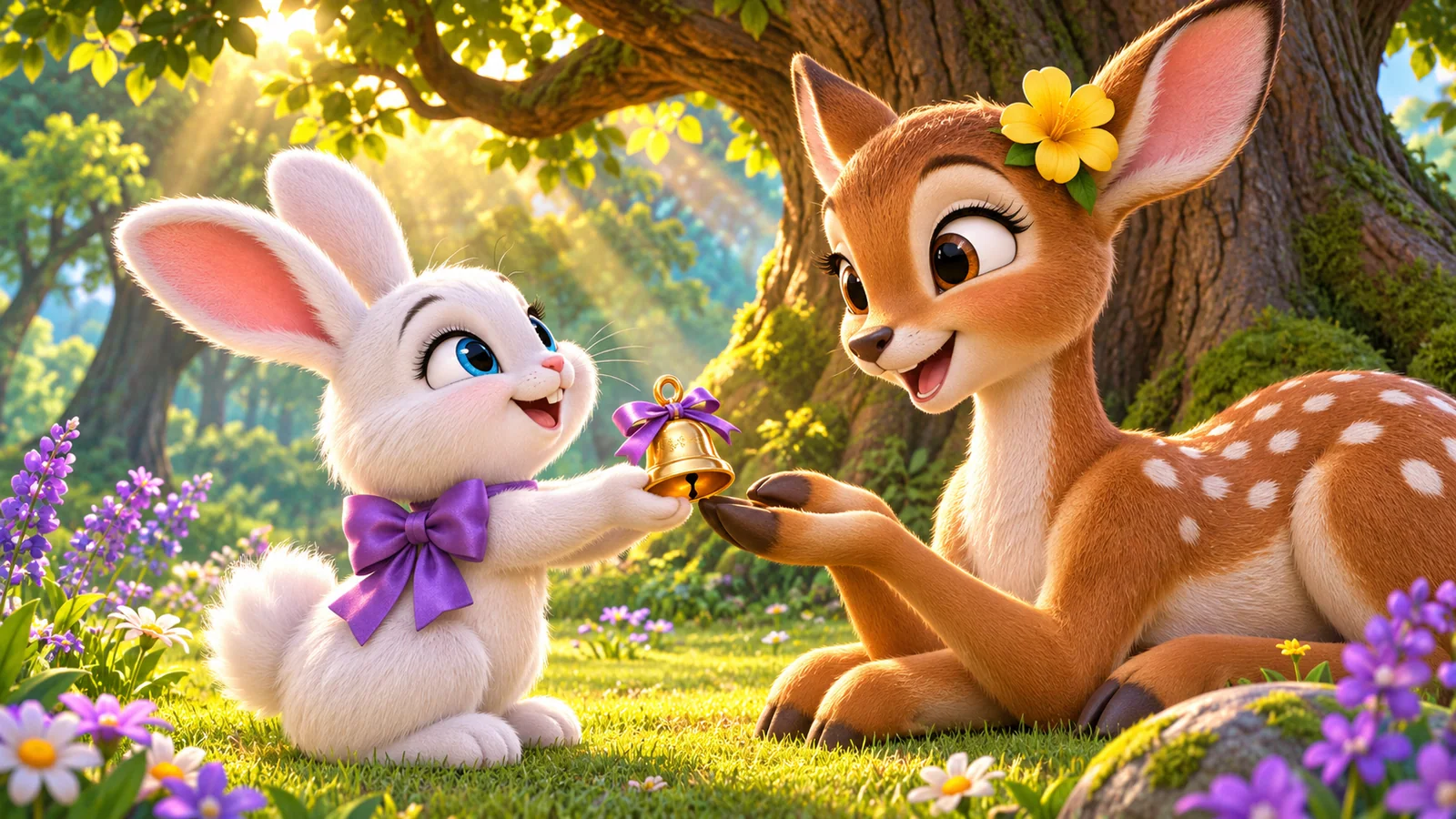
Artificial intelligence has made it easier to create beautiful animated stories for children. In 2026, teachers, parents, YouTubers, and digital creators can produce cartoon stories using AI tools without needing professional animation skills.
From colorful animal characters to magical forests, AI helps transform simple story ideas into engaging animated videos.
One particularly interesting type of content is AI animated moral stories for kids. These videos combine entertainment with important lessons about honesty, kindness, friendship, sharing, patience, and helping others.
Imagine creating a short cartoon featuring a rabbit who finds a lost golden bell and decides to return it to its owner. With AI, you can develop the script, design the characters, animate scenes, generate voiceovers, and publish the finished story.
But how can you create moral story videos using AI? Which tools offer free features? And how do you keep cartoon characters consistent throughout the story?
In this complete guide, we explain everything you need to know, including useful AI tools, original story scripts, animation prompts, and a beginner-friendly production tutorial.
What Are AI Animated Moral Stories?
AI animated moral stories are videos created or enhanced using artificial intelligence that communicate valuable lessons through storytelling.
They typically feature cartoon characters, simple conflicts, interesting adventures, and meaningful endings.
For example, a story about a squirrel sharing food with a hungry friend can introduce the importance of generosity.
Similarly, a story about a rabbit telling the truth can demonstrate how honesty helps build trust.
AI technology can assist with different stages of production, including:
- Writing original children's stories.
- Creating 2D or 3D-style cartoon characters.
- Generating colorful backgrounds.
- Animating character movements.
- Producing narration and dialogue.
- Adding subtitles, music, and sound effects.
- Editing videos for YouTube and social media.
The goal is not simply to generate animations. It is to create entertaining stories that children can understand and learn from.
Why Create AI Moral Story Videos for Kids?
Animated moral stories offer educational and creative benefits.
1. Teach Important Values
Stories can demonstrate kindness, honesty, teamwork, responsibility, and friendship through relatable characters.
2. Encourage Imagination
Colorful environments, talking animals, and imaginative adventures can make lessons more engaging.
3. Support Classroom Learning
Teachers can use animated stories to introduce social-emotional learning topics and classroom discussions.
4. Create Original YouTube Content
Content creators can develop a series of original cartoon stories featuring recurring characters.
5. Save Production Time
AI tools can help with scripts, illustrations, narration, and animation, reducing the need to create every element manually.
6. Develop Creative Storytelling Skills
Creators can practice developing characters, planning scenes, writing dialogue, and communicating meaningful messages.
However, every story should be reviewed for age appropriateness, clarity, and positive educational value.
5 Best AI Tools for Creating Animated Moral Stories in 2026
1. ChatGPT – Best for Moral Story Scripts
Website: https://chatgpt.com/
ChatGPT can help generate original story ideas, dialogue, character descriptions, and scene-by-scene scripts.
You can request a story for a particular age group and choose the moral lesson you want to communicate.
ChatGPT Images can also generate illustrations and edit character images.
Key Features:
- Original moral story scripts.
- Character development.
- Dialogue writing.
- Storyboard creation.
- AI image generation.
- Animation prompt writing.
Free Access: ChatGPT offers a free plan with separate limits for image creation.
Best For: Story writing, character planning, and creative development.
Example Prompt:
"Write an original 90-second moral story for children aged 5–8 about honesty. Use two cute animal characters, simple English dialogue, seven animated scenes, and a positive ending. Include a clear moral lesson."
2. Canva – Best for Simple Cartoon Animations
Website: https://www.canva.com/
Canva provides design templates, animated elements, illustrations, and video editing features.
Beginners can create cartoon storytelling videos using characters, backgrounds, animated text, and transitions.
Canva is particularly useful for creators who prefer assembling scenes manually rather than generating every animation with AI.
Key Features:
- Cartoon-style templates.
- Animated illustrations.
- Background designs.
- Simple scene animations.
- Text and subtitle editing.
- Video exporting.
Free Access: Canva has a standard free plan. Canva for Education is also available at no cost to eligible K–12 teachers and students.
Best For: Educational cartoons, simple moral stories, and beginner-friendly animation.
3. Google Flow – Best for AI Cartoon Video Generation
Website: https://labs.google/flow/
Google Flow is an AI-powered video creation platform that can generate video clips from text prompts and visual references.
Its Frames to Video and Ingredients/References to Video features can help creators animate cartoon images and reuse visual elements across scenes.
Key Features:
- Text-to-video generation.
- Image-to-video animation.
- Character reference workflows.
- Scene generation.
- Cinematic camera movements.
- Different video aspect ratios.
Free Access: Flow offers limited free credits. Credit consumption depends on the model and generation settings.
Best For: Animated animal stories, fantasy adventures, and cinematic cartoon scenes.
4. Adobe Express – Best for Talking Cartoon Characters
Website: https://www.adobe.com/express/
Adobe Express provides an Animate Characters feature that synchronizes built-in animated characters with recorded or uploaded audio.
This can be useful when creating a cartoon narrator or a talking character who explains the story's moral.
Key Features:
- Audio-driven character animation.
- Cartoon character selection.
- Voice recording and audio uploads.
- Background customization.
- Video size adjustments.
- Downloadable animated clips.
Best For: Talking cartoon characters, short moral explanations, and educational narration.
Limitation: The quick-action workflow mainly uses Adobe's available character library rather than animating any custom image.
5. CapCut – Best for Video Editing and Voiceovers
Website: https://www.capcut.com/
CapCut is a video editor that helps combine separate animated scenes into a complete story.
You can arrange clips, add subtitles, create voiceovers, and include music and sound effects.
Key Features:
- Timeline-based video editing.
- Text-to-speech options.
- Automatic captions.
- Background music.
- Transitions and effects.
- Vertical and landscape video exports.
Free Access: Basic editing is available free, while certain AI features and assets may require a paid plan.
Best For: Completing animated moral stories for YouTube and Instagram.
Comparison of AI Moral Story Video Tools
| Tool | Main Purpose | Best For |
|---|---|---|
| ChatGPT | Scripts and images | Story development |
| Canva | Design and animation | Simple cartoon scenes |
| Google Flow | AI video generation | Animated scenes |
| Adobe Express | Talking characters | Character narration |
| CapCut | Editing and voiceovers | Finished videos |
You do not need every tool. A beginner can start with ChatGPT, Canva, and a free video editor.
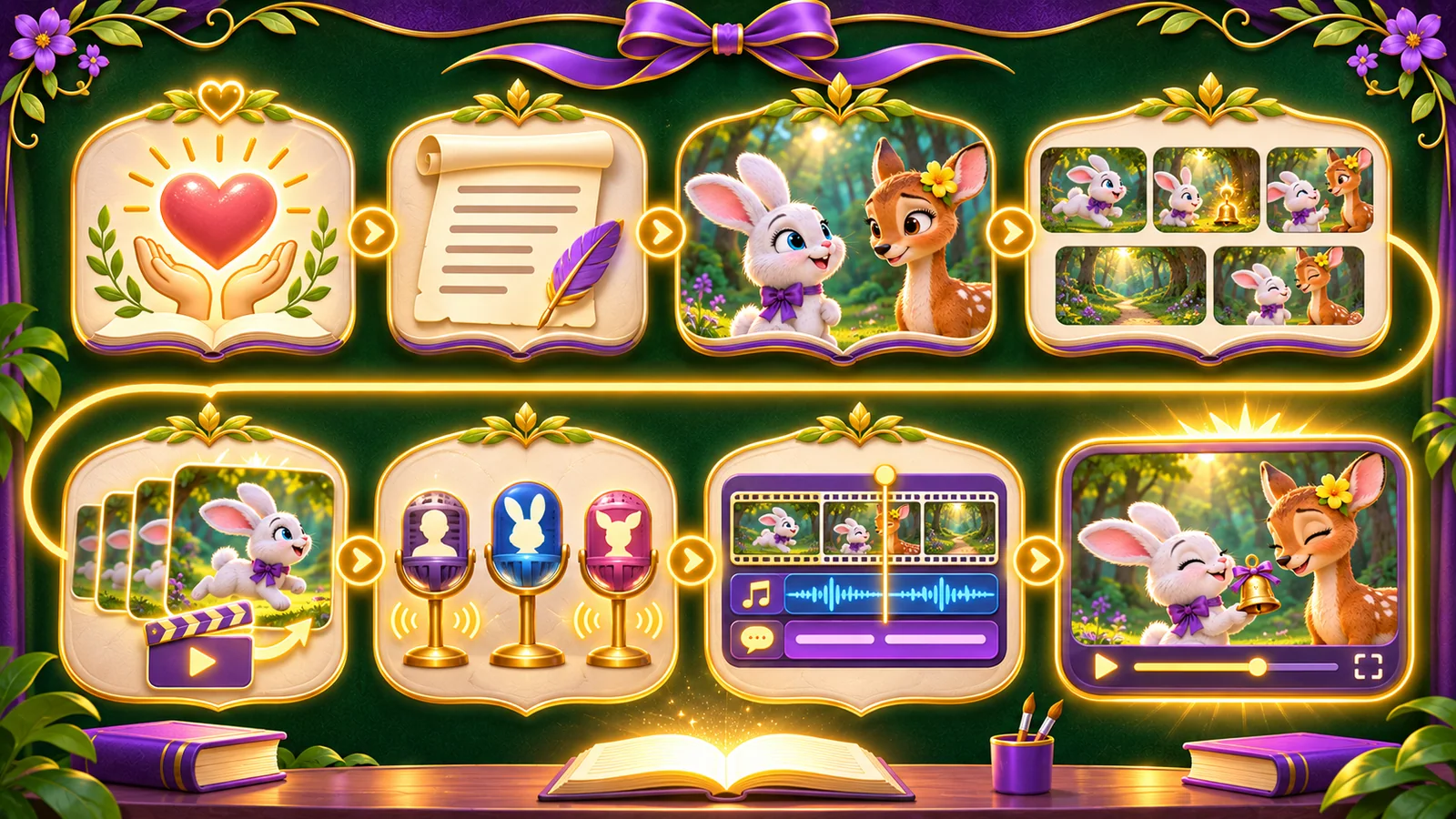
How to Create AI Animated Moral Stories: Step-by-Step Guide
Let's create an original animated story titled:
Ruby the Rabbit and the Golden Bell
Our story teaches children the importance of honesty and helping others.
Step 1: Choose the Moral Lesson
Before writing your script, decide what children should learn.
Popular moral lessons include:
- Honesty builds trust.
- Kindness makes a difference.
- Sharing brings happiness.
- Teamwork helps solve problems.
- Patience is important.
- Respect others.
- Helping friends creates strong relationships.
For our example, we will focus on honesty.
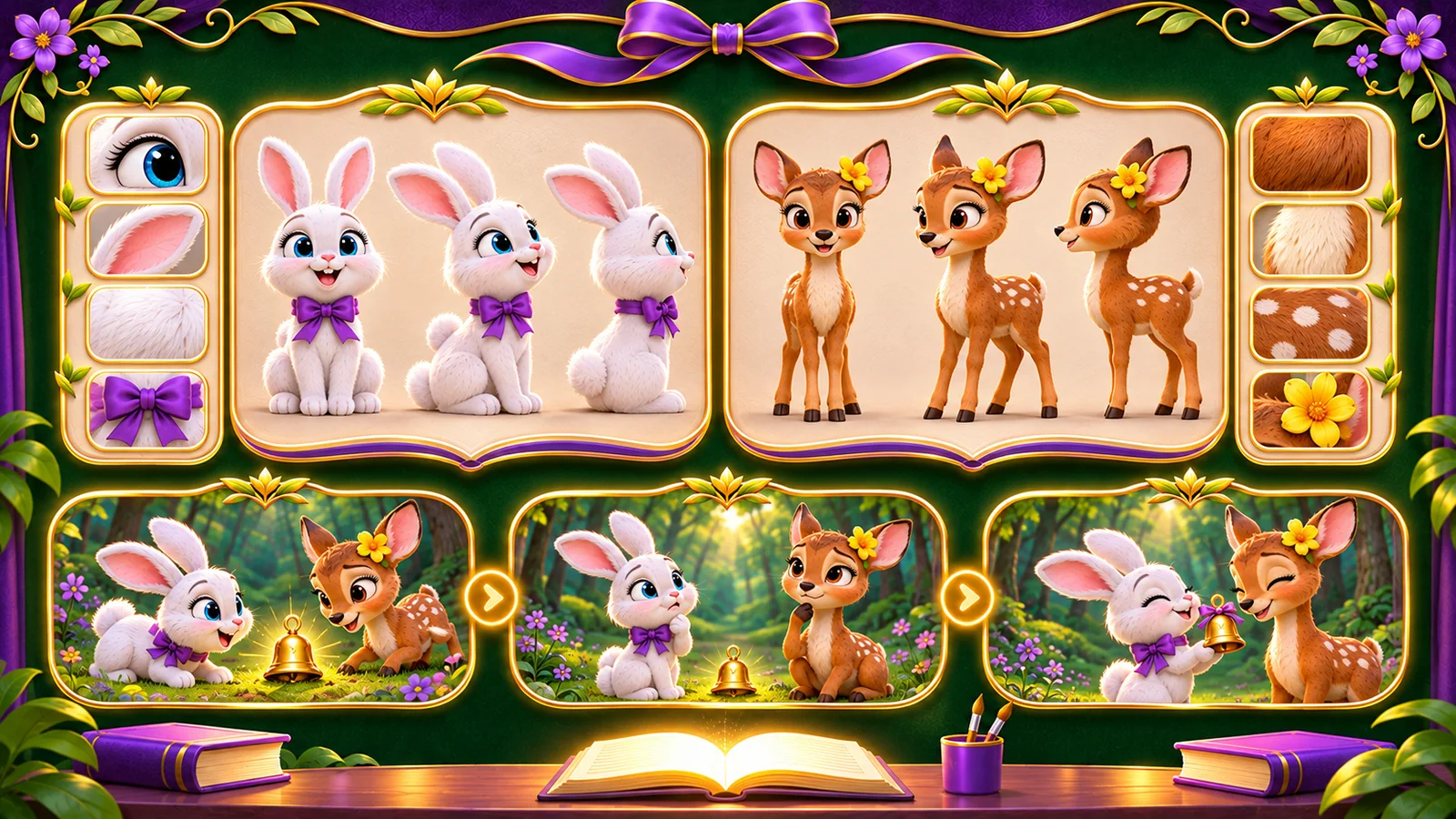
Step 2: Develop Your Story Characters
Create two original cartoon characters.
Character 1: Ruby the Rabbit
Ruby is a small white rabbit with pink ears, bright blue eyes, fluffy fur, and a purple bow around her neck.
She is cheerful, curious, and kind.
Character 2: Daisy the Deer
Daisy is a gentle little brown deer with large expressive eyes, a cream-colored chest, white spots, and a yellow flower behind one ear.
She is friendly and loves spending time with her woodland friends.
Use the same appearance descriptions in every scene.
Step 3: Write Your Moral Story
Here is an original script suitable for a short animated children's video.
Complete Story Script: Ruby the Rabbit and the Golden Bell
Scene 1 – A Beautiful Forest Morning
Narrator: "One sunny morning, Ruby the Rabbit was hopping happily through a beautiful forest."
Ruby: "What a wonderful day! I wonder what adventures I'll discover."
Scene 2 – A Shiny Discovery
Narrator: "Suddenly, Ruby noticed something shining beneath a big oak tree."
Ruby: "Oh! What a beautiful golden bell!"
Narrator: "Ruby picked up the bell and admired its lovely golden color."
Scene 3 – A Difficult Choice
Ruby: "I would love to keep this bell. But what if someone has lost it?"
Narrator: "Ruby thought carefully and decided to look for its owner."
Scene 4 – A Worried Friend
Narrator: "A little farther down the path, Ruby met Daisy the Deer."
Ruby: "Hello, Daisy! Why do you look so worried?"
Daisy: "I've lost my golden bell. My grandmother gave it to me, and it's very special."
Scene 5 – The Honest Decision
Ruby: "Is this your bell, Daisy? I found it near the big oak tree!"
Daisy: "Yes! That's my bell! Thank you for finding it!"
Scene 6 – A Happy Ending
Narrator: "Daisy was so happy that she gave Ruby a warm hug."
Daisy: "You are such an honest and kind friend!"
Ruby: "I'm happy I could help!"
Narrator: "Ruby discovered that doing the right thing felt better than keeping the beautiful bell."
Scene 7 – The Moral Lesson
Narrator: "And from that day onward, Ruby and Daisy became even better friends."
Moral of the Story: Honesty builds trust, and kindness makes friendships stronger.
Step 4: Generate Cartoon Character Images
Use an AI image generator to design Ruby and Daisy.
Ruby Character Prompt:
"Create an adorable original 3D-style cartoon rabbit named Ruby. Ruby has fluffy white fur, long pink ears, bright blue eyes, a small pink nose, and a purple bow around her neck. She has a cheerful smile and rounded facial features. Full-body character, colorful children's animation style, soft studio lighting, simple background."
Daisy Character Prompt:
"Create an adorable original cartoon deer named Daisy. Daisy has soft brown fur, a cream-colored chest, small white spots, large expressive eyes, and a yellow flower behind one ear. Friendly appearance, full-body character, beautiful stylized 3D cartoon design, soft lighting, clean background."
Save the approved character images for future scenes.
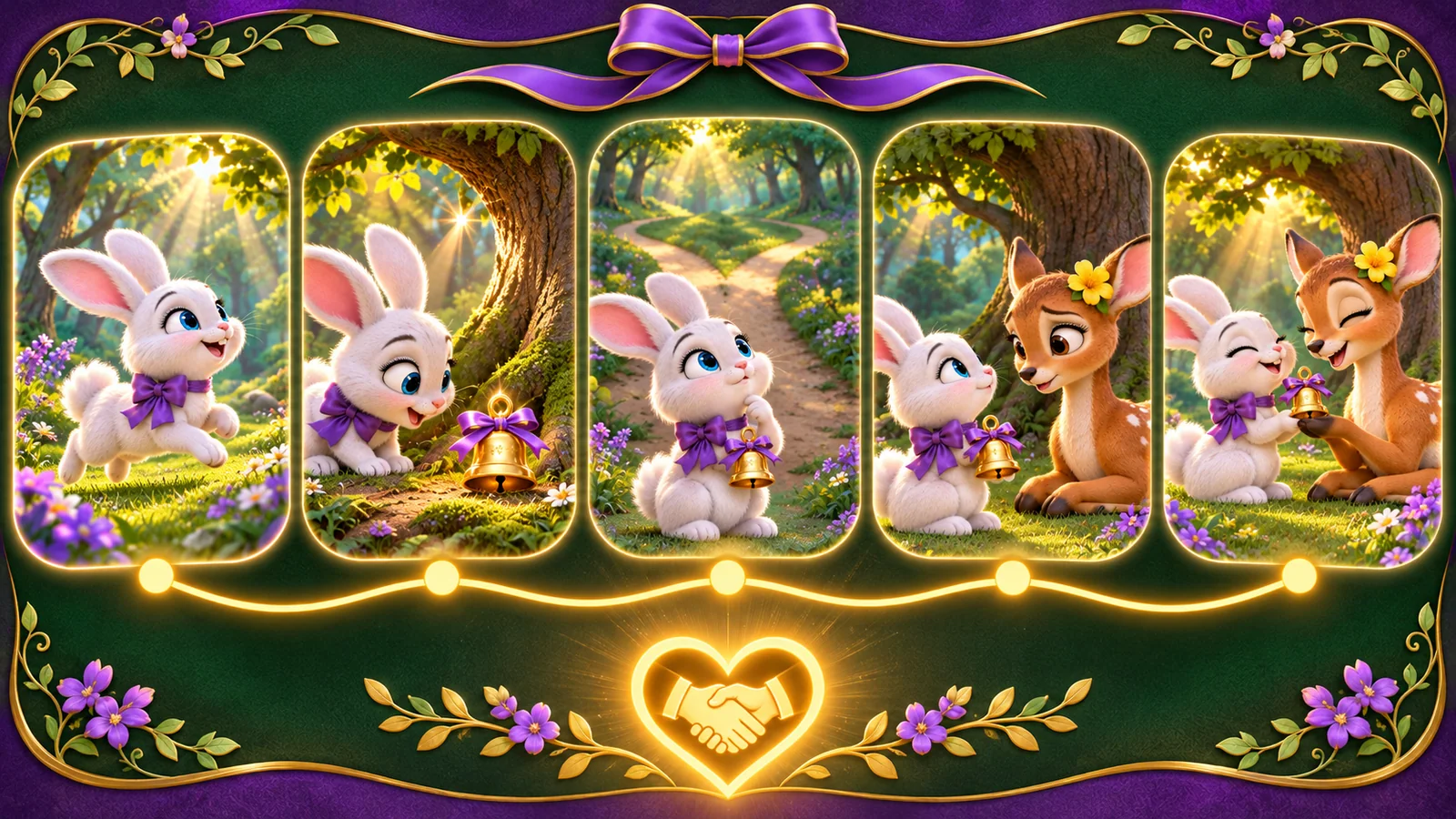
Step 5: Create Scene Images
Generate a still image for each section of your story.
Use your original character images as references wherever supported.
For example:
Scene 1 Image Prompt:
"Using the approved Ruby character image, show the same adorable white rabbit hopping through a colorful forest filled with flowers and butterflies. Preserve her blue eyes, pink ears, white fur, purple bow, and rounded body proportions. Beautiful stylized 3D cartoon environment, soft morning sunlight."
Scene 2 Image Prompt:
"Show Ruby the Rabbit discovering a small golden bell beneath a large oak tree. Ruby looks surprised and curious. Preserve her original character appearance. Bright woodland setting, colorful flowers, soft cinematic lighting, polished 3D cartoon style."
Scene 5 Image Prompt:
"Using the approved Ruby and Daisy character references, show Ruby returning a small golden bell to Daisy the Deer. Both characters look happy. Preserve their exact clothing, markings, facial features, and proportions. Beautiful forest clearing, warm lighting, cheerful stylized 3D cartoon composition."
Step 6: Animate the Scenes
Upload your scene images into an image-to-video AI generator.
Use short prompts describing specific movements.
Animation Prompt Example:
"Animate Ruby the Rabbit gently hopping along the forest path. Her ears move naturally as she hops. She smiles and blinks while looking around the colorful garden. Preserve the original character appearance, purple bow, blue eyes, and white fur. Smooth stylized 3D cartoon animation, stable camera."
For the golden bell scene, animate Ruby looking down, noticing the bell, and moving closer.
Generate separate short clips for complicated actions rather than trying to animate everything at once.
Step 7: Create AI Voiceovers
Create narration and dialogue using a suitable AI voice generator or your own recorded voice.
Use different voices for Ruby, Daisy, and the narrator if possible.
Choose clear, age-appropriate speech.
For young children, allow enough time between sentences for them to understand the story.
Avoid overly dramatic or frightening voice effects.
Step 8: Edit the Complete Story
Import your generated clips into CapCut or another video editor.
Arrange the scenes in order and add the narration.
Include:
- Soft background music.
- Gentle forest sound effects.
- Readable subtitles.
- Smooth transitions.
- A clear opening title.
- The moral lesson at the end.
Review the entire video before publishing.
Step 9: Export Your Animated Story
For a traditional YouTube video, use a landscape 16:9 format.
For YouTube Shorts, use a square or vertical format. A common vertical export resolution is 1080 × 1920 pixels.
YouTube currently supports eligible Shorts up to three minutes long.
Choose a video length that suits your story rather than extending the animation unnecessarily.
5 More AI Animated Moral Story Ideas
1. The Little Elephant Who Shared His Food
A young elephant discovers that sharing with hungry friends brings more happiness than keeping everything for himself.
Moral: Sharing and generosity.
2. The Honest Little Fox
A fox finds a lost basket and chooses to return it instead of keeping its contents.
Moral: Honesty and responsibility.
3. The Brave Little Turtle
A turtle becomes nervous about trying something new but learns to make progress through small, careful steps.
Moral: Courage and perseverance.
4. The Helpful Orange Cat
A friendly cat helps a frightened bird find a safe place after a storm.
Moral: Kindness and compassion.
5. The Rabbit and the Broken Toy
Two friends accidentally break a toy. Instead of blaming each other, they cooperate to repair it.
Moral: Teamwork and taking responsibility.
Each idea can become a standalone video or part of an original animated story series.
Tips for Creating High-Quality Moral Story Videos
Good animated stories need more than colorful characters.
Keep the story simple: Focus on one main problem and one important lesson.
Choose age-appropriate themes: Avoid unnecessary violence, frightening scenes, or complicated moral conflicts.
Make characters relatable: Give characters understandable emotions, goals, and reactions.
Use a clear beginning, middle, and ending: Children should be able to follow the events without confusion.
Show positive behavior: Demonstrate kindness or honesty through character actions rather than only stating the lesson.
Avoid excessive animation effects: Too many flashing transitions or rapid camera movements may distract from the story.
Maintain consistent characters: Reuse reference images to reduce unwanted changes across scenes.
Review all AI-generated material: Check for confusing dialogue, strange movements, visual errors, and inappropriate content.
Can AI Animated Moral Stories Be Monetized on YouTube?
Yes, AI-assisted animated moral stories can potentially qualify for YouTube monetization.
However, YouTube requires monetized content to follow its originality, authenticity, and other applicable policies.
Using AI tools does not automatically make a video eligible for monetization.
Creators should develop original characters, meaningful stories, suitable dialogue, and thoughtful editing.
YouTube also considers the quality of content made for children.
Its guidance encourages stories that promote positive behavior, creativity, curiosity, and life skills.
Avoid repetitive, mass-produced videos where the characters experience nearly identical situations with minimal differences between episodes.
Important Made for Kids Rules
If your videos are directed toward children, you must select the appropriate Made for Kids audience setting in YouTube Studio.
Made for Kids content has restrictions on features such as comments, notifications, and personalized advertising.
A cartoon is not automatically Made for Kids merely because it is animated. The intended audience and content characteristics determine the appropriate classification.
Do AI Cartoon Videos Require Disclosure?
Clearly fictional, non-realistic AI cartoons generally do not require YouTube's realistic synthetic-content disclosure.
However, realistic AI-generated scenes, impersonations, or certain other synthetic content may require disclosure.
Always review YouTube's current policies before publishing.
