

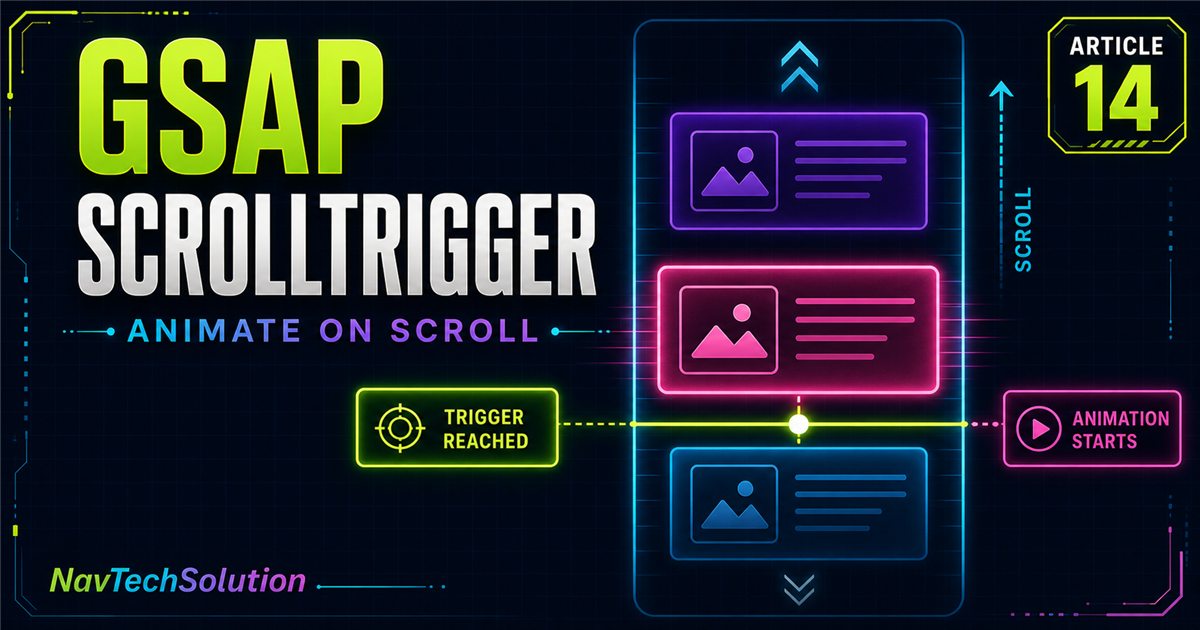
A normal GSAP entrance starts when JavaScript runs. If its target is far below the fold, the motion may finish before the visitor sees it. ScrollTrigger connects that animation to a useful scroll position.
gsap.from(".title", {
  y: 50,
  opacity: 0,
  duration: 0.8,
  scrollTrigger: {
    trigger: ".title",
    start: "top 80%"
  }
});What you will learn
Load and register ScrollTrigger
Understand target, trigger, start and end
Reveal text, cards and visual content
Combine scroll activation with stagger and timelines
Debug positions without production markers
Design responsive, accessible scroll motion
1. What is GSAP ScrollTrigger?
ScrollTrigger is an official GSAP plugin for animations and interactions based on scroll position. It supports reveals, timelines, pinned scenes, scrubbed progress and storytelling, but this lesson focuses on fundamentals.
2. GSAP vs ScrollTrigger
x · opacity · scaletop 80%3. Load ScrollTrigger
This site loads GSAP 3 from jsDelivr, so the page loads ScrollTrigger from the same GSAP 3 package after core GSAP—without loading core twice.
<script src="https://cdn.jsdelivr.net/npm/gsap@3/dist/gsap.min.js"></script>
<script src="https://cdn.jsdelivr.net/npm/gsap@3/dist/ScrollTrigger.min.js"></script>
4. Register ScrollTrigger
if (typeof gsap !== "undefined" &&
    typeof ScrollTrigger !== "undefined") {
  gsap.registerPlugin(ScrollTrigger);
}
Registration tells GSAP that the plugin is available and prevents silent configuration confusion.
5. Your first ScrollTrigger animation
Animate When Visible
This card animates as it reaches the trigger position.
6. Understanding trigger
The trigger is the element ScrollTrigger watches for positioning. It may also be the animated target, but it does not have to be.
7. Target vs trigger
gsap.from(".image", {
  x: 80,
  opacity: 0,
  scrollTrigger: { trigger: ".content-section", start: "top 80%" }
});8. Understanding start
In start: "top 80%", top refers to the trigger element and 80% refers to the viewport. Activation occurs when those positions meet.
9. Basic start examples
10. Interactive start position demo
Current start: top 80%
11. Markers
markers: true shows start/end guides during development. This production article uses a controlled diagram instead of enabling real markers.
12. Why markers matter
If an animation starts unexpectedly, markers help reveal a wrong selector, an unsuitable start, an already-active section or a layout shift.
13. Understanding end
scrollTrigger: {
  trigger: ".section",
  start: "top 80%",
  end: "bottom 20%"
}
start opens the active range; end closes it. For a basic entrance tween without scrub or pin, setting end may not visibly change normal tween playback.
14. Start vs end mental model
15. Animate a heading on scroll
Animation Begins When You Reach It
The section is the trigger while its heading is the target.
16. Animate a paragraph on scroll
Smaller movement can suit body copy because it supports reading without drawing excessive attention. Context still determines the right choice.
17. Animate an image on scroll
18. Text + image section
Reveal related content as one section
The text and visual use one section trigger with modest, responsive motion.
Explore services19. Animate multiple cards
20. ScrollTrigger + stagger
21. One trigger vs trigger per card
Use a group trigger when cards form one visual unit. Use individual triggers when items are far apart or should reveal independently. Neither approach is always better.
22. Individual card triggers
document.querySelectorAll(".individual-scroll-card")
  .forEach((card) => {
    gsap.from(card, {
      y: 40, opacity: 0, duration: 0.7,
      scrollTrigger: { trigger: card, start: "top 85%" }
    });
  });
23. Group trigger vs individual triggers
24. ScrollTrigger with gsap.to()
gsap.to(".scroll-to-box", {
  x: 120, rotation: 8, duration: 1,
  scrollTrigger: { trigger: ".scroll-to-demo", start: "top 80%" }
});
ScrollTrigger can activate the destination animation introduced in gsap.to().
25. ScrollTrigger with gsap.from()
from() is convenient for entrance animation because the document’s natural styling remains the destination.
26. ScrollTrigger with gsap.fromTo()
gsap.fromTo(".box",
  { x: -70, opacity: 0 },
  { x: 0, opacity: 1, duration: 0.8,
    scrollTrigger: { trigger: ".demo", start: "top 80%" }
  }
);
With fromTo(), ScrollTrigger belongs in the destination vars object.
27. ScrollTrigger + timeline
const tl = gsap.timeline({
  scrollTrigger: { trigger: ".scroll-section", start: "top 75%" }
});

tl.from(".label", { y: 15, opacity: 0 })
  .from(".title", { y: 40, opacity: 0 })
  .from(".card", { y: 30, opacity: 0, stagger: 0.1 });
One trigger can activate the complete timeline.
28. ScrollTrigger + timeline mental model
29. Practical services section
Our Digital Services
Modern development and digital solutions for growing businesses.
30. Practical about section
Strategy meets implementation
Coordinate a visual, heading, paragraph and related feature items with one timeline.
31. Practical stats section
32. Portfolio grid reveal
33. Trigger different directions
34. ScrollTrigger and opacity
A simple fade can be appropriate. ScrollTrigger does not require large movement.
35. ScrollTrigger and scale
Subtle scale: 0.94 plus opacity can add depth without making the layout feel unstable.
36. Replay behavior: an important concept
A basic scroll-triggered entrance does not necessarily replay every time users move up and down as beginners may expect. A later lesson will teach detailed enter/leave playback control.
37. Basic once concept
GSAP 3 ScrollTrigger supports once: true when an entrance should activate once and then remove its trigger.
38. Avoid animating everything
Prioritize section headings, meaningful groups, major visuals and content transitions. Do not force every paragraph, icon or tiny label to wait without a design reason.
39. Common ScrollTrigger mistakes
40. Debugging checklist
41. ScrollTrigger.refresh() concept
ScrollTrigger calculates positions from layout. Call ScrollTrigger.refresh() deliberately after significant custom layout changes—not continuously or on every scroll.
ScrollTrigger.refresh()42. Images and layout changes
Images, fonts, accordions and inserted content can move positions. Provide image dimensions and refresh only when a real dynamic layout change requires it.
43. Performance
Prefer practical transform and opacity animation, avoid hundreds of unnecessary triggers and test complex effects on real mobile devices. No property is a substitute for measurement.
44. Accessibility
const reduceMotion = window.matchMedia(
  "(prefers-reduced-motion: reduce)"
).matches;
Reduced-motion users receive the complete content without scroll entrances in this implementation.
45. Progressive enhancement
HTML content exists normally. JavaScript enhances it with motion; CSS does not permanently hide essential information.
46. Mobile ScrollTrigger
Use container-safe motion and reduce horizontal distances on narrow screens. Test 320, 375, 768, 1024 and 1440 pixel layouts.
47. Main ScrollTrigger lab
Scroll-Driven Experiences
Create modern web interactions that activate as users explore the page.
Waiting for lab top to reach viewport 75%
48. Lab visualization
The adjacent viewport diagram explains the actual trigger used by the main timeline without turning on production markers.
49. Start position playground
The earlier playground changes its viewport line and demonstrates how later or earlier positions affect activation. It rebuilds only its own conceptual state.
50. Trigger selection playground
Heading
Current trigger: Section wrapper
51. Mini project
Build Scroll Animations
Trigger coordinated GSAP animations as content enters the viewport.
Show suggested solution
const miniTl = gsap.timeline({
  scrollTrigger: { trigger: miniProject, start: "top 80%" }
});
miniTl.from(label, { y: 15, opacity: 0 })
  .from(title, { y: 35, opacity: 0 }, "-=0.1")
  .from(text, { y: 20, opacity: 0 }, "-=0.3")
  .from(cards, { y: 30, opacity: 0, stagger: 0.1 }, "-=0.2");
52. Quick reference
| Concept | Example | Purpose |
|---|---|---|
| Register | gsap.registerPlugin(ScrollTrigger) | Register plugin |
| ScrollTrigger | scrollTrigger: {...} | Attach scroll behavior |
| Trigger | trigger: ".section" | Positioning element |
| Start | start: "top 80%" | Activation point |
| End | end: "bottom 20%" | Active range end |
| Markers | markers: true | Debug positions |
| Once | once: true | One-time activation |
| Timeline | gsap.timeline({ scrollTrigger: {...} }) | Trigger a sequence |
| Refresh | ScrollTrigger.refresh() | Recalculate when necessary |
53. Cheat sheet graphic
54. Final mental model
55. Continue with Blog #15
We now understand trigger and a basic start: "top 80%". Continue with GSAP ScrollTrigger Start & End to unpack position combinations, offsets and precise active ranges.
Continue the GSAP series
Connect ScrollTrigger with gsap.to(), gsap.from(), gsap.fromTo(), stagger, easing, timelines, timeline controls, position parameters and timeline + stagger.